


96GB or the full 128GB tier?
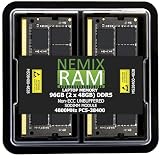
96GB versus 128GB is where high-capacity DDR5 becomes a real workstation decision. Both can now be reached with two modules on compatible platforms: 2x48GB for 96GB and 2x64GB for 128GB. That means the comparison is no longer automatically “two sticks versus four.” Instead, the buyer can compare two high-density dual-DIMM layouts by workload requirement, platform support, stable speed and price.
Choose 96GB when it comfortably covers measured demand and the 32GB saving in capacity also produces a meaningful price saving. Choose 128GB when local AI, VMs, creator workloads or data work can realistically exceed about 80-90GB after growth headroom. Confirm 64GB-per-module support before assuming 2x64GB is available on your board.
A board that supports 128GB total through 4x32GB may not automatically support 2x64GB. Check per-DIMM capacity support.
Interactive buying tool
Model the capacity before you buy
Enter the workload and layout
The result will separate capacity need from module-count and compatibility checks.
Current matching memory
Products that fit this capacity or layout




Buying sequence
Use this order before you buy
- Measure real peak memory use
- Model growth and concurrent workloads
- Check 48GB and 64GB per-DIMM support
- Compare 2x48GB and 2x64GB kit pricing
- Use a realistic supported speed
- Choose 128GB only when the extra headroom has value
96GB and 128GB are now both two-DIMM possibilities
Modern DDR5 capacity planning is now more flexible because 24GB, 48GB and 64GB modules can create totals such as 48GB, 96GB and 128GB without automatically filling four slots. The useful question is whether the chosen layout is supported and whether the workload can use the added capacity. Keep total capacity, per-module capacity and DIMM count separate when reading retailer listings. A title that says 96GB can describe 2x48GB or 4x24GB, and a title that says 128GB can describe 2x64GB or 4x32GB. Those layouts can have different support and speed behavior even though the final capacity is the same.
Use the exact motherboard or system support page rather than a generic chipset assumption, and update firmware before judging a newer high-density kit incompatible. Choose 96GB when it comfortably covers measured demand and the 32GB saving in capacity also produces a meaningful price saving. Choose 128GB when local AI, VMs, creator workloads or data work can realistically exceed about 80-90GB after growth headroom. Confirm 64GB-per-module support before assuming 2x64GB is available on your board. The safest buying sequence is therefore capacity need first, platform support second, DIMM layout third and speed tuning last. That order prevents a fast or inexpensive listing from overriding the compatibility evidence that actually determines whether the upgrade is useful.
2x48GB versus 2x64GB
Compare density, total capacity, slots used and platform validation. Modern DDR5 capacity planning is now more flexible because 24GB, 48GB and 64GB modules can create totals such as 48GB, 96GB and 128GB without automatically filling four slots. The useful question is whether the chosen layout is supported and whether the workload can use the added capacity. Keep total capacity, per-module capacity and DIMM count separate when reading retailer listings. A title that says 96GB can describe 2x48GB or 4x24GB, and a title that says 128GB can describe 2x64GB or 4x32GB. Those layouts can have different support and speed behavior even though the final capacity is the same.
Compare one matched kit against another matched kit. Mixing individually purchased modules or separate kits can work, but the memory vendor did not validate them as one set. Choose 96GB when it comfortably covers measured demand and the 32GB saving in capacity also produces a meaningful price saving. Choose 128GB when local AI, VMs, creator workloads or data work can realistically exceed about 80-90GB after growth headroom. Confirm 64GB-per-module support before assuming 2x64GB is available on your board. The safest buying sequence is therefore capacity need first, platform support second, DIMM layout third and speed tuning last. That order prevents a fast or inexpensive listing from overriding the compatibility evidence that actually determines whether the upgrade is useful.
Local AI and CPU offload
Treat the CPU memory specification as the baseline and the motherboard QVL as board-level validation evidence. An XMP or EXPO profile is a target, not a universal promise. Choose 96GB when it comfortably covers measured demand and the 32GB saving in capacity also produces a meaningful price saving. Choose 128GB when local AI, VMs, creator workloads or data work can realistically exceed about 80-90GB after growth headroom. Confirm 64GB-per-module support before assuming 2x64GB is available on your board. The safest buying sequence is therefore capacity need first, platform support second, DIMM layout third and speed tuning last. That order prevents a fast or inexpensive listing from overriding the compatibility evidence that actually determines whether the upgrade is useful.
Virtual machines and lab systems
When price is the deciding factor, compare total checkout cost and price per usable gigabyte only after form factor, module count and support are aligned. Choose 96GB when it comfortably covers measured demand and the 32GB saving in capacity also produces a meaningful price saving. Choose 128GB when local AI, VMs, creator workloads or data work can realistically exceed about 80-90GB after growth headroom. Confirm 64GB-per-module support before assuming 2x64GB is available on your board. The safest buying sequence is therefore capacity need first, platform support second, DIMM layout third and speed tuning last. That order prevents a fast or inexpensive listing from overriding the compatibility evidence that actually determines whether the upgrade is useful.
Creator and engineering workloads
After installation, confirm reported capacity and speed, then run a sustained memory test and the heaviest real workload before relying on the configuration. Choose 96GB when it comfortably covers measured demand and the 32GB saving in capacity also produces a meaningful price saving. Choose 128GB when local AI, VMs, creator workloads or data work can realistically exceed about 80-90GB after growth headroom. Confirm 64GB-per-module support before assuming 2x64GB is available on your board. The safest buying sequence is therefore capacity need first, platform support second, DIMM layout third and speed tuning last. That order prevents a fast or inexpensive listing from overriding the compatibility evidence that actually determines whether the upgrade is useful.
Speed versus capacity at the high end
Platform maximum versus module maximum
Price per GB and the 128GB premium
Compare total spend and the value of avoiding another replacement later. Modern DDR5 capacity planning is now more flexible because 24GB, 48GB and 64GB modules can create totals such as 48GB, 96GB and 128GB without automatically filling four slots. The useful question is whether the chosen layout is supported and whether the workload can use the added capacity. Keep total capacity, per-module capacity and DIMM count separate when reading retailer listings. A title that says 96GB can describe 2x48GB or 4x24GB, and a title that says 128GB can describe 2x64GB or 4x32GB. Those layouts can have different support and speed behavior even though the final capacity is the same.
When 96GB is actually better value
When 128GB is the safer long-term choice
How to verify a high-capacity RAM purchase
Start with the processor or system memory specification, then check the motherboard or device support documentation, and finally the exact RAM part number. Match DDR generation, form factor, per-module capacity, total capacity, DIMM count, rated data rate and timings. For 24GB, 48GB and 64GB modules, confirm the platform supports that module density rather than relying only on a headline maximum-memory number.
Prices can change at any time. The table shows the latest price and image Cloudzat has verified for each matching product. Always confirm the current Amazon price, seller, condition and exact part number before ordering.
Questions answered
96GB vs 128GB RAM FAQ
Is 96GB enough for local AI?
For many workloads it can be, especially when the active model and services fit comfortably. The exact requirement depends on quantization, offload and concurrent software.
Is 128GB always faster?
No. Capacity alone does not make memory faster.
Can 128GB be 2x64GB?
Yes on platforms that support 64GB modules.
Is 2x64GB easier than 4x32GB?
Often it is easier on the memory controller and preserves slots, but platform support remains decisive.
How much headroom should I leave?
A practical starting point is around 20-30 percent above repeatable peak use, with more if workload growth is expected.
Should I buy 96GB if it is much cheaper?
Yes if it covers your workload with headroom and the platform supports the 2x48GB kit well.
Amazon prices and availability can change. Links may be affiliate links. Verify the exact part number, module type, capacity, system support and warranty before ordering.