


UK BUYING GUIDE
The WD_BLACK SN7100 is a family of PCIe Gen4 M.2 2280 NVMe SSDs, not a single capacity. Western Digital and SanDisk currently list the family in up to 4TB configurations, with model codes that include 500GB WDS500G4X0E, 1TB WDS100T4X0E, 2TB WDS200T4X0E and 4TB WDS400T4X0E. That means the current catalogue is broader than the earlier 500GB-to-2TB view, and any UK buying guide should reflect the genuine 4TB option as well.
Capacity is the main buying decision, but the speed and endurance picture also changes with size. WD’s official SN7100 data sheet lists the 1TB and 2TB models at up to 7,250MB/s read and 6,900MB/s write, while the 500GB model is slower and the 4TB listing on SanDisk’s product page is rated at 7,000MB/s read and 6,700MB/s write. WD’s published endurance figures also step up by capacity, with the 4TB SN7100 listed at 2,400TBW on the official SN7100X data sheet and the SN7100 family’s earlier 500GB/1TB/2TB data sheet listing 300TBW, 600TBW and 1,200TBW respectively.
Compatibility is straightforward but still worth checking. The SN7100 family is a bare M.2 2280 drive using PCIe Gen4 x4 NVMe, with backwards compatibility down to PCIe Gen2 x1. WD and SanDisk position it for laptops, gaming PCs and portable Windows systems, but it is not a built-in heatsink model, so PS5 buyers should treat it as a separate purchasing problem rather than assume it is the clean console choice. Sony’s PS5 guidance requires effective heat dissipation for any compatible M.2 SSD, which is why a heatsink-equipped drive is usually the simpler route for console expansion.
Our recommendation
Buy the WD_BLACK SN7100 1TB, model WDS100T4X0E, if you want the safest default for most UK PCs and laptops. It gives you the full top-speed class that WD publishes for the 1TB and 2TB models, avoids the cramped feel of 500GB, and is easier to justify than the 4TB model unless you need a huge local library. For a Windows boot drive, a gaming laptop upgrade or a slim desktop, it is the most balanced choice.
Choose the 500GB WDS500G4X0E only if your budget is tight and you know your storage needs are modest. It is a real SN7100, but it is the least forgiving version: lower sequential write speed, lower random write performance and the smallest endurance figure in the family. If you regularly install large games, edit video, or keep a lot of media on the drive, this is usually the version you will outgrow first.
Choose the 2TB WDS200T4X0E if you want a strong all-rounder with more headroom than 1TB, or step up to the 4TB WDS400T4X0E if your priority is maximum local storage and the most relaxed long-term usage pattern. The official 4TB SN7100 exists in the current catalogue, and its published 2,400TBW endurance figure is the highest in the line. That makes 4TB the specialist choice for heavy game libraries, content creation and users who simply do not want to manage storage very often.
If your real target is PlayStation 5 expansion, the SN7100 is not the neatest recommendation because WD/SanDisk sell it as a bare drive rather than a heatsink model. Sony’s PS5 guide requires effective heat dissipation, so a heatsink-equipped SSD is usually the cleaner choice. For console buyers, WD_BLACK SN850X or SN850P are the more natural fit; for PC and laptop buyers, the SN7100 remains the efficiency-focused option.
WD Black SN7100 SSD
Amazon UK listings for this buying decision. Match the exact model and configuration to our recommendations below.

WD_BLACK SN7100 2TB NVMe SSD, M.2 2280, Read speeds up to 7250 MB/s, Write Speed up to 6,900 MB/s, Next Gen TLC 3D NAND, WD_BLACK DASHBOARD, Up to 1,200TBW, For Laptops, handheld gaming devices
£308.00
Last verified 2026-11-27 14:06:57 UTC
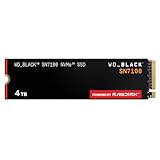
WD_BLACK SN7100 4TB NVMe SSD, M.2 2280, Read speeds up to 7000 MB/s, Write Speed up to 6,700 MB/s, Next Gen TLC 3D NAND, DASHBOARD, Up to 2,400TBW, For Laptops, handheld gaming devices
£669.00
Last verified 2026-11-27 14:06:57 UTC

WD Black SN7100 NVMe SSD 2TB
£551.56
Last verified 2026-11-28 00:40:23 UTC
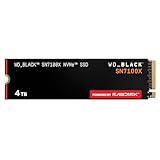
WD_BLACK SN7100X NVMe SSD 4TB (up to 7,000 MB/s read speeds, officially licensed for ROG Xbox Ally (X) & PC, PCIe Gen4, SANDISK TLC 3D CBA NAND, 1 Month Xbox Game Pass Ultimate) POWERED BY SANDISK
£570.79
Last verified 2026-11-27 09:22:21 UTC
As an Amazon Associate, Cloudzat earns from qualifying purchases. Price and availability may change; Amazon checkout controls the purchase price.
What to buy for your needs
Check the slot before you think about capacity
Start with hardware compatibility, not price. The SN7100 family uses an M.2 2280 form factor and PCIe Gen4 x4 NVMe interface, so your machine needs an M-key M.2 slot that accepts 80mm drives. WD says the family is backwards compatible with PCIe Gen3 and Gen2 lane configurations, which helps on older systems, but the physical slot and firmware support still have to be there. If your laptop only accepts 2230 modules or uses soldered storage, the SN7100 is not the right purchase.
For desktop users, the key question is whether the motherboard’s M.2 socket supports NVMe boot and has enough clearance around the slot for the drive and nearby components. The SN7100 is a bare SSD with no factory heatsink, so it is usually easy to fit in laptops and compact PCs designed for standard M.2 storage. In other words, this is a drive for systems that already understand M.2 SSDs; it is not a universal storage solution.
Buy capacity by workload, not by badge
The 1TB model is the best default because it is the first capacity where WD publishes the family’s strongest speed class in the mainstream SN7100 line, while still leaving enough room for an operating system, applications and a sensible game library. It is the version most buyers are least likely to regret later. If you are replacing a small boot drive or upgrading a gaming laptop, 1TB usually lands in the sweet spot between headroom and value.
The 500GB model is for disciplined, light-duty use. It is fine for a secondary system, an office laptop or a machine that stores only a modest number of games, but it is easier to fill than many buyers expect once modern titles, launchers and updates arrive. The 2TB model is the opposite: it suits users who want to install once, delete less often and keep more titles or large working files on the drive at all times.
The 4TB model is now part of the real catalogue, and it changes the buying conversation. If you are choosing for a portable gaming PC, a workstation-style laptop or a desktop where you want to keep a large library local, 4TB lets you reduce reliance on external storage and reduces the need to manage installed games. It is not the right answer for everyone, but it is no longer accurate to describe the SN7100 family as topping out at 2TB.
Use endurance as part of the capacity decision
Endurance matters because it tells you how much writing the drive is designed to tolerate over its warranty life. WD’s official family data sheet gives the 500GB, 1TB and 2TB SN7100 models 300TBW, 600TBW and 1,200TBW respectively, while the newer SanDisk/SN7100X data sheet lists the 4TB model at 2,400TBW. All versions carry a 5-year limited warranty, subject to the TBW limit being reached first.
The practical takeaway is simple: the larger models give you more margin if you record gameplay, move large files around regularly or keep the drive busy for years. But the 4TB model is not just about endurance; it is also about convenience. If you routinely keep huge games installed, edit media locally or want to avoid storage management for as long as possible, 2TB and especially 4TB are the versions that earn their place. If your usage is ordinary, the 1TB model is still the better balance.
Understand what Western Digital and SanDisk actually built
The SN7100 is a DRAM-less drive using WD/SanDisk TLC 3D NAND, depending on the product generation and branding used by the official page or data sheet. WD frames the family as portable and gaming-focused, with performance and power-efficiency claims aimed at laptops and handheld-style systems. The current SN7100X data sheet goes further for the Xbox-licensed version, describing it as designed for ROG Xbox Ally X and PC use, and stating that the family is DRAM-less with up to 90% more power efficiency at maximum speed versus the previous generation.
The practical feature set is uncomplicated. WD Dashboard for Windows can monitor health, performance and firmware and can enable Game Mode, but that software is Windows-only. If you are buying for macOS, Linux or a console, do not assume Dashboard features are part of the value proposition. For most buyers, the important thing is simply that the drive is a standard internal NVMe SSD that should behave predictably in compatible systems.
Buy the exact SKU, not just the family name
The family name alone is not enough. WD and SanDisk’s official SN7100 materials tie the family to specific model numbers, and the current catalogue includes four verified capacities: WDS500G4X0E, WDS100T4X0E, WDS200T4X0E and WDS400T4X0E. If a listing is vague, verify the full code before checkout. That avoids the easy mistake of paying for the wrong capacity and getting a drive whose speed and endurance are not what you intended to buy.
For most readers, the shortlist is simple: WDS100T4X0E as the default, WDS500G4X0E only for a budget-limited build, WDS200T4X0E when you want more headroom, and WDS400T4X0E when you want the biggest mainstream SN7100 option and the highest endurance figure. The model code is the most reliable way to make that choice with confidence.
Treat PS5 use as a separate buying problem
Sony’s PS5 guidance is clear: a compatible M.2 SSD must be PCIe Gen4x4, use one of the supported form factors including 2280, and have effective heat dissipation with a cooling structure such as a heatsink and heat transfer sheet. The SN7100 meets the size and interface family, but WD and SanDisk present it as a bare drive, not a PS5-ready heatsink package. That makes it a workable engineering match only if you also solve cooling and fit yourself.
If your real brief is a console SSD, choose a drive that is already built around that job. WD’s product comparison materials place the SN850X and SN850P in the console-friendly part of the range, while the SN7100 family remains the better-fit choice for PC and laptop storage. That avoids guesswork about whether a bare PC drive will fit once you factor in the console’s cooling and size limits.
Capacity, compatibility and ownership
Performance and interface
The SN7100 family uses PCIe Gen4 x4 NVMe and TLC 3D NAND. WD’s family data sheet lists the 1TB and 2TB models at up to 7,250MB/s sequential read and 6,900MB/s sequential write, with 1,000K IOPS random read and 1,400K IOPS random write. The 500GB model is slower, at up to 6,800MB/s read, 5,800MB/s write, 760K IOPS random read and 1,200K IOPS random write. The current SanDisk product page for the 4TB SKU lists 7,000MB/s read, 6,700MB/s write, 900K IOPS random read and 1,350K IOPS random write.
Those numbers matter most as a family comparison: the 1TB and 2TB models are the stronger performers in the original WD family sheet, while the 500GB version is clearly the entry-level cut. The 4TB SKU in the current catalogue sits slightly below the 1TB/2TB speed tier on the SanDisk product page, but it is still positioned as a full consumer gaming SSD rather than a cut-down budget part.
WD also says the drive is backwards compatible with PCIe Gen3 x4, Gen3 x2, Gen3 x1, Gen2 x4, Gen2 x2 and Gen2 x1. That is useful, but it is not a promise that every older machine will boot from it; the system still needs a compatible M.2 NVMe slot and firmware support. For a buyer, the safest interpretation is simple: if your PC or laptop already takes an M.2 NVMe SSD, the SN7100 is broadly compatible in interface terms.
Warranty, endurance and limits
WD gives the SN7100 family a 5-year limited warranty, subject to the endurance limit being reached first. The official documents show the family’s TBW values scaling with capacity, and the 4TB SN7100X sheet lists 2,400TBW, which is the highest figure in the current line. The practical takeaway is that the drive is built for normal consumer and gaming workloads, with the larger capacities offering more write headroom as well as more storage.
That warranty coverage is not the same thing as unlimited support. As with most SSDs, the coverage applies to the drive itself, not to damage caused by an incompatible system or to third-party cooling mistakes. If you are buying for a laptop, console enclosure or very tight desktop case, make sure the host device can actually accommodate an 80mm M.2 drive and any required thermal solution before purchase.
SN7100 versus SN7100X
The SN7100 and SN7100X are related but not identical product families. The SN7100 is the standard WD_BLACK PC/laptop SSD family, while the SN7100X is the officially licensed version for ROG Xbox Ally X and PC. The SN7100X data sheet explicitly calls out Xbox integration and higher power-efficiency claims for handheld use, and it lists capacities up to 4TB with model numbers starting WDBELH rather than WDS.
That distinction matters because a buyer searching for “SN7100” may see both products in the wild and assume they are interchangeable. They are not interchangeable in branding, target device and SKU structure. For a general UK PC buying guide, the standard SN7100 remains the better family to discuss first, while SN7100X should be treated as a separate Xbox-licensed branch rather than as a mere capacity variant.
Alternative WD_BLACK choices
The closest higher-end family is the WD_BLACK SN850X. WD’s materials describe it as a gaming drive available with higher capacities and with heatsink variants, which makes it the more obvious pick when you want a premium desktop gaming SSD or a PS5-friendly configuration. If you need more capacity than the SN7100 family or want a heatsink option from the same brand family, SN850X is the cleaner comparison point.
For PS5 specifically, WD’s comparison materials also place the SN850P in the console-focused part of the line-up. That matters because it removes guesswork about whether a bare PC drive will fit once you factor in the console’s cooling and size limits. For console buyers, the dedicated model is the cleaner purchase; for PC and laptop buyers, the SN7100 remains the more efficiency-focused option.
Which option should you choose?
Best overall: WD_BLACK SN7100 1TB, model WDS100T4X0E
This is the model most UK buyers should shortlist first. It keeps the full speed class of the original WD family sheet, offers a sensible 600TBW endurance rating, and avoids the cramped feel that often comes with a 500GB main drive. For a primary Windows installation, gaming laptop or compact desktop, it is the most balanced choice in the range.
It is the easiest recommendation to stand behind because it solves the most common problem: needing enough space without stepping into unnecessary overspecification. If you only want one SN7100 SKU to compare against other SSDs, this is the one.
Budget pick: WD_BLACK SN7100 500GB, model WDS500G4X0E
Choose this only if the device is light-use or the budget is tight. It is a real SN7100, but WD’s own specs show that it has lower peak write speed, lower random write performance and the smallest endurance rating in the family. It is fine as a small boot drive or a secondary upgrade, but it is the easiest version to outgrow.
If you already know you will install several large games or keep lots of media on the drive, do not force the budget choice. The 1TB model is the point where the family becomes comfortable rather than merely functional.
Expansion pick: WD_BLACK SN7100 2TB, model WDS200T4X0E
This is the pick for buyers who want more storage and more endurance headroom without jumping all the way to 4TB. It is the version to buy when you want a roomy everyday drive that still sits in the family’s main performance tier. If you want a straightforward upgrade for a gaming PC or a content-heavy laptop, 2TB is a very sensible middle ground.
It is also the version that often makes the most sense if the machine is hard to open, such as some gaming laptops or compact builds. In those cases, buying more capacity upfront can be the cleaner long-term decision.
Maximum-capacity pick: WD_BLACK SN7100 4TB, model WDS400T4X0E
This is the specialist pick for buyers who want the current family’s biggest real capacity. The official catalogue includes a genuine 4TB SN7100, and the current SanDisk page lists it with 7,000MB/s read, 6,700MB/s write and 2,400TBW endurance. It is the version to buy when storage convenience matters more than keeping the purchase lean.
4TB makes the most sense for users with large PC game libraries, handheld libraries, local creative workloads or a desire to minimise storage management. If that sounds like you, the 4TB SN7100 is now a real option rather than a speculative one.
NAS options on Amazon
Compare the NAS model, drive bays, included disks and supported applications before buying. Keep using your existing NAS if it already meets the guide’s requirements.
Checking current Amazon listings…
As an Amazon Associate, we earn from qualifying purchases. Prices and availability can change; Amazon’s checkout price applies.
Questions answered
Is the WD_BLACK SN7100 good for a gaming laptop?
Yes. WD positions it for laptops and handheld gaming devices, and its DRAM-less, efficiency-focused design suits portable hardware. For most gaming laptops, the 1TB model is the best all-round fit, with 2TB or 4TB better for larger libraries.
Can I use the SN7100 in a PlayStation 5?
It is not my first recommendation. Sony requires effective heat dissipation for PS5 M.2 SSDs, and the SN7100 is sold as a bare drive rather than a heatsink model. A PS5-focused WD_BLACK drive is the cleaner choice.
What is the main difference between the SN7100 and SN7100X?
The SN7100 is the standard WD_BLACK PC/laptop family, while the SN7100X is the officially licensed version for ROG Xbox Ally X and PC. The SN7100X has its own model numbers, branding and product positioning.
Which SN7100 capacity should most people buy?
Most people should buy the 1TB WDS100T4X0E. It is the best balance of speed, capacity and endurance for a main PC or laptop drive. Buy 500GB only for strict budgets, 2TB for more comfort, and 4TB only if you know you will use the extra space.
Does the SN7100 need a heatsink in a PC?
Not usually, because WD sells it as a bare M.2 drive and many PCs already have adequate slot cooling or airflow. But you should still check your motherboard or laptop layout. For PS5, a heat-dissipation mechanism is required.
Sources and further detail
- WD_BLACK SN7100 NVMe SSD data sheet — Verified 500GB/1TB/2TB model numbers, interface, performance, endurance, warranty, dimensions and efficiency positioning
- WD_BLACK SN7100 NVMe SSD product page — Current SanDisk family page showing up to 4TB availability and 4TB specifications
- WD_BLACK SN7100 NVMe SSD product page — Current SanDisk page for the 4TB SN7100 SKU
- WD_BLACK SN7100X NVMe SSD data sheet for ROG Xbox Ally X and PC — Distinct SN7100X family, official Xbox-licensed branding, 4TB capacity, model numbers, endurance and performance
- WD_BLACK SN7100X NVMe SSD product page — Current SN7100X family page and its distinct product positioning
- PlayStation support: How to add an M.2 SSD to a PS5 console — PS5 M.2 SSD interface, supported form factors and cooling requirement