


UK BUYING GUIDE
Synology’s DS925+ is a current four-bay desktop NAS aimed at people who want proper shared storage rather than a simple external drive. It combines four internal drive bays, dual 2.5GbE networking, two M.2 NVMe slots and support for a DX525 expansion unit, so it can start compact and grow into a larger office file store or backup hub.
For UK buyers, the key questions are compatibility and support, not just headline capacity. Synology lists the DS925+ with a 100V to 240V AC input range, a 3-year hardware warranty, and a package that includes the main unit, power adapter, power cord and two RJ-45 LAN cables. That makes it straightforward to power from normal UK mains, but drives and software rules still matter when you choose the right configuration.
This guide focuses on what actually changes the buying decision: the current Synology drive policy for 2025 models, what the DS925+ can and cannot do, and which alternatives make more sense if your priorities are lower cost, future expansion, or video-transcoding support. The aim is a practical recommendation you can buy from, not a spec sheet in disguise.
Our recommendation
The DS925+ is the right default Synology desktop NAS for a UK home office if you want four bays now, a clean upgrade path later, and a sensible middle ground between two-bay simplicity and rack-mount complexity. Its strengths are the dual 2.5GbE ports, the two M.2 slots for cache or storage pools, support for the DX525 expansion unit, and Synology’s current Plus-series software support.
Our default recommendation is the DS925+ with four 8TB Synology HAT3300 drives, configured as Synology Hybrid RAID with one-drive fault tolerance. That gives you a straightforward, supported starting point with enough usable capacity for business files, device backups, photos and shared working folders, while leaving a clear path to expand later. Synology’s own compatibility page lists HAT3300 models for the DS925+, and the DS925+ product page still lists the HAT3300 family as compatible accessories.
Do not buy it just because it is newer than the previous generation. Buy it because you need a current Synology platform with headroom and you are comfortable paying for that flexibility. If you mainly want the lowest-cost current Synology box for light file sharing, the DS425+ is the budget path; if you already know you will need more than four bays, the DS1525+ is the more sensible long-term chassis. If media transcoding is central to your use, a QNAP alternative such as the TS-464 deserves consideration because QNAP explicitly lists hardware-accelerated transcoding on that model.
Synology DS925+ systems
Choose the exact model and configuration recommended below. These listings are from Amazon UK; bundles and capacities are identified on each card.
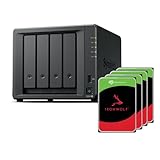
Synology DS925+ Bundle 24TB Seagate (Ironwolf 4X 6TB) Desktop NAS 4-bay, 2.5GbE ports, 4GB RAM
£1,920.56
Last verified 2026-11-27 19:24:40 UTC

Synology DS925+ 24TB (Synology HAT33) 4Bay Desktop NAS
£2,066.92
Last verified 2026-11-27 19:12:53 UTC
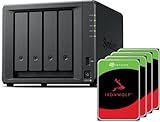
Synology DS925+ (2 x 2.5GbE, Ryzen V1500B, 4GB RAM) 16TB 4-Bay Bundle with 4 x Seagate Ironwolf 4TB Hard Drives
£1,508.96
Last verified 2026-11-27 16:25:04 UTC

Synology DS925+(2X 2.5GbE Ports, Ryzen V1500B, 4GB RAM) 4-Bay 24TB Bundle with 4X 6TB WD Red Plus
£1,898.66
Last verified 2026-11-27 08:18:05 UTC
As an Amazon Associate, Cloudzat earns from qualifying purchases. Price and availability may change; Amazon checkout controls the purchase price.
What to buy for your needs
Start with the storage job, not the enclosure
The DS925+ makes sense when one NAS needs to do several jobs at once: shared file storage, backup target, snapshot-enabled project space and remote access for a small team or household. Four bays is the useful threshold here because it lets you build a protected array without feeling boxed in after the first drive upgrade.
If your current plan is only to mirror one or two laptops, the DS925+ is more NAS than you need. If, however, you expect to centralise work files, a photo archive and device backups in one place, four bays is the right starting point. The enclosure is designed for that middle ground, not for occasional USB-style use.
Treat the drives as part of the product choice
The DS925+ supports 3.5-inch SATA hard drives, 2.5-inch SATA SSDs and 2280 M.2 NVMe SSDs. Synology also lists it with a maximum of nine drive bays when paired with one DX525 expansion unit. That matters because the NAS is not sold as a bare shell in practical terms; your drive choice determines the usable system you end up with.
For a conventional office NAS, 3.5-inch SATA hard drives remain the obvious choice. For quieter operation or fast all-flash storage, 2.5-inch SATA SSDs are supported too, but that changes the economics and the layout of the system. The M.2 slots are better treated as cache or carefully planned storage-pool options rather than an automatic upgrade, because Synology’s own notes attach tighter conditions to M.2 storage-pool creation.
Check the current Synology drive policy before you buy
This is the biggest change relevant to the DS925+ in 2026. Synology’s current drive-compatibility FAQ says that with DSM 7.3, 2025 DiskStation Plus models offer more flexibility for installing third-party HDDs and 2.5-inch SATA SSDs when creating storage pools. In other words, the newer Plus models are not locked to only Synology-branded drives in the way some buyers still assume.
That said, flexibility is not the same as blanket support. Synology’s compatibility page for the DS925+ still says listed third-party products have been tested and verified, while drives not on the list receive only limited support if a problem is caused by the drive or its firmware. The safe editorial recommendation is still to buy from the compatibility list unless you have a clear reason not to.
Size the network for the NAS you are actually buying
The DS925+ includes two 2.5GbE ports. That is enough to make the NAS worthwhile on a normal modern home-office network without demanding a wholesale switch to 10GbE. For one user moving large files, a single 2.5GbE link is already a meaningful step up from 1GbE. For several users, the second port gives you flexibility for aggregation or a separate network layout.
This matters because the DS925+ is not a product that only becomes useful after you buy extra networking gear. It is already positioned as a faster current-generation desktop NAS, and the headline performance figures on Synology’s product page are based on its dual 2.5GbE design.
Decide early whether nine bays is a real need
The DX525 expansion unit is a real part of the DS925+ story, not a token accessory. Synology lists the DS925+ as expandable to nine bays with one DX525, and the product page positions that as the route to higher raw capacity later. That makes the DS925+ a better buy if you want to spread the cost of growth over time.
If you are already certain that four bays will not be enough, skip straight to a larger chassis such as the DS1525+. Paying extra for expansion you know you will need is cleaner than outgrowing the smaller enclosure and then replacing it. If you are unsure, the DS925+ is the safer starting point because it keeps the option open.
Capacity, compatibility and ownership
What exactly is the DS925+ today?
Synology’s current product page lists the DS925+ as a four-bay desktop model with dual 2.5GbE networking, two M.2 NVMe slots for cache or storage pools, and support for the DX525 expansion unit. The datasheet identifies the CPU as an AMD Ryzen V1500B, the system memory as 4GB DDR4 ECC SODIMM, and the AC input range as 100V to 240V.
That is important because it confirms the DS925+ is a current model rather than a clearance oddity. Synology also lists UKCA certification, which is useful for UK buyers assessing compliance and support.
What comes in the box, and what does not?
Synology lists the package contents as the main unit, accessory pack, AC power adapter, AC power cord and two RJ-45 LAN cables. It does not ship with hard drives or SSDs, so any complete cost calculation must include storage media as well as the enclosure.
The warranty is three years hardware, extendable to five years with Extended Warranty Plus. Synology says the standard warranty period starts from the purchase date on the receipt, while Extended Warranty Plus is only available in Europe and North America and must be bought within Synology’s stated time window.
How much storage should a UK home office buy?
A sensible default is to buy enough protected capacity for current work and the next few years of growth, rather than chasing maximum raw capacity. Four 8TB drives are a balanced starting point for documents, backups and shared project folders. Synology’s own product page says the DS925+ supports up to 80TB of raw storage across the four bays before expansion, which aligns with that kind of mid-size setup.
If your files are heavier — for example, design assets, photo libraries or multi-user archives — then 12TB or 16TB drives can be the more rational starting point. The right answer depends on how much data you actually store, not on theoretical maximums. Synology’s volume and pool limits are generous, but usable capacity always depends on drive size, RAID choice and filesystem overhead.
How should you think about Synology’s 2025 drive rules?
The key point is that the DS925+ sits inside Synology’s newer 2025 Plus-series policy. Synology’s FAQ says third-party HDDs and 2.5-inch SATA SSDs are more flexible on these models under DSM 7.3, but the compatibility list still matters for support and stability. That is a meaningful relaxation, not a reason to ignore the list.
For a buying guide, the practical conclusion is simple: use verified drives if you want the cleanest support experience, and treat unlisted drives as a compatibility gamble you should only take knowingly. Synology’s own compatibility page says support may be limited when an issue is caused by the drive or its firmware.
Why the DS925+ is worth paying for
The first reason is headroom. A four-bay NAS is much easier to live with than a two-bay model once it becomes the centre of backups, shared folders and snapshots. The DS925+ gives you that breathing space without forcing you into a rack-style machine.
The second reason is the current platform position. Synology’s 2025 drive policy, combined with the DS925+ hardware, makes this model easier to recommend than older Synology designs that felt more restrictive. You still need to choose drives carefully, but the product is no longer locked into an older compatibility mindset.
What it is not good at
The DS925+ is not the best buy if your main need is hardware-accelerated video transcoding. Synology’s specifications for the DS925+ centre on storage and networking rather than media acceleration, while QNAP’s TS-464 hardware specs explicitly list hardware-accelerated transcoding and an Intel Celeron N5095 with Intel UHD Graphics. That makes the TS-464 the more specialist choice for users whose NAS is also a media-transcoding box.
It is also not the cheapest route to simple backup. If you only need a calm place for laptop backups and a few shared folders, there are less expensive current NAS models that will do the job. The DS925+ earns its keep only when you use its extra bays, networking and expansion headroom.
Which option should you choose?
Default pick: DS925+ with four 8TB Synology HAT3300 drives
This is the best all-round UK home-office configuration for most readers. It uses a current Synology enclosure, a drive family listed on the compatibility page, and a capacity class that makes sense for shared documents, backups and growing project data. It is the least fussy route to a supported setup.
Choose Synology Hybrid RAID if you want simple one-drive fault tolerance and easier future drive-size changes. Choose RAID 5 if you prefer a traditional arrangement and are happy to keep the drives matched. For most buyers, SHR is the more forgiving default.
Budget pick: DS425+ with smaller capacity drives
The DS425+ is the better choice if your aim is to stay in Synology’s current four-bay family while spending less. It is the right answer for light office sharing, basic backups and modest file growth, provided you do not need the DS925+’s extra headroom or plan to expand quickly.
This is not a downgrade that matters only on paper. It is a real product-positioning choice: fewer ambitions, lower enclosure spend, and less reason to pay for expansion capability you may never use. If you already know storage growth is steady, skip it and keep the DS925+.
Specialist pick: QNAP TS-464 if hardware transcoding matters
Choose the TS-464 if you specifically want a four-bay NAS that Synology’s DS925+ is not trying to be: a media-capable box with hardware-accelerated transcoding. QNAP lists that feature directly on the TS-464 hardware page, and the model uses an Intel Celeron N5095 platform with Intel UHD Graphics.
This is the specialist choice, not the default. It makes sense when video streaming compatibility and transcoding support are more important than Synology’s storage-first ecosystem. If your priority is office storage, snapshots and tidy expansion, the DS925+ remains the cleaner recommendation.
Synology NAS options on Amazon
Use a Synology DiskStation for the Synology steps in this guide. Check support for the exact DSM package and model; another brand does not run Hyper Backup or Synology Drive. Manufacturer compatibility information.
Checking current Amazon listings…
As an Amazon Associate, we earn from qualifying purchases. Prices and availability can change; Amazon’s checkout price applies.
Questions answered
Is the DS925+ a good first NAS?
Yes, if you want a proper shared storage system and are willing to learn DSM. It is a strong first NAS for a home office because it has room to grow, but it is more machine than a casual backup user needs.
Can I use third-party drives in the DS925+?
Yes, but with caveats. Synology’s 2025 Plus policy under DSM 7.3 gives more flexibility for third-party HDDs and 2.5-inch SATA SSDs, yet the compatibility list still defines the safest support path.
Does the DS925+ work on UK mains power?
Yes. Synology lists an AC input range of 100V to 240V and includes an AC power adapter and cord in the box, so the unit is suitable for normal UK mains power.
Should I buy the DX525 straight away?
Only if you already know four bays will not be enough. The DX525 is useful, but many buyers should start with the NAS alone and add expansion later if the storage demand really grows.
Who should skip the DS925+?
Skip it if you only need simple personal backup, if you are certain two bays are enough, if you want the cheapest current Synology, or if hardware video transcoding is your main requirement.
Sources and further detail
- Synology DS925+ product page — Current DS925+ specification, 2.5GbE ports, M.2 slots, DX525 expansion support, warranty, package contents and software notes.
- Synology DS925+ datasheet PDF — CPU, memory, drive-bay count, power input, supported drive types, max expansion to nine bays and volume/RAID details.
- Synology drive compatibility policy FAQ — DSM 7.3 policy change for 2025 Plus models, including more flexibility for third-party HDDs and 2.5-inch SATA SSDs.
- Synology DS925+ compatibility list — Official verified drive list and Synology’s warning that unlisted drives receive limited support if problems stem from the drive or firmware.
- QNAP TS-464 hardware specs — TS-464 processor, Intel UHD Graphics and explicit hardware-accelerated transcoding support.