


UK BUYING GUIDE
Plex Pass is worth considering if you run a personal Plex Media Server and want premium server features that the free tier does not fully cover. The clearest reasons to pay are remote video streaming from your server, hardware-accelerated transcoding, and Live TV/DVR support. If you only watch locally on the same network and do not need those extras, the free tier is usually enough.
Plex now also offers Remote Watch Pass, which is narrower than full Plex Pass. That changes the buying decision for lighter users: if your only paid need is remote viewing of personal video from a Plex Media Server, you may not need the full subscription. If you need server-owner benefits for multiple users, hardware features, or DVR, Plex Pass is the broader option.
For UK buyers, this is mostly a software decision, not a mains-power one. A Plex subscription does not involve UK 230V or Type G plug compatibility. Those hardware questions matter only if you are buying a separate server box, NAS, tuner or mini PC to run Plex, not for the subscription itself.
Our recommendation
Default recommendation: Plex Pass yearly, if you are the person running the server and expect to keep using remote playback, hardware transcoding, or DVR over the next year. It gives you the full Plex Pass feature set without committing to lifetime pricing immediately. Plex says the monthly, yearly and lifetime versions all include the same features, so the difference is mainly commitment rather than capability.
Choose Remote Watch Pass instead if the only premium thing you need is remote video streaming from a Plex Media Server and you do not care about the rest of Plex Pass. Skip Plex Pass entirely if you mainly stream locally, rely on music or photos more than video, or use Plex mostly for its free catalogue rather than your own server library. The paid subscription is useful, but not automatically necessary for every Plex user.
Optional Plex server hardware
These are optional media-server systems. A hardware purchase does not include Plex Pass.
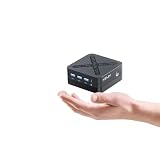
MINIX NEO Z95 Mini PC,Intel 12th Gen N95, 8GB LPDDR5X RAM,256GB NVMe SSD, Dual LAN Mini Computers/4K Triple Display HDMI/DP/VESA Mount/Auto Power On/WOL for Business Home Office,Digital Signage
£285.00
Last verified 2026-11-28 10:38:02 UTC

DreamQuest Mini PC Windows 11 Pro Preinstalled,Micro Desktop Computer 12th Gen Intel N95 (up to 3.4GHz) 8GB DDR5 256GB M.2 SSD with 3x HDMI,4x USB,Dual-band WiFi 6,Bluetooth 5.3 /Gigabit
£186.99
15% off · Amazon reference price £219.99
Last verified 2026-11-28 10:32:51 UTC

MeLE Quieter 4C Fanless Mini PC N100 8GB 128GB with win 11 pro | N100 up to 3.4GHz, 8GB RAM, 128GB storage, dual HDMI+USB-C triple 4K display, Windows/Linux/Ubuntu, VESA mount
£331.49
15% off · Amazon reference price £389.99
Last verified 2026-11-28 10:31:48 UTC

Beelink Mini PC N150(up to 3.6GHz),13th Twin Lake,12G LPDDR5 RAM 512G SSD,Mini Computer 4K Dual Display output/2.5G RJ45/Wifi6/BT5.2/W11 Home
£269.00
7% off · Amazon reference price £289.00
Last verified 2026-11-28 10:30:40 UTC
As an Amazon Associate, Cloudzat earns from qualifying purchases. Price and availability may change; Amazon checkout controls the purchase price.
What to buy for your needs
Start with the real use case, not the subscription name
The main buying mistake is treating Plex Pass as a general-purpose upgrade for everyone. It is not. Plex separates personal-media features from its free ad-supported streaming catalogue, and the paid subscription is for specific server and playback features rather than extra free content. If you only need local playback inside the home, the free tier may already be enough.
If your main goal is remote access to your own video library, look carefully at whether you are buying for one viewer or for the whole server. Plex says Remote Watch Pass allows the associated account to stream remotely from any Plex Media Server it can access, but it does not include the rest of Plex Pass. A full Plex Pass also allows remote streaming for any Plex account accessing that server, which matters when more than one household member uses it.
Treat hardware-accelerated transcoding as a major value point
Hardware-accelerated streaming is one of the strongest reasons to pay. Plex says this premium feature requires Plex Pass and depends on compatible hardware support. In practice, it matters most when your server has to convert video for different devices, lower bitrates, or multiple viewers at once.
This is especially useful if your server is under strain, or if you regularly play large files that would be awkward for software transcoding alone. Plex does not promise that every format will use hardware acceleration; compatibility still depends on the server hardware and media format. The value is real, but it is a compatibility feature, not a universal performance guarantee.
Buy for Live TV and DVR only if you will use a tuner
Live TV can be free to watch once you have a compatible tuner and antenna connected to your Plex Media Server, but DVR recording requires Plex Pass. That means the premium value is not the live-channel feature by itself; it is the recording and DVR workflow around it.
If you do not actually plan to tune broadcasts or record television, do not let DVR inflate the perceived value of the subscription. This feature is most relevant to households that still want a Plex-based Freeview-style recording setup, and it is only worth paying for if you will use the tuner hardware and the recording tools regularly.
Count convenience extras as secondary, not decisive
Plex Pass also adds things like downloads for offline viewing, parental controls via Plex Home, premium music and photo features, and other convenience tools. These can be useful, but they are usually not the main reason to buy. For most people, the decision still comes down to remote streaming, hardware transcoding, and DVR.
If you travel often or use a phone or tablet away from home, downloads may improve convenience. But if your library use is mainly on a TV in the lounge or a laptop on the same home network, the practical value of these extras is lower. Convenience features are nice to have; they should not drive the purchase on their own.
Know when the free tier is already enough
Plex says the basic functionality of Plex is free, including local playback of personal content from your Plex Media Server, plus its free ad-supported streaming services. That means a lot of people can use Plex perfectly well without paying anything. If your setup is simple and your server is not struggling, free may be the sensible choice.
The clearest skip case is a household that only watches locally, does not need DVR, does not need hardware transcoding, and does not need remote video streaming. Music and photos are also a weaker reason to buy than video, because Plex says the new remote-playback restrictions do not apply to music in Plexamp or photos in Plex Photos.
Capacity, compatibility and ownership
Plan names and what they mean right now
Plex currently sells Plex Pass as monthly, yearly and lifetime subscriptions, and Plex says the feature set is the same across those terms. That means your choice is not about unlocking different capabilities; it is about how long you want to commit. Plex also offers Remote Watch Pass as a separate subscription aimed at remote personal-video streaming from Plex Media Server.
For a UK buyer, the useful shorthand is simple. Plex Pass is the full premium package for people who run or rely on a server. Remote Watch Pass is the narrower option for people whose only premium need is remote playback of personal video. The free Plex account remains the right answer if you do not need either premium layer.
Compatibility and setup boundaries
Plex Pass is software, not a physical appliance, so the usual UK mains rules do not apply to the subscription itself. There is no voltage, plug type or power-supply question to solve before you can buy it. Those issues only matter if you are also buying a server device, NAS, tuner or mini PC to run Plex.
The real compatibility questions are about your playback devices, server hardware and tuner hardware. For remote video playback, Plex now requires either a Remote Watch Pass or Plex Pass on the viewing account, or a Plex Pass on the server admin account. For DVR, you need a compatible tuner and antenna connected to the server as well as an active Plex Pass.
Current software rules that affect the value case
Plex says that since 2025-04-29 there are new requirements for remote playback of video personal media from a Plex Media Server, and those requirements apply to updated app experiences first. Plex also announced that from 2026-03-23, remote streaming of personal media on Plex for Smart TV devices would require Plex Pass or Remote Watch Pass. That makes current plan rules more important than old forum lore or outdated app advice.
Plex also says Remote Watch Pass applies only to the account on which it was started, although managed accounts in a Plex Home can be covered when switched into those profiles. That is useful, but it does not mean the narrower pass replaces Plex Pass for families or shared servers. If multiple full Plex accounts need remote access through one server, the full Plex Pass is still the broader fit.
How to think about annual versus lifetime
Because Plex says the feature set is the same across monthly, yearly and lifetime Plex Pass, the pricing term is a commitment decision rather than a feature decision. Annual is the safer default if you are unsure how long you will stay with Plex or whether your server use will remain heavy enough to justify lifetime. It gives you time to see how often you actually use the premium features.
Lifetime makes sense only if you are already confident that Plex will remain your main media platform and that you will continue to use the premium server features for years. It is a convenience and commitment play, not an upgrade in features. That is why annual is the better editorial default for most readers.
Which option should you choose?
Best default: Plex Pass yearly
Choose this if you run a personal server, need remote video access, and expect to use hardware transcoding or other premium features over the next year. It is the most balanced option because it gives you the full Plex Pass feature set without forcing a long-term commitment immediately.
Budget specialist: Remote Watch Pass
Choose this if your only premium need is remote video streaming from a Plex Media Server and you do not need the rest of Plex Pass. It is narrower, and Plex says it does not include the other benefits of a regular Plex Pass subscription.
Long-term specialist: Plex Pass lifetime
Choose this only if you already know Plex will remain your main media platform for the long haul and you will use the premium features enough to justify a one-time payment. The value is in permanence and convenience, not extra features.
NAS options on Amazon
Compare the NAS model, drive bays, included disks and supported applications before buying. Keep using your existing NAS if it already meets the guide’s requirements.
Checking current Amazon listings…
As an Amazon Associate, we earn from qualifying purchases. Prices and availability can change; Amazon’s checkout price applies.
Questions answered
Do I need Plex Pass if I only watch media at home?
Usually not. Plex says local playback of personal content is part of the free basic functionality. If you do not need remote video access, hardware transcoding, Live TV/DVR, or the other premium extras, the free tier is normally sufficient.
Is Remote Watch Pass enough for a family server?
Sometimes, but not always. Plex says Remote Watch Pass applies to the specific account that started it, although managed accounts in a Plex Home can be covered when switched into those profiles. If multiple full Plex accounts need remote access through the same server, full Plex Pass is the safer fit.
Does Plex Pass include better movies or extra live channels?
No. Plex says the paid subscriptions are for personal-media features and do not change what is available in the free ad-supported streaming services. The pass does not add premium items to the free Movies & Shows catalogue.
Is Plex Pass required for music and photos remotely?
Not in the same way as personal video. Plex says the new remote-playback restrictions do not apply to music content in Plexamp or photos in Plex Photos, so those uses are not the main reason to buy a pass.
Sources and further detail
- Premium Personal Media | Plex Pass — Current plan names, term options, same features across terms, and the distinction between Plex Pass and Remote Watch Pass.
- Plex Pass Overview | Plex Support — Core Plex Pass feature list and what the subscription includes for personal media users.
- Requirements for Remote Playback of Personal Media | Plex Support — Current remote video playback rules, the 2025-04-29 change, and the exception for music and photos.
- Using Hardware-Accelerated Streaming | Plex Support — Hardware-accelerated streaming requires Plex Pass and depends on compatible hardware.
- Frequently Asked Questions – DVR & Live TV | Plex Support — DVR recording requires Plex Pass and a compatible tuner and antenna.
- Remote Watch Pass Overview | Plex Support — Remote Watch Pass scope, account limits, and how it differs from full Plex Pass.