


the UK
External SSD for Mac UK: Choose by Port, Capacity and Cost
Buy Crucial X10 Pro 2 TB. Our value choice for everyday portable files. Choose Samsung T7 Shield 1 TB. Smaller, rugged alternative for a tighter budget and a smaller collection.
Choose the right option
Crucial X10 Pro 2 TB
Our value choice for everyday portable files.
Compare exact offers ↓Samsung T7 Shield 1 TB
Smaller, rugged alternative for a tighter budget and a smaller collection.
Compare exact offers ↓Amazon offers in the UK
Confirm the selected capacity, seller and delivered total.

2 TB installed
Crucial X10 Pro 2TB Portable External SSD, Up to 2100MB/s Read and 2000MB/s Write, External Solid State Drive, USB-C 3.2, PC and Mac, Dust and Water Resistance - CT2000X10PROSSD902
Confirm exact variant and seller
£289.99£145.00 / TB
Price observed 14.11.2026 16:16 UTCBuy on Amazon ↗
1 TB installed
SAMSUNG T7 Shield Portable Solid State Drive USB 3.2 1TB, IP65 Water Resistant, External SSD Compatible with PC/Mac/Android/Gaming Consoles, MU-PE1T0S/WW, 2023, Black
Confirm exact variant and seller
£189.99£189.99 / TB
Price observed 14.11.2026 08:17 UTCBuy on Amazon ↗
2 TB installed
Samsung T7 Portable SSD - 2 TB - USB 3.2 Gen.2 External SSD Titanium Grey (MU-PC2T0T/WW)
Confirm exact variant and seller
£295.00£147.50 / TB
Price observed 14.11.2026 14:59 UTCBuy on Amazon ↗
2 TB installed
Crucial X10 Pro 2TB Portable SSD, Up to 2100MB/s Read and 2000MB/s Write, USB-C 3.2 Gen2, Black
Confirm exact variant and seller
£391.58£195.79 / TB
Price observed 14.11.2026 15:12 UTCBuy on Amazon ↗
2 TB installed
Samsung T7 Shield Portable SSD 2 TB - USB 3.2 Gen.2 External SSD Black (MU-PE2T0S/EU)
Confirm exact variant and seller
£401.81£200.91 / TB
Price observed 14.11.2026 14:59 UTCBuy on Amazon ↗4 TB installed
Crucial X10 Pro 4TB Portable External SSD, Up to 2100MB/s Read and 2000MB/s Write, External Solid State Drive, USB-C 3.2, PC and Mac, Dust and Water Resistance - CT4000X10PROSSD902
Confirm exact variant and seller
£469.99£117.50 / TB
Price observed 14.11.2026 13:20 UTCBuy on Amazon ↗
4 TB installed
Crucial X10 Pro 4TB Portable External SSD, Up to 2100MB/s Read and 2000MB/s Write, External Solid State Drive, USB-C 3.2, PC and Mac, Dust and Water Resistance, Gold - CT4000X10PROSSD9D02
Confirm exact variant and seller
£479.99£120.00 / TB
Price observed 14.11.2026 13:20 UTCBuy on Amazon ↗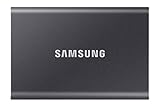
4 TB installed
Samsung Portable SSD T7, 4TB, Titan Gray, USB3.2, Type-C, R/W(Max) 1,050MB/s, Aluminium Case, 3 Years Warranty (MU-PC4T0T/WW)
Confirm exact variant and seller
£656.22£164.06 / TB
Price observed 14.11.2026 14:02 UTCBuy on Amazon ↗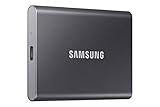
4 TB installed
SAMSUNG 4TB Portable T7 SSD
Confirm exact variant and seller
£695.00£173.75 / TB
Price observed 14.11.2026 20:15 UTCBuy on Amazon ↗
4 TB installed
Samsung T7 Shield Portable SSD 4 TB - USB 3.2 Gen.2 External SSD Black (MU-PE4T0S/EU)
Confirm exact variant and seller
£842.75£210.69 / TB
Price observed 14.11.2026 15:09 UTCBuy on Amazon ↗As an Amazon Associate, Cloudzat earns from qualifying purchases. Prices are dated observations and can change. Check the exact variant and delivery to your address before ordering.
Buying guide
The drive to buy
Our pick is Crucial X10 Pro 2 TB. Our value choice for everyday portable files.
The alternative is Samsung T7 Shield 1 TB. Smaller, rugged alternative for a tighter budget and a smaller collection.
The X10 Pro 2 TB is our UK choice because the qualified offer costs less than the T7 2 TB while keeping the same useful capacity. It remains a value choice on a slower supported Mac connection; the 20 Gb/s label does not promise that speed on every Mac.
Buy the first option for the main use described here. The alternative has a different job: it can reduce the starting cost, hold a larger collection or provide a complete drive without assembly. Keep the exact capacity and contents named on the card when opening the store listing. A product family name can cover several purchases with different capacities and supplied accessories.
| Choice | Exact purchase | Buy it for |
|---|---|---|
| Our pick | Crucial X10 Pro 2 TB | Our value choice for everyday portable files. |
| Alternative | Samsung T7 Shield 1 TB | Smaller, rugged alternative for a tighter budget and a smaller collection. |
Our choice for an ordinary Mac
A complete 2 TB portable SSD is our starting choice for an ordinary Mac working library. It connects without opening the computer and provides useful room for documents, photographs and active files. Buy the model recommended above at its actual capacity. A cheaper 1 TB offer is a smaller purchase, not a like-for-like discount on 2 TB.
For a smaller collection carried frequently, a suitable 1 TB rugged drive is a sensible alternative. For a large photo or video collection, choose enough capacity instead of paying for a tiny premium drive. A fast external SSD cannot replace Mac RAM, and it does not increase the computer's internal memory when applications run out of room.
The USB-C shape does not identify the speed
A Mac's USB-C-shaped port may support different USB or Thunderbolt modes. A 10 Gb/s drive is already a useful everyday choice. A 20 Gb/s USB drive needs the particular USB 3.2 Gen 2x2 mode to reach that interface class; a Thunderbolt label alone does not confirm that mode. On a slower supported connection, it operates within that connection's limits.
If the X10 Pro costs less than an equivalent-capacity T7, it can still be the better buy even without the faster mode. Buy it for the capacity and lower price rather than promising double speed on every Mac. For storage-heavy work, choose a suitable USB4 or Thunderbolt solution that matches the actual Mac instead of paying extra for an unsupported USB mode.
Choose the format for how the drive will be used
For a drive used only with a compatible modern Mac, APFS is our straightforward working-storage choice. For files regularly exchanged with Windows, exFAT is the practical cross-platform option. Reformatting removes the drive's existing contents, so copy anything needed elsewhere before changing the format. A new drive's supplied format is not a promise that every future use needs the same one.
Keep a separate backup of the working collection. A photo library stored only on the portable SSD has one copy, even if the computer can open it easily. Time Machine is a backup use with its own capacity and formatting choices. Do not confuse extra working space with a second independent copy of the files.
When a faster premium drive is worth buying
Choose USB4 or appropriate Thunderbolt storage for repeated large-file work when the Mac and the complete connection support it. An OWC Express 1M2-class solution is a different purchase from an everyday USB drive. It makes more sense for a fast external working volume than for a routine small document backup.
For an already responsive ordinary setup, our recommendation is to keep the working drive. Extra capacity can be more useful than another interface generation. If the source files arrive over a slow network or from a slow card, that source can set the transfer pace. A more expensive SSD alone cannot remove every other limit.
Buy enough useful space
Our usual upgrade choice is 2 TB when a game or working library has outgrown the original drive. Choose 1 TB for a smaller collection or a tighter budget. Choose 4 TB only when the collection needs it and the device supports that exact drive. A lower price for half the capacity is not a discount on the larger purchase. The two cards above state the actual capacity so the smaller alternative has a clear purpose.
Storage capacity does not increase RAM or graphics memory. More room lets you keep more files or games installed; it does not by itself make demanding games run at a higher frame rate. Leave room for updates, temporary files and the next project. A drive bought already close to full usually leads to another round of moving or deleting files sooner than expected.
Keep the complete purchase simple
Buy the exact variant named in our recommendation. Capacity, physical size, cooling and whether a drive is included are part of that choice. A bare enclosure needs an SSD; a complete portable drive does not. A console upgrade may need a correctly fitting heatsink, while a handheld needs the right compact internal drive. An accessory that belongs to a different installation should not be added automatically.
Use the appropriate supplied data cable for an external drive. A charging-only cable cannot carry your files, and a slower cable or dock can limit a faster SSD. Connect directly to the intended device first. If a dock is essential to the setup, use a port that supports the required data mode rather than assuming every USB-C socket provides the same connection.
Move the files without losing the original
Keep important files in another place before replacing or formatting a drive. Copying files to a new portable SSD can create a second copy; moving the only copy onto it does not. For an internal system replacement, prepare the device's appropriate recovery method or a suitable cloning route before removing the original. Keep the old drive intact until the new installation starts and your important files are present.
Formatting erases the selected volume. Confirm the destination by its capacity and name before accepting an erase screen. After a transfer, open the important files and confirm the expected folders are present before cleaning up the old location. Game downloads can usually be replaced more easily than local saves, personal projects or photographs. Back up those irreplaceable items first.
When keeping your existing drive is the better choice
Keep a reliable drive that already has enough room and works well with your device. Buy a replacement when you need more space, a different physical fit or a connection your current drive cannot provide. A larger maximum transfer figure alone is a weak reason to replace storage used mostly for ordinary documents or installed games.
For a new purchase, choose the recommended model and capacity above. Use the alternative for its stated reason, such as a smaller budget, a larger collection or a complete kit without assembly. This keeps the decision tied to what you will actually use instead of paying for the largest number on a product box.
Compare complete cost and storage capacity
Enter actual basket amounts in GBP. Add only missing accessories, delivery and tax not already included. Capacity is the installed drive capacity, not an enclosure support limit.
Check your device and plan the storage
Frequently asked questions
Which option should I buy?
Buy our first named pick for the main use on this page. The second pick serves the specific alternative need stated beside it, rather than being an equally vague recommendation.
Will a faster SSD increase game frame rate?
Extra capacity and faster transfers are storage benefits. They do not replace a faster processor, graphics chip or more RAM. Buy the correct drive size and useful capacity first.
Can I reuse my old drive?
Yes, when it is healthy and fits the intended connection or enclosure. Keep its important files backed up, and do not erase it until the replacement is working.
Do I need every accessory shown in a store?
No. Buy only what this installation requires. Complete portable drives, empty enclosures, PS5 drives and compact handheld upgrades are different purchases.
Related buying guides
- SSD for iPhone ProRes UK: Choose Drives and Recording Kits
- Portable SSDs UK: Compare Models, Ports and Complete Costs
- PS5 SSDs UK: Choose Compatible Drives, Heatsinks and Capacity
- Steam Deck SSD Upgrades UK: Choose Drives and Compare Costs
- Kingston FURY Renegade G5 Prices UK: Which Capacity Should You Buy?
- Lexar NM790 Prices UK: Which Capacity Should You Buy?
- Best Portable Ssd For Mac
- Usb C Storage Speed Checker