


CYBER MONDAY 2026
Current Amazon offers for Cyber Monday shoppers

Ubiquiti Gateway Max gateway/controller 2500 Mbit/s
Verified 2026-11-28 08:50:36 UTC

Ubiquiti UniFi Switch Lite 16 PoE L2 Gigabit Ethernet (10/100/1000) Power over Ethernet (PoE) White
Verified 2026-11-28 08:21:56 UTC
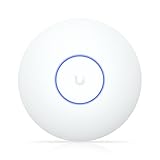
Ubiquiti U7 Lite 2.5 GbE WiFi 7 Acess Point (U7-Lite)
Verified 2026-11-28 07:26:20 UTC


Ubiquiti Pro XG 8 PoE Managed Switch 2x 10G SFP+, 8x 10G Ethernet (PoE++) | 2x 10G SFP+, 8x 10G Ethernet, PoE++, Layer 3 Switch, 155W Budget
Verified 2026-11-28 05:52:34 UTC

Ubiquiti Professional 8 PoE | 8-Port Gigabit Level 3 PoE Switch (USW-Pro-8-PoE)
Verified 2026-11-28 02:47:01 UTC
Each card shows its last successful local Amazon check. Black Friday badges remain Black Friday badges until Amazon reports a different promotion. Reference prices and savings appear only when supplied by Amazon; the checkout price applies. As an Amazon Associate, Cloudzat earns from qualifying purchases.
Our recommendation
Choose Dream Router 7 for a home that benefits from routing, Wi-Fi and management in one box. Choose Cloud Gateway Fiber for a modular network with separate access points. U7 Lite is the modest wireless upgrade; U7 Pro is the better comparison when 6 GHz is part of the plan. Choose a Dream Machine rack gateway only when its deployment, storage or supported external power redundancy features justify the larger installation.
For Cyber Monday 2026, the strongest UniFi purchase is the device that solves a specific network problem. Dream Router 7 is our starting point for a small all-in-one system; Cloud Gateway Fiber is the better foundation when wireless coverage will come from separate access points. Buying the most expensive radio while keeping an undersized switch or a poorly placed access point rarely produces the balanced upgrade a household expects.
Capacity matters more than brand hype. UniFi’s Wi-Fi 7 access points split into different uplink classes, so a faster AP does not help if your switch, cabling, or gateway path cannot keep up. That is why U7 Pro XGS and U7 Pro XG belong in multi-gig or 10GbE-ready networks, while U7 Pro Max, U7 Pro, and U7 Lite make more sense when you only need 2.5GbE.
For a UK home, our recommendation is Dream Router 7 when the broadband handoff and useful wireless location are close together; choose Cloud Gateway Fiber with wired APs when they are not. Use the UK power connection and the correct local radio region. Laptop adapters and unrelated products are not substitutes for UniFi infrastructure. Where masonry walls separate rooms, a wired access point on the far side is usually the more useful direction than concentrating the entire budget in one higher-tier radio.
Which option should you buy?
| Scenario | Recommended UniFi buy | Why this is the right pick |
|---|---|---|
| Small home or small office, simplest setup | Dream Router 7 | Integrated gateway, Wi‑Fi 7, PoE switch, microSD storage, full UniFi app support. |
| Expandable network with separate APs | Cloud Gateway Fiber class | Better fit when you want a dedicated gateway and modular wireless coverage. |
| Mission-critical rack core | Dream Machine Pro Max / Pro / Special Edition | Rack deployment and a supported external power redundancy connection; backup power equipment is separate. |
| Best Wi‑Fi 7 AP when your switch is multi-gig but not fully 10GbE | U7 Pro Max | Strong Wi‑Fi 7 option with 2.5GbE uplink and spectral scanning engine. |
| Best Wi‑Fi 7 AP when you already have 10GbE paths | U7 Pro XGS or U7 Pro XG | These are the APs whose 10/5/2.5/1 GbE support matches faster backbone gear. |
Buy the Dream Router 7 if you want the fewest moving parts
The Dream Router 7 is the clearest buy for a home or small office that wants UniFi without assembling a stack of separate boxes. Ubiquiti’s official description calls it a desktop 10G cloud gateway with integrated Wi‑Fi 7, a PoE switch, microSD storage, and full UniFi application support. That combination is the point: one unit can handle the gateway role and enough local networking to get started cleanly. If you want fewer cables, fewer power bricks, and fewer compatibility decisions, this is the most straightforward UniFi path.
Do not choose it if your plan is a larger wired network with several access points, cameras, or future rack expansion. In that case the integrated design becomes a tradeoff, not a benefit. The Dream Router 7 is best when simplicity matters more than modularity. If you want the same family of control but plan to scale later, move up to a separate gateway and build wireless coverage with standalone APs. That approach costs more planning, but it avoids replacing the whole core when your network grows.
Choose Cloud Gateway Fiber when you want a modular network core
Cloud Gateway Fiber belongs to the official UniFi cloud-gateway line, which Ubiquiti positions as the control plane for Network, Protect, and Talk. That makes it the better choice for buyers who want a dedicated gateway instead of an all-in-one desktop box. The practical advantage is flexibility: you can choose your own access points, your own switch, and your own storage approach instead of accepting an integrated bundle. If you expect to expand over time, this architecture is usually the smarter value decision.
The key reason to prefer this class is not raw novelty; it is control and upgrade freedom. A modular build lets you size wireless coverage separately from routing performance. That matters when your house layout, office size, or camera load changes later. It also avoids the common mistake of buying a gateway with built-in Wi‑Fi and then trying to force it to cover a space it was never meant to handle alone. The Cloud Gateway Fiber path is the better long-term structure for anyone serious about UniFi.
Rack gateways and power continuity
Choose Dream Machine Pro, Special Edition or Pro Max when a rack installation and compatible SmartPower equipment are useful parts of the network design. Their SmartPower connection provides a supported external power redundancy path; the connector alone does not supply backup energy or make the internet service redundant. A UPS, the modem or optical terminal, and the switches feeding essential access points remain separate parts of keeping the network online. For a normal household, a smaller gateway with a suitable UPS may be the more proportionate purchase.
A rack gateway also changes placement and maintenance. It belongs where airflow, cables and access can be managed without making a living room inconvenient. Protect recordings, storage requirements and the size of the managed installation may favour different gateway models within the family. Choose the actual capacity your deployment needs rather than treating every Dream Machine as interchangeable. Dream Router 7 remains the simpler integrated choice, while Cloud Gateway Fiber suits a separate-access-point arrangement without requiring a full rack build.
Match the AP class to your switching, not just to the Wi‑Fi label
UniFi’s Wi‑Fi 7 lineup is not one flat product tier. The U7 Pro XGS and U7 Pro XG support 10/5/2.5/1 GbE, while the U7 Pro Max, U7 Pro, and U7 Lite are 2.5GbE APs. That matters because a faster access point cannot deliver its full benefit if the rest of the path is slower. If your switch or cabling is not ready for multi-gig or 10GbE, the higher-end AP may not improve the experience enough to justify itself.
That is why the safest Wi‑Fi 7 value buy is often the U7 Pro Max rather than the 10GbE models. It gives you Wi‑Fi 7 without forcing a full backbone upgrade. But if you already have 10GbE switching and the rest of the chain can use it, the U7 Pro XGS or U7 Pro XG becomes the more logical match. Do not buy based on the AP alone; buy based on the whole wired path behind it.
Suitable alternatives — different models

TP-Link ER707-M2 | Omada Multi-Gigabit VPN Router | Dual 2.5Gig WAN Ports | High Network Capacity | SPI Firewall | Omada SDN Integrated | Load Balance | Lightning Protection
−26% · Amazon reference price: £160.21
Verified 2026-11-27 14:26:45 UTC

TP-Link EAP650-Outdoor WiFi 6 Access Point, AX3000 Dual Band Gigabit Wireless Access Points, Omada Mesh, PoE+ Powered, Indoor Outdoor Weatherproof, Seamless Roaming Extended Range, Cloud Management
−20% · Amazon reference price: £199.99
Verified 2026-11-28 07:24:00 UTC

TP-Link Omada EAP727 BE5000 WiFi 7 Wireless Access Point, 2.5G PoE+ Port, 5-Stream AP, Seamless Roaming, Mesh, Ideal Access Point Alternative for Home & Business, Ceiling Mount, Supports 510+ Devices
−7% · Amazon reference price: £149.00
Verified 2026-11-28 07:19:36 UTC

TP-Link Omada ER701-5G-Outdoor Gateway, 5G Outdoor Gateway Router with SIM slot, 1 x2.5G PoE Port, 7.01Gbps SA, 4.5Gbps NSA, Dual Nano SIM, IP66 Weatherproof, Cloud Managed, Omada SDN, Easy Setup
−3% · Amazon reference price: £405.29
Verified 2026-11-27 20:48:55 UTC

TP-Link Omada EAP650GP-Desktop AX3000 Wi-Fi 6 Access Point, 1× GPON Port, 4× Gigabit Ethernet Ports with 2× PoE Out, FXS VoIP Port, Omada SDN Cloud Management, Mesh & Seamless Roaming
Verified 2026-11-28 07:24:00 UTC

TP-Link EAP650-Wall WiFi 6 Access Point, AX3000 Gigabit Wireless Access Points, Omada Mesh, Support PoE+ Powered, Seamless Roaming Extended Range, Free Controller Software,Centralized Cloud Management
Verified 2026-11-28 07:24:00 UTC
Use U7 Lite when you want the lowest-risk Wi‑Fi 7 entry point
U7 Lite is the lowest-cost current official Wi‑Fi 7 access point in the UniFi lineup, so it is the natural budget entry if you want the latest wireless standard without overcommitting. It is compact and uses 2.5GbE, which makes it easier to place into a sensible home or small office network. If you are upgrading from older Wi‑Fi and want a clean first step into Wi‑Fi 7, this is the practical starting point. It is especially suitable when you need one or two APs rather than a whole multi-AP design.
Still, budget is only a win when the placement is good. A low-cost AP that is badly located will not fix weak coverage. Also, if your network has many devices or dense usage, you may want to step up to U7 Pro or U7 Pro Max instead. Those models are better fits when you want more headroom without jumping to 10GbE APs. U7 Lite is the right compromise for buyers who value entry cost and reasonable modern capability over top-tier capacity.
Choose Wi‑Fi 6 or 6E only if that is enough for your actual use
The current official UniFi fallback options include U6 Pro, U6+, and U6 Enterprise. U6 Enterprise is the high-density 6E option, so it is the one to consider when you need the strongest Wi‑Fi 6/6E class rather than Wi‑Fi 7. This matters because not every network needs the newest standard. If your devices are mixed, your rooms are not especially demanding, or your current setup is already adequate, a U6 model may be the better value than forcing a Wi‑Fi 7 purchase.
This is a useful alternative for buyers who want to spend less without dropping into outdated gear. The mistake is thinking that Wi‑Fi 7 is automatically required. In many homes, coverage design and AP placement matter more than chasing the newest label. If your existing devices are mostly fine and you only need dependable coverage, U6 Pro or U6+ remains a sensible buy. If you need denser 6E performance, U6 Enterprise is the right exception within this fallback group.
Understand the service and support limits before you buy hardware
UniFi’s support terms matter because they are not identical everywhere. UI Care is region-based: the US Store covers the 50 states and DC, the CA Store covers Canada, and the EU Store covers the EU or UK. The program also provides an immediate and unlimited replacement program for five years. Separately, professional site support is available only for eligible deployments locally, Canada, and Europe, while standard chat and email support are free for all UniFi customers. That is useful if you are planning a more serious install and want to know what backing you actually get.
The practical buying lesson is simple: do not assume every support add-on is sold everywhere, and do not assume a hardware purchase automatically includes a service licence. Hardware and support are separate decisions. Choose the storefront and support plan appropriate to the country where the equipment will be used. If you are in the UK or EU, use the EU Store terms. If you need help for a business or site deployment, verify eligibility before you treat a specific service level as part of the purchase.
Buy the missing network function first
A practical Cyber Monday UniFi basket starts with the weak point. If routing and management are missing, buy the gateway. If one room has poor coverage, a suitably placed wired access point is the useful purchase. If existing access points lack power or a suitable uplink, buy the switch first. These are different problems, and a wireless adapter for a laptop does not solve any of the infrastructure jobs. A UniFi-branded accessory should not take the place of a gateway or access point in the comparison.
For a small all-in-one installation, Dream Router 7 is our first choice. For separate access points, choose Cloud Gateway Fiber and size the switch around the ports and PoE power required. U7 Lite is the economical access-point direction when its radio capabilities fit the clients; U7 Pro is the more appropriate comparison when 6 GHz matters. A U7 Pro XG or XGS belongs in a network with a reason to use its faster wired uplink. The complete setup should remain understandable to the person who will maintain it after the shopping event.
Questions answered
What should I add to an existing UniFi network?
Buy the function the network lacks. Choose an access point for wireless coverage, a PoE switch for powered connections, or a gateway for routing and integrated management. A client Wi-Fi adapter is a different product. Keep working equipment when it already supplies the necessary capacity, and expand around the actual bottleneck.
What should I buy if I want the simplest all-in-one UniFi setup?
Buy the Dream Router 7. It is the cleanest single-box option because it combines routing, Wi‑Fi 7, a PoE switch, microSD storage, and full UniFi application support. That makes it the easiest path for a home or small office.
When is a rack gateway better than a desktop gateway?
Choose Dream Machine Pro Max, Pro, or Special Edition when you want a more serious core and explicit SmartPower support. That is the better route for deployments where uptime matters more than simplicity. It is not the first choice for a basic home network.
Do I need a 10GbE AP like U7 Pro XGS or U7 Pro XG?
Only if the rest of your network can use it. Those APs support 10/5/2.5/1 GbE, so they make sense with matching switching and cabling. If not, U7 Pro Max, U7 Pro, or U7 Lite is the safer value.
Is Wi‑Fi 7 always worth it over U6 models?
No. U6 Pro, U6+, and U6 Enterprise are still current official options. Wi‑Fi 7 is best when you actually need the newer class or are building fresh. If your current devices and coverage are already fine, a U6 model can be the better value.
Does a hardware buy include support or a service licence automatically?
No. Hardware and support are separate decisions. UI Care eligibility depends on region, and professional site support is only available for eligible deployments locally, Canada, and Europe. Check the terms before you assume any service is bundled with the device.