


CYBER MONDAY 2026
Current Amazon offers for Cyber Monday shoppers

Synology DS925+(2X 2.5GbE Ports, Ryzen V1500B, 4GB RAM) 4-Bay 24TB Bundle with 4X 6TB WD Red Plus
Verified 2026-11-27 08:18:05 UTC

Synology DS925+ 32TB (Synology HAT33) 4Bay Desktop NAS
Verified 2026-11-27 06:55:21 UTC
Synology DS925+ 64TB (Synology HAT33) 4Bay Desktop NAS
Verified 2026-11-27 06:55:21 UTC

Synology DS925+ NAS Server Bundle 4 Bay (8GB RAM, 48TB HDD) - 4 x 12TB Synology NAS HDDs, High Performance Desktop Network Storage Device - Includes External 512GB SSD for Backup
Verified 2026-11-26 18:38:46 UTC

SYNOLOGY 4-Bay DS925+ NAS with Expandable Capacity
Verified 2026-11-26 16:14:49 UTC
Each card shows its last successful local Amazon check. Black Friday badges remain Black Friday badges until Amazon reports a different promotion. Reference prices and savings appear only when supplied by Amazon; the checkout price applies. As an Amazon Associate, Cloudzat earns from qualifying purchases.
Our recommendation
Choose Synology DS925+ for a 4-bay DSM file and backup server suited to the workload below. Choose Synology DS1525+ for five internal bays and an optional faster-networking route, or Synology DS425+ for a simpler four-bay backup appliance. Include the drives and a separate backup in the purchase; a diskless enclosure is not a complete storage system.
Synology DS925+ is a 4-bay storage appliance, so the useful Cyber Monday 2026 decision is how it will hold and protect the actual archive. A compact mirror suits a household with predictable growth; a larger internal array suits a bigger library or several people sharing files. The value is in a complete, recoverable storage setup, with enough room to grow without replacing all the disks immediately.
The configuration combines ECC memory, two 2.5GbE ports and two M.2 2280 NVMe sockets. Our priority order is usable disk capacity, the software workflow, an independent backup and then any networking or memory upgrade the workload needs. That order keeps the initial system complete and avoids spending the backup budget on accessories that will not improve the main job.
For a UK home or small office, choose Synology DS925+ for the 4-bay setup described here, with Synology DS1525+ as the alternative when you need five internal bays and an optional faster-networking route. Use a UK power-lead package and a practical local support route. Budget the enclosure, disks and backup together in pounds. A system sitting beside a desk should also use drives whose operating noise suits the room; a large server-oriented disk can change the daily experience more than a modest enclosure upgrade.
Which option should you buy?
| Need | Buy | Reason |
|---|---|---|
| Main installation | Synology DS925+ | 4 internal bays; ECC memory, two 2.5GbE ports and two M.2 2280 NVMe sockets |
| Different capacity or platform | Synology DS1525+ | five internal bays and an optional faster-networking route |
| Smaller or different setup | Synology DS425+ | a simpler four-bay backup appliance |
| Supported Intel media-server route | QNAP TS-464 | Four-bay storage with a relevant Intel application platform |
| Independent local backup | Seagate Expansion Desktop | A separate powered USB drive sized for the files and retained versions. |
Who should buy this enclosure
The DS925+ is our Synology choice for a four-bay household or small-team server that will run more than a basic backup schedule. Buy it for DSM storage with room for memory and application growth. Its Ryzen platform should be selected for that role, rather than on the assumption that it includes an Intel integrated-media engine for video transcoding.
Synology DS925+ provides ECC memory, two 2.5GbE ports and two M.2 2280 NVMe sockets. Those features determine the useful installation: enough bays for the planned array, suitable memory for the applications and a network path the clients can use. One supported DX525 expansion unit takes the system from four to nine drives. The extra enclosure does not arrive with a diskless DS925+ purchase. For most homes, use the four internal bays as the main plan and treat external expansion as a later option. A buyer who already needs five internal disks should compare DS1525+ before designing the new installation around two boxes.
The usable-capacity plan we would choose
A 4-drive array of equal supported 12TB disks offers approximately 36TB of decimal capacity with single-parity protection, or 24TB with dual-parity protection, before formatting and system overhead. That arithmetic makes the protection trade-off visible. A two-drive mirror in the same enclosure offers roughly 12TB before overhead and leaves physical bays unfilled. The extra bays therefore provide options, but the chosen filesystem and storage layout determine the later expansion process. These examples assume suitable supported drives, not any product carrying a 12TB label.
For irreplaceable family photographs and documents, start with a redundant arrangement and reserve a separate backup destination from day one. Leave working space for snapshots, file versions and growth rather than filling the volume immediately. If the existing archive already approaches the mirror’s usable capacity, choose larger supported disks or a larger-bay chassis now. A nominally cheaper two-drive purchase becomes inconvenient when both disks must be replaced soon afterward. For a media library that can be recreated, the capacity and protection balance may be different, but the personal files still deserve independent recovery.
Spend on the right disks before extra cache
For an uncomplicated manufacturer-supported Synology configuration, use a drive model listed for the exact NAS and software release; Synology HAT3300-family options are a useful starting family. DSM 7.3 changed the broad third-party SATA-drive policy for the 2025 Plus series, so the old blanket claim that only Synology HDDs can create a pool is not an accurate buying rule. A listed Seagate IronWolf or WD Red Plus can be a practical alternative at the right capacity. The actual part number matters because compatibility and recording technology do not follow from capacity alone.
A balanced first basket is the enclosure plus enough suitable HDDs to create the planned protected volume, followed by backup storage. Do not buy an NVMe cache automatically for scheduled backups or a single person copying large sequential files. Those workloads can be limited by the Ethernet path or the HDD array rather than a lack of cache. Spend on extra memory when supported applications need it, and choose cache only for an access pattern that benefits from it. This avoids paying for several small accessories while leaving the main pool undersized.
Networking: choose the path your computer can use
Synology DS925+ is useful with a wired network, but its port speed is only one link in the chain. A computer connected at 1GbE remains limited by that link even when the NAS has 2.5GbE. For one editing workstation, a suitable 2.5GbE adapter and switch can be a more practical upgrade than changing the storage array. For several users, separate traffic and a suitably sized switch become more important. Buying a second Ethernet cable does not by itself make one ordinary file copy run at twice the speed.
Link aggregation can distribute suitable traffic across connections, while protocol features such as SMB multichannel require support at the relevant endpoints. Treat these as specific network designs, not automatic properties of any two-port NAS. A simple wired connection is often sufficient for documents, photos and overnight backups. A creator moving large projects repeatedly has a stronger reason to fund a faster complete path. Choose networking according to the files and users that are actually waiting, and keep a sound existing switch when it is not the bottleneck.
Suitable alternatives — different models

Synology DiskStation DS425+ NAS/storage server Intel® Celeron® J4125 2 GB DDR4 0 TB - Black
−17% · Amazon reference price: £588.77
Verified 2026-11-27 06:55:21 UTC

Synology 2-Bay NAS DS225+ (Diskless) | DSM operating system | Gigabit connectivity | Centralized file storage, backup and private cloud for home or business.
−14% · Amazon reference price: £369.97
Verified 2026-11-26 21:59:25 UTC
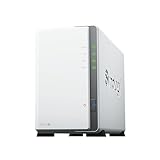
Synology DS223j 2-Bay Diskstation NAS (Realtek RTD1619B 4-Core 1.7 GHz 1GB DDR4 RAM 1xRJ-45 1GbE LAN Port) 16TB Bundle with 2 x 8TB Seagate IronWolf NAS HDDs (ST8000VN004)
Verified 2026-11-27 09:10:49 UTC
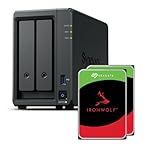
Synology DS725+ Bundle 12TB (Seagate Ironwolf 2X 6TB) Series 2 Bay Plus with Ryzen R1600, 4GB RAM (32GB Max), 1x 2.5GbE, 1x 1GbE, 2x M.2 NVMe slots. DX525 expansion available via
Verified 2026-11-27 09:10:49 UTC

Synology 2-bay DS725+ NAS Kit, Ryzen CPU, 4 GB Memory, 2.5GbE-NIC Standard Users, Domestic Authorized Reseller, Field Lake, Phone Support, DiskStation
Verified 2026-11-27 08:28:00 UTC

Memory and SSDs should serve named applications
For a modest backup appliance, begin with the supplied memory and the required storage applications. A busy container host, indexed photo library or several simultaneous services can justify a supported memory upgrade. The smaller DS225+ and DS425+ have a 6GB supported ceiling, so their role should remain proportionate. DS725+, DS925+ and DS1525+ offer different ECC-memory platforms for a more demanding plan. Larger system memory does not change the number of drive bays, and an NVMe SSD is not a replacement for RAM.
M.2 sockets need a purpose before they earn a place in the basket. Cache and a separate SSD storage pool are different uses, and supported pool rules vary by NAS model and operating system. Synology’s M.2 pool requirements are separate from its SATA-drive policy; third-party SATA support does not imply unrestricted NVMe-pool support. On TS-464, the M.2 sockets use PCIe Gen3 x1 links, so buying a high-end Gen5 SSD does not create a Gen5 storage path. Suitable endurance and supported operation matter more than the largest advertised sequential speed.
Choose the media-server arrangement deliberately
For a media library that the television or streaming client can play directly, the NAS mainly reads and sends the file. That is a different workload from converting video, audio or subtitles for several remote viewers. Buy QNAP TS-464 when its supported Intel media-server path is a central requirement, or use a suitable Intel mini PC as the media server while a Synology NAS stores the library. The Ryzen-based DS725+ and DS925+ should not be purchased on the assumption that they supply an Intel integrated-graphics transcoder.
Plex hardware acceleration also depends on the relevant software entitlement and supported drivers; a NAS brand alone is not a complete compatibility promise. A direct-play-friendly client can reduce the conversion work more effectively than adding memory to a weak transcoder. For remote use, the household upload connection can be the real limitation. Keep the buying recommendation proportionate: ordinary local playback needs reliable storage and a suitable client, while multiple demanding conversions justify a deliberate media-compute purchase rather than an incidental NAS upgrade.
The alternative that is worth changing the plan for
Choose Synology DS1525+ when the reason is five internal bays and an optional faster-networking route. That is a concrete change in the installation, rather than a recommendation to buy the most expensive box. Choose Synology DS425+ for a simpler four-bay backup appliance. For a new build, internal bays are usually the cleaner foundation when their capacity is needed immediately: one enclosure, fewer interconnects and a simpler placement plan. External expansion is most persuasive when it extends a working system that would otherwise need to be replaced. Count the expansion enclosure and its drives separately.
Across brands, QNAP TS-464 is the relevant four-bay comparison for supported Intel media applications and hardware expansion. Synology DS925+ is the DSM-focused four-bay comparison when its backup and administration workflow is the attraction. UGREEN DXP4800 Plus is another four-bay home-server option for buyers who prefer its hardware and supported software approach. These products do not have interchangeable operating systems, memory rules or application catalogues. Choose the platform your household or team can maintain; a software workflow that is used consistently is worth more than unused hardware capability.
Build recovery into the initial purchase
A useful NAS setup has at least one recoverable copy outside the primary enclosure. For a household, that can be an appropriately sized external drive plus an off-site copy for the most important material. For a team, retention, permissions and restore time deserve a separate budget. A mirror or parity array helps with supported disk-failure scenarios, but it does not protect against every deletion, compromised account, theft or building incident. Snapshots are valuable for recovery inside the system; they remain part of the same physical installation.
A compatible UPS can provide time for orderly shutdown during an outage, but the NAS needs a supported communication method as well as power. A large portable battery with no shutdown signal does not provide the same function automatically. Keep encryption recovery material and account recovery access outside the enclosure, and retain the old working copy until the replacement storage and backup are functioning. The purchase succeeds when the files remain accessible and recoverable through ordinary problems, not merely when the new chassis has enough empty bays.
Questions answered
Who should choose Synology DS925+?
Synology DS925+ fits the main storage role described above. Choose the bay count by usable capacity: a two-drive mirror sacrifices one drive’s capacity to redundancy, while larger layouts provide different growth options. Buy the enclosure with its disks and an independent backup, rather than budgeting the empty chassis alone.
How much space does a pair of 12TB drives provide?
In a mirror, roughly 12TB of decimal usable capacity before formatting and system overhead. The second disk provides a redundant copy rather than another 12TB of file space. A larger-bay parity layout uses capacity differently, so the disk count and protection layout should be chosen together.
Should I buy cache SSDs immediately?
Not for routine file backup alone. Start with adequate main storage and backup, then fund SSD cache only when the access pattern benefits. A separate SSD pool is a different feature with its own model and drive-support rules. The presence of M.2 sockets is not a reason to fill them automatically.
What is the better choice for video transcoding?
QNAP TS-464 is a relevant Intel-based four-bay comparison, or a suitable separate Intel mini PC can run the media server while the NAS stores files. Actual formats, clients, drivers and software entitlements determine the workload. Direct playback needs much less conversion work.
Does an expansion unit come with the NAS?
No. A diskless NAS, an expansion enclosure and the disks are separate items unless a package explicitly includes them. Choose more internal bays when the extra drives are needed immediately. Use external expansion when it sensibly extends a working installation and the supported model is part of the budget.
What should come before a faster Ethernet upgrade?
Adequate usable capacity and an independent backup. Then improve the network when clients are waiting on transfers and the entire path can support the faster link. A 2.5GbE NAS attached to a 1GbE computer does not turn that computer into a 2.5GbE endpoint.