


CYBER MONDAY 2026
Current Amazon offers for Cyber Monday shoppers

GeForce RTX 5070 TI 16G GAMING TRIO OC+ Roamii BE Lite Mesh System- 2 Pack | 16GB GDDR7 (28Gbps/256-bit), PCIe 5.0 - TRI FROZR 4 (3 x STORMFORCE FAN) ; WiFi 7, 3600 Mbps Speed, Whole Home Coverage
−1% · Amazon reference price: £1,309.74
Verified 2026-11-28 08:24:56 UTC
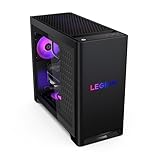
Lenovo Legion Tower 5i | 30L Gen 10 | Intel Core Ultra 7 270K Plus | NVIDIA GeForce RTX 5070 | 32GB RAM | 1TB SSD | Wi-Fi 7 | Windows 11 Home | Eclipse Black
Verified 2026-11-28 09:42:17 UTC

PNY Epic-X Triple GeForce RTX 5070 Ti OC 16GB GDDR7 256Bit HDMI/DP Graphics Card
Verified 2026-11-28 08:24:56 UTC

ASUS ProArt NVIDIA GeForce RTX 5070 Ti OC Edition, 16GB GDDR7, 256 Bit, PCIe 5.0, 2.5 Slot, 1 HDMI 2.1, 3 DisplayPort 2.1, USB-C, GPU Tweak III, Black, PROART-RTX5070TI-O16G
Verified 2026-11-28 08:24:56 UTC

Gainward Geforce RTX 5070 Ti PhoeniX-S Gs Nvidia 16 GB Gddr7 (Gainward Geforce Rtx 5070 Ti PhoeniX-s)
Verified 2026-11-28 02:44:48 UTC

ASUS TUF Gaming GeForce RTX 5070 Ti 16GB GDDR7 White OC Edition Gaming Graphics Card (PCIe 5.0, HDMI/DP 2.1, 3.125 slot, military grade components, protective PCB coating, axial tech fans)
Verified 2026-11-27 19:36:25 UTC
Each card shows its last successful local Amazon check. Black Friday badges remain Black Friday badges until Amazon reports a different promotion. Reference prices and savings appear only when supplied by Amazon; the checkout price applies. As an Amazon Associate, Cloudzat earns from qualifying purchases.
Our recommendation
Choose GeForce RTX 5070 for a balanced NVIDIA desktop upgrade when 12GB of graphics memory fits your games and applications. Compare the Founders Edition with suitable partner boards on fit and support. Choose RTX 5070 Ti when the work needs its higher graphics tier and 16GB memory, rather than paying a large premium for a cosmetic version of the smaller GPU.
For Cyber Monday 2026, choose GeForce RTX 5070 for a balanced NVIDIA desktop upgrade when 12GB of graphics memory fits your games and applications. Compare the Founders Edition with suitable partner boards on fit and support. Choose RTX 5070 Ti when the work needs its higher graphics tier and 16GB memory, rather than paying a large premium for a cosmetic version of the smaller GPU.
The 12GB RTX 5070 is the more proportionate choice when the games or creative projects fit that memory allowance. A 16GB RTX 5070 Ti is the step up for a larger active workload and a higher graphics tier. Do not spend most of that difference on a decorative 5070 edition if the real limitation is GPU capability or memory. Pick the card class first, then the partner board that fits.
For UK buyers, choose GeForce RTX 5070 Founders Edition for a balanced NVIDIA upgrade with a 12GB memory budget. Choose a UK-supported retail board and keep the comparison in pounds for the complete upgrade. A required power-supply or case change can matter more than the price difference between two coolers. A whole gaming desktop and a laptop GPU are different products from the standalone desktop card recommended here.
Which option should you buy?
| Buying need | Recommended direction | Why it fits |
|---|---|---|
| Main use | GeForce RTX 5070 Founders Edition | a reference NVIDIA 12GB board |
| Alternative use | GeForce RTX 5070 partner card | a suitable alternative cooler and physical layout |
| Different workload | GeForce RTX 5070 Ti | a higher tier with 16GB memory |
| Alternative GPU tier | Radeon RX 9070 | 16GB Radeon alternative |
| Alternative GPU tier | GeForce RTX 5060 Ti 16GB | More modest NVIDIA configuration with 16GB |
The configuration we would buy
For a creator, the useful comparison starts with the application’s supported acceleration and the active project’s graphics-memory demand. A game-oriented cooler upgrade does not increase VRAM, and more system RAM does not become dedicated graphics memory. Choose the GPU tier and memory capacity before paying for a decorative board edition, then retain the simplest compatible cooler and power arrangement that serves the build.
The decision starts with GeForce RTX 5070 Founders Edition and a complete installation that suits the required role. GeForce RTX 5070 partner card is the named comparison, with its own capacity, configuration and support requirements. Keep the differences explicit: an alternative should earn its place through a useful feature or a better complete fit, rather than simply appearing beside the main product. The practical Cyber Monday purchase is a complete configuration that meets the actual workload, without paying for capacity or features that will sit unused.
The distinction that changes this purchase
A 5070 Ti is a different GPU with a different memory configuration.
Listing selectors, complete desktops and laptop versions must not be treated as interchangeable RTX 5070 cards.
Measure the card and the space around its connector
Use the dimensions of the exact manufacturer model, including length, height and occupied slots. Compare them with the case limits after accounting for front fans, radiators, drive cages and any riser arrangement. Leave the power connector and cable the clearance specified by their manufacturers; a card that fits without the cable may still be unsuitable.
Check whether the chosen case needs a low-profile bracket or a particularly short board. “Compact” in a product name is not a standard measurement. If the card requires a different chassis or riser, include those purchases before treating the graphics-card price as a complete upgrade cost.
Compare native performance, memory and software support
Look for results at the resolution, detail settings and applications you intend to use. Separate native rendering from upscaling and frame generation so that different measurements are not presented as the same experience. Check required video memory for creative projects as well as games, while remembering that more memory does not automatically mean a faster processor.
Drivers, codecs, acceleration APIs and plug-ins can influence which vendor suits a particular workflow. For an older computer, check the platform requirements and PCIe configuration too. A lower price is useful only if the card supports the software and display arrangement you actually need.
Suitable alternatives — different models

ASUS ROG NUC 15 Mini PC (90AS00I1-M000B0) — Intel Core Ultra 9 275HX, NVIDIA GeForce RTX 5080 16GB, 32GB DDR5 RAM, 2TB SSD, Windows 11 Home, Wi-Fi 7, UK
Verified 2026-11-28 05:58:39 UTC

ASUS Prime GeForce RTX 5080 EVO 16GB GDDR7 OC Edition Gaming Graphics Card (Nvidia GeForce RTX5080, SFF-Ready, Dual BIOS Switch, PCIe 5.0, 1x HDMI 2.1b, 3X DisplayPort 2.1a, PRIME-RTX5080-O16G-EVO)
−4% · Amazon reference price: £1,869.99
Verified 2026-11-27 14:34:16 UTC

PNY GeForce RTX 5080 ARGB Overclocked Triple Fan 16GB GDDR7 Reflex 2 RTX AI DLSS4
Verified 2026-11-28 09:29:26 UTC

Gigabyte GeForce RTX 5080 AERO OC SFF 16G Graphics Card - 16GB GDDR7, 256bit, PCI-E 5.0, 2730MHz Core Clock, 3 x DisplayPort, 1 x HDMI, GV-N5080AERO OC-16GD
Verified 2026-11-28 09:29:26 UTC

Gigabyte GeForce RTX 5080 GAMING OC 16G Graphics Card - 16GB GDDR7, 256bit, PCI-E 5.0, 2730MHz Core Clock, 3 x DisplayPort, 1 x HDMI, GV-N5080GAMING OC-16GD
Verified 2026-11-28 09:29:26 UTC
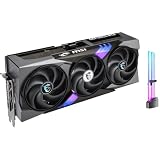
msi GeForce RTX 5090 Gaming Trio OC Triple Fan Graphics Card, 32GB GDDR7, 3352 AI Tops, DLSS 4, AI Content Creation, Local LLM Inference, 28 Gbps, 512-bit, DP 2.1b x3, HDMI 2.1b, with GPU Holder
Verified 2026-11-28 05:16:29 UTC
Build a complete compatibility list before ordering
Write down the existing case, motherboard, memory, graphics card, power supply and cooler, including exact model references where they matter. Then mark which parts stay and which must change. A new component is useful only as part of a working system. Socket, firmware, physical size, connector layout and available power are separate checks; passing one does not settle the others. For a small-form-factor build, read both the case restrictions and component drawings. Include radiator or drive-bracket space in the same plan. Keep a named alternative ready in case a required matching part becomes expensive or unavailable. That avoids buying the first component and discovering that the rest of the system now costs substantially more.
Download the relevant manufacturer instructions before dismantling a working computer. Back up important files and save any required recovery information. Follow the board and component manuals, use the specified mounting hardware and avoid forcing connectors or brackets. After installation, start with supported default settings and current official drivers. Check the tasks you actually bought the upgrade to improve, as well as sleep, display output, storage access and ordinary stability. A brief successful startup does not establish sustained performance or comfortable noise. Keep packaging until the configuration has passed the checks you need within the applicable return period.
Check the seller and the complete delivery cost
Look at the selected seller, dispatch arrangement, delivery estimate and return information on the final listing. A familiar product photograph does not establish who supplies the item. Compare new products with new products; used, renewed and open-box units require a separate assessment of condition and support. Include delivery and any taxes or import charges shown for your address. Check regional warranty eligibility for the exact package rather than borrowing a promise from another country. Keep the invoice and selected product reference together. When two offers are close, a clear source, dependable delivery and an understandable support route can be more useful than a small headline saving.
The useful graphics upgrade depends on the games, resolution, settings and refresh rate you intend to use. A high-refresh competitive game can be limited by the processor, while a demanding visual workload may stress the GPU or its memory. For professional applications, supported acceleration and drivers can outweigh the gaming hierarchy. Choose the tier that fits the work instead of treating a newer or larger model number as a universal answer. No particular frame rate follows from the product name alone.
Memory capacity is a separate buying decision
Graphics memory holds active resources for the GPU; system RAM is a different pool. More VRAM can help a project or texture set fit, but capacity alone does not determine rendering speed. Where a card family has two capacities, keep them separate in the comparison. A lower-capacity listing is not the same configuration simply because the GPU name matches. For local AI, the software backend and the size of the active model matter alongside memory, so an unsupported application is not fixed by buying a larger cooler.
Length, thickness, cooler height and power-connector position vary among board partners. Space occupied by a front radiator or drive cage can reduce the apparent case clearance. A card can also fit lengthwise while leaving insufficient room for its power cable beside the side panel. Choose a complete board that fits the real installation and use the manufacturer’s specified connector arrangement. A larger cooler can be worthwhile for a particular build, but it is not automatically a reason to pay more for the same graphics processor.
Power planning includes the rest of the computer
A graphics-card power figure is not the total demand of a complete PC. The processor, other components and transient behaviour matter, and partner-board guidance can differ from a reference card. Use the intended power supply’s supported cables and connectors; modular PSU cables are not universally interchangeable between models. A sound existing supply can preserve the value of an upgrade, while a required replacement changes the complete budget. Do not treat an underspecified power arrangement as acceptable merely because the GPU itself was attractive.
A laptop GPU, an eGPU enclosure, a water block and a complete desktop tower can all appear beside a graphics-card search. They are different products. The direct comparison is a standalone desktop board of the stated GPU and memory capacity, with condition and support made clear. A complete PC may be the better purchase for somebody who needs a whole machine, but its price includes much more than graphics. Keep used or refurbished cards separate from new retail boards when judging value and the likely support experience.
Questions answered
Which NVIDIA RTX 5070 should I buy?
Start with GeForce RTX 5070 Founders Edition when it fits the connection and workload described in this guide. The named alternative is GeForce RTX 5070 partner card. Keep the exact capacity, condition and included components equal where they serve the same role; choose a different product type only when the installation itself calls for it.
Do all cards with the same GPU have the same dimensions?
No. Board partners use different coolers, circuit boards and power connections. The exact model determines length, thickness and cable clearance. Choose a board that fits the actual case arrangement, including radiators and adjacent cards, rather than relying only on the GPU family name.
Does more graphics memory always mean a faster card?
No. Memory capacity helps the workload fit, but compute capability, bandwidth, software and settings also matter. Two cards with the same capacity can deliver very different performance. Choose sufficient memory for the work, then compare the entire GPU tier and the applications it supports.
Is the recommended power supply figure the card’s power draw?
No. A system-power recommendation covers a complete computer under the maker’s assumptions. The card’s own power rating is a different figure, and partner designs can vary. The correct supply also needs the supported connectors and appropriate headroom for the rest of the build.
Should I pay extra for a factory overclock?
Only when the complete board offers something useful for the build, such as a suitable cooler, dimensions or support. A small factory-clock difference is rarely the clearest reason to choose a much more expensive model. The next GPU tier or a better-balanced system can be a more relevant comparison.
Can a graphics-card upgrade fix every gaming bottleneck?
No. CPU limits, insufficient system memory, storage issues and the monitor can all constrain the experience. Choose a GPU upgrade when graphics is the meaningful limitation. A flagship board in an otherwise constrained computer can leave the original problem unresolved while increasing power and cooling requirements.