


CYBER MONDAY 2026
Cyber Monday offers and current Amazon prices

Black Friday Big Deal
Amazon Kindle Paperwhite (2024 model) – 7" glare-free display and weeks of battery life – 16 GB – With Ads - Jade
−35% · Amazon reference price: £184.99
Verified 2026-11-28 19:04:29 UTC

Black Friday Big Deal
Amazon Kindle Paperwhite (2024 model) – 7" glare-free display and weeks of battery life – 16 GB – With Ads - Raspberry
−35% · Amazon reference price: £184.99
Verified 2026-11-28 19:04:29 UTC

Amazon Kindle Paperwhite (2024 model) – 7" glare-free display and weeks of battery life – 16GB – Without Ads - Black
−33% · Amazon reference price: £199.99
Verified 2026-11-28 19:04:29 UTC

Amazon Kindle Paperwhite Signature Edition 32 GB (Newest Gen), Thinner, new aluminium design, 7" display, Auto-adjusting front light, without ads - Seaglass Green
Verified 2026-11-28 19:04:29 UTC

Amazon Kindle Paperwhite 16 GB (Newest Gen), Now thinner and lighter, 7" display, warm light, without Ads - Graphite
Verified 2026-11-28 19:04:29 UTC

Amazon Kindle Paperwhite Signature Edition 32 GB (Newest Gen), Thinner, new aluminium design, 7" display, Auto-adjusting front light, without Ads - Graphite
Verified 2026-11-28 19:04:29 UTC
Compare current prices, available savings and Amazon promotion labels above. Each listing shows its latest successful price check. Prices and availability can change; the price at checkout applies. As an Amazon Associate, Cloudzat earns from qualifying purchases.
Our recommendation
Buy a standard Kindle Paperwhite for novels, bedtime reading and a simple dedicated reading device. A well-priced older generation is our value choice when you do not need the newer design. Choose Colorsoft for colour content, not as an automatic upgrade for every reader.
A good Paperwhite offer can make Cyber Monday the right time to replace an ageing reader without turning a straightforward purchase into a premium bundle. The standard Paperwhite is our first choice for most novel readers. It concentrates the budget on the screen and reading experience, while leaving extras such as colour and writing hardware to people who actually need them.
The important comparison is between complete readers of an identified generation. Amazon UK can list older and newer Paperwhite models together, alongside Signature Editions and bundles. Their shared name does not make their features or accessories identical. Use the current local offers above to compare the actual device you will receive. A bigger saving against a reference price is useful context, but it does not automatically make the higher-priced model the better purchase.
Choose the standard storage option for a mainly text-based library, and put a properly fitted cover ahead of optional charging accessories. Buy a larger-capacity version when you deliberately carry substantial illustrated or audio material offline. Keep your existing Paperwhite if it remains comfortable and reliable. The strongest deal is the one that solves a reading problem at the right total price, rather than a replacement bought because the calendar says Cyber Monday.
Choose the right option
| Reader | Buy | Why |
|---|---|---|
| Mostly novels | Standard Paperwhite | Our balanced default for dedicated reading. |
| Value-focused replacement | Discounted older Paperwhite | Save when the newer design adds little to your routine. |
| Regular illustrated reading | Kindle Colorsoft | Colour becomes part of the content. |
| Handwritten notes | A writing-focused Kindle Scribe | A separate product class built around a different need. |
Which Paperwhite is the best-value purchase?
Our default is a standard Paperwhite with enough storage for the books you keep on the device. Do not move to Signature Edition merely because it appears first in the offers or has the biggest percentage reduction. A less expensive standard version can be the better buy when its central reading experience meets your needs.
Compare generation, condition and included accessories before treating two prices as equivalent. For example, an older reader bundled with a cover is a different purchase from the newest reader on its own. If you want the cover and it fits that exact device, the bundle can be useful. Otherwise, judge the reader separately and leave the extra items out. We favour the simpler complete purchase when both options solve the same reading problem, and reserve a premium for improvements the buyer expects to notice regularly.
Should you choose the 2024 or 2026 generation?
Both generations need to be identified clearly in the listing. Do not assume a price attached to the Paperwhite name refers to the latest version. The 2024 Paperwhite has a 7-inch screen, and the refreshed 2026 range also includes a 7-inch Paperwhite; the number alone therefore does not distinguish them. A newer appearance is not, by itself, a compelling reason for every reader to spend more.
For a first dedicated reader or replacement of a much older model, choose the discounted older generation when the saving is meaningful to your budget and the device has the functions you need. Choose the newer generation when the prices are close enough that its updated design is a worthwhile preference. Buy accessories after choosing the generation. A fitted cover or charging accessory from a different version should not be counted as part of the saving unless it is actually suitable for the reader in your basket.
When should you buy Signature Edition?
Signature Edition should earn its premium through use. Its storage and convenience features depend on the exact generation, so treat it as a particular configuration rather than a universal upgrade package. For a reader who wants to open a novel and read, the standard Paperwhite remains our recommendation. There is no reason to pay more simply because the premium model has a more dramatic reference-price reduction.
Choose Signature if its documented extras fit your established routine and the total price difference is modest for you. Larger offline collections are a stronger argument than hypothetical future use. If a charging accessory is part of the appeal, include its cost rather than comparing reader prices alone. A convenience feature that requires another purchase can change the apparent value. For a gift where you do not know the recipient’s habits, a standard reader with a correctly matched cover is usually a more practical choice than guessing which premium accessory they will want.
Paperwhite or Colorsoft: which should you buy?
Choose Paperwhite for a library dominated by prose. Colour covers are pleasant, but they are not the same as regularly reading colour illustrations or using colour-coded highlights. If those are central parts of the reading experience, Colorsoft has a clearer role. Our recommendation is to spend on the content you actually see after opening a book, rather than on the appearance of the library screen alone.
A colour reader also should not be confused with a tablet. If the desired purchase is for video, games or general-purpose apps, neither Paperwhite nor Colorsoft is the appropriate substitute. For detailed page layouts, large diagrams and handwritten annotations, prioritise the right screen size and device category. Paperwhite is a focused reading recommendation. It is strongest when the buyer wants a dedicated place for books, not when the purchase is expected to replace every screen in the house.
Storage, covers and bundles: where to spend the budget
Begin with standard storage for ordinary text reading. Step up when you have a specific reason to retain a larger offline collection, particularly content that is more demanding than plain text. Avoid buying capacity purely because it sounds future-proof. The right question is whether your normal offline reading habits would make the smaller option inconvenient, not whether the larger number looks better in a comparison table.
For a reader carried in a bag, a suitable cover is the accessory we would prioritise. Choose it for the exact generation and leave cosmetic extras until later. A bundle is good value only when you want its components and the total beats buying those components separately. If you already have a suitable charging arrangement, a spare adapter may add little value. Do not count an unwanted accessory at its full retail reference price and then treat that arithmetic as a saving you will actually experience.
When to buy now, wait or keep your existing reader
Buy now when the available Paperwhite matches your needs and its current price is competitive with the suitable alternatives shown. Keep a recent working device when the upgrade mainly changes the product name in your account. A reader is not a purchase that becomes better simply because it is newer; comfort, reliability and suitability for your books are the reasons to replace it.
Wait when the only offer available is an unwanted configuration, or when the delivery timing does not suit a gift. Do not solve that problem by paying for colour, more storage or a premium bundle that you did not want. The displayed reference-price reduction explains the current offer, but it does not prove an all-time low or guarantee a future price. Our decision rule stays practical: buy the suitable complete reader at a price you accept, and avoid changing the specification merely to chase the strongest-looking badge.
Suitable alternatives — different models
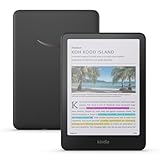
Black Friday Big Deal
Amazon Kindle Colorsoft 16 GB (2024 model) – With colour display that brings covers and content to life, now highlight in colour – Black
−44% · Amazon reference price: £259.99
Verified 2026-11-28 19:37:07 UTC

Amazon Kindle Colorsoft Signature Edition 32 GB (Newest Gen), Thinner, new aluminium design, 7" colour display, Auto-adjusting front light - Graphite
Verified 2026-11-28 18:46:26 UTC

Amazon Kindle Colorsoft Signature Edition 32 GB (Newest Gen), Thinner, new aluminium design, 7" colour display, Auto-adjusting front light - Fig
Verified 2026-11-28 18:46:26 UTC
Amazon Kindle Colorsoft 16 GB (Newest Gen), Now thinner and lighter, 7" colour display, warm light - Graphite
Verified 2026-11-28 18:46:26 UTC
Your questions answered
Is the standard Paperwhite enough for most readers?
Yes. It is our default recommendation for novels and ordinary dedicated reading. Choose Signature Edition only when its exact extra features match your routine. Choose Colorsoft when colour illustrations or highlights are a real part of your reading, rather than assuming a more expensive model is automatically the best choice.
Does a larger discount mean Signature Edition is better value?
Not necessarily. Compare the total price and the features you will use. A premium reader can remain the more expensive purchase after a large reference-price reduction. If standard Paperwhite does the job, the lower total can be better value even when its displayed percentage saving is smaller.
Can I use the same cover on different Paperwhite generations?
Do not assume so. Buy a fitted cover for the exact generation in your order, even when another Paperwhite has a similar screen size. For a simple buying decision, choose the reader first, then add the matching cover. An incompatible accessory does not make a bundle a useful deal.
Should I replace a working recent Paperwhite this Cyber Monday?
Keep it if it remains comfortable, reliable and suitable for the books you read. Upgrade when you can name a limitation the replacement solves. The existence of a seasonal offer is not itself a reason to replace a device that is already doing its main job well.
Are Black Friday badges still relevant on this page?
Yes, when they are the verified labels attached to current individual offers. The Cyber Monday page collects relevant buying choices, but each listing retains its supplied promotion wording. Compare the actual model and current price; do not assume that changing the event name means every product has received a new reduction.
Our final choice
Buy standard Paperwhite for straightforward reading, choose an older discounted generation for value, and pay for Signature only when its extras will be used. Colorsoft is the alternative for meaningful colour content. A correctly matched cover is usually a better finishing purchase than an unnecessary bundle of accessories.