


CYBER MONDAY 2026
Cyber Monday offers and current Amazon prices

Black Friday Big Deal
Reatan X7 Mini PC,with AMD Ryzen 7 255,Crucial 48GB DDR5 2TB SSD,OCuLink | Radeon 780M,(Beat 8745HS,8C/16T, max 4,9 GHz),Quad Display,WiFi7 BT5.4,Dual USB4.0,HDMI2.1,DP, for home office business
−36% · Amazon reference price: £1,399.99
Verified 2026-11-28 19:44:45 UTC

Black Friday deal
ACEMAGICIAN AM06PRO Mini PC Windows 11 pro, AMD Ryzen 5 7430U(Beats 6650H, up to 4.3GHz),Mini Gaming Computer 16GB DDR4&512GB SSD, AMD Radeon Graphics, Support 4K@60Hz Output/WiFi6/BT5.2/Dual Ethernet
−32% · Amazon reference price: £499.99
Verified 2026-11-28 19:38:32 UTC

Black Friday Big Deal
origimagic C5 Mini PC, AMD Ryzen 5 3500U, 8GB RAM 256GB SSD, HDMIx2, 4K Triple Display HDMI DP Type-C, Faster than N100/N150 Mini Desktop, Factor Desktop for Home Office Business
−31% · Amazon reference price: £259.99
Verified 2026-11-28 20:00:44 UTC

Black Friday Big Deal
wo-we Mini PC,AMD Ryzen 5 3500U,8GB DDR4 256GB PCIe 4.0 SSD,Radeon Vega 8 | Βeats 4300U/N150,Dual-HDMI,4K Triple Display,WiFi 5/BT5.0/RJ45 LAN,Type-C,Mini Desktop Computer for Home Office Business
−31% · Amazon reference price: £259.99
Verified 2026-11-28 19:40:41 UTC

Black Friday Big Deal
NiPoGi P2 Mini PC Windows 11 Pro,Mini PC AMD Ryzen 5400U(Beat 5300U/3500U,up to 4.0GHz) 16GB LPDDR4 256GB Mini Computer Mini Desktop Computer 4K@60Hz Triple Display HDMI+DP+USB-C WiFi/BT VESA Mount
−30% · Amazon reference price: £419.99
Verified 2026-11-28 19:15:33 UTC
Black Friday Big Deal
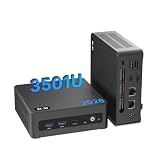
wo-we mini PC with AMD Ryzen 5 3501U ,8GB DDR4 RAM 256GB NVMe SSD | (Beat N150/N100,4C/8T,Up to 3.7Ghz) mini computers,Dual RJ45 LAN, 4K Triple Display, Wi-Fi5/BT 5.0, for Business Office
−30% · Amazon reference price: £269.99
Verified 2026-11-28 18:06:55 UTC
Compare current prices, available savings and Amazon promotion labels above. Each listing shows its latest successful price check. Prices and availability can change; the price at checkout applies. As an Amazon Associate, Cloudzat earns from qualifying purchases.
Our recommendation
Buy G3 Plus 16GB with an SSD for a flexible Home Assistant mini-PC host, keep an existing supported N100 machine when it already handles the job, or choose Home Assistant Green for the simplest dedicated appliance. Use Home Assistant OS directly for a dedicated PC or in a suitable virtual machine for a shared server. Add the radio hardware the devices require; the mini PC itself is not a Zigbee or Thread coordinator.
For Cyber Monday 2026, choose a complete GMKtec NucBox G3 Plus with 16GB RAM and a useful SSD when Home Assistant needs a flexible x86 host with room for additional services. An existing supported N100 mini PC can be equally sensible for a modest automation workload. For a first dedicated automation appliance, Home Assistant Green is still our simpler recommendation. A new mini PC earns its place through storage flexibility or a broader service plan, not because ordinary lights and sensors need a powerful desktop.
The installation method is part of this purchase. Home Assistant OS directly installed on a mini PC makes it a dedicated automation host; a virtual machine lets a suitable server run other workloads alongside it. Home Assistant Container is another supported arrangement for an owner who wants to manage the surrounding system, but it does not provide the same built-in app management. A Windows licence in a retail mini-PC bundle is therefore not necessarily valuable when the intended installation replaces Windows with Home Assistant OS.
For a UK home, choose a modest dedicated G3 Plus or reuse an appropriate N100 system before buying a larger Ryzen lab machine for ordinary automation. The proper UK power supply and dependable Ethernet matter more than unused display outputs. Green remains the easy appliance choice, and a separately positioned coordinator can help when the host must sit away from the living area.
Which option should you buy?
| Choose | Best use | Reason to pass |
|---|---|---|
| GMKtec NucBox G3 Plus | Flexible x86 automation host | Needs an appropriate Home Assistant installation |
| GMKtec NucBox G3 N100 | Modest dedicated automation workload | Limited capacity for heavy parallel services |
| MeLE Quieter 4C | Fanless light-duty host | Keep its heat-release needs in mind |
| Home Assistant Green | Simple preinstalled appliance | Fixed 4GB memory and 32GB eMMC |
| Home Assistant Connect ZBT-2 | Zigbee or dedicated Thread radio | An accessory, not the host computer |
A modest mini PC is enough for ordinary automation
A 16GB N150 mini PC with an SSD is a useful light-service configuration for someone who wants more flexibility than a fixed appliance. It gives room for the Home Assistant installation and a sensible collection of related services, without buying a gaming desktop for household control. An existing supported N100 host should not be replaced solely for the newer processor name. If its storage is healthy and it handles the automations comfortably, the useful next purchase may be a coordinator or backup rather than another computer.
For an ordinary dedicated installation, Home Assistant Green remains the easy comparison because it arrives with the software installed. A mini PC is more attractive when storage expansion, several services or a familiar x86 platform are explicit goals. For heavy camera processing, local speech models or a broader virtualisation lab, the workload needs its own capacity decision. Those demanding tasks should not be used to imply that basic lighting and sensor automation requires the same hardware. Keep the always-on controller proportionate to the work it actually performs.
Choose the operating arrangement before the bundle
Home Assistant OS on the internal drive is the straightforward route for a dedicated generic x86-64 PC. It provides the managed Home Assistant environment and app support without turning the host into a general desktop. The supported generic installation requires UEFI boot and the appropriate boot-drive format; the official instructions specify disabling Secure Boot for that installation. Writing the operating-system image replaces the target drive’s existing contents, so a retail Windows installation is not something to assume will remain alongside it automatically.
A virtual machine is the appropriate comparison when a capable existing server must also run other workloads. It adds another layer to maintain, including network configuration and any USB-device access, but can keep services separated logically. Home Assistant Container is suitable for an owner already managing a container host, with companion services handled separately rather than through the same Home Assistant OS app environment. Choose the arrangement that the household can maintain. Buying more CPU does not remove the need to understand how the automation service starts and recovers.
Use the SSD for history and leave room for growth
A 256GB or 512GB SSD is ample working room for many ordinary automation installations, while a 1TB drive becomes relevant when other services or larger local datasets are part of the host’s job. The history database, retained backups and companion applications all consume storage. A tiny fixed eMMC bundle can still serve a controlled appliance role, but a replaceable SSD is a more flexible mini-PC purchase. The drive’s interface and supported size need to match the exact system, not just the processor family.
Long history retention is a choice with storage consequences, not a reason to keep every rapidly changing sensor value indefinitely. A household interested mainly in useful automation can keep the host focused and store large media libraries elsewhere. A separate NAS or another service machine may be more suitable for camera archives and bulky files. This reduces the amount of unrelated data on the controller and makes recovery simpler. The useful upgrade is adequate reliable storage with an independent backup, rather than the largest possible SSD installed without a plan.
Zigbee, Thread and Matter are different decisions
Choose Home Assistant Connect ZBT-2 as the straightforward USB coordinator for a new Zigbee network. Green itself does not contain a built-in Zigbee or Thread radio. The ZBT-2 can be dedicated to either Zigbee or Thread in its supported setup, but it does not run both protocols simultaneously. If the home needs both, plan separate protocol paths rather than buying one adapter on the assumption that it is a universal simultaneous-radio hub.
Matter is an application standard, while Thread is one possible network transport. Matter devices using Wi-Fi or Ethernet do not need a Thread radio merely because they carry the Matter name. Matter-over-Thread devices need a working Thread network and border router, which may already be present in compatible household equipment. Keep an existing suitable border router when it serves that role. For a new Zigbee setup, dedicate ZBT-2 to Zigbee and keep the Thread decision separate.
USB and Ethernet decide where the radio can live
A mini PC’s USB ports can host a suitable coordinator, but the best computer position may be a poor radio position. A host in a metal cabinet or beside busy USB storage can benefit from separating the coordinator with a supported extension arrangement. SMLIGHT SLZB-06 is the network-connected alternative when the radio should sit away from the computer. A virtual-machine installation also needs the coordinator presented reliably to the correct guest. The host, radio and network path are separate parts of the system.
Use wired Ethernet for the mini PC where practical. It provides a stable connection to other household services and leaves wireless placement decisions to the devices that actually need them. A faster 2.5GbE port is not necessary for ordinary automation traffic, although it can be useful when the host also handles other local work. Two network ports do not automatically make the same machine an ideal household router. Combining the router and automation controller can make one restart interrupt both services, which may be an unnecessary complication.
Power and cooling affect an always-on host
Fanless MeLE Quieter 4C configurations are useful when the controller sits in a quiet room, while a conventional small fan-cooled box can suit a cabinet or utility area with appropriate airflow. Fanless does not mean heat-free: the enclosure still needs to release warmth, and covering it or stacking it beside hot equipment can undermine the installation. A high-performance Ryzen mini PC is a different cooling and power proposition from an N-series host. Choose it for a broader workload, not just because it is compact.
Use the intended regional power supply and keep the network equipment in the same continuity plan. A small UPS supporting only the mini PC may leave it running while the router or Ethernet switch has already stopped. A measured average 10W corresponds to 87.6kWh over a year before adding other devices; this is an arithmetic example rather than a power measurement for any recommended system. The ongoing load matters for an always-on server, so a modest dedicated host can remain attractive even beside a much faster existing desktop.
Separate automation from experiments when reliability matters
A shared home-lab server can be efficient, but its maintenance windows affect every service it hosts. A driver change, hypervisor restart or storage experiment can interrupt Home Assistant along with the rest of the lab. For a household that relies on everyday automations, a modest dedicated host may be worth more than consolidating everything onto the most powerful computer. Virtual machines separate software environments, but they still depend on the same physical host and power supply.
Keep manual operation practical for essential lights and switches, and use local control where it meets the requirement. Local devices can continue to work through an internet outage when the relevant host and network remain available; cloud-dependent integrations have different dependencies. This is a reason to design the system clearly rather than claim that one mini PC makes the whole house outage-proof. For a first setup, a small number of dependable automations on Green or a dedicated x86 host is a stronger foundation than an elaborate server with no recovery path.
A recoverable backup is part of the finished system
Keep Home Assistant backups outside the mini PC and retain the account access and recovery material needed to restore them. A configuration can take far longer to recreate than the small computer takes to replace. An independent copy protects against a failed SSD or a mistake that affects the original host. A second partition on the same drive does not provide that independence. For a virtual machine, host-level snapshots can be useful, but they should not be the only recovery plan for the automation system.
The buying decision then becomes simple: Green for a dedicated preinstalled appliance, an existing supported mini PC for reuse, or G3 Plus with suitable memory and SSD storage for a flexible new x86 host. Add ZBT-2 for the chosen radio role and consider a network coordinator when placement calls for it. Choose a stronger Ryzen server only for a workload that will use the extra capacity. The successful installation keeps the household controller understandable, backed up and easy to replace without rebuilding every automation.
Questions answered
Is an N100 mini PC still enough?
It can be a sensible host for ordinary automations and light related services. Keep a working supported N100 system when it handles the job comfortably. Upgrade for a real storage, memory or workload limit rather than simply to obtain a newer processor name.
Is Home Assistant OS just another Windows application?
No. A direct Home Assistant OS installation uses the machine as a dedicated host and replaces the target drive contents. Running it in a virtual machine is a different arrangement that can coexist with a host operating system, with additional configuration and maintenance responsibilities.
Does a mini PC include Zigbee?
Usually the computer and coordinator are separate purchases. A supported USB coordinator such as Connect ZBT-2 or a suitable network-connected coordinator supplies the required radio path. The host’s ordinary Wi-Fi and Bluetooth hardware is not automatically a Zigbee coordinator.
Can one ZBT-2 handle Zigbee and Thread at once?
No. The supported approach dedicates it to one protocol. A home needing both should use separate protocol paths; an existing suitable Thread border router may already handle the Thread side while ZBT-2 serves Zigbee.
Should I choose 32GB or 64GB for Home Assistant?
Ordinary automation alone generally does not justify that capacity. Larger memory configurations are relevant to a broader server running several substantial workloads. A complete 16GB mini PC or the simpler Green appliance is the more proportionate starting comparison for a dedicated controller.
Will a faster computer fix unreliable distant sensors?
Not necessarily. Radio placement, interference, suitable powered mesh routers and the device’s own link can be the issue. A network coordinator or better coordinator position can be more useful than replacing a healthy host with a faster CPU.