


United Kingdom · GBP · Deal Watch
Zigbee Black Friday Deals UK 2026: What to Buy
This Black Friday, make your Zigbee wish list about useful sensors, switches and repeaters that complete a room or routine.
Check the adapter’s supported role and firmware first. Compare complete radios with delivery included; mounting accessories and empty cases should not enter the price comparison. A Black Friday offer becomes worth buying when the compatible device costs less than its recent normal price, with any required hub, power supply and delivery included.
Start with Home Assistant Connect ZBT-2 for a supported USB Zigbee coordinator. Compare SONOFF ZBDongle-P if you prefer its supported firmware and integration route. For a server tucked away from the living areas, consider a network-connected coordinator such as SMLIGHT SLZB-06 so the radio can sit nearer the devices.
Which Zigbee option should you choose?
Start here
Home Assistant Connect ZBT-2
Choose it for a supported USB Zigbee coordinator for an existing Home Assistant host.
Buy on AmazonChoose this alternative
SONOFF ZBDongle-P
Choose it for another coordinator option with the appropriate firmware and integration.
Buy on AmazonCurrent Zigbee Listings on Amazon
Black Friday sale dates and offer timing
Dates for 2026: Black Friday — November 27; Amazon.co.uk — November 19–30. Individual offer periods and eligibility vary.

NONDK For Zigbee, Thread, Matter Compatible ZBT-2 for Home Assistant Connect for Home Gateway Hubs and Home Assistant
Last verified 2026-11-13 02:46:55 UTC
NONDK Home Assistant Connect ZBT-2 Compatible with Zigbee, Thread or Matter for Home Gateway Hubs and Home Assistant
Last verified 2026-11-13 02:46:55 UTC
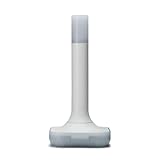
Home Assistant Connect ZBT-2 | Connect Zigbee, Thread or Matter Devices to Home Assistant | Official Hardware
Last verified 2026-11-13 02:45:36 UTC
NONDK For Zigbee, Thread or Matter for Home Gateway Hubs and Home Assistant Compatible ZBT-2 for Home Assistant Connect
Last verified 2026-11-13 02:45:36 UTC

SONOFF Universal Zigbee 3.0 USB Dongle Plus (ZBDongle-P) | Zigbee Coordinator/Router with Antenna for Home Assistant, ioBroker, Zigbee2MQTT
Last verified 2026-11-12 07:15:51 UTC

3% below the Amazon reference price
SMLIGHT SLZB-06M - Zigbee 3.0 to Ethernet,USB,and WiFi Gateway Coordinator with PoE,Universal Gateway for Home Assistant/ Zigbee2MQTT/ZHA,Wireless Zigbee 3.0 USB Adapter
Last verified 2026-11-13 02:46:55 UTC

6% below the Amazon reference price
SMLIGHT SLZB-06 No Poe - Zigbee 3.0 to Ethernet,USB,and WiFi Gateway Coordinator with PoE,Universal Gateway for Home Assistant/ Zigbee2MQTT/ZHA,Wireless Zigbee 3.0 USB Adapter
Last verified 2026-11-13 02:46:55 UTC

SMLIGHT SLZB-06P7U(2026 Model) Zigbee 3.0 to Ethernet,USB,and WiFi Gateway Coordinator with PoE,Universal USB Gateway for Home Assistant/ Zigbee2MQTT/ZHA,Wireless Zigbee 3.0 Adapter
Last verified 2026-11-13 02:46:55 UTC
As an Amazon Associate, Cloudzat earns from qualifying purchases. Prices and availability can change; Amazon shows the final price for your chosen item.
Zigbee buying guide
| Choice | Best for |
|---|---|
| Home Assistant Connect ZBT-2 | a supported USB Zigbee coordinator for an existing Home Assistant host |
| SONOFF ZBDongle-P | another coordinator option with the appropriate firmware and integration |
Which Zigbee option should you choose?
For a supported USB Zigbee coordinator for an existing Home Assistant host, choose Home Assistant Connect ZBT-2.
For another coordinator option with the appropriate firmware and integration, choose SONOFF ZBDongle-P.
The coordinator is a network root, not a gadget
Zigbee performance depends on the coordinator, the mesh routers and the physical environment working together. A premium radio cannot compensate for poor placement behind a metal server or next to noisy USB hardware. Start by choosing where the coordinator can communicate cleanly with the first layer of powered Zigbee routers.
This makes placement part of the price comparison. A cheap USB dongle may need an extension cable and careful host positioning, while a more expensive Ethernet coordinator can sit in a better part of the home. Compare the complete placement solution rather than the coordinator alone.
USB remains the simplest dedicated-host path
For a dedicated Home Assistant machine, a supported USB Zigbee coordinator can be straightforward. The radio is local, configuration is familiar and there is no separate network device to maintain. The main practical issue is RF isolation from USB 3 ports, SSD enclosures and other electronics.
A Black Friday deal on a USB radio is strongest when the host location already works for the mesh. If the server lives in a basement rack or utility closet, the low price may lock the network root into the wrong location. Move the radio deliberately or choose a network-attached coordinator.
Ethernet and PoE change where the radio can live
Network coordinators decouple Zigbee placement from the Home Assistant computer. This is especially useful when the server is virtualized, hidden in a rack or located far from the centre of the device mesh. PoE can simplify the installation further by carrying power and data on one cable.
That flexibility adds dependencies: Ethernet, switch power, device firmware and network stability. Include those in the architecture and UPS plan. A coordinator that is perfectly placed but loses power whenever the PoE switch reboots is still a weak automation foundation.
Understand the radio role before buying ZBT hardware
Home Assistant Connect ZBT radios support Zigbee and Thread capabilities, but that does not mean one adapter should automatically serve both networks at the same time. Current Home Assistant guidance favors clear dedicated radio roles rather than assuming multiprotocol is the best configuration.
If the household needs both Zigbee and Thread, plan the two roles explicitly. You may already own a Thread border router from another ecosystem, or you may want a second dedicated radio. Black Friday is a good time to buy the required hardware only after those network roles are mapped.
Chipset names are useful but not the whole decision
Coordinator chipsets such as EFR32 or CC26xx families can help identify hardware generations and software paths, yet firmware quality and Home Assistant integration matter equally. A marketplace listing that mentions a popular chipset does not prove the exact coordinator will behave like every other device using the same silicon.
This approach avoids buying an obscure board solely because its radio IC looks attractive in the specification table.
Mesh design determines real coverage
Zigbee coverage grows through mains-powered routing devices, not by increasing the coordinator price indefinitely. Smart plugs, in-wall devices and other routers can extend the mesh when they are distributed well. Battery sensors normally do not provide that routing function.
If a sale exposes weak coverage in one wing of the home, consider whether another powered router is the real fix. Replacing the coordinator can be unnecessary when the network root is stable and the problem is a sparse mesh.
Back up before changing the coordinator
Coordinator replacement can be more disruptive than buying a new sensor. Before migrating hardware, verify the supported backup and restoration path for the current Zigbee stack and Home Assistant version. Keep the old coordinator available until the new network is proven stable.
A Black Friday purchase does not need to become an immediate migration. Buying at a good tracked price and scheduling the change for a maintenance window can reduce risk. Price timing and network timing are separate decisions.
Compare the event price with ordinary street pricing
Zigbee dongles often receive coupons or temporary reductions throughout the year. A sale badge therefore needs context. Compare the event price with regular pre-event observations to distinguish a normal discount from an unusual low.
Check model suffixes carefully. Similar SONOFF or SMLIGHT names can represent different chipsets or connection methods. A historic low for the wrong variant should not influence the coordinator chosen for the production Home Assistant network.
Buy the coordinator that reduces troubleshooting
The most valuable coordinator is the one that creates a stable, understandable network. Good placement, a supported integration, current firmware and a clear radio role reduce future debugging. Those benefits can justify a modest premium over a less certain device.
Finish by pricing any USB extension, Ethernet run, PoE port or second radio required by the design. When the complete Zigbee architecture is cheaper than its pre-event equivalent, the Black Friday deal is meaningful. Otherwise, keep the network unchanged and continue tracking.
Choose a host and a radio plan that can stay dependable
A dedicated Home Assistant appliance keeps the installation straightforward. A mini PC can be useful when other light services will share the host, but it adds choices about virtualisation, updates and recovery. Keep the installation understandable to the people who will maintain the home. Automation that controls important household routines should have a clear backup and restore procedure.
Zigbee, Z-Wave, Matter and Thread have different roles. A radio adapter is not a replacement for the Home Assistant host. A Thread radio also needs the relevant border-router and controller arrangement; a Zigbee coordinator runs a Zigbee network. Pick the devices and integration path you intend to use before choosing the discounted adapter.
Place radios and backup power where they help
Keep USB radios away from sources of interference and inconvenient server positions. A supported extension or network-connected coordinator can make placement easier when the host is in a cabinet. Check that the chosen coordinator is supported by the integration and firmware you plan to use. Regional frequency requirements are especially important for Z-Wave devices.
For backup power, include the router, switch and any powered coordinator that must stay online alongside the automation host. A UPS keeping only the computer alive may not preserve useful control if the network shuts down. Compare real output watts, expected runtime at your load and the supported shutdown or monitoring connection.
Keep a working recovery copy of the automation system
Save the configuration and a current recoverable backup before replacing the host or radio. Understand which network and radio information must move with the installation. A discounted coordinator is less attractive if the change requires rebuilding a large collection of devices without a practical migration plan. Where possible, test the new component with a small part of the setup first.
Document the location of the host, power supply, radio and network connection. Keep simple manual controls available for important household functions when the automation platform is unavailable. A convenient smart-home installation should remain understandable when a family member needs to restart or recover it.
Buying Zigbee in the UK
For Zigbee in the UK, begin with Home Assistant Connect ZBT-2 for a supported USB Zigbee coordinator for an existing Home Assistant host. Compare SONOFF ZBDongle-P when another coordinator option with the appropriate firmware and integration is the more useful choice. The Amazon links and prices on this page use Amazon UK and pounds. Add delivery and any required components to the amount you are comfortable paying. For a model family with several configurations, use the model name and the installed components together when comparing these two choices. Keep the seller’s order details so you can check that the hardware you receive is the version you chose.
Electricity cost calculator
Replace the example values with your own measurements, capacity or prices.
Questions buyers ask
Which Zigbee option should I choose?
Choose Home Assistant Connect ZBT-2 for a supported USB Zigbee coordinator for an existing Home Assistant host. Choose SONOFF ZBDongle-P for another coordinator option with the appropriate firmware and integration.
What Zigbee coordinator should I buy for Home Assistant?
Choose a currently supported model that fits your placement and connection needs. USB is simple; Ethernet/PoE can improve placement or virtualization.
Is ZBT-2 a Zigbee and Thread coordinator at the same time?
Treat the adapter as a radio that should be assigned a clear Zigbee or Thread role according to current Home Assistant guidance.
Do I need a USB extension cable for Zigbee?
A short USB 2.0 extension can improve coordinator placement and reduce interference on a dedicated USB setup. Treat the extension as an installation accessory, not as a substitute for choosing the right coordinator.
Is SMLIGHT better because it uses PoE?
PoE is useful when it improves placement or virtualization, but it adds network and switch dependencies. Compare the full design.