


United Kingdom · GBP · Deal Watch
Proxmox Server Black Friday Deals UK 2026: What to Buy
This Black Friday, make your Proxmox server purchase about the lab you want to build and the complete cost of keeping it running.
Check memory expansion, drive connections and NIC support, then compare complete machines. Include warranty and condition when a refurbished business system enters the shortlist. Look for a Black Friday checkout total below this exact configuration’s recent normal price. Compare equivalent complete systems from reputable sellers before deciding that the offer is worth buying.
Choose MINISFORUM MS-01 for a compact lab where networking and expansion matter. Compare Lenovo ThinkCentre M70q Tiny for a serviceable business-desktop host configured for the guests you need. Keep condition and warranty in the comparison because refurbished business desktops and new systems are different offers.
Which Proxmox Server option should you choose?
Start here
MINISFORUM MS-01
Choose it for a compact lab where networking and expansion matter.
Buy on AmazonChoose this alternative
Lenovo ThinkCentre M70q Tiny
Choose it for a serviceable business-desktop host sized to the guest workload.
Buy on AmazonCurrent Proxmox Server Listings on Amazon
Black Friday sale dates and offer timing
Dates for 2026: Black Friday — November 27; Amazon.co.uk — November 19–30. Individual offer periods and eligibility vary.

MINISFORUM MS-01 Mini Workstation Intel Core i9-13900H (vPro Enterprise Support) 32GB DDR5 1TB SSD Mini PC,2x 10Gbps SFP+/2x 2.5G RJ45/2x USB4/HDIM/1x PCIe4.0x16 slot/Support 3x M.2 2280/22110/U.2 SSD
32GB RAM · 1TB SSD
Last verified 2026-11-14 11:42:47 UTC

MINISFORUM MS-01 SE Mini PC with Intel Core i5-12600H 32GB DDR4 RAM 1TB SSD | 12 Cores 16 Threads, PCIe 4.0 x16, 3× M.2 NVMe Slots, Dual 2.5GbE Ethernet, Dual USB4 Type‑C, Wi‑Fi 6E & BT 5.3,vPro support
32GB RAM · 1TB SSD
Last verified 2026-11-13 06:58:58 UTC
MINISFORUM Mini Workstation PC MS-01-S1260,Intel Core i5-12600H(vPro Enterprise Support)Mini PC,32GB DDR5 1TB SSD,2x10Gbps SFP+/2x2.5G RJ45/2xUSB4/HDIM/PCIe4.0x16 slot/Support 3xM.2 2280/22110/U.2 SSD
32GB RAM · 1TB SSD
Last verified 2026-11-13 06:58:58 UTC

Lenovo ThinkCentre M70q Gen 6 | Ultra 5 225T | 16GB | 512GB | Core Ultra 5 225T | Integrated Graphics | Windows 11 Pro | Tiny 1L Desktop PC | Included Keyboard & Mouse | Dual Display
Last verified 2026-11-13 06:52:09 UTC

HP Z2 Mini G1a Mini PC | AMD Ryzen AI Max PRO 385 | 64GB RAM | 1TB SSD | Windows 11 Pro | Copilot+ PC | Professional Workstation | AI Ready Performance | Compact Design | Powerful Multitasking
64GB RAM · 1TB SSD
Last verified 2026-11-14 14:12:10 UTC

GEEKOM A5 2027 Mini PC,AMD Ryzen 7 7730U,16GB RAM(up to 64GB),512GB SSD | Beats 7430U, Quiet & Energy-Efficient Performance,WiFi 6 & BT5.4, 6 USB, Quad Display, for Business/Video Editing/Design
16GB RAM · 512GB SSD
Last verified 2026-11-14 14:12:10 UTC
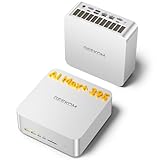
GEEKOM A9 Mega Mini PC, AMD Ryzen AI MAX 395,128GB LPDDR5X RAM+2TB SSD | Local AI Super PC, Radeon 8060S Graphics, 4K@120Hz Quad Display,Dual USB4, 8×USB for Gaming/Design/Video Editing
128GB RAM · 2TB SSD
Last verified 2026-11-14 14:12:10 UTC

ASUS ROG NUC 15 Mini PC (90AS00I1-M000B0) — Intel Core Ultra 9 275HX, NVIDIA GeForce RTX 5080 16GB, 32GB DDR5 RAM, 2TB SSD, Windows 11 Home, Wi-Fi 7, UK
32GB RAM · 2TB SSD
Last verified 2026-11-14 14:12:10 UTC
As an Amazon Associate, Cloudzat earns from qualifying purchases. Prices and availability can change; Amazon shows the final price for your chosen item.
Proxmox Server buying guide
| Choice | Best for |
|---|---|
| MINISFORUM MS-01 | a compact lab where networking and expansion matter |
| Lenovo ThinkCentre M70q Tiny | a serviceable business-desktop host sized to the guest workload |
Which Proxmox Server option should you choose?
For a compact lab where networking and expansion matter, choose MINISFORUM MS-01.
For a serviceable business-desktop host sized to the guest workload, choose Lenovo ThinkCentre M70q Tiny.
Expansion is the reason to pay for a server
The business case for a tower or workstation Proxmox host is not that it looks more professional than a mini PC. It is the ability to add memory, storage controllers, NICs, GPUs and drives without replacing the whole platform. When the roadmap includes ZFS pools, passthrough, 10GbE or local accelerators, those slots and lanes have direct economic value. A Black Friday server deal should therefore be scored by the cost of the expansion it avoids later.
Count physical slots, but also investigate electrical lane width and motherboard sharing rules. Two x16-length slots are not automatically two full-bandwidth x16 connections. NVMe sockets can share lanes with PCIe slots or SATA ports.
Memory architecture deserves its own check
Server platforms can expose far higher memory ceilings than compact systems, yet the DIMM rules are more complicated. UDIMM and RDIMM are different families, ECC can depend on the processor and board, and mixing capacities or ranks may affect supported speeds. The cheapest 128GB kit is not useful if it belongs to a memory type the selected server cannot accept.
For Proxmox, larger memory pools are especially valuable because they allow more guests to remain resident and can reduce pressure to overcommit. A 128GB-capable platform can also provide failover headroom in a cluster. Verify the exact CPU generation, DIMM type and supported population pattern before ordering memory alongside the server.
Storage bays turn a host into infrastructure
A server with several drive positions can consolidate VM storage, backup staging and ZFS roles that would require external enclosures on a small system. The high-value question is not simply how many bays exist, but which interfaces and controllers serve them. SATA, SAS, M.2 NVMe and U.2/U.3 each imply different cables, lanes and controller options.
If TrueNAS or another storage VM will own disks, plan the HBA and passthrough architecture before purchasing drives. If Proxmox itself will own ZFS, confirm the intended controller presents disks appropriately. Black Friday storage discounts are most useful after those ownership decisions are made.
Enterprise SSDs can make sense in the right host
Cloudzat already tracks Proxmox-oriented enterprise SATA and NVMe families because their form factors and workload characteristics can suit always-on virtualization. A 3.84TB or 7.68TB enterprise drive is a high-ticket purchase, so compatibility errors are costly.
Enterprise branding alone does not prove power-loss protection, endurance or latency behavior for a particular listing. Treat the event price as one input after the exact drive and interface have been verified.
10GbE and faster networking belongs in the platform plan
Server-class hardware can make 10GbE easier because a standard PCIe slot supports mature NIC families without external adapters. That matters for backup servers, migration traffic, remote storage and clusters. SFP+ cards such as Intel X710 or Mellanox ConnectX families and RJ45 alternatives can be evaluated independently from the host so the network is not tied to one chassis vendor.
If 25GbE is on the roadmap, verify available lanes and switch economics before buying a server around a 10GbE-only assumption. The fastest port is not always the best value, but a platform that preserves the upgrade path can extend useful life.
GPU passthrough changes chassis priorities
AI, media and specialized Windows workloads can justify discrete GPU passthrough under Proxmox. A tower or workstation earns its size when it has adequate slot spacing, power delivery, cooling and firmware support for that plan. A discounted server with proprietary low-profile slots or a weak PSU may be a poor choice even if its CPU and RAM look attractive.
Check IOMMU support, device grouping and reset behavior on the exact platform. Cloudzat does not claim that a workstation model will provide perfect passthrough simply because it has a PCIe slot. The Black Friday decision should preserve the physical requirements first and treat virtualization compatibility as a production validation step.
Serviceability can be part of the deal
Hot-swap bays, accessible DIMMs, replaceable fans and standard power supplies can lower maintenance friction over several years. Those features are not essential for a home lab, but they become more valuable when the host runs critical services or sits in a location where downtime is costly. A well-designed tower server can therefore justify a higher initial price than a consumer desktop with similar processor specifications.
Balance serviceability against proprietary parts. Vendor systems may have excellent documentation and management features while also using custom drive carriers or power components. Price those dependencies before deciding that the platform discount represents the lowest ownership cost.
Do not buy old enterprise hardware for the badge
Black Friday search results can mix current new systems with older enterprise models whose original list prices make the discount look impressive. Compare processor efficiency, memory generation, idle power and platform features rather than assuming a Xeon label is automatically superior to a modern Ryzen or Core system.
For a home or small-office Proxmox server, a current workstation-class processor can be a better value than an old many-core platform when the workload values single-thread performance and power efficiency. Server branding should correspond to capabilities you will actually use.
Plan the UPS from real watts
A server with multiple drives and expansion cards can draw substantially more power than a mini PC, which changes UPS economics. VA alone is not a runtime estimate. Measure or conservatively estimate the actual watt load of the host, storage, switch and router, then use the UPS manufacturer runtime curve for the exact model.
If the Proxmox environment depends on network storage, protecting only the compute host can leave the system unusable during an outage. The complete purchase should include the critical network and storage devices that must remain available long enough for clean shutdown or continuity.
Use Black Friday to buy headroom, not waste
The best server sale often lets the same budget move from a constrained configuration into a platform with more memory slots, storage capacity or network expansion. That headroom can extend service life. The opposite mistake is buying a large rack-style system simply because the percentage discount is high, then paying for idle power, noise and unused redundancy for years.
Cloudzat builds regular price history now so the event can be judged against observed pricing. A smaller verified discount on the right long-lived server can be a much better purchase than a deeper discount on hardware that does not fit the deployment.
Plan the guests and the recovery procedure together
Add the memory required by the host and the guests that will run at the same time. Leave room for filesystem cache, updates and a useful operating margin. More cores do not remove a memory limit, and optimistic overcommitment can leave an otherwise capable lab difficult to use. Choose a configuration that fits the current guest set and a realistic amount of growth.
Keep backups on storage that remains available when the host fails. A snapshot on the same drive is useful for some changes, but it does not recover the host after losing that drive. Test the restoration of at least one important guest before relying on the setup. A simple recovery path can matter more than a small saving on a less suitable host.
Match memory and storage to the actual host
DDR4, DDR5, SO-DIMM, UDIMM and RDIMM are different purchasing requirements. ECC support also depends on the complete platform rather than the module label alone. Use the host documentation and a suitable compatibility list before buying a discounted memory kit. A module that physically resembles another module is not necessarily electrically or operationally interchangeable.
For NVMe storage, consider write activity, endurance, cooling and the consequences of an unexpected power loss. A consumer drive can be suitable for a modest lab; a workload with stricter durability and availability requirements may justify enterprise storage with documented power-loss protection. Keep a usable backup regardless of the drive tier.
Buying Proxmox Server in the UK
For Proxmox Server in the UK, begin with MINISFORUM MS-01 for a compact lab where networking and expansion matter. Compare Lenovo ThinkCentre M70q Tiny when a serviceable business-desktop host sized to the guest workload is the more useful choice. The Amazon links and prices on this page use Amazon UK and pounds. Add delivery and any required components to the amount you are comfortable paying. For a model family with several configurations, use the model name and the installed components together when comparing these two choices. Keep the seller’s order details so you can check that the hardware you receive is the version you chose.
Electricity cost calculator
Replace the example values with your own measurements, capacity or prices.
Questions buyers ask
Which Proxmox Server option should I choose?
Choose MINISFORUM MS-01 for a compact lab where networking and expansion matter. Choose Lenovo ThinkCentre M70q Tiny for a serviceable business-desktop host sized to the guest workload.
When is a server better than a mini PC for Proxmox?
Choose server or workstation hardware when you need larger memory ceilings, several drives, standard PCIe expansion, HBAs, GPUs or easier serviceability.
Should I prioritise ECC memory?
ECC can be valuable for suitable workloads, but support depends on the CPU, motherboard, firmware and DIMM type. Verify the complete platform rather than relying on an ECC label in one listing.
How much RAM should a Proxmox server have?
64GB is a useful baseline for moderate virtualization. 128GB or more is attractive for dense guests, ZFS-heavy systems, large databases or cluster failover capacity.
Are enterprise SSDs required?
No. High-quality consumer NVMe can work well in many labs. Enterprise drives become more interesting when interface, capacity, endurance or power-loss characteristics match the workload.