


United Kingdom · GBP · Deal Watch
NAS Black Friday Deals UK 2026: What to Buy
This Black Friday, build the storage setup you have been putting off. The exciting NAS offer is one that leaves room for the drives and backup you need.
Choose the software and capacity you need before comparing enclosures. Add drives, networking and backup so the attractive box price becomes an honest complete-system cost. Judge the Black Friday offer against recent prices for the same enclosure and drive bundle; the worthwhile saving is on usable storage you can put to work.
Start with UGREEN DXP4800 Plus for a flexible four-bay home or creator server. Choose Synology DS925+ when the Synology software and backup ecosystem are the main attraction. For a first NAS, ease of using and restoring files is as important as the processor name.
Which NAS option should you choose?
Start here
UGREEN DXP4800 Plus
Choose it for a flexible four-bay home server with faster networking.
Buy on AmazonChoose this alternative
Synology DS925+
Choose it for buyers who prioritise the Synology software and backup ecosystem.
Buy on AmazonCurrent NAS Listings on Amazon
Black Friday sale dates and offer timing
Dates for 2026: Black Friday — November 27; Amazon.co.uk — November 19–30. Individual offer periods and eligibility vary.

31% below the Amazon reference price
UGREEN DXP4800 Plus 4-Bay NAS + 120W UPS Bundle, Intel Pentium Gold 8505 8GB DDR5 10GbE 2.5GbE 128G SSD 2*M.2 NVMe Slots 4K HDMI Desktop NAS (Diskless) & 12000mAh Uninterruptible Power Supply
Last verified 2026-11-13 14:48:04 UTC

11% below the Amazon reference price
UGREEN NASync DXP4800 Plus 4-Bay NAS + M.2 NVMe Enclosure, Intel Pentium 8505,8GB DDR5,128G SSD,10GbE+2.5GbE,2×M.2 Slots,4K HDMI |10Gbps Aluminum Tool-Free,USB3.2 Gen2,UASP&TRIM(Diskless)
Last verified 2026-11-13 14:46:20 UTC

15% below the Amazon reference price
UGREEN NAS UPS 120W DC Battery Backup 12000mAh Battery Power Supply | Compatible NAS DXP2800/DXP2800GT DXP4800 Pro/DXP4800GT/DXP4800 Plus/DXP480T Plus/DH2300/DH4300 Plus
Last verified 2026-11-13 14:45:13 UTC

UGREEN NASync DXP4800 Plus 4-Bay NAS + 2M Cat8 Cable, Intel Pentium 8505 5-Core, 8GB DDR5, 128G SSD, 10GbE+2.5GbE, 2×M.2 NVMe, 4K HDMI |40Gbps 2000Mhz Flat Braided RJ45 (Diskless)
Last verified 2026-11-13 14:36:19 UTC

UGREEN NASync DXP4800 Plus NAS Desktop Intel® Pentium® Gold 8505 8 GB DDR5 0 TB UGOS PRO
Last verified 2026-11-13 13:46:30 UTC
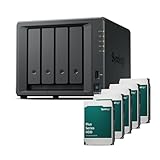
Synology DS925+ 8TB (Synology HAT33) 4Bay Desktop NAS
Last verified 2026-11-13 15:22:27 UTC

Synology DS925+ 32TB (Synology HAT33) 4Bay Desktop NAS
Last verified 2026-11-13 13:35:56 UTC

SYNOLOGY 4-Bay DS925+ NAS with Expandable Capacity
Last verified 2026-11-13 11:52:32 UTC
As an Amazon Associate, Cloudzat earns from qualifying purchases. Prices and availability can change; Amazon shows the final price for your chosen item.
NAS buying guide
| Choice | Best for |
|---|---|
| UGREEN DXP4800 Plus | a flexible four-bay home server with faster networking |
| Synology DS925+ | buyers who prioritise the Synology software and backup ecosystem |
Which NAS option should you choose?
For a flexible four-bay home server with faster networking, choose UGREEN DXP4800 Plus.
For buyers who prioritise the Synology software and backup ecosystem, choose Synology DS925+.
Choose capacity and redundancy together
Work out how much data you have now, how quickly it grows, and how much free space you need for comfortable use. A four-bay system can leave room to expand, but buying four drives immediately is a different budget from starting with two. Compare the complete enclosure-and-drive cost before choosing a larger chassis. A diskless NAS contains no main storage drives unless the offer explicitly includes them.
Redundancy helps a system keep working after certain drive failures. It does not recover a file that was deleted everywhere, stop every ransomware incident, or protect the enclosure against theft or fire. Keep another recoverable copy of important files. A separate local backup and an off-site copy are sensible parts of a home or small-business storage budget.
The network decides how useful fast drives become
A NAS connects to your computer through a chain of interfaces. The NAS port, switch, computer adapter and storage workload all matter. Faster Ethernet on the enclosure provides little benefit when the computer remains connected at a lower rate. For occasional document backup, the simplest reliable connection may be enough. For frequent large media transfers, budget for the complete faster path.
NVMe slots do not always serve the same role. Depending on the model, they may be usable for storage, cache, or a more restricted purpose. Check the enclosure documentation before buying SSDs for them. A cache is not automatically useful for a small number of sequential file transfers. Spend first on the capacity, reliability and network connection that address the workload you actually have.
Match the operating system to the people using it
Choose the applications and backup tools that your household or team will actually use. A capable processor is useful for some media and application workloads, but it does not replace an understandable administration interface or a dependable restore process. For a less technical household, a system with the right supported applications can be worth more than a faster system that nobody maintains.
If you plan to replace the supplied operating system, check the exact model, boot process, storage controller and recovery procedure before treating the enclosure as a general server. Keep a copy of the original recovery instructions. Warranty terms and manufacturer support can differ when software or hardware is changed. Budget the time required to maintain the chosen system over its useful life.
Select drives for the enclosure rather than by capacity alone
Use the manufacturer compatibility information for the exact NAS and drive model. An ordinary desktop drive, a NAS drive and an enterprise drive can differ in recording method, noise, workload rating and support expectations. A SAS drive requires a SAS-capable controller; it is not a drop-in replacement for a SATA drive in a consumer NAS bay.
For an SSD-only NAS, include the SSDs and any required heatsinks in the total. The quieter enclosure does not make flash capacity inexpensive, and a faster set of drives does not remove a slow network link. Confirm the supported SSD form factor, interface and mounting arrangements. Keep enough free capacity for the chosen filesystem and the way you intend to use snapshots.
Choose the right alternative when a model is unavailable
Keep the requirements that matter: usable capacity, bay count, required applications, network speed and room to grow. A different brand can be a good alternative when its software supports the job. A two-bay device is not equivalent to a four-bay plan that depends on later expansion, and an HDD enclosure is not a substitute for an NVMe-only workload.
Compare a drive bundle with the same enclosure plus suitable drives bought separately. Check how many drives are included and the capacity of each drive. Do not count the advertised sum of every drive as the final usable capacity after redundancy. A genuine saving is a lower complete cost for a setup that still meets the capacity and recovery needs.
A home backup NAS and an application server need different resources
For file backup and ordinary sharing, dependable storage, clear access permissions and an easy restore process come first. Extra CPU cores may add little when the system mainly waits for a scheduled backup. For containers, virtual machines, media processing or several busy users, memory and processor headroom become more important. List the applications that need to stay responsive while a backup or maintenance task is running.
A separate mini PC can run applications while the NAS concentrates on storing the files. That approach adds another device and a network connection, but it can make future upgrades simpler. A combined NAS server can be convenient when its hardware and supported applications fit the workload. Compare both complete arrangements, including storage drives, networking, backup and the time available to maintain them.
Noise, placement and recovery matter after the sale
Choose a location with ventilation, a stable network connection and tolerable drive noise. A multi-bay HDD system can be audible even when the enclosure fan is quiet. An SSD-only system changes the noise profile, but it also changes the capacity budget. Do not put a larger system in a poorly ventilated cabinet just because it fits physically. Access to the drives and power connection should remain practical.
Write down how the files will be recovered if the enclosure stops working. Keep account recovery information, encryption recovery material where applicable, and a backup outside the enclosure. A storage system that can survive one failed drive still needs a recovery plan for other failures. Test the important files and applications after initial setup, while replacing a poorly suited purchase is still straightforward.
Estimate usable capacity before ordering drives
For a simple equal-size array, a rough single-parity estimate is the capacity of all but one drive; a dual-parity estimate leaves the capacity of two drives unavailable for user data. Filesystem overhead and decimal-versus-binary reporting reduce the figure shown by the operating system. Mirrors and mixed-size configurations behave differently. Use the capacity calculator as an initial estimate, then use the enclosure and filesystem documentation for the actual arrangement. Leave free space rather than planning to fill the estimated usable capacity immediately.
Buying NAS in the UK
For NAS in the UK, begin with UGREEN DXP4800 Plus for a flexible four-bay home server with faster networking. Compare Synology DS925+ when buyers who prioritise the Synology software and backup ecosystem is the more useful choice. The Amazon links and prices on this page use Amazon UK and pounds. Add delivery and any required components to the amount you are comfortable paying. For a model family with several configurations, use the model name and the installed components together when comparing these two choices. Keep the seller’s order details so you can check that the hardware you receive is the version you chose.
NAS capacity calculator
Replace the example values with your own measurements, capacity or prices.
Questions buyers ask
Which NAS option should I choose?
Choose UGREEN DXP4800 Plus for a flexible four-bay home server with faster networking. Choose Synology DS925+ for buyers who prioritise the Synology software and backup ecosystem.
Related buying guides
- Synology NAS buying guide
- UGREEN NAS buying guide
- QNAP NAS buying guide
- TerraMaster NAS buying guide
- ASUSTOR NAS buying guide
- 4-Bay NAS buying guide
- UPS Battery Backups
- UPS for NAS
- UPS for Mini PCs
- UPS for Routers
- LiFePO4 UPS
- Vertiv UPS
- UGREEN NAS UPS
- GOLDENMATE UPS
- NVMe SSD
- SATA SSD
- 4TB SSD
- 8TB SSD
- NAS SSD
- External Hard Drives
- NAS Hard Drives
- Enterprise Hard Drives
- Surveillance Hard Drives
- CMR Hard Drives
- Seagate IronWolf
- Seagate Exos
- WD Red Hard Drives
- WD Purple Hard Drives
- Ultrastar Hard Drives
- Toshiba N300
- 2-Bay NAS
- 6-Bay NAS
- 8-Bay NAS
- 10GbE NAS
- LincStation NAS
- DIY NAS Kits & Cases