


United Kingdom · GBP · Deal Watch
Local AI GPU Black Friday Deals UK 2026: What to Buy
Updated · 19 Nov 2026 08:39 UTC
Black Friday offers
No matching Black Friday promotion is verified right now. These are current Amazon listings, not a promise of a Black Friday discount.

MSI RTX 5090 32G Vanguard SOC Gaming Graphics Card (32GB GDDR7, 512bit, Extreme Performance: 2527MHz, DisplayPort x3 2.1a, HDMI 2.1b, NVIDIA Blackwell Architecture)
Verified 2026-11-27 17:24:53 UTC

MSI Geforce Rtx 5090 32g Ventus 3x 32gb Gddr7 512 Bit Dlss 4 Gaming (HOLDER) Graphics Card
Verified 2026-11-27 17:24:53 UTC
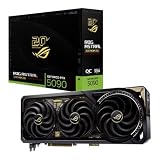
ASUS ROG Astral GeForce RTX 5090 Edition 20 OC Quad Fan Gaming Graphics Card, 32GB, GDDR7, PCIe 5.0, Removable Curved AMOLED Display, Liquid Cooling and Steam Chamber, Black
Verified 2026-11-27 17:06:47 UTC

ASUS ROG Matrix Platinum GeForce RTX 5090 OC 30th Anniversary Edition Gaming Graphics Card, 32GB, GDDR7, PCIe 5.0, 512-bit, Metal Liquid Cooled, DisplayPort 2.1b, HDMI 2.1b
Verified 2026-11-27 17:06:47 UTC
No fresh priced listing is available right now. Check the matching Amazon results below.
Search AmazonA well-chosen GPU can be the centrepiece of your local-AI Black Friday build when VRAM and software fit the project.
Match VRAM to model and context, then compare the complete workstation cost. Extra gaming performance does not automatically solve a capacity or compatibility problem. For Black Friday, compare the exact card’s recent selling price and equivalent offers from reputable sellers. A larger advertised discount cannot make up for the wrong memory, condition or warranty.
Choose RTX 5090 32GB for a CUDA workload that fits in its GPU memory. Compare RTX PRO 6000 Blackwell 96GB when you have a demonstrated need for a much larger single-card memory pool. A professional card's extra capacity is useful for fitting larger work; it is not an automatic value upgrade for every chatbot.
Which Local AI GPU option should you choose?
Start here
NVIDIA GeForce RTX 5090 32GB
Choose it for CUDA workloads that fit 32GB VRAM.
Buy on AmazonChoose this alternative
NVIDIA RTX PRO 6000 Blackwell 96GB
Choose it for a larger model that requires more GPU memory.
Find this configurationCurrent Local AI GPU Listings on Amazon
Black Friday sale dates and offer timing
Dates for 2026: Black Friday — November 27; Amazon.co.uk — November 19–30. Individual offer periods and eligibility vary.
MSI RTX 5090 32G Vanguard SOC Gaming Graphics Card (32GB GDDR7, 512bit, Extreme Performance: 2527MHz, DisplayPort x3 2.1a, HDMI 2.1b, NVIDIA Blackwell Architecture)
32GB GPU memory
Verified 2026-11-27 17:24:53 UTC
MSI Geforce Rtx 5090 32g Ventus 3x 32gb Gddr7 512 Bit Dlss 4 Gaming (HOLDER) Graphics Card
32GB GPU memory
Verified 2026-11-27 17:24:53 UTC
ASUS ROG Astral GeForce RTX 5090 Edition 20 OC Quad Fan Gaming Graphics Card, 32GB, GDDR7, PCIe 5.0, Removable Curved AMOLED Display, Liquid Cooling and Steam Chamber, Black
Verified 2026-11-27 17:06:47 UTC
ASUS ROG Matrix Platinum GeForce RTX 5090 OC 30th Anniversary Edition Gaming Graphics Card, 32GB, GDDR7, PCIe 5.0, 512-bit, Metal Liquid Cooled, DisplayPort 2.1b, HDMI 2.1b
Verified 2026-11-27 17:06:47 UTC
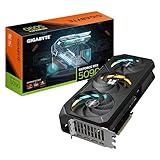
Gigabyte GeForce RTX 5090 GAMING OC 32G Graphics Card - 32GB GDDR7, 512bit, PCI-E 5.0, 2550MHz Core Clock, 3 x DP 2.1a, 1 x HDMI 2.1b, NVIDIA DLSS 4, GV-N5090GAMING OC-32GD
32GB GPU memory
Verified 2026-11-27 17:06:47 UTC

ASUS GeForce RTX 5090 Astral LC Liquid Cooled Overclocked Graphics Card 32GB GDDR7 PCIe 5.0, Max Resolution 7680 x 4320, Full Height, Triple Slot
32GB GPU memory
Verified 2026-11-27 16:52:32 UTC

ASUS NVIDIA GeForce RTX 5090 32GB GDDR7 PCI Express 5.0 Video Card/TUF-RTX5090-32G-GAMING
32GB GPU memory
Verified 2026-11-27 16:52:32 UTC
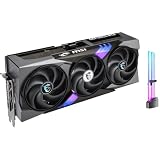
msi GeForce RTX 5090 Gaming Trio OC Triple Fan Graphics Card, 32GB GDDR7, 3352 AI Tops, DLSS 4, AI Content Creation, Local LLM Inference, 28 Gbps, 512-bit, DP 2.1b x3, HDMI 2.1b, with GPU Holder
32GB GPU memory
Verified 2026-11-27 16:44:12 UTC
As an Amazon Associate, Cloudzat earns from qualifying purchases. Prices and availability can change; Amazon shows the final price for your chosen item.
Local AI GPU buying guide
| Choice | Best for |
|---|---|
| NVIDIA GeForce RTX 5090 32GB | CUDA workloads that fit 32GB VRAM |
| NVIDIA RTX PRO 6000 Blackwell 96GB | a larger model that requires more GPU memory |
Which Local AI GPU option should you choose?
For CUDA workloads that fit 32GB VRAM, choose NVIDIA GeForce RTX 5090 32GB.
For a larger model that requires more GPU memory, choose NVIDIA RTX PRO 6000 Blackwell 96GB.
Choose the model's memory tier first
Compare RTX 5090 32GB for supported local AI work that fits its dedicated memory. Move to a higher-memory professional card such as RTX PRO 6000 Blackwell 96GB when the required working model needs that capacity. The larger card is justified by the work it enables, not by being the most expensive choice.
Allow room beyond the downloaded model weights. The active conversation, application and other working data can increase GPU memory use. If a smaller model gives good answers for your task, keeping the lower-cost tier may be more useful than buying a professional card solely to load a larger demonstration model.
System RAM does not automatically become GPU VRAM
A desktop can have plenty of system RAM while its graphics card still lacks enough memory for the intended GPU workload. Some applications can move part of the work elsewhere, but the resulting behavior and speed depend on their support and settings. Do not assume a larger system-memory kit makes a smaller GPU equivalent to a larger-memory card.
Check the exact model format and the application's supported loading arrangement. If the required model will not fit comfortably, compare a smaller version, a larger GPU or an appropriate shared-memory computer. Choose between those alternatives from a real task instead of treating all memory numbers as interchangeable.
Use the software's supported NVIDIA path
Check the application's current requirements for the operating system, driver and CUDA-related software it uses. A newer GPU architecture can need a sufficiently recent application build or driver. Prefer the documented supported installation over assuming an older environment will use a new card unchanged.
For professional work, check whether the application requires a supported board or driver configuration beyond basic model loading. For private chat and coding, test the actual model and settings. A high advertised compute figure is not a promise of the same tokens-per-second result across applications or compression formats.
Price the computer around the card
For an upgrade, check case clearance, motherboard slot space and the exact power-supply requirements of the selected board. Include cable routing and cooling rather than measuring only the card length. A large graphics card can block another expansion slot or require changes elsewhere in the chassis.
For a new computer, include CPU, motherboard, system RAM, storage, case and power supply in the total. Compare a complete workstation with the shared-memory alternative only when both support the application. A standalone GPU's price does not describe the cost of a ready-to-use local AI computer.
Desktop and server cooling are different purchases
Choose a desktop board for a desktop designed to cool it. A passive server accelerator can require directed airflow that an ordinary quiet case does not provide. Workstation and lower-power editions also need to match the intended system design. Confirm the exact edition before treating a lower-priced board as an equivalent alternative.
For a desk used for long inference sessions, look at sustained noise and power measurements where available. A brief performance result does not describe the full working day. Place the system where it can ventilate properly, and include the electricity use of the whole computer when estimating ongoing cost.
Several cards need explicit application support
Two separate cards do not automatically behave as one card with the sum of their memory. The application must support splitting the intended work, and the host needs appropriate slots, power, cooling and data paths. For one large model, compare a supported multi-card arrangement with one sufficiently large-memory card.
For independent jobs, several cards can serve different requests when the software is configured for that role. That is different from making one model fit transparently. Buy a second card only when the planned application can use it, rather than assuming another discounted board always increases the capability you need.
Keep the less expensive useful alternative
Choose the lower-priced suitable board when it holds the intended model comfortably and the application supports it. Choose more GPU memory when a necessary task cannot fit otherwise. For a personal assistant, a smaller model on a less costly computer may be enough; for a business tool, dependable support and recovery can justify more spending.
After installation, confirm the recognized GPU memory and run a representative prompt or project while the return route remains useful. Keep a backup of your own documents, code and custom work. The useful result is a dependable local AI tool, not simply owning the highest-memory card available.
Buying Local AI GPU in the UK
For Local AI GPU in the UK, begin with NVIDIA GeForce RTX 5090 32GB for CUDA workloads that fit 32GB VRAM. Compare NVIDIA RTX PRO 6000 Blackwell 96GB when a larger model that requires more GPU memory is the more useful choice. The Amazon links and prices on this page use Amazon UK and pounds. Add delivery and any required components to the amount you are comfortable paying. For a model family with several configurations, use the model name and the installed components together when comparing these two choices. Keep the seller’s order details so you can check that the hardware you receive is the version you chose.
Electricity cost calculator
Replace the example values with your own measurements, capacity or prices.
Questions buyers ask
Which Local AI GPU option should I choose?
Choose NVIDIA GeForce RTX 5090 32GB for CUDA workloads that fit 32GB VRAM. Choose NVIDIA RTX PRO 6000 Blackwell 96GB for a larger model that requires more GPU memory.
RTX 5090 32GB or RTX PRO 6000 96GB?
Choose the 5090 when the supported workload fits its memory. Compare the professional 96GB card when a required model or application needs the larger pool. Include the complete workstation cost and support needs rather than comparing memory capacity alone.
Do two graphics cards automatically combine their memory?
No. The application must support the intended division of work, and the host needs suitable slots, power and cooling. Independent jobs and one model split between cards are different setups. Buy the second card only for a supported use.
Does a high-memory GPU include a complete workstation?
No. A standalone card still needs a compatible host, suitable system RAM, storage, power and cooling. A complete workstation listing should be compared with another complete computer, while a card upgrade should include any changes your existing desktop needs. Keep the exact board edition and condition beside the price so a cheaper server or used variant is not mistaken for the same purchase.