


UK · Black Friday 2026 · Complete-system buying guide
Gaming desktops: Black Friday 2026 deals in the UK
A new gaming tower should make the games you already enjoy feel better. This UK Black Friday shortlist starts with your monitor and a delivered price in pounds, then checks whether the rest of the computer is as convincing as the graphics card.
Choose the least expensive complete new desktop that meets your target games, resolution and frame-rate expectations with documented components and support. Compare RTX 5070- and RTX 5080-class systems for a balanced shortlist; move to a flagship only when your workload and display can use it. No listing here establishes measured frame rates.
What makes this a worthwhile Black Friday purchase?
A worthwhile Black Friday offer reduces the complete cost of the configuration you need against its recent normal selling price and credible alternatives. Begin with a short specification: processor, graphics card, system RAM, storage, operating system and the support you expect. Compare those fields before the discount percentage. A lower price for a different GPU or half the storage is a different offer, not evidence that the original computer has become cheaper.
Where price history exists, check the same configuration and seller conditions. A crossed-out retail reference is not necessarily last week’s selling price. New or uncommon workstation configurations may have little useful history; compare several complete quotes instead of inventing a historic low. Check whether a code, Prime membership, selected payment method or trade-in is required. Do not count conditional cashback, store credit or an unwanted bundle item as cash already saved.
Use the product section as a current buying shortlist. A normal Amazon price does not automatically qualify as a Black Friday deal. Promotional labels need separate fresh evidence, and availability can change between a check and checkout. If a suitable configuration is unavailable, keep the buying criteria and compare another complete system rather than accepting an unrelated component because it has a convincing price.
Current complete-system Amazon listings
Compare complete new systems by configuration and delivered cost. This guide has no minimum purchase price; spending more is useful only when it improves the fit for your needs.
As an Amazon Associate, Cloudzat earns from qualifying purchases. Prices and availability can change; Amazon shows the final price. A current listing is not automatically a Black Friday discount.

Matching complete system
ionz Gaming PC - Desktop Computer, Ryzen 7 5700X, NVIDIA RTX 5060,16GB RAM 1TB NVMe SSD, Windows 11, 650W 80+ PSU, WiFi (Dynamic Compact, White)
Checked 2026-11-16 23:05:11 UTC

Matching complete system
OTZ Gaming PC Ryzen 5 5500 RTX 5060 32GB RAM 1TB SSD Windows 11 650W PSU WiFi VR Ready Desktop Computer
Checked 2026-11-16 23:06:11 UTC
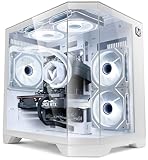
Matching complete system
Vibox IV-387 Gaming PC • AMD Ryzen 7 5700X 8-Core • Nvidia RTX 5060 Ti 8GB • 16GB RAM • 1TB SSD • Windows 11 • WiFi
Checked 2026-11-16 23:05:21 UTC

Matching complete system
ZeroLag Gaming PC - AMD Ryzen 5 9600X, Nvidia RTX 5060, 32GB DDR5 RAM, 1TB NVMe SSD, 80+ PSU, Wi-Fi 6E/Bluetooth, Windows 11 Pro, ARGB Case
Checked 2026-11-16 23:06:11 UTC
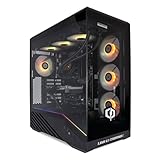
Matching complete system
CyberPowerPC Luxe Gaming PC - AMD Ryzen 7 5700X, Nvidia RTX 5070, 32GB RAM, 1TB NVMe, 650W, Wi-Fi, Windows 11, Liquid Cooling, V100R
Checked 2026-11-16 23:05:21 UTC

Matching complete system
MINISFORUM G1 PRO Mini PC 32GB RAM 1TB SSD | Ryzen 9 8945HX, 16C/32T up to 5.4GH,GeForce RTX 5060 8GB GDDR7,5GbE, Wi-Fi 7, Quad 4K, 245W Performance Gaming PC
Checked 2026-11-16 16:30:25 UTC
No fresh matching complete system is currently available in this market. Use the configuration guidance and manufacturer sources below; a standalone component is not substituted for a computer.
Configuration, ownership and buying decisions
| Decision | What to record | Reason |
|---|---|---|
| Product | Complete tower and exact CPU/GPU | A component or laptop is a different purchase. |
| Memory | System RAM separately from GPU VRAM | Similar capacity numbers can describe different parts. |
| Storage | Installed SSDs and free slots | Maximum supported capacity is not included capacity. |
| Power and cooling | Exact PSU, cooler and chassis | The complete configuration must be validated. |
| Support | Seller, warranty scope and delivery | The support route affects total value. |
Choose the monitor target before the tower
A desktop purchase starts with the display you intend to keep. A 1080p competitive game, a detailed 1440p adventure and a demanding 4K release put different pressure on the processor and graphics card. Write down three games, their resolution and the settings you are willing to lower. Then look for independent results for a comparable configuration, using native rendering and upscaling results separately. A headline generated-frame rate does not describe input latency or the original rendering speed.
Avoid treating the highest model number as the only sensible choice. A less expensive tower can leave enough money for a suitable monitor, a larger game-library SSD and an independent backup. Conversely, a bargain monitor cannot turn an unsuitable GPU into a strong 4K system. If you stream, record or edit alongside gaming, include those simultaneous jobs in the comparison rather than assuming a gaming benchmark covers them.
Read beyond the CPU and GPU badges
Ask for the exact power supply, motherboard, memory arrangement and SSD capacity. A listing that names the processor and graphics card but says only gaming power supply is missing an important part of the purchase. Document how many memory modules are installed and whether free slots remain. A large total RAM figure does not tell you the memory speed, layout or stability settings. Check whether the listed storage is one usable SSD or a combination of small drives.
Photographs can show a sample case rather than the selected configuration. Match the product code and written specification to the item in your basket. Count the display outputs on the graphics card, the USB ports used by your peripherals and the wired network connection. If Wi-Fi matters, check whether antennas are included. Treat a bundled keyboard, headset or trial subscription as optional value rather than a reason to accept an inferior core system.
Cooling, noise and upgrade access
A complete computer needs to maintain performance through a long session, not merely reach an impressive peak. Look for a documented airflow path and a cooler appropriate to the selected processor. A liquid cooler can be useful but is not automatically quieter or more reliable than a well-chosen air cooler. Pump noise, radiator placement, fan curves and case ventilation all affect the result. Manufacturer photographs cannot establish measured noise levels.
Check access to dust filters, storage slots and the graphics card before paying for an attractive enclosure. Standard component sizes can simplify later upgrades, but confirm the actual motherboard connections and power-supply format. A compact case may limit GPU thickness or cable space. Ask the seller how a future memory or storage upgrade affects its support process, and keep the original configuration documented in case troubleshooting is needed.
Compare a complete basket and test the delivered PC
Build two complete baskets with the same essentials: desktop, necessary display cable, operating-system licence if absent, delivery and any required wireless adapter. Compare the payable total rather than a large crossed-out reference price. Where a configuration changes during Black Friday, restart the comparison using the new CPU, GPU, memory and storage. A price reduction accompanied by a smaller SSD is not an unchanged product becoming cheaper.
On arrival, check the system information against the order, install appropriate updates and run your own representative games at your normal settings. Watch for crashes, unusual mechanical noise and obvious cooling problems. Record the baseline before adding overclocks or replacing parts. Keep a copy of important files elsewhere; a new gaming desktop is not a backup plan. Resolve missing components or configuration differences with the seller while the purchase record is easy to retrieve.
Buying a complete system in the UK
Compare UK listings in pounds and inspect the payable delivered total. Check whether a business quote includes VAT before comparing it with a consumer price. Confirm a suitable UK power lead, local support and the operating-system licence. An imported system can require a different return route, and converting a US promotional price does not establish a UK offer.
For an expensive workstation, ask who handles diagnosis and transport if a fault occurs. Keep the configuration, delivery estimate and support scope together in the comparison. For a gaming tower, account for any monitor or cable upgrade separately. The product cards use Amazon.co.uk. Manufacturer documentation explains the hardware but does not guarantee that every configuration is sold locally or discounted during the same dates.
Compare quotes without losing the configuration
Create a simple comparison record for each shortlisted computer. Include the retailer link, exact product code, selected variation, date, payable price and delivery estimate. Add CPU, GPU, installed RAM, SSD capacity, PSU information and support terms. Where an item is unspecified, write unknown rather than filling the gap with assumptions from a photograph or a different review. A more expensive quote with complete information can be easier to assess than a cheaper mystery configuration.
Recheck that record after selecting a different colour, processor or memory option. Marketplace variations can change more than the feature you intended to edit. Save the order description you actually accepted, particularly if the seller modifies the machine before dispatch. Compare like-for-like totals and document the differences you are deliberately accepting. This makes a later price change easier to interpret and gives support a clear record if the delivered configuration differs.
Set a total budget that includes ownership
The tower price is only one part of a useful upgrade. Include a monitor if the existing one cannot support your intended display mode, the required cables, data migration and a separate backup destination. Add only items that are genuinely needed; do not turn every possible accessory into a compulsory purchase. A bundled peripheral has limited value when you already own a better one. Keep financing costs separate from the cash price and read the full payment total.
For running costs, use a realistic wall-power estimate for your own workload and electricity tariff. PSU wattage is the supply’s rating, not a measurement of continuous electricity use. Idle time, gaming, rendering and simultaneous CPU/GPU work can draw different amounts. If two machines both meet the requirement, compare space, noise, maintenance and service as well as acquisition price. The calculator below keeps the initial cost visible without presenting your estimates as live prices.
Check the seller and the practical support route
Identify who sells the computer, who ships it and who will diagnose a fault. Those can be different organisations. Check whether the specification is the manufacturer’s original configuration or a seller-modified build. Ask how memory, storage or other seller-installed upgrades are supported. Record the relevant terms rather than assuming a familiar brand logo covers every component change. For expensive systems, a clear repair route can matter more than a small headline saving.
Check the delivery window against the date you need the computer. Confirm how damaged packaging, missing parts and configuration differences should be reported. Keep the invoice, serial information and order description together. Read the seller’s current return and support terms for your purchase type; personal and business orders may be handled differently. This guide does not assign a universal return period to every seller or country.
When to buy now and when to keep watching
Buy when a documented configuration meets your requirements, the complete price compares well with recent evidence and the delivery and support are acceptable. Waiting makes sense when a key component is unspecified, the quote changes at checkout or the premium solves no actual limitation. A countdown is a deadline for an offer, not proof of value. Do not allow a short timer to replace the basic configuration check.
An early offer can be useful even before the main event, but there is no guarantee a later price will be better or that stock will remain. Set an acceptable total in advance and decide which compromises you will accept. If a cheaper suitable configuration appears, compare it on the same terms. If none does, keeping the current computer temporarily is a valid outcome. A good buying guide should make that decision easier rather than require a purchase.
Calculate the complete purchase cost
Enter your own quotes in one currency. Include only the extras you actually need; these inputs are estimates, not live product quotations. (GBP)
Estimated complete cost:
Black Friday timing and offer eligibility
Black Friday falls on November 27, 2026. Retailer schedules, stock and eligibility can differ. A sale calendar does not prove a discount on a particular computer; check the exact configuration and checkout terms.
Questions before buying
Does an Amazon listing prove a Black Friday discount?
No. A product card shows a matching local observation with a price and image. A promotional badge requires separate current evidence. Compare the exact configuration, recent price history where available and the final basket; a normal listing or a large reference-price reduction does not establish a historic low.
Are these complete PCs or individual parts?
The main listings require evidence of a complete desktop or workstation, including a processor, installed memory and storage. Standalone GPUs, RAM kits, laptop computers and repair accessories are excluded. Always verify the selected Amazon variation and full bill of materials before paying.
What if no matching local system is available?
The page keeps its configuration advice and links to the manufacturer information. It does not invent a price or substitute a component for a complete machine. Where a clearly labelled competing complete system is shown, compare its differences explicitly and confirm local seller support.
Has Cloudzat benchmarked these computers?
These are research-based buying guides using manufacturer documentation and marketplace observations. They do not claim hands-on testing of every configuration. Use independent tests of the exact or closely comparable hardware for performance expectations, and verify your own applications before making a high-value purchase.
Related buying guides
Sources and research notes
Research checked on 16 November 2026 against manufacturer documentation. Cloudzat has not benchmarked these individual configurations. Amazon cards use local marketplace observations; prices expire after 24 hours and public promotional badges after one hour or the offer end. No historic-low claim is made without supporting history.