


UK · Black Friday 2026 · Our buying decision
Budget Gaming Desktops UK Black Friday 2026 Deals
Black Friday offers
No matching Black Friday promotion is verified right now. These are current Amazon listings, not a promise of a Black Friday discount.

Veno Scorp Budget Gaming PC Core i3 GTX 750 4GB 8GB RAM 500GB HDD Nova ARGB | Built for everyday gaming with GTX 750 4GB graphics, responsive multitasking, 500GB HDD, Windows 11 and dual-monitor support
Verified 2026-11-24 04:28:14 UTC

Veno Scorp Budget Gaming PC Intel Core i3-8GB RAM - 500GB HDD – GTX 750 4GB Mini Nemesis ARGB Gaming Case - WINDOWS 11
Verified 2026-11-24 04:28:14 UTC

Veno Scorp Budget Gaming PC 22” Bundle Intel Core i5-8GB RAM - 500GB HDD – GTX 750 4GB Spectra ARGB Gaming Case - WINDOWS 11
Verified 2026-11-24 04:28:14 UTC
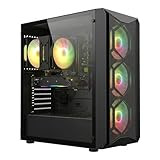
STGSivir Gaming PC, Core i7, RTX 3050 6G, 16G RAM, 512G SSD | Gaming Computer Desktop for Streaming,Video Editing,Homework,up to 3.9GHz,WiFi 6,BT 5.0,4K,HDMI,Win11 Pro,ARGB Case,Black
Verified 2026-11-24 06:21:54 UTC
No fresh priced listing is available right now. Check the matching Amazon results below.
Search AmazonIf you want a proper gaming desktop without drifting into premium pricing, Lenovo’s current budget-to-midrange tower family is exactly the sort of Black Friday purchase that can make sense. The useful choice here is not whether to buy a gaming desktop at all, but which complete tower gives you the right balance of GPU, chassis and long-term practicality.
For this page, the conclusion is deliberately simple: the Lenovo LOQ Tower line covers the sensible budget end, while the Lenovo Legion Tower 5i Gen 10 is the step-up option for buyers who can justify spending more for a more premium tower. The key is to buy the complete desktop that matches your need, not to confuse these towers with laptop parts, standalone graphics cards or regional names that look similar but are not the same machine.
Buy the Lenovo LOQ Tower 17IRH11 if you want the lower-cost route and the Lenovo LOQ Tower 26ADR10 if you want the better balanced mainstream pick with RTX 5060 Ti. If you can stretch further, the Lenovo Legion Tower 5i Gen 10 with RTX 5070 is the upgrade choice. The practical limit is simple: do not treat these as interchangeable or assume a GPU upgrade is possible without checking the tower’s actual power and headroom. The right buy is the one that arrives as a complete desktop with the GPU you want already installed.
Current matching Amazon listings
Current local Amazon listings in GBP. Only confirmed public campaign data earns a Black Friday badge; savings use the reference price for that exact listing. Model, quantity, included parts and regional version remain explicit. This budget shortlist is limited to current offers at £1300 or less.
As an Amazon Associate, Cloudzat earns from qualifying purchases. Amazon provides the final price and availability. A live listing is not automatically a Black Friday discount.
Matching product · exact contents shown
Veno Scorp Budget Gaming PC Core i3 GTX 750 4GB 8GB RAM 500GB HDD Nova ARGB | Built for everyday gaming with GTX 750 4GB graphics, responsive multitasking, 500GB HDD, Windows 11 and dual-monitor support
Verified 2026-11-24 04:28:14 UTC
Matching product · exact contents shown
Veno Scorp Budget Gaming PC Intel Core i3-8GB RAM - 500GB HDD – GTX 750 4GB Mini Nemesis ARGB Gaming Case - WINDOWS 11
Verified 2026-11-24 04:28:14 UTC
Matching product · exact contents shown
Veno Scorp Budget Gaming PC 22” Bundle Intel Core i5-8GB RAM - 500GB HDD – GTX 750 4GB Spectra ARGB Gaming Case - WINDOWS 11
Verified 2026-11-24 04:28:14 UTC
Matching product · exact contents shown
STGSivir Gaming PC, Core i7, RTX 3050 6G, 16G RAM, 512G SSD | Gaming Computer Desktop for Streaming,Video Editing,Homework,up to 3.9GHz,WiFi 6,BT 5.0,4K,HDMI,Win11 Pro,ARGB Case,Black
Verified 2026-11-24 06:21:54 UTC

Matching product · exact contents shown
Veno Scorp Gaming PC Intel Core i7-4790 Processor RTX 3050 6GB Graphics Card - 16GB Ram - 512GB NVMe SSD - 550W PSU - Windows 11 - WiFi - Titan 4
Verified 2026-11-24 04:28:14 UTC

Matching product · exact contents shown
STGSivir Gaming PC, Core i7, RTX 2060S 8G, 16G RAM, 1T SSD | Gaming Computer Desktop for Streaming,Video Editing,Homework,up to 3.9GHz,WiFi 6,BT 5.0,4K,HDMI,DP,Win11 Pro,ARGB Case
Verified 2026-11-24 04:28:14 UTC
No matching live listing is available right now. Use the product search below to see current Amazon results.
How to judge the Black Friday offer without overthinking it
The best deal on this page is not automatically the cheapest box on the page; it is the complete tower that most cleanly matches your gaming target. For an ordinary buyer, that usually means choosing the LOQ model with the strongest sensible factory GPU configuration rather than chasing a bare minimum build. Lenovo’s own materials place LOQ Tower 26ADR10 with RTX 5060 Ti 8GB GDDR7, while LOQ Tower 17IRH11 also appears with RTX 5060 and RTX 5060 Ti options. That gives you a clear ladder: budget on one end, balanced mainstream on the other, then Legion if you want the more premium step-up. Do not pay for a name that only sounds more powerful if the actual configuration is weaker. The tower you buy should already be the complete machine you intend to keep, not a project that depends on future part swaps.
The configuration we would buy
| Buyer situation | Recommended option | Practical reason |
|---|---|---|
| Lowest-cost route into a proper gaming tower | Lenovo LOQ Tower 17IRH11 | It is the budget-friendly entry point in the family and only wins if it is clearly the cheaper complete package. |
| Ordinary buyer wanting the best balance | Lenovo LOQ Tower 26ADR10 with NVIDIA GeForce RTX 5060 Ti 8GB GDDR7 | This is the cleanest mainstream pick because Lenovo’s datasheet places it at the sensible middle of the range. |
| Buyer willing to spend more for a premium step-up | Lenovo Legion Tower 5i Gen 10 with NVIDIA GeForce RTX 5070 | It is the stronger upgrade choice when the extra spend feels justified by the more premium tower position. |
| Buyer tempted by future upgrades | Any of the named towers, but only with caution | Do not assume PSU or case headroom beyond the factory configuration; buy the installed GPU you actually need. |
| Buyer confused by similar names | Do not mix 17IRH11, 17IAX10 and 26ADR10 | These are not interchangeable chassis names, so the exact model number matters. |
| Buyer comparing desktop to laptop alternatives | None of the above; stick to the complete desktop towers | A laptop RTX 5060 or 5060 Ti is not a desktop substitute, and standalone GPU comparisons do not answer the tower-buying question. |
1. The practical buying decision: budget tower or step-up tower?
The whole point of this buying guide is to keep the decision clean. Lenovo’s LOQ Tower family is the budget-friendly route into a real gaming desktop, while Legion Tower 5i Gen 10 sits above it as the more premium step-up. That distinction matters because it helps you avoid paying extra just for a fancier badge when the actual gaming need is still modest. If you mainly want a complete desktop for mainstream gaming and everyday use, the LOQ line is the sensible place to start. If you already know you want the stronger-feeling chassis and a more ambitious configuration, the Legion model is the one to consider instead. The buying mistake to avoid is trying to turn a budget tower into a premium one by assumption. These are different product families with different positions, not cosmetic variations of the same machine. A Black Friday decision should reduce uncertainty, not add it.
For most ordinary buyers, the lower-cost route only wins if it is genuinely the right complete package. That means looking at the installed GPU, not just the series name. In Lenovo’s current materials, the budget ladder is clear enough to support a recommendation: LOQ Tower 17IRH11 can be the value pick, while LOQ Tower 26ADR10 is the more balanced mainstream choice because it is listed with RTX 5060 Ti 8GB GDDR7. That is the configuration that most naturally fits a buyer who wants to spend sensibly without undershooting too far. The premium step is the Legion Tower 5i Gen 10 with RTX 5070, which makes sense only when the extra outlay feels justified by the better class of tower and stronger starting point.
2. The model ladder: what each tower is for
The most useful way to read this family is as a ladder rather than a shopping list. LOQ Tower 17IRH11 is the cautious entry point, because Lenovo lists it with RTX 5060 and RTX 5060 Ti options. That means it can serve two audiences: buyers aiming for the lower-cost route, and buyers who only want to move up slightly if the full build is still sensibly priced. LOQ Tower 26ADR10, by contrast, is the cleaner mainstream recommendation because Lenovo’s datasheet lists it with RTX 5060 Ti 8GB GDDR7. That makes it the better “ordinary buyer” answer when the budget can stretch a bit beyond the lowest rung. It is still a budget-family desktop, but it is the version that better avoids feeling compromised from day one.
At the top of this page’s ladder is Legion Tower 5i Gen 10, sold in official Lenovo listings with RTX 5070. That is the model to use when the budget can honestly move upward and you want the more premium tower position rather than merely a cheaper gaming box. The practical value of the Legion model is not that it magically changes the category; it is that it gives you a higher starting point within the same broad ecosystem. If the price gap is small enough in your live offer, the Legion can become the smarter buy simply because it reduces the chance that you will immediately wish you had bought the stronger machine. But that only applies if the total package truly feels like a manageable stretch, not an impulse upgrade.
3. The ordinary-buyer pick: LOQ Tower 26ADR10
If you want one recommendation for the typical buyer, it is the Lenovo LOQ Tower 26ADR10 with NVIDIA GeForce RTX 5060 Ti 8GB GDDR7. The reason is not hype; it is balance. Lenovo’s own datasheet identifies this configuration clearly, which matters because a budget gaming desktop is only a good buy when its core parts line up with the use case. The 26ADR10 is the cleanest middle point in the family we can verify from the manufacturer material. It stays in the LOQ budget lane while moving up to the more convincing RTX 5060 Ti option, which is exactly the kind of sensible escalation that makes a Black Friday purchase feel justified.
This is also the option that best suits someone who does not want to micromanage the purchase. You get the reassurance of buying from Lenovo’s current tower line, but without jumping straight into the more expensive Legion chassis. If you are shopping for a family PC that also needs to game, or for a personal desktop that should not feel immediately outdated in spirit, the 26ADR10 is the model to centre the decision around. It is the best compromise between price discipline and practical usefulness. The important limit is that you should buy it as a finished desktop because that is where the value sits; do not treat it as a parts platform and assume future upgrades are a safe default.
4. The budget pick: LOQ Tower 17IRH11
The lower-cost choice on this page is the Lenovo LOQ Tower 17IRH11. Lenovo’s product page shows this tower with RTX 5060 and RTX 5060 Ti options, which makes it the family’s price-sensitive entry point rather than the most assertive buy. That is not a flaw; it is the point. Not every shopper wants to spend for the stronger mainstream configuration, and not every gaming desktop buyer is trying to maximise graphics headroom from day one. If your priority is simply to get into a proper desktop tower with a gaming-capable Lenovo build at the more restrained end of the range, this is the model to watch.
The caveat is that the 17IRH11 only makes sense when the complete package is actually the cheaper choice. That sounds obvious, but it matters here because tower families often look similar until you compare the factory configuration. If the live offer for the 17IRH11 is close to a better-specced LOQ configuration, the cheaper badge loses its appeal quickly. In other words, the 17IRH11 is the right answer only when it gives you a real saving, not merely a cheaper name. The practical buying test is straightforward: if you want the lowest credible route into the range, this is it; if you can afford more, the 26ADR10 is the better-balanced purchase.
5. The upgrade pick: Legion Tower 5i Gen 10
The upgrade choice is the Lenovo Legion Tower 5i Gen 10 with NVIDIA GeForce RTX 5070. Lenovo’s official listings in this brief support that configuration, and it is the model to choose when the budget can move beyond the LOQ tier. The Legion name matters here because it signals a more premium position in Lenovo’s gaming desktop line, which is exactly what some buyers want when they are no longer trying to hit the lowest possible price. This is not about chasing status for its own sake. It is about buying the tower that better fits someone who wants the stronger step-up from the start and is comfortable paying more for that change in positioning.
The practical reason to choose the Legion model is simple: it is the model to consider when the price gap is small enough that the better chassis class and stronger factory GPU make the extra spend feel worthwhile. You do not need to pretend it is the same thing as a budget LOQ tower. It is not. If the live Black Friday deal lands near your upper comfort limit but still feels like a reasonable jump, the Legion becomes the smarter long-term hold. If that stretch starts to hurt, stop there and go back down to the LOQ Tower 26ADR10. The right choice is not the biggest number in the lineup; it is the tower you can buy without regretting the budget choice immediately afterward.
6. Configuration and compatibility: the mistakes to avoid
This is the section that keeps the guide honest. The first mistake is mixing up model names that are not the same chassis. Lenovo’s regional naming can vary, and these LOQ and Legion model names identify different machines: 17IRH11, 17IAX10 and 26ADR10 are not interchangeable labels. Treating them as the same desktop is an easy way to misunderstand what you are buying. The second mistake is assuming a GPU upgrade is automatically easy. The installed power supply and space inside the chassis limit upgrades beyond the factory configuration. That is the practical limit: buy the tower you want in the configuration you need, rather than planning on a casual future swap.
The third mistake is the most important one for this page: do not map laptop GPU names onto desktop towers. A 5060 laptop or 5060 Ti laptop is not a desktop alternative, and a standalone graphics card is not the same thing as a complete gaming desktop. This page is about finished towers only. That is why the recommended models are all complete Lenovo desktops with the named GPU already installed. If you need a tower for UK use, the local plug and local variant matter too, but the guiding principle stays the same: buy the exact tower configuration, not a vague family name. Precision here saves disappointment later.
7. Who should spend more, and who should stop at the cheaper model?
Spend more if you know you will care about the difference between a basic entry configuration and a better-balanced mainstream one. That is the buyer for the LOQ Tower 26ADR10 or, further up, the Legion Tower 5i Gen 10. If you want a desktop that feels less like a minimum-spec compromise and more like a settled purchase, the 26ADR10 is the natural middle ground. It is the model that makes the most sense when you are willing to spend a bit more to avoid the feeling that you bought just enough and nothing more. If your budget has room and you prefer a more premium tower, the Legion model is the obvious upgrade path.
Choose the lower-cost LOQ Tower 17IRH11 if your main aim is to keep the spend controlled and you are satisfied with the leaner entry into the range. That is the model for buyers who want the category, not the most ambitious configuration. It is also the right answer if the live offer makes it clearly cheaper than the better-specced LOQ tower. What you should not do is force a premium decision when the budget says otherwise, or buy the cheapest tower while secretly hoping it will feel like the stronger one. The whole value of a good Black Friday desktop deal is that it matches the buyer’s actual use case from the start.
8. What to expect from a sensible complete package
For this page, a sensible complete package means a tower that arrives ready to use as a gaming desktop, with the GPU tier you want already built in. That is why the recommendations are framed around named complete desktops and not around abstract component classes. Lenovo’s materials in this brief let us say the important things with confidence: the LOQ family covers the budget route, the LOQ Tower 26ADR10 is listed with RTX 5060 Ti 8GB GDDR7, the LOQ Tower 17IRH11 includes RTX 5060 and RTX 5060 Ti options, and the Legion Tower 5i Gen 10 is listed with RTX 5070. Those are the facts that matter for a Black Friday purchase. They tell you where each tower sits and what kind of buyer it serves.
What you should not do is overcomplicate the choice by expecting a generic price drop to erase the differences between those configurations. A desktop family only becomes a good deal when the full build suits the buyer’s actual need. For most people, that means the middle option is the one to watch closely, because it avoids the false economy of buying too little machine and the unnecessary expense of jumping too far upward. If the live price makes the Legion attractive, then by all means move up. But if not, the LOQ Tower 26ADR10 is the more practical mainstream target and the cleanest conclusion for the ordinary buyer.
Black Friday dates and offer eligibility
Black Friday falls on 27 November 2026. Manufacturer and marketplace campaigns have different schedules, stock and eligibility. A calendar date does not establish a discount on the recommended configuration.
Direct answers before buying
Should I buy the cheapest LOQ Tower if I mainly want to save money?
Only if it is clearly the better-value complete package on the day. The Lenovo LOQ Tower 17IRH11 is the lower-cost route, but it should win because the total desktop is cheaper, not just because it carries the budget-friendly name. If the LOQ Tower 26ADR10 is only a little more expensive, the better-balanced RTX 5060 Ti configuration is usually the smarter purchase.
Is the LOQ Tower 26ADR10 the main recommendation for most buyers?
Yes. It is the most straightforward ordinary-buyer pick because Lenovo’s own datasheet lists it with RTX 5060 Ti 8GB GDDR7. That puts it in the middle of the range: better equipped than the lowest-cost route, but still in the LOQ budget family rather than the more premium Legion tier.
When does the Legion Tower 5i Gen 10 make sense?
It makes sense when you are happy to move beyond the budget tower category and the price gap feels justified. Lenovo’s official listing in this brief shows it with RTX 5070, which places it as the upgrade choice. If you want a more premium-positioned Lenovo gaming desktop and the spend is comfortable, it is the model to consider.
Can I treat these tower names as interchangeable if the GPU is similar?
No. That would be a mistake. Do not treat 17IRH11, 17IAX10 and 26ADR10 as if they were the same chassis, and do not apply laptop GPU names to desktop towers. Buy the exact complete desktop configuration, not a vague family label or a desktop/laptop crossover assumption.
Related buying guides
Sources and research notes
Researched on 23 November 2026 using manufacturer documentation and local Amazon observations. Editorial recommendations, without claims of hands-on testing. Prices expire after 24 hours; public promotion badges after one hour or the offer end. No unsupported historic-low claims.