


United Kingdom · GBP · Deal Watch
BESTOSS SSD Black Friday Deals 2026: What to Buy in the UK
BESTOSS gives UK Black Friday shoppers two distinct upgrade paths, with SATA and NVMe separated before the price comparison starts.
S206 is not NVMe, while GM988H denotes a different heatsink package from GM988. Match the full model and supplied cooling rather than treating all BESTOSS SSDs as one specification. Check the seller’s warranty route and capacity-specific documentation before accepting the lower price. For a worthwhile Black Friday purchase, compare the same complete configuration against its recent normal price and suitable alternatives; the percentage badge alone does not settle the value.
BESTOSS S206 1TB is the M.2 SATA 2280 candidate for a compatible SATA slot. BESTOSS GM988 1TB is the separately identified Gen4 NVMe family to investigate for a different host. The correct interface decides between them before any price comparison can be meaningful.
Which BESTOSS SSD option should you choose?
Start here
BESTOSS S206 1TB M.2 SATA SSD
Choose it for a documented M.2 SATA 2280 slot, not an NVMe-only position.
Find this configurationChoose this alternative
BESTOSS GM988 1TB NVMe SSD
Choose it for a compatible internal Gen4 NVMe installation.
Find this configurationCurrent BESTOSS SSD Listings on Amazon
Black Friday sale dates and offer timing
Dates for 2026: Black Friday — November 27; Amazon.co.uk — November 19–30. Individual offer periods and eligibility vary.

Bestoss M.2 2280 NVMe Internal SSD 1TB Gen4, Up to 7350MB/s, TLC For PS5/PC | SLC Cache & HMB, Laptop, Tailored for Gamers, Video Editors, High-End Creators, AI Developers Demanding Blazing-Fast Speed
Last verified 2026-11-13 08:19:59 UTC
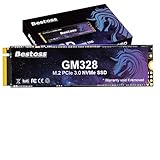
Bestoss 1TB NVMe M.2 SSD PCIe 3.0 M.2 2280 SSD, Internal SSD,Up to 3500MB/s | Internal Hard drive SSD,Dynamic SLC Cache, For Students, Home Entertainment, Office Work, Compatible with PC Desktops&Laptops
Last verified 2026-11-13 08:19:59 UTC
Bestoss M.2 2280 NVMe Internal SSD 4TB Gen4, Up to 7350MB/s, TLC for PS5/PC | SLC Cache & HMB, Laptop, Tailored for Gamers, Video Editors, High-End Creators, AI Developers Demanding Blazing-Fast Speed
Last verified 2026-11-13 08:19:32 UTC
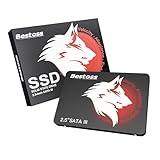
Bestoss 128GB 2.5 Inch SSD Internal Hard Drive for Pc or Laptop, SATA III 6Gb/s Internal State Drive, Up to 550MB/s, Upgrade for Office, Students, Home Entertainment
Last verified 2026-11-13 08:19:32 UTC

Bestoss 4TB M.2 SSD NVMe PCIe4.0 2280 Internal Hard Drive, Up to 5000 MB/s | PCIe4.0 M.2 2280 SSD, 3D NAND SLC Cache, SSD for Gaming PC Storage, Business Laptop, Home Entertainment, Creative Workflow
Last verified 2026-11-13 08:19:32 UTC
Bestoss 256GB NVMe M.2 SSD PCIe3.0 M.2 2280 SSD,Internal SSD,Up to 3500MB/s | Internal Hard drive SSD,Dynamic SLC Cache, For Students, Home Entertainment, Office Work, Compatible with PC Desktops&Laptops
Last verified 2026-11-13 08:19:32 UTC
Bestoss M.2 2280 NVMe SSD 512GB PCIe 4.0, Up to 7350MB/s, TLC SLC Cache&HMB | For PS5/PC/Laptop, Tailored for Gamers, Video Editors, High-End Creators, and AI Developers Demanding Blazing-Fast Speed
Last verified 2026-11-13 08:19:32 UTC

Bestoss 2.5 Inch SSD Internal Hard Drive for Pc or Laptop, SATA III 6Gb/s Internal State Drive, Up to 550MB/s, Upgrade for Office, Students, Home Entertainment
Last verified 2026-11-13 08:19:32 UTC
As an Amazon Associate, Cloudzat earns from qualifying purchases. Prices and availability can change; Amazon shows the final price for your chosen item.
BESTOSS SSD buying guide
| Model | Best for |
|---|---|
| BESTOSS S206 1TB M.2 SATA SSD | a documented M.2 SATA 2280 slot, not an NVMe-only position |
| BESTOSS GM988 1TB NVMe SSD | a compatible internal Gen4 NVMe installation |
Which models should you compare first?
Match protocol, size and mounting separately
Write down the host’s storage requirements before filtering offers. M.2 is a physical family, while SATA and NVMe describe different storage interfaces. A module can fit mechanically yet be unsupported electrically. Length codes such as 2230 and 2280 also matter, as do the mounting point and available height. A 2.5-inch SATA drive needs the appropriate bay and connectors. Portable USB drives are complete external products; an empty enclosure needs a separate compatible SSD. Consult the exact host manual or compatibility list rather than relying on a broad laptop, gaming or mini-PC label. Check whether the host has capacity or firmware restrictions and whether the drive is single-sided or needs extra clearance. These details decide whether the purchase works. Only after they match should capacity, performance and the Black Friday price become the deciding factors.
Identify the older connector precisely
Older compact systems can use mSATA, M.2 SATA or other storage arrangements that look deceptively similar. Read the service manual and the label on the existing drive before ordering. Do not infer storage support from a connector’s appearance or from the fact that an adapter physically fits. Check length, mounting position, protocol, supported capacity and boot requirements. A modern NVMe drive is not an automatic replacement for a SATA-only module. Consider whether the total upgrade cost is sensible for the remaining life of the host, including any battery, memory or operating-system limitations. If the original drive still works, preserve it until the replacement has been tested. A correctly matched older-format SSD can be a useful purchase; an impressive modern specification cannot compensate for an incompatible connector or an unsupported boot path.
Buy room for the files and the next step
Estimate the operating system, applications, current files and likely growth rather than choosing capacity from the discount percentage. Leave working room for updates, temporary files and active projects. The usable amount shown by an operating system will differ from the labelled decimal capacity; formatting also uses space. Compare one drive with another of the same actual capacity and role. A two-drive bundle, an enclosure’s supported maximum and a single supplied SSD are different purchases. Larger versions of a family can have different performance, endurance and physical layouts, so check their own specifications. Consider the cost of replacing the drive again if it fills quickly, but avoid paying for a large unused tier without a reason. A useful deal gives the workload sufficient space at an acceptable complete cost, including any installation equipment and backup capacity.
Fit the SSD and its cooling as one package
Check the exact SSD variant and the host’s installation guide before choosing a heatsink. A motherboard cover, a console cooling assembly and a portable drive’s case are different arrangements. A factory heatsink can make an otherwise compatible module too tall for a laptop or compact computer; a bare version may require the host’s specified thermal pad and cover. Compare the assembled height and the clearance above and below the drive, including double-sided modules. Follow the documented pad thickness and placement rather than stacking extra material. For a portable SSD, leave its case exposed as intended and avoid enclosing it in an insulating pouch during a long transfer. Sustained speed can change as the drive warms, so check a representative workload after installation. Include any required cooling hardware in the Black Friday basket total. The right purchase fits safely and operates within the manufacturer’s instructions without an improvised modification.
Read the conditions for the exact model
Compare the manufacturer’s warranty terms for the actual capacity and regional purchase. Some SSD warranties end when either a time limit or a specified endurance limit is reached. Registration, seller eligibility and proof of purchase may also matter. A long warranty is not a promise that data can always be recovered, and replacement hardware does not restore lost files. Keep independent backups of anything important. Check where firmware updates and diagnostic tools come from and whether they support the chosen drive. Avoid copying warranty claims from another product in the same brand. If the listing is unclear, obtain the terms before purchase and retain the invoice and serial number. Support that is practical for your location can be worth more than a modest price difference, especially for a drive that will hold active work or operate in a difficult-to-service system.
Plan the move before removing the old drive
Back up important files to a separate device or service before changing storage. Decide whether the new drive will hold a fresh installation, a clone of the existing system or additional data. A clone can require an enclosure or adapter compatible with the old or new drive’s interface. Check encryption recovery information and the host’s documented boot procedure before starting. If only one internal slot is available, plan the copying step before taking the machine apart. After installation, confirm the intended drive is recognised, check its firmware through the appropriate official tool and verify that applications and files work. Keep the old drive unchanged until the new setup has been checked and the backup remains accessible. A discounted SSD becomes a successful upgrade when the migration is reliable, not merely when the package arrives.
Use a repeatable Black Friday price check
Compare the final price of the same model, capacity and package with its recent normal selling price where reliable history is available. A discount against a retail reference price is not enough to establish value. Check competing reputable sellers and include delivery, required accessories and any eligibility conditions. A coupon may need to be applied, a promotion may be limited to members, and a different variant may carry the displayed starting price. Do not call a price a historic low without evidence covering the relevant history. A public event badge identifies the promotion, while the configuration comparison determines whether it is a sensible purchase for you. Set a maximum basket total before browsing and keep a named alternative ready. That makes a time-limited offer easier to judge without allowing the deadline to replace the compatibility and value checks.
Compare the complete UK package
Compare prices in pounds for the exact model and capacity, with delivery and necessary accessories included. For a mini PC, confirm the British mains lead or plug and the supplied operating system. For an SSD, check whether the required cable, mounting hardware or heatsink is included. A converted overseas price is not a verified UK offer. Check the seller and the regional support terms before ordering. The shortlist identifies products to compare; dated local cards provide separate price observations. Recheck the final variant, seller and promotion conditions at checkout, particularly after changing a capacity selector.
SSD price-per-terabyte calculator
Enter your complete basket price and the actual supplied capacity. Compare the same interface and installation package; this calculation does not measure performance or prove a discount.
Questions buyers ask
Does every model here have a Black Friday discount?
No. The named models are a buying shortlist, not proof of a promotion. Current local product cards are dated price observations. Early or main Black Friday sections require separate fresh public event evidence. Check the selected variant, seller and final conditions before ordering.
What should I do if the exact configuration is unavailable?
Use the named alternative only for the different role explained in the guide. Recheck capacity, interface, supplied components and support. A lower-capacity system, empty enclosure or different physical format is not an equivalent replacement merely because it costs less.