


UK BUYING GUIDE
If the drive is going to live on a desk, shelf, or beside a PC, a desktop external hard drive is the right category to start with. This guide is focused on separately powered desktop HDDs, not portable drives; portability is only mentioned where it helps explain the choice. The practical split is simple: desktop for fixed storage and bigger capacities, portable only if you need to move the drive around.
The clean default for most UK buyers is WD My Book 8TB, SKU WDBBGB0080HBK-EESN. Western Digital’s current UK page describes it as a desktop storage companion, and the user manual says the drive is formatted as a single exFAT partition for updated Windows and Mac systems. That makes it a sensible rule-of-thumb choice for around 4TB of protected data, not a guarantee that exactly 4TB will be retained forever, because backups need room for versions, growth, and free space.
If you want a cheaper, stripped-back desktop option, WD Elements Desktop 8TB, SKU WDBWLG0080HBK-EESN, is the simpler Windows-first alternative. If you need larger capacities, Seagate Expansion Desktop is the main capacity-first rival, with current 8TB and 16TB models listed as STKP8000400 and STKP16000400. Portable drives are a separate use case: only pick one if the drive must travel with you.
Our recommendation
Best desktop external hard drive in the UK: WD My Book 8TB. It is the strongest all-round default because it is a desktop drive with its own power supply, it comes ready to use, it supports mixed Windows and Mac homes out of the box through exFAT, and it includes backup and management software. As a practical sizing rule, 8TB is a comfortable default if you want headroom for about 4TB of protected data plus file versions and future growth.
Best budget desktop pick: WD Elements Desktop 8TB. It is the no-frills alternative when you want a basic desk-based HDD and do not need the extra convenience features of My Book. Western Digital’s current UK page says it works right out of the box with Windows PCs, so it fits best when the drive will stay in a Windows setup and you want a simple storage box rather than a mixed-platform product.
Best large-capacity alternative: Seagate Expansion Desktop 8TB or 16TB. It is the obvious comparison point if you want more space than the budget WD option or prefer to stay inside Seagate’s desktop line. The UK Seagate support pages and current UK pricing list show the family in 8TB and 16TB versions, which makes it the right fallback when the main decision is capacity rather than bundled software.
Desktop external hard drives
These large external drives use a separate power supply. They are desktop backup choices rather than pocket drives.
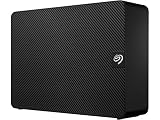
Seagate Expansion Desktop, 8TB, External Hard Drive, USB 3.0, 2 year Rescue Services (STKP8000400)
£288.99
3% off · Amazon reference price £298.99
Last verified 2026-11-27 20:18:20 UTC
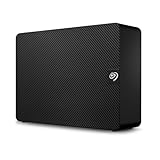
Seagate 4TB Expansion Desktop Hard Drive | USB 3.0 (STKP4000400) | Desktop HDD for easy backup, plug-and-play, drag-and-drop, auto detects Windows & Mac. 2-Year Warranty + 2-Year Rescue
£184.00
Last verified 2026-11-28 09:41:31 UTC
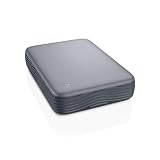
Seagate 30TB Expansion Desktop Hard Drive | MicroB to USB-C (STNP30000400) | High-capacity HDD for backup and archiving, Windows and macOS compatible. 2-Year Warranty + Rescue
£843.89
Last verified 2026-11-28 09:41:31 UTC
Seagate 20TB Expansion Desktop Hard Drive | USB 3.0 (STKP20000400) | Desktop HDD for easy backup, plug-and-play, drag-and-drop, auto detects Windows & Mac. 2-Year Warranty + 2-Year Rescue
£572.53
Last verified 2026-11-28 09:41:31 UTC
As an Amazon Associate, Cloudzat earns from qualifying purchases. Price and availability may change; Amazon checkout controls the purchase price.
What to buy for your needs
Start with the job, then choose the category
Treat a desktop HDD as a fixed backup or archive box, not as a carry-around accessory. Put it somewhere it can stay plugged in, then use it for scheduled backups and bulk storage. The single biggest mistake is relying on one copy of important files: if the only copy is on the desktop drive, a deletion, overwrite, corruption event, or ransomware incident can still leave you with nothing useful. Schedule backups so they run automatically, and keep more than one version of important files so a bad save does not replace your only good copy.
Size the drive for versions, not just raw file count
A backup drive needs breathing room. If you think you have 4TB of material to protect, an 8TB desktop HDD is usually the sensible starting point because backup versions, snapshots, and file churn quickly use more space than the raw source files alone. If you expect video libraries, photo archives, or repeated full-system backups to grow, move up to the 12TB-16TB range instead of trying to stretch a smaller drive. Western Digital currently lists My Book up to 26TB and Elements Desktop up to 26TB, while Seagate’s Expansion Desktop family covers at least 8TB and 16TB in the current UK line.
Verify the format before you buy, and do not assume exFAT everywhere
This is where many buyers go wrong: not every external hard drive ships in the same file system. WD My Book’s manual says the drive is formatted as a single exFAT partition for compatibility with updated Windows and Mac systems. WD Elements Desktop is different: the current UK page says it works right out of the box with Windows PCs, so it should be treated as Windows-first rather than assumed to be a cross-platform exFAT drive. If you need to move the same disk between Windows and Mac without reformatting, My Book is the safer pick.
Check power, placement, and handling
Desktop external hard drives are meant to stay put. WD My Book’s manual identifies the power connector on the back and tells you not to move the drive during activity. The product page also includes an AC adapter in the box, which is exactly what you want for a stable desk setup. In practice, that means placing the drive where the cable can stay connected, avoiding movement while it is spinning, and using it as a persistent backup target rather than an on-the-go accessory.
Capacity, compatibility and ownership
Why WD My Book is the default recommendation
My Book is the best general-purpose desktop pick because it combines the right basics without asking the buyer to assemble them: a separate power supply, a current UK product line, out-of-box exFAT formatting, and bundled software for device management and backup. It is not the flashiest option, but it is the least awkward choice for a home backup point, a family file store, or a mixed Windows-and-Mac household. The 8TB model is the cleanest size to start with if your priority is around 4TB of protected data and enough spare room for versions.
Where WD Elements Desktop makes more sense
Elements Desktop is the better buy when the brief is simple storage at minimum fuss. The current UK page says it works right out of the box with Windows PCs, which tells you what it is for: a desk-based drive for Windows users who want capacity and plug-and-play convenience without paying for extra software or mixed-platform friendliness. If the drive will stay attached to one Windows machine, that simplicity is often the right compromise.
Why Seagate Expansion Desktop is the main large-capacity alternative
Seagate Expansion Desktop is the strongest alternative when capacity comes first. The current UK Seagate materials identify the desktop family and show current 8TB and 16TB SKUs, which makes it a sensible answer for bigger libraries, slower-growth archives, or a second backup destination that needs more headroom than a smaller drive. Use it when the question is simply, 'Which desktop drive gives me more room?', rather than when you need a software bundle or a particular file-system format.
Portable drives only deserve a short comparison
Portable HDDs are not the main story here. Seagate’s portable Expansion line is the kind of product to look at only if the drive must travel with you or live in a laptop bag, and its current UK product page highlights USB-C connectivity. If the drive is staying in one place, choose a desktop model instead, because the larger enclosure, separate power supply, and higher-capacity options are a better fit for backups and archives.
Which option should you choose?
Default choice: WD My Book 8TB
Choose this if you want the easiest all-round desktop external hard drive for UK home backup, archive storage, or a shared household drive. It is the default because it is ready to use, desktop-powered, and mixed-platform friendly. The 8TB size is the most practical default when you want enough room for a substantial protected library without jumping to a very large model immediately.
Budget choice: WD Elements Desktop 8TB
Choose this if you want a straightforward desk drive and do not need the extra convenience of My Book. It suits Windows-only setups best, and it is the sensible value option when the main requirement is plain bulk storage rather than cross-platform use or bundled software.
Large-capacity choice: Seagate Expansion Desktop 8TB or 16TB
Choose this if the main decision is how much room you need. Seagate’s current UK desktop family includes 8TB and 16TB models, so it is the best large-capacity alternative when you want a desktop HDD that stays in one place and serves as a bigger archive or backup target.
NAS options on Amazon
Compare the NAS model, drive bays, included disks and supported applications before buying. Keep using your existing NAS if it already meets the guide’s requirements.
Checking current Amazon listings…
As an Amazon Associate, we earn from qualifying purchases. Prices and availability can change; Amazon’s checkout price applies.
Questions answered
Is 8TB enough for a desktop backup drive?
Often yes, if your protected set is around 4TB or less and you want room for versions and growth. That is a rule of thumb, not a retention guarantee: the more backup versions you keep and the more often files change, the faster space disappears.
Does a desktop external hard drive need separate power?
Yes. Desktop drives are built for fixed setups and use a separate power supply. That is part of what makes them better for a permanent backup point and larger capacities.
Should I assume every external hard drive is exFAT?
No. WD My Book is explicitly formatted as exFAT in its manual, but WD Elements Desktop is described as Windows-ready rather than as a universal cross-platform exFAT drive. Always check the exact current SKU and format instead of assuming all desktop drives ship the same way.
How often should backups run, and why is one copy not enough?
Run backups automatically, and choose a frequency that matches how often your files change: daily is a sensible minimum for active work, while a less-changing archive may only need weekly updates. One copy is not enough because deletion, corruption, ransomware, or a bad overwrite can destroy the only version you have. Keep versioned copies so you can roll back, not just mirror the latest state.
Sources and further detail
- WD My Book | WD — Current UK My Book desktop line, 8TB SKU, desktop-storage positioning, included software, AC adapter, and exFAT out-of-box compatibility.
- My Book user manual — The exact exFAT format statement and handling guidance, including not moving the drive during activity.
- WD Elements Desktop HDD Storage | WD — Current UK Elements Desktop line, 8TB SKU, and Windows-first right-out-of-box positioning.
- WD Elements Desktop HDD Storage – Product Overview — Official SKU listing and the desktop product family specification sheet for Elements Desktop.
- Expansion desktop external hard drive | Seagate UK — Current UK desktop product family identification for Seagate Expansion Desktop.
- Seagate UK MSRP list, November 2026 — Current UK Seagate Expansion Desktop SKUs, including 8TB STKP8000400 and 16TB STKP16000400.
- Expansion portable external hard drive | Seagate UK — Portable-line comparison point and USB-C connectivity for the separate portable use case.