


United Kingdom · GBP
Are Mini PCs Reliable? Warranty and Buying Advice UK
For a work Mini PC, start with an ASUS NUC 14 Pro sold with a clear local service arrangement. Compare Beelink SER8 for a desktop you can maintain yourself, or GMKtec G3 Plus for light tasks. Choose around cooling, replaceable parts, backups and the seller’s repair route. No model name alone can guarantee a lifespan or freedom from faults.
Choose around support and the job
ASUS NUC 14 Pro, 32GB
First comparison for a support-led workplace purchase. Confirm who supplies service, where repairs go and what the actual package includes.

32 GB RAM · 1000 GB SSD
£1,228.60Price checked 01.11.2026 12:40 UTCBuy on Amazon ↗Specifications and model details ↗Beelink SER8, 32GB
Balanced alternative for an owner-managed desktop with accessible memory and storage. Keep a recovery plan and check the seller’s terms.

32 GB RAM · 500 GB SSD
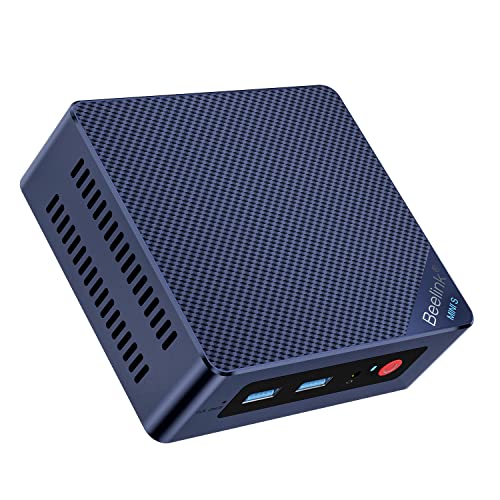
£649.00Price checked 02.11.2026 11:58 UTCBuy on Amazon ↗Specifications and model details ↗Beelink Mini PC Intel Alder Lake-N150(4C/4T, up to 3.6GHz), Mini S13 Mini Computer Window…
Alternative for light everyday work: Intel N150 · 16 GB RAM
Budget alternative for modest work where a spare or quick replacement can limit downtime. Choose the support route as carefully as the price.
16 GB RAM · 500 GB SSD
£309.00Price checked 02.11.2026 15:47 UTCBuy on Amazon ↗Amazon prices and configurations
Core Ultra
ASUS NUC 14 Pro AI Microsoft Copilot+ AI PC with Intel Series 2 Core Ultra 7 258V, 32GB LPDDR5x RAM, 1TB NVMe SSD, Thunderbolt™ 4, WiFi 7, Win 11 Hom…
32 GB RAM · 1000 GB SSD
£1,228.60Price checked 01.11.2026 12:40 UTCBuy on Amazon ↗Ryzen 7 8745HS
Beelink SER8 Mini PC, AMD Ryzen 7 8745HS (8C/16T up to 4.9GHz), 32GB DDR5 500GB PCIe4.0 SSD Mini Gaming Computer Windows 11 Pro, 4K Triple Display, H…
32 GB RAM · 500 GB SSD
£649.00Price checked 02.11.2026 11:58 UTCBuy on Amazon ↗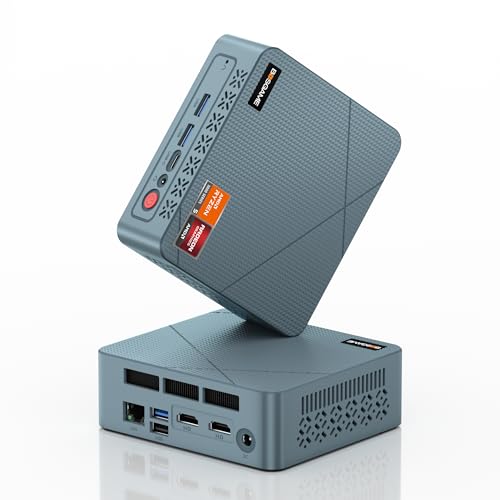
AMD Ryzen
BOSGAME E2 Neo Windows 11 Pro Business Mini-PC AMD Ryzen 5 3500U, 4C 8T, bis zu 3,7 GHz, 16 GB DDR4 RAM, 512 GB SSD, 4K@60Hz Triple Display, HDMI, Ty…
16 GB RAM · 512 GB SSD
£246.99Price checked 01.11.2026 08:17 UTCBuy on Amazon ↗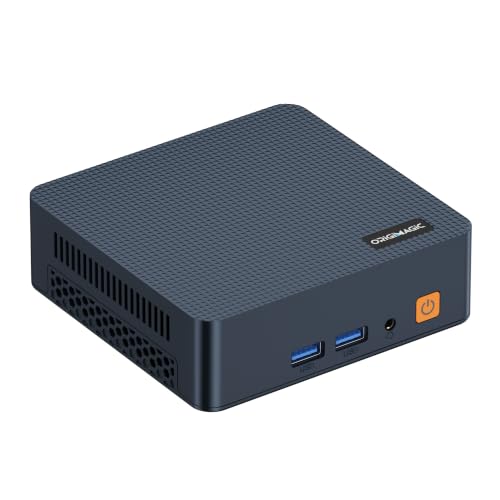
Intel Core Series
origimagic C7 Mini PC, Intel Core 3 100U, 16GB DDR4 RAM 512GB NVMe SSD | Hybrid Architecture, 6C/ 8T up,Dual Thunderbolt 4, Dual HDMI 4K, Wi-Fi 6, 2.…
16 GB RAM · 512 GB SSD
£280.00Price checked 02.11.2026 15:47 UTCBuy on Amazon ↗
Intel N100
Beelink Mini PC S12 Pro, Intel Twin Lake-N100 (up to 3.4GHz), 25W TDP | 16GB DDR4 500GB SSD Windows 11 Home, 2.5G LAN, 4K Dual HDMI, WiFi 6, BT5.2, O…
16 GB RAM · 500 GB SSD
£299.00Price checked 02.11.2026 15:47 UTCBuy on Amazon ↗Intel N150
Beelink Mini PC Intel Alder Lake-N150(4C/4T, up to 3.6GHz), Mini S13 Mini Computer Windows 11 Home, 16GB RAM 500GB SSD Office Mini Desktop PC, 4K HDM…
16 GB RAM · 500 GB SSD
£309.00Price checked 02.11.2026 15:47 UTCBuy on Amazon ↗
Intel Pentium Gold
GMKtec G3 Ultra Mini PC, Intel Pentium Gold 7505 3.5GHz, 16GB LPDDR4x 3200MHz + 256GB SSD, Mini Computer with Dual M.2 Slots, WiFi 6, Dual 4K HDMI, G…
16 GB RAM · 256 GB SSD
£359.96Price checked 02.11.2026 12:13 UTCBuy on Amazon ↗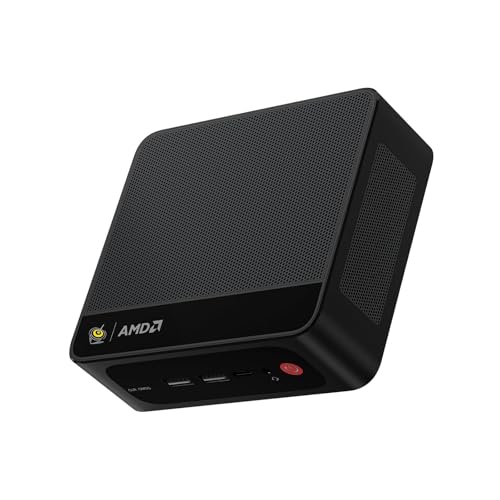
Ryzen 7 7735
Beelink Mini PC SER5 MAX, AMD Ryzen 7 7735U (8C/16T, 4.75GHz) | 24GB LPDDR5 RAM 1TB NVMe SSD Windows 11 Pro, 4K Triple Display (HDMI/Type-C/DP), USB3…
24 GB RAM · 1000 GB SSD
£469.00Price checked 01.11.2026 12:10 UTCBuy on Amazon ↗Reliability, repair and replacement
How long should a Mini PC last?
Useful life depends on workload, ventilation, component condition and whether the system can still run supported software. A computer can remain electrically functional yet become unsuitable because memory is fixed, storage is too small or its operating system is no longer maintained. Plan for the work you expect to do, not a promised number of years.
There is no honest model-by-model failure ranking without comparable long-term evidence. A large number of positive reviews or a strong processor name does not supply that evidence. Choose a machine with practical service access, adequate capacity and a supplier you can contact. A realistic recovery route matters more than an unsupported claim of permanent reliability.
Choose a service arrangement you can actually use
Before ordering, identify the seller responsible for the purchase and the manufacturer’s support route for the exact model. Ask where a faulty computer would be sent, how the process starts and whether the arrangement works from your country. Keep the invoice, serial number and original configuration together.
Compare the practical cost of downtime as well as the advertised warranty period. An inexpensive import can become inconvenient if the only repair route involves lengthy shipping. For a business desk, a local service package or a compatible spare can be worth more than a small processor upgrade. Confirm the actual terms rather than inferring them from the brand.
Choose parts and cooling for maintainability
Replaceable RAM and SSDs can extend a computer’s useful life when capacity needs change or a component fails. Check the actual service manual: not all Mini PCs offer the same access, and soldered memory fixes that part of the purchase. A proprietary fan or adapter may need a different replacement route from a standard memory module.
Leave ventilation space and avoid running the machine in a dusty enclosed cupboard. Keep firmware and drivers on supported releases and change one thing at a time. Do not install an unofficial BIOS simply because a forum post describes better performance. Reliable operation comes from a stable supported setup and sensible maintenance, not from maximizing every power setting.
Protect your work from an ordinary hardware failure
Use backups that remain available if the Mini PC stops working. Test restoring a sample of important files, and keep recovery information outside the computer. A second internal SSD can be useful working storage, but it is not an independent backup against theft, electrical damage or an accidental deletion that affects both drives.
For work that cannot pause, decide how you would resume on another computer. Keep application licences, access methods and installation information ready. A spare machine or recoverable working image may limit downtime more effectively than buying a more expensive CPU. Replace the system when support, capacity or repair economics no longer meet the job, while keeping the data migration deliberate.
Identify the exact machine before changing it
Find the model code and hardware revision on the case or purchase record, then use the matching service information. Mini PCs with similar names can have different memory, storage and cooling layouts. Record the current RAM and SSD configuration before ordering parts. A supported maximum capacity is not a statement of what is installed, and an upgrade shown for another revision is not proof that it fits your machine.
Start with a problem you want to solve. More RAM helps when memory pressure is the limit; a larger SSD helps when storage capacity is the limit. Neither automatically fixes a failing fan, a bad cable or a software problem. Check system monitoring and repeat the task that causes trouble before spending money. A small, well-targeted change is often better value than replacing the whole computer without finding the cause.
Protect your work and keep a recovery route
Make an independent backup of important files before opening the case or changing the boot drive. Confirm that the backup can be read from another device. Keep any drive-encryption recovery key somewhere secure and accessible without the Mini PC. Save operating-system recovery media, application licence details and the correct network driver where needed. These preparations turn an interrupted upgrade into a recoverable task rather than a lost working day.
Shut the system down, disconnect external power and follow the manufacturer’s disassembly instructions. Use appropriate electrostatic precautions and keep track of screw locations and thermal materials. Do not force a connector, bend a module or improvise a heatsink that prevents the case from closing. A compact computer can place antennas, fan leads and ribbon cables close to the cover. Stop when the documented procedure does not match what is in front of you.
Verify the result before relying on it
After the change, confirm the detected capacity and run the workload that prompted the upgrade. Test sleep, wake and a full restart as well as a short benchmark. A system that boots is not necessarily stable under sustained memory or storage use. Keep the original parts until the replacement has passed useful checks and you have confirmed that your files and applications work. Change one thing at a time so a new problem has an identifiable cause.
If a machine is still covered by support, contact the seller or manufacturer before taking on undocumented repairs. Warranty terms and service routes depend on the supplier and country; keep the invoice and serial number. When replacement becomes sensible, choose a model with the service access, memory capacity and support you actually need. A lower sticker price is poor value if it repeats the limitation you are trying to escape.
Buying and support in the UK
Compare the complete UK purchase cost in pounds, including delivery and the parts needed to finish a barebone. Check whether a marketplace seller supplies the machine from UK stock or ships it internationally. That affects delivery, possible additional charges and the practical return route. Look for the correct UK mains lead and a clear description of the included operating-system licence. A compact case does not make an overseas support arrangement more convenient.
Keep the invoice, serial number and exact RAM and SSD configuration. For a business desk, ask who handles a hardware fault and how a replacement is arranged before buying several units. When the first model is unavailable, keep the required memory, graphics and ports in the alternative. Include a monitor, keyboard and independent backup in the budget where needed. Compare the finished, usable computer rather than a low barebone headline price.
Questions buyers ask
Which Mini PC should I compare when support matters most?
Start with a NUC 14 Pro package whose local supplier clearly describes service. Compare the actual repair arrangement rather than assuming every NUC sale includes the same support.
Does a Mini PC have a fixed lifespan?
No. Workload, cooling, component condition, supported software and repair options all affect useful life. A precise lifespan cannot be promised from a model name.
What reduces the impact of a failure most?
An independent tested backup, accessible recovery information and a practical way to resume work on another computer. A higher-priced processor does not replace that plan.
Specifications and software guidance
ASUS NUC support guides ↗ASUS: NUC overheating diagnosis ↗Microsoft: BitLocker recovery key ↗ASUS NUC 14 Pro ↗Beelink SER8 ↗GMKtec NucBox G3 Plus ↗Related Mini PC guides
Mini PC RAM Upgrade Guide UKBest NVMe SSDs for Mini PC Upgrades UKMini PC Overheating: Causes and Fixes UKCompare Mini PC pricesAs an Amazon Associate, Cloudzat earns from qualifying purchases. Prices and availability can change.