


A 2.5GbE switch is the practical upgrade when your PCs, Wi-Fi access points or NAS already exceed 1Gbps but you do not need 10GbE on every port. Buy enough ports for growth and check whether the uplink is faster than the access ports.
Best for
- 2.5GbE desktops and mini PCs
- Wi-Fi 6E/7 access points with 2.5GbE
- NAS upgrades without full 10GbE cost
Choose something else if
- A 10GbE switch if several devices already need more than 2.5Gbps
- A gigabit switch if none of your clients can exceed 1Gbps
Check before buying
- Number of 2.5GbE ports
- 10GbE/SFP+ uplink availability
- Managed versus unmanaged operation
See current Amazon.co.uk offers
2.5GbE is often the easiest UK home-network upgrade because existing Cat5e or Cat6 cabling may already support it over normal household distances.
Count the ports you need now, then allow room for a faster NAS, desktop, access point or multi-gigabit broadband handoff before choosing the cheapest switch.
Affiliate disclosure: as an Amazon Associate we may earn from qualifying purchases. This page compares selected Amazon.co.uk offers, not the entire UK market.
Prices in this selection
29 previously verified prices included. Check each product timestamp; availability has not been reconfirmed.
Figures apply to this exact selection. Each product keeps its own successful verification time.
Current 2.5GbE switch offers on Amazon.co.uk
0 of 29 products
Amazon.co.uk | prices in GBPUse the clearly labelled alternatives below or the buying guide. A missing API offer does not prove that no seller has the product.
Prices and availability can change. Verify the exact model, seller, condition, shipping and final checkout total on Amazon.co.uk.
Clearly labelled alternatives
These are nearby options, not exact matches. They do not count toward the exact price statistics above.
10GbE switches: alternative

UGREEN 10 Port PoE+ Network Switch, 8 PoE & 2 Gigabit Ports | 802.3af/at 30W, 60W Budget, Metal Case, Plug & Play for TV/Laptop/Router/Camera, Ethernet Splitter
10GbE switch | 10GbE | New
Previously verified price; check the current offer.
Last verified: Oct 27, 2026 10:31 pm GMT

DrayTek VigorSwitch Q60x Multi-gig High Performance Unmanaged Switch, 5 x 2.5 GbE Ports, 1 x 10Gbps SFP+ Uplink
10GbE switch | 10GbE | New
Previously verified price; check the current offer.
Last verified: Oct 27, 2026 10:37 pm GMT

TP-Link LS1210GP 10-Port Gigabit PoE+ Switch, 61W PoE Budget Network Switch | 8 x 30W PoE+ Ethernet Ports, 1 x SFP Port, 250m PoE Transmission, PoE Auto Recovery, Silent Operation, Plug & Play
10GbE switch | 10GbE | New
Previously verified price; check the current offer.
Last verified: Oct 27, 2026 10:41 pm GMT

MikroTik CSS318-16G-2S+in Managed Network Switch, 16 Gigabit Ethernet Ports, 2 SFP+ Ports
10GbE switch | 10GbE | New
Previously verified price; check the current offer.
Last verified: Oct 27, 2026 10:34 pm GMT
PoE switches: alternative

UGREEN 6 Port PoE+ Network Switch, 4 PoE & 2 Gigabit Ports | 802.3af/at 30W, 60W Budget, Metal Case, Plug & Play for TV/Laptop/Router/Camera, Ethernet Splitter
PoE switch | New
Previously verified price; check the current offer.
Last verified: Oct 27, 2026 10:30 pm GMT

NETGEAR 16 Port PoE Switch, Unmanaged Gigabit Network Switch GS516PP | 16 x PoE+ Ports @ 260W, Desktop or Rack Mount
PoE switch | New
Previously verified price; check the current offer.
Last verified: Oct 27, 2026 10:41 pm GMT

TP-Link TL-SG1005LP 5-Port Gigabit PoE+ Switch, Unmanaged Network Switch | 4 x 30W PoE+ Ethernet Ports, 40W Total Budget, 2802.1p/DSCP QoS, Intelligent Power Management, Metal Casing, Plug & Play
PoE switch | New
Previously verified price; check the current offer.
Last verified: Oct 27, 2026 10:41 pm GMT

TP-Link LS105GP 5-Port Full Gigabit PoE+ Switch, Metal Network Switch | 4 x 30W PoE+ Ethernet Ports, 65W Total Budget, 250m Transmission, PoE Auto Recovery, Power Saving, Plug & Play
PoE switch | 10GbE | New
Previously verified price; check the current offer.
Last verified: Oct 27, 2026 10:40 pm GMT
Also useful for this setup
Separately priced products from the UK price catalogue. Verify compatibility before combining them.
NAS systems for high-speed storage

Synology DiskStation DS124 1 Bay Desktop NAS
Network hardware | 1 bays | New
Last verified: Nov 17, 2026 2:28 am GMT

UGREEN DH2300 2 Bay Desktop NAS, Cloud Backup, 4K HDMI ,AI Album NAS Server | 1GbE Port, 4GB RAM, Cloud Backup, Remote Access, NFC, Multi-Device Connectivity, Versatile Expansion Ports (Diskless)
Network hardware | 2 bays | 1-GbE | New
27% below Amazon list/reference price £219.99
Last verified: Nov 17, 2026 2:25 am GMT

Asustor Drivestor 2 Gen 2 AS1202T, 2 Bay NAS Personal Home Cloud Backup | Photo File Backup, Remote Access, Mobile App, 4K Media Server, 2.5GbE, Personal Cloud, Network Attached Storage (Diskless)
Network hardware | 2 bays | 2,5-GbE | New
5% below Amazon reference price £188.00
Last verified: Nov 17, 2026 2:27 am GMT
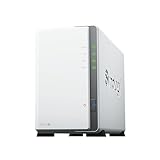
Synology DS223J 2 Bay Desktop NAS, White
Network hardware | 2 bays | New
Last verified: Nov 17, 2026 2:23 am GMT
Fast SSD storage
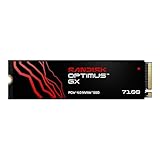
SANDISK Optimus GX 7100 NVMe SSD 500GB, Up to 7,250MB/s Read Speeds | Up to 6,900MB/s Write Speeds, PCIe Gen 4.0, M.2 2280, BiCS TLC 3D CBA NAND, SANDISK DASHBOARD, Internal Solid State Drive
Network hardware | 0.5 TB | PCIe 4.0 | New
16% below Amazon list/reference price £106.99
Last verified: Nov 16, 2026 4:16 pm GMT

WD_BLACK SN7100 500GB NVMe SSD, M.2 2280, Read speeds up to 6800 MB/s, Next Gen TLC 3D NAND, WD_BLACK DASHBOARD, For Laptops, handheld gaming devices
Network hardware | 0.5 TB | PCIe 4.0 | New
Previously verified price; check the current offer.
Last verified: Nov 15, 2026 5:16 am GMT
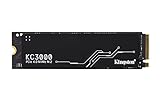
Kingston KC3000 PCIe 4.0 NVMe M.2 SSD - High-performance storage for desktop and laptop PCs -SKC3000S/512G
Network hardware | 0.512 TB | PCIe 4.0 | New
Last verified: Nov 17, 2026 1:16 am GMT

Samsung SSD 990, Internal M.2 NVMe SSD Hard Drive, 1TB, PCIe 4.0 x4 | Data Storage, NVMe 2.0, Up to 7,150/6,450 MB/s Read/Write Speed, For Work, Gaming & Creative, MZ-V9V1T0BW
Network hardware | 1 TB | PCIe 4.0 | New
16% below Amazon reference price £166.49
Last verified: Nov 17, 2026 1:15 am GMT
Compact PCs for home labs and network services

GEEKOM A5 2027 Mini PC,AMD Ryzen 7 7730U,16GB RAM(up to 64GB),256GB SSD | Beats 7430U, Quiet & Energy-Efficient Performance,WiFi 6 & BT5.4, 6 USB, Quad Display, for Business/Video Editing/Design
Ryzen 7 7730U | 16 GB RAM | 0.256 TB SSD | Not confirmed | New
Last verified: Nov 16, 2026 3:22 pm GMT

BOSGAME P4 Ulrta Mini PC Ryzen 7 7730U (Upgraded 5825U), 8C/16T, up to 4.5GHz, 16GB DDR4 512GB PCIe 4.0 SSD, Triple Display Desktop PC, WiFi 6E, BT5.2, Type-C
Ryzen 7 7730U | 0.512 TB SSD | Linux | New
Last verified: Nov 16, 2026 10:25 pm GMT

Beelink SER5 MAX Mini PC, AMD Ryzen 7 7735U(up to 4.75GHz 8C/16T), 16GB LPDDR5 RAM 500GB M.2 NVMe SSD Mini Desktop PC Windows 11 Pro, 4K Triple Display, HDMI, DP, WiFi6/BT5.2/LAN 2.5G
Ryzen 7 7735U | 16 GB RAM | 0.5 TB SSD | Windows 11 Pro | New
Last verified: Nov 17, 2026 12:27 am GMT

BOSGAME P3 Plus Mini PC, AMD Ryzen 7 7840HS 8C/16T Processor Mini Desktop PC,Up to 5.1 GHz,16GB DDR5 1TB SSD | WiFi 6E & BT5.2 | Dual LAN/HDMI/DP/USB-C, Triple Display Mini Computer
Ryzen 7 7840HS | 16 GB RAM | 1 TB SSD | Not confirmed | New
15% below Amazon reference price £499.99
Last verified: Nov 16, 2026 7:26 pm GMT
Which option fits your setup?
| Your situation | Check first | Then compare |
|---|---|---|
| NAS + one PC | At least two 2.5GbE ports | Unmanaged switch |
| Several fast clients | Port count | 5-port versus 8-port |
| 10GbE uplink needed | SFP+/10GbE uplink | 2.5GbE versus 10GbE switch |
Detailed buying guide
What should you decide before comparing products?
Start with the bottleneck you are trying to remove: internet speed, Wi-Fi coverage, NAS throughput, PoE power or the number of wired multi-gigabit clients. Buy hardware for that constraint rather than for the largest number printed on the box.
Write down the required WAN/LAN speed, number of wired devices, coverage area and whether you need PoE, mesh or 10GbE. That turns a long product list into a short set of relevant choices.
Which ports matter most?
The slowest port in the path can cap the entire connection. Check WAN speed, LAN port speeds, uplinks and the actual ports used by your NAS, desktop, access point or modem/gateway.
Do not assume a Wi-Fi 7 label means every Ethernet port is multi-gigabit. Verify the exact model and port layout.
When is a more expensive model worth it?
Pay more when the extra hardware solves a real requirement: more multi-gigabit ports, stronger wired backhaul, a larger PoE budget, better coverage, additional radios, 10GbE uplinks or management features you will use.
If your internet service and local devices are still 1GbE, a premium 10GbE or Wi-Fi 7 model can be unnecessary unless you are deliberately building for future upgrades.
What should you verify before ordering?
Check the exact model number, included power supply, number and speed of ports, pack size, controller or subscription requirements, warranty and seller. Similar product-family names can hide materially different hardware.
For ISP-specific pages, also confirm the current provider instructions. Firmware and service requirements can change independently of the router itself.
How should you read a retained price?
A previously valid price may remain visible when a later refresh fails. The original verification time remains attached so you can see that the value was not freshly confirmed.
Use the Amazon.co.uk button to verify current stock and price before purchasing. A retained price is useful context, not a stock guarantee.
What other hardware can affect the result?
Cables, network adapters, SFP+ modules, ONTs, PoE injectors, switches and client NICs can all limit performance. A fast router cannot make a 1GbE client negotiate at 2.5GbE.
For Wi-Fi, placement and wired backhaul can matter more than buying a higher theoretical radio class.
How should you compare total cost?
Add the primary device, any additional mesh nodes or access points, switches, network adapters, optics, cables and power accessories. Compare that total with the actual problem being solved.
The live cards show item prices. They do not calculate ISP fees, installation labour, taxes or every accessory required for your home.
How this comparison works
The live selection uses the Amazon.co.uk Creators API. Product identity and networking category are checked before an item enters the page. Accessories and ambiguous variants are not used as substitutes for the requested hardware.
A failed refresh does not make an older saved price or image appear newly verified. The timestamp stays tied to the last successful request, and a retained price is not a current-stock guarantee.
ISP-specific pages are hardware shortlists, not automatic compatibility certifications. Always verify the current BT, EE, Virgin Media or Sky setup instructions before changing gateway or router configuration.
Frequently asked questions
Does CloudZat compare every UK retailer?
No. Live product cards in this plugin use selected Amazon.co.uk offers. Use the comparison to understand product type and configuration, then verify the final price, delivery, seller and warranty on Amazon.co.uk before ordering.
Why can an older price remain visible?
The date beside each price shows when it was checked. Older prices provide a comparison point; Amazon confirms the price and availability when you order.
Can the Amazon Associate tag be changed later?
Yes. The outgoing Associate tag can be changed without pulling prices or images again. Product data and verification timestamps stay intact.
Are shipping costs included?
The comparison uses the item price returned by the product source. Verify delivery charges and the final checkout total on Amazon.co.uk.
Does a listed router automatically work with my ISP?
No. Product matching confirms the hardware category, not your exact service configuration. Verify the current ISP gateway, bridge or passthrough method, WAN requirements, firmware and any VLAN or authentication requirements before buying.
Does this page provide permanent price history?
No. It shows the last successfully retrieved valid price and verification time, not a permanent historical low or automated price alert.