


Use the Power Supply Finder to choose capacity and standards around the complete build, not the GPU alone. Quality, native connectors and reasonable headroom matter more than buying the largest wattage number.
Before you filter
Estimate the full-system load, then choose a quality unit with headroom for transients and later upgrades.
Efficiency rating is useful, but it is not a complete electrical-quality score.
Size the whole build
CPU and GPU power must be considered together.
Use native connectors
Avoid unnecessary adapter complexity on flagship GPUs.
Buy quality, not only watts
Protections and platform quality matter.
Leave useful headroom
Headroom helps transients and future upgrades.
Find a power supply
Filter PSUs by wattage, efficiency tier, ATX 3.1, PCIe 5.x support and price.

850W Fully Modular Power Supply, 80+ Gold Certified PSU | ATX 3.1 & PCIe 5.1 Ready | 12V-2x6 Connector | 140mm Low-Noise Fan | 105℃ Japanese Capacitors | Black PSU

Rosewill VMG 850W 80+ Gold, ATX 3.0 & 3.1 Compatible, Full Modular Low-Noise Power Supply, PCIe 5.1 12V-2x6 Connector, 100% Japanese Electrolytic Capacitor, 120mm FDB Silent Fan - 5 Year Warranty

Segotep GM850 850W Power Supply, 80 Plus Gold Certified, PCIe 5.1 & ATX 3.1

1000W Fully Modular Power Supply, 80+ Gold Certified PSU | ATX 3.1 & PCIe 5.1 Ready | 12V-2x6 Connector | 140mm Low-Noise Fan | 105℃ Japanese Capacitors | Black PSU

Thermaltake Toughpower GT 850W ATX 3.1 Standard Power Supply; 80 Plus Gold Efficiency; Smart Zero Fan; Native 450W PCIe 5.1 Connector; PS-TPT-0850FNFAGU-3; 5 Year Warranty

Auotac 850W Fully Modular Power Supply, 80+ Gold PSU, ATX 3.1 & PCIe 5.1 Ready, Native Dual-Color 12V-2x6 Cable, RGB Low-Noise Smart Fan, 105°C-Rated Capacitors, Black
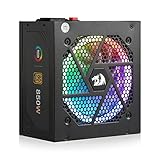
Redragon RGPS-850W 850 Watt 80+ Gold Fully Modular PSU, ATX 3.1 & PCIe 5.1

MONTECH Century II 850W ATX 3.1 Fully Modular 80 Plus Gold Power Supply

MSI MPG A850G PCIE5, Fully Modular Compact Gaming 850W Power Supply, 80+ Gold, Native 12V-2x6 Cable, 100% Japanese Capacitor, ATX 3.1 & PCIe 5.1 Ready, Low-Noise, 10 Year Warranty

be quiet! Power Zone 2 750W, ATX 3.1, PCIe 5.1, 80+ Platinum Power Supply

Auotac 1000W Fully Modular Power Supply, 80+ Gold PSU, ATX 3.1 & PCIe 5.1 Ready, Native Dual-Color 12V-2x6 Cable, RGB Low-Noise Smart Fan, 105°C-Rated Capacitors, Black

Thermaltake Toughpower GT 850W Snow ATX 3.1 Power Supply; 80 Plus Gold Efficiency; Smart Zero Fan; Native 600W PCIe 5.1 Connector; PS-TPT-0850FNFAGU-W; 5 Year Warranty

be quiet! Pure Power 13 M 850W, ATX 3.1, Fully Modular PSU, 80+ Gold

Apevia ATX-PR1300W Prestige 1300W, 80+ Gold Certified, ATX 3.1 Ready, PCIe 5.1 / 12VHPWR Connector, ATX Active PFC, DC to DC Converter Design, 135mm Silent Fan, RoHS Compliance, Gaming Power Supply

Rosewill VMG 1000W 80+ Gold, ATX 3.0 & 3.1 Compatible, Full Modular Low-Noise Power Supply, PCIe 5.1 12V-2x6 Connector, 100% Japanese Electrolytic Capacitor, 120mm FDB Silent Fan - 5 Year Warranty

MSI MPG A1000GS PCIE5 II, Fully Modular Gaming 1000W Power Supply, 80+ Gold, Dual 12V-2x6 Cables, Server-Grade Capacitor, ATX 3.1 & PCIe 5.1 Ready, Low-Noise, 8-pin PCIe x 3, 10 Year Warranty
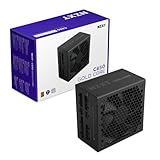
NZXT C850 Gold Core - 850W ATX 3.1 Power Supply, 80+ Gold

MSI MAG A850GL PCIE5, Fully Modular Compact Gaming 850W Power Supply, 80+ Gold, ATX 3.1 & PCIe 5.1 Ready, Native Dual-Color 12V-2x6 Cable, 10 Year Warranty
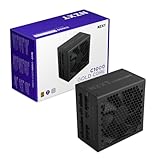
NZXT C1000 Gold Core - 1000W ATX 3.1 Power Supply, 80+ Gold

CORSAIR RM850e (2025) ATX 3.1 PCIe 5.1 Ready 850W Power Supply – Black
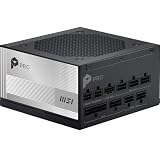
MSI PRO A1000PL PCIE5, Fully Modular Gaming 1000W Power Supply, 80+ Platinum, 12V-2x6 Cables, Server-Grade Capacitor, ATX 3.1 & PCIe 5.1 Ready, Low-Noise, Embossed Jacket Cables, 7 Year Warranty

NZXT C850 Gold ATX 3.1-850W Fully Modular Power Supply
be quiet! Power Zone 2 850W, ATX 3.1, PCIe 5.1, 80+ Platinum Power Supply

CORSAIR RM850e (2025) ATX 3.1 PCIe 5.1 Ready 850W Power Supply – White
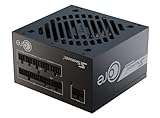
Seasonic CORE GX-850 850W Power Supply ATX 3.1 & PCIe 5.1 Ready

ASUS Prime 850W Gold (850 Watt, ATX 3.1 Compatible, Fully Modular Power Supply, 80+ Gold Certified, Dual Ball Bearings, Two Color Options in One, 8-Year Warranty)

SAMA P1200 1200W Platinum ATX 3.1 Dual 12V-2x6(600W) Power Supply,Black
be quiet! Pure Power 13 M 1000W, ATX 3.1, Fully Modular PSU, 80+ Gold
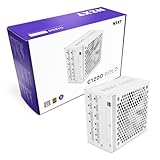
NZXT C1200 Gold ATX 3.1-1200W Fully Modular Power Supply

ASRock Steel Legend SL-1200G 1200W 80 Plus Gold & Cybenetics Platinum Full Modular Power Supply ATX3.1 & PCIe5.1 Ready with Dual Color 12V-2x6 Cable 10 Years Warranty

CORSAIR RM1000e ATX 3.1 PCIe 5.1 Ready Fully Modular 1000W Power Supply – 12V-2x6 Cable Included, Cybenetics Gold Efficiency, 105°C-Rated Capacitors, Modern Standby Mode – Black

CORSAIR RM1000e (2025) ATX 3.1 PCIe 5.1 Ready 1000W Power Supply – Black

be quiet! Pure Power 12 M 1200W, ATX 3.1, Fully Modular PSU, 80+ Gold

GAMEMAX 1300W Power Supply, ATX 3.0 & PCIE 5.0 Ready, 80+ Platinum Certified, Addressable RGB with 5V Motherboard Sync, 100% Japanese Capacitors, Fully Modular, RGB-1300-White

GAMEMAX 1300W Power Supply, ATX 3.0 & PCIE 5.0 Ready, 80+ Platinum Certified, Addressable RGB with 5V Motherboard Sync, 100% Japanese Capacitors, Fully Modular, RGB-1300

ASRock Phantom Gaming PG-1300G ATX 3.1 1300W Power Supply PCle5.1 10 Years Warranty Fully Modular Japanese Capacitor 80 Plus Gold Cybenetics Platinum 12V-2x6 Cables

CORSAIR RM850x ATX 3.1 PCIe 5.1 Ready Fully Modular 850W Power Supply – Low-Noise, Cybenetics Gold Efficiency, Native 12V-2x6 Connector – Black

CORSAIR RM1000e (2025) ATX 3.1 PCIe 5.1 Ready 1000W Power Supply – White

MONTECH Century II 1200W ATX 3.1 Fully Modular 80 Plus Gold Power Supply

Super Flower Leadex VII XG 1300W Power Supply, ATX 3.1 PCIe 5.1, White
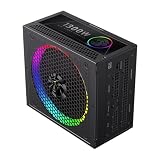
GAMEMAX 1300W 80+ Platinum Fully Modular Power Supply, ATX 3.1 Version with LLC + DC-DC Circuit, Full-Range 110–240V, ARGB 140mm Fan with Sync, 100% Japanese Capacitors (RGB PRO 1300P)

GAMEMAX 1300W 80+ Platinum Fully Modular White Power Supply, ATX 3.1 Version with LLC + DC-DC Circuit, Full-Range 110–240V, ARGB 140mm Fan with Sync, 100% Japanese Capacitors (RGB PRO 1300P WH)

CORSAIR RM1000x ATX 3.1 PCIe 5.1 1000W Power Supply – Black

ASUS TUF Gaming 1000W Gold (1000 Watt, ATX 3.1 Compatible Fully Modular Power Supply, 80+ Gold Certified, Military-Grade Components, Dual Ball Bearing, Axial-tech Fan, PCB Coating, 10 Year Warranty)
be quiet! Power Zone 2 1000W, ATX 3.1, PCIe 5.1, 80+ Platinum Power Supply
be quiet! Pure Power 13 M 1200W, ATX 3.1, Fully Modular PSU, 80+ Gold

Super Flower Leadex III 1300W Power Supply, ATX 3.1 PCIe 5.1, Black
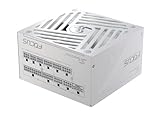
Seasonic Focus GX-1000 1000W Power Supply ATX 3.1 & PCIe 5.1 Ready White
Choose the technically valid shortlist first
Use the filters to remove products that fail a hard requirement. Then compare the remaining models on current price, quality, upgrade headroom and the features that matter to your workload.
Verify these before checkout
Use these final checks on the exact retail model before you place the order.
Confirm the required GPU power connector.
Check PSU length in compact cases.
Use a reputable platform with a strong warranty.
Verify EPS, GPU and peripheral cable count.
How to choose the right power supply
Start with realistic peak demand
Size the PSU from the CPU, GPU and the rest of the system under demanding use.
Manufacturer GPU recommendations are a useful starting point, but the complete build determines the real load.
ATX 3.1 matters in modern GPU builds
Modern standards address newer connector and power-excursion expectations.
A native cable path can simplify premium GPU installations.
Efficiency is not the same as quality
Gold, Platinum and Titanium describe efficiency targets, not the complete platform design.
Evaluate protections, warranty and proven platform quality as well.
Avoid the edge of capacity
A unit that is technically large enough can still be noisy or leave little transient margin.
Aim for sensible headroom rather than extreme oversizing.
Connector planning is compatibility
Count CPU EPS, GPU and peripheral connectors before ordering.
Never assume modular cables are interchangeable between different PSU models.
Physical size can matter
High-wattage power supplies can be longer and harder to cable in compact cases.
Measure body length and cable bend space.
Quiet builds benefit from headroom
Some premium units can keep fan speed low when typical load remains below their maximum.
Acoustic behavior varies, so use model-specific evidence when noise matters.
Compare exact PSU models
After capacity and connectors are fixed, compare price, warranty, efficiency and platform quality.
The brand name alone is not enough to judge a power supply.
Size the PSU for the complete transient load
For a power-supply purchase, GPU spikes, CPU boost power and total system demand should be treated as an early gate rather than a detail to check after checkout. The common failure is choosing a unit that meets average consumption but has too little margin for short combined peaks. Use the worst realistic CPU and GPU load with sensible headroom to eliminate unsuitable options before price sorting. This keeps the shortlist focused on hardware that can actually work in the intended system.
Once that gate is satisfied, verify the graphics-card recommendation, processor power behavior, connected drives, pumps and any overclocking or future upgrade you genuinely plan. Product families often contain several revisions or partner designs, so a family name alone may not prove the required feature. When the exact specification is unclear, compare another documented model instead of assuming that nearby products share the same behavior.
ATX 3.1 is useful when the GPU needs it
A reliable power-supply shortlist starts by examining modern transient requirements and native high-power GPU cabling. Buyers often run into trouble by buying an expensive unit without the connector standard that simplifies the target graphics card. Make connector compatibility and electrical behavior, not the marketing age of the PSU part of the first filter pass, especially when the build already contains expensive parts that would be difficult to replace or rearrange later.
The final check should cover ATX revision, native cable type, rated connector capacity and the graphics-card manufacturer guidance for the exact model. Read the exact model information rather than relying on a broad category label. That approach reduces returns, avoids paying for features the rest of the system cannot use, and makes later comparison on price or secondary features much more meaningful.
Efficiency is not the same as build quality
Do not treat 80 Plus level, platform design, protections and warranty as a marketing footnote when choosing power-supply hardware. A frequent mismatch comes from treating an efficiency badge as a complete judgment of electrical quality. Instead, define reputable testing and protection behavior alongside efficiency before comparing brands. Hard requirements are most useful when they remove impossible candidates immediately rather than becoming a warning after the purchase.
For the remaining products, confirm over-current, over-voltage and over-temperature protection, fan behavior, warranty length and independent electrical measurements where available. Similar names can hide different ports, dimensions, firmware requirements or included accessories. The exact retail model is therefore the right level for the last compatibility check, while price should rank only the choices that have already passed those technical checks.
Cable layout can decide whether a PSU fits well
With power-supply products, modular connectors, cable length and case routing space can change the value of two otherwise similar choices. The expensive mistake is discovering that a technically compatible PSU creates severe bend pressure or cannot reach a connector cleanly. Base the first decision on the physical path from the PSU bay to the motherboard and GPU, then look at brand, appearance or small feature differences only after the essential requirement is satisfied.
Before ordering, check case PSU clearance, cable exit direction, GPU connector location and the need for native rather than daisy-chained high-current leads. This is particularly important when a manufacturer sells several revisions under one family name. A clear specification on the exact model is stronger evidence than an assumption based on another variant, and it gives the comparison tool a cleaner set of candidates.
Leave headroom for the upgrade you expect
The practical way to compare power-supply options is to make future GPU class, additional drives and sustained operating range measurable. Problems usually appear when someone is oversizing dramatically for upgrades that will never happen or leaving no margin for the next realistic card. Define one likely upgrade generation rather than an unlimited theoretical build as the boundary for the build, and discard results that cannot demonstrate the needed capability instead of trying to compensate elsewhere in the system.
After that, validate current total load, expected next GPU requirement, connector availability and whether the higher-capacity unit still operates efficiently and quietly at normal load. The goal is not to maximize every specification at once; it is to avoid a hidden bottleneck or fit problem while keeping the budget concentrated on features that improve the actual workload. Exact-model verification is the last step before checkout.
Judge the PSU by the system it must support for years
A power supply is one of the few components that may survive several CPU and GPU upgrades, so its value should be measured across the expected life of the machine rather than only against today’s load. Start with the current combined demand, then add realistic headroom for transient behavior, pumps, drives and a plausible next graphics card. Avoid turning “headroom” into unlimited oversizing: an enormous unit can cost more without improving the present build. The goal is a capacity range where the PSU can handle demanding moments comfortably while remaining efficient and quiet during normal use.
Then inspect details that are easy to miss in a wattage comparison. Confirm the ATX revision, native GPU cable, connector count, protection features, physical PSU length, fan mode and cable reach inside the chosen case. Warranty and credible electrical testing are useful quality signals because two units with the same efficiency badge can use very different internal designs. A strong PSU choice therefore combines enough capacity with the correct modern connectors, proven protection behavior and a cable layout that can be installed without stressed bends or improvised adapters.
For a workstation that runs for long periods, also consider fan behavior at sustained load and the operating temperature inside the PSU compartment. Those details can matter more over time than a small efficiency difference on the label.
Related Cloudzat tools
Frequently asked questions
What should I filter first when choosing power supply finder?
Start with the specifications that can make the product unusable, then use price and secondary features to rank the technically valid shortlist.
Why do some products have blank specifications?
Cloudzat leaves a field blank when saved product evidence does not support a reliable value instead of inventing one.
Does a finder result guarantee compatibility?
No. The finder narrows the product set. Use the linked compatibility or build tools to validate the full system.
Are Amazon prices guaranteed?
No. The page shows the latest verified marketplace observation available to Cloudzat and links to Amazon for the current checkout price and availability.
Can I compare results?
Yes. The Compare action uses Cloudzat comparison destinations and is ready for the universal comparison engine when it is installed.
Can I add a result to a build?
Yes. Add to Build opens the High-End PC Builder with the product identity attached.
Are accessories mixed into the results?
Product checks reject obvious accessories, complete systems and wrong-category listings before they can appear in a finder.
Do filters create indexable parameter pages?
No. Filtering happens inside the tool, so temporary combinations do not create a large faceted index.
How this finder works
The finder uses Cloudzat's verified component data, shows only specifications supported by available product information, and keeps filtering inside the page rather than creating crawlable filter combinations. Marketplace availability can change independently of the buying guidance. Unknown specifications remain blank rather than being guessed.
Marketplace availability can change. Confirm the exact model, specifications, seller, condition and final checkout price on Amazon before ordering.