


Use the PC Part Finder when you know what the build needs but do not want to start from a brand list. Choose a component class, narrow the product set, then move a candidate into comparison, compatibility checking or the High-End PC Builder.
Before you filter
Start with hard constraints first: platform, physical fit, power, capacity and signal requirements. Apply price after the technically invalid products are gone.
A strong component can still be the wrong component. Keep the complete build visible while you shortlist individual parts.
Start with the platform
CPU socket and motherboard platform eliminate the largest number of impossible combinations.
Separate fit from speed
Dimensions, connectors and capacity are hard constraints; benchmark differences come later.
Use exact configurations
Capacity, VRAM, heatsink and cooler variants can share one family name.
Keep the whole build visible
Changing one part can alter PSU, cooling, case and motherboard requirements.
Find PC parts by real build constraints
Search across the major component classes, then open the dedicated category finder for deeper specification filters.
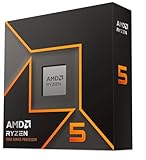
AMD Ryzen™ 5 9600X 6-Core, 12-Thread Unlocked Desktop Processor

Gaming RTX 5060 8G Shadow 2X OC Graphics Card (8GB GDDR7,128-bit, Extreme Performance: 2535 MHz, DisplayPort x3 2.1a, HDMI 2.1b, NVIDIA Blackwell Architecture) 5060

MSI PRO B840M-B Motherboard, mATX - Supports AMD Ryzen 9000/8000 / 7000 Processors, AM5 - DDR5 Memory Boost (8000+ MT/s OC), PCIe 4.0 x16, M.2 Gen4, 2.5G LAN

Kingston FURY Beast 16GB (2x8GB) 5600MT/s DDR5 CL40 Desktop Memory | Intel XMP 3.0 | Kit of 2| KF556C40BBK2-16

850W Fully Modular Power Supply, 80+ Gold Certified PSU | ATX 3.1 & PCIe 5.1 Ready | 12V-2x6 Connector | 140mm Low-Noise Fan | 105℃ Japanese Capacitors | Black PSU

Cooler Master Q300L V1 Micro-ATX PC Case, High Airflow, Transparent Panel

ID-COOLING SE-214-XT V2 Plus CPU Air Cooler, Full Memory Clearance, 220W

ZZA 32 Inch 4K Curved Gaming Monitor 165Hz, Built-in Speakers, 1500R Curvature, UHD 3840 × 2160p VA Panel, Supports AMD FreeSync, HDR10, HDMI and DisplayPort, 120% sRGB Color Gamut, Wall-mountable

Intel Core Ultra 5 Desktop Processor 245KF - 14 cores (6 P-cores + 8 E-cores) up to 5.2 GHz

XFX Swift AMD Radeon RX 9060 XT OC Gaming Edition with 8GB GDDR6 HDMI 2xDP, AMD RDNA 4 RX 9060XT RX-96TSW8GBQ
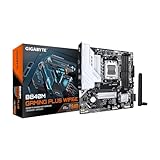
GIGABYTE B840M GAMING PLUS WIFI6E AMD AM5 mATX Motherboard, Support Ryzen 9000/8000/7000 Series, 8+2+2 Power Phase, DDR5, 2x M.2, PCIe 4.0, USB-C 3.2 Gen 1, WiFi 6E, GbE LAN, EZ-Latch, 3-Year Warranty

KLEVV Bolt V DDR5 32GB (2x16GB) 6000MHz CL30 1.35V Desktop Ram Memory White

Rosewill VMG 850W 80+ Gold, ATX 3.0 & 3.1 Compatible, Full Modular Low-Noise Power Supply, PCIe 5.1 12V-2x6 Connector, 100% Japanese Electrolytic Capacitor, 120mm FDB Silent Fan - 5 Year Warranty
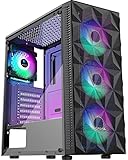
MOROVOL PC Case Pre-Install 4 RGB Fans, ATX Gaming Computer Case with Diamond-Shaped Mesh Front & Tempered Glass Side Panel, USB 3.0 Airflow Mid Tower case,621
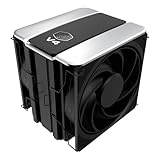
Cooler Master V4 Alpha 3DHP CPU Air Cooler, Single-Tower, Dual PWM Fans
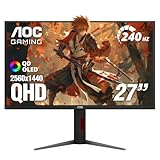
AOC 27" Gaming Monitor QHD 240Hz QD OLED NVIDIA G-SYNC Compatible Q27GAZDV

Micro Center CPU AIO Combo Intel Core Ultra5 245K Processor+msi Mag A13 240

Yeston GAMEACE Radeon RX 9060 XT 8GB GDDR6 PCI Express 5.0 x16 Graphics Card RX9060XT

ASRock B850M-X WiFi R2.0 AM5 Micro-ATX Motherboard: Supports AMD Ryzen 9000/8000/7000 CPUs, DDR5 8200+ (OC), PCIe 5.0, Wi-Fi 6E, 2.5G LAN, USB-C, BIOS Flashback

KLEVV Bolt V DDR5 32GB (2x16GB) 6000MHz CL30 1.35V Desktop Ram Memory Black

Segotep GM850 850W Power Supply, 80 Plus Gold Certified, PCIe 5.1 & ATX 3.1

Okinos Aqua 3, Micro ATX Case, MATX PC Case with 3 X 120mm 3-Pin ARGB Fan Pre-Installed, Panoramic View Tempered Glass Front & Side Panel, with Type C Port, Black

KINGCOOL Iron Wind 120 ARGB Dual Towers CPU Air Cooler for AMD Intel, Black

AOC 27" Gaming Monitor QHD 240Hz QD OLED NVIDIA G-SYNC Compatible Q27GAZD

Intel® Core™ Ultra 5 Processor 250KF Plus 18 cores (6 P-cores + 12 E-cores) up to 5.3 GHz

GIGABYTE GeForce RTX 5060 WINDFORCE OC 8G Graphics Card, Cooling System, 8GB 128-bit GDDR7, PCIe 5.0, Manufactured by NVIDIA, DisplayPort & HDMI - Video Output Interface, GV-N5060WF2OC-8GD Video Card

ASRock B860 Pro A WiFi 6E Intel Core Ultra DDR5 8666 MHz 256GB M.2 LGA1851 ATX Motherboard BIOS Flashback SATA3 6.0 Gb/s PCIe 5.0

TEAMGROUP T-Create Classic 10L DDR5 32GB Kit (2 x 16GB) 5600MHz (PC5-44800) CL46 Intel XMP 3.0 & AMD EXPO Compatible Desktop Memory Module Ram - CTCCD532G5600HC46DC01

1000W Fully Modular Power Supply, 80+ Gold Certified PSU | ATX 3.1 & PCIe 5.1 Ready | 12V-2x6 Connector | 140mm Low-Noise Fan | 105℃ Japanese Capacitors | Black PSU

MUSETEX Y6 PC Case, Pre-Installed 4 Non-LED Fans, ATX Mid Tower Case, Computer Case with Type-C, 270° Full View Tempered Glass, Black

DARKROCK DT6 Dual Towers CPU Air Cooler, 6 Copper Heat Pipes

AOC Agon Pro 27 Inch Gaming Monitor QD OLED 240Hz 0.03ms, AG276QZD2

Intel® Core™ Ultra 5 Processor 250K Plus 18 cores (6 P-cores + 12 E-cores) up to 5.3 GHz

GIGABYTE GeForce RTX 5060 Ti WINDFORCE OC 8G Graphics Card, 8GB 128-bit GDDR7, PCIe 5.0, WINDFORCE Cooling System, GV-N506TWF2OC-8GD Video Card

ASUS TUF Gaming B650E-PLUS WiFi AMD B650 ATX Motherboard, 12+2+1 80A DrMOS Power Stages, DDR5, PCIe 5.0 Ready, 3X M.2, Wi-Fi 6E, 2.5Gb LAN, DisplayPort, HDMI™, USB Type-C, BIOS Flashback, Aura Sync

V-Color Manta XSky DDR5 32GB (2x16GB) 6000MHz CL30 SK Hynix IC RGB Gaming Desktop Memory Module Black, for AMD EXPO TMXSAL1660830KWK

Thermaltake Toughpower GT 850W ATX 3.1 Standard Power Supply; 80 Plus Gold Efficiency; Smart Zero Fan; Native 450W PCIe 5.1 Connector; PS-TPT-0850FNFAGU-3; 5 Year Warranty

RUIX OV502 Pro M-ATX PC Case, Compact Panoramic Tempered Glass Gaming Case, Supports 240mm AIO & 340mm GPU, Optimized Airflow Mini Tower Computer Case, USB 3.0, Black

MONTECH NX600 Dual-Tower CPU Air Cooler, 6 Heat Pipes, 2 PWM Fans, Black
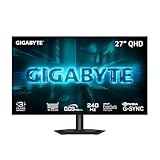
GIGABYTE GO27Q24G 27" W-OLED 240Hz QHD Gaming Monitor

AMD Ryzen 7 9700X AM5, 8 Cores, 16 Threads, 3.8-5.5GHz, Desktop Processor

ASRock Radeon RX 9060 XT Challenger 16GB OC, RDNA 4, 3290MHz Boost, 16GB GDDR6 128-bit, PCIe 5.0, Dual Fans, 0dB Silent, LED Indicator, DisplayPort 2.1a, HDMI 2.1b

ASRock B860 Challenger WiFi White LGA1851 ATX Motherboard, Supports Intel Core Ultra Series 2 Processors, DDR5 8666+(OC), PCIe 5.0, WiFi 7, 2.5G LAN

V-Color Manta XFinity RGB DDR5 32GB (16GBx2) 6000MHz XMP 3.0 & AMD EXPO CL30 1.35V RGB Gaming Desktop Upgrade RAM U-DIMM Memory Module SK Hynix IC - Black (TMXFL1660830KWK)

Auotac 850W Fully Modular Power Supply, 80+ Gold PSU, ATX 3.1 & PCIe 5.1 Ready, Native Dual-Color 12V-2x6 Cable, RGB Low-Noise Smart Fan, 105°C-Rated Capacitors, Black

GAMDIAS ATX Mid Tower Gaming Computer PC Case Tempered Glass, Built-in 4X 120mm ARGB Case Fans, Front Airflow Mesh, Up to 6x120mm Fans, 340mm GPU/VGA, 360mm AIO/Radiator, 160mm CPU Cooler

CPU Cooler Air, Dual Tower CPU Cooler with 120mm PWM Fan,6 Heat Pipes CPU Air Cooler for AM5/AM4/AM3, Cooler for PC Compatible with Intel LGA 1851/1700/1150/2011/2066/1151/1155/1156(Black)

msi MAG 274QP QD-OLED X24 27-Inch WQHD Gaming Monitor, 2560 x 1440 Quantum Dot OLED Panel, 240Hz, 0.03ms, Adaptive-Sync, HDMI2.1, DP 1.4a, Tilt/Height Adjustable, Black

AMD Ryzen 7 9700X AM5, 8 Cores, 16 Threads, 3.8-5.5GHz, w/Cooler, Desktop CPU
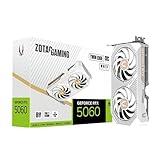
ZOTAC GeForce RTX 5060 Twin Edge OC White Edition Graphics Card, NVIDIA, 8GB GDDR7, DLSS 4, 3× DisplayPort 2.1b & HDMI 2.1b, PCIE 5.0 (ZT-B50600Q-10M)

GIGABYTE B840 Eagle WIFI6E AMD AM5 ATX Motherboard, Support Ryzen 9000/8000/7000 Series, 8+2+2 Power Phase, DDR5, 3X M.2, PCIe 4.0, USB-C 3.2 Gen 2, WiFi 6E, 2.5GbE LAN, EZ-Latch, 3-Year Warranty
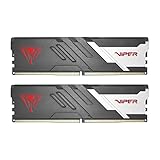
Patriot Viper Venom DDR5 RAM 32GB (2X16GB) 6000MHz CL30 Desktop Memory
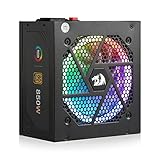
Redragon RGPS-850W 850 Watt 80+ Gold Fully Modular PSU, ATX 3.1 & PCIe 5.1

MONTECH XR Panoramic High Airflow ATX PC Case, 3 ARGB PWM Fans, Black

KINGCOOL CRYO Titan 120 ARGB Dual-Tower CPU Air Cooler Max 260W TDP, Black

BenQ MOBIUZ EX271U 27” 4K eARC 165Hz 1ms DP 1.4 HDMI 2.1 65W USB-C Gaming Monitor, 95% P3, DisplayHDR 400, Freesync Premium, KVM, Pixsoul Engine, Remote Controller

AMD Ryzen™ 7 9700X 8-Core, 16-Thread Unlocked Desktop Processor

ASUS Prime Radeon RX 9060 XT 8GB GDDR6 OC Edition Gaming Graphics Card

MSI PRO B850M-A WiFi Motherboard, mATX - Supports AMD Ryzen 9000/8000 / 7000 Processors, AM5 - DDR5 Memory Boost (8200+ MT/s OC), PCIe 5.0 x16 & 4.0 x4, M.2 Gen5, Wi-Fi 7, 5G LAN

TEAMGROUP T-Force Delta Alpha RGB DDR5 Ram 32GB Kit (2x16GB) 6000MHz (PC5-48000) CL38 Intel XMP 3.0 & AMD Expo Compatible Desktop Memory Module Ram Black FF7D532G6000HC38ADC01

MONTECH Century II 850W ATX 3.1 Fully Modular 80 Plus Gold Power Supply
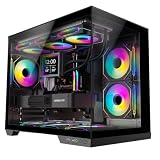
STRUXVEX S6 Micro-ATX PC Case, 270 Panoramic View Tempered Glass, 3 Pre-Installed Fans, Dual-Chamber Layout and Back-Connect Support, mATX Gaming Computer Case

ID-COOLING FROZN A620 PRO SE Dual-Tower CPU Cooler, Low Noise, 157mm, 260W
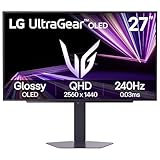
LG 27GX704A-B 27-inch Ultragear QHD (2650x1440) OLED Gaming Monitor 240Hz, 0.03ms, NVIDIA G-Sync Compatible, AMD FreeSync Premium Pro, VESA Display HDR TrueBlack400, HDMI 2.1, DisplayPort, Black
Build the valid shortlist before chasing the lowest price
Once the shortlist is technically valid, compare current price, warranty, noise, power, upgrade headroom and the features you will actually use.
Verify these before checkout
Use these final checks on the exact retail model before you place the order.
Confirm the precise model and configuration on the retailer page.
Confirm socket, physical clearance and connector fit.
Check PSU capacity and required cables.
Verify the seller, condition and final checkout details.
How to choose PC parts that work together
Use the most restrictive decision first
A good component search begins with the choice that constrains the most other hardware. For a new desktop that is usually the CPU platform or the graphics card.
Do not filter every field at once. Use two or three hard requirements, inspect the survivors and only then add preferences such as brand or aesthetics.
Exact configuration identity matters
Retail families often contain several capacities, cooler designs, clock profiles and regional model codes. A family name is not enough when the filter depends on those differences.
Cloudzat keeps exact listing evidence attached to the product record so one variation does not silently inherit specifications from another.
Compatibility comes before benchmarks
Benchmarks explain performance after the hardware works together. They do not prove BIOS support, case clearance, cable fit or realistic memory behavior.
Use the finder to form a plausible shortlist, then move the candidates into compatibility and complete-build checks.
Price is the last hard filter
A low price on the wrong specification is not a deal. Compare like-for-like hardware before ranking products by cost.
This is especially important with motherboards, power supplies and displays where cheaper models can remove the feature that motivated the purchase.
Use category finders for deeper control
The main page moves quickly across eight component classes. Each dedicated finder exposes the fields that matter for that class.
Open the category page when the main list is too broad or when you need a precise filter such as chipset, VRAM, radiator size or refresh rate.
Plan for the next upgrade
Headroom is useful where replacement is disruptive. Extra GPU clearance, an additional M.2 slot or a sensible PSU margin can make a later upgrade much easier.
Do not overspend everywhere. Buy headroom where your expected upgrade path makes it valuable.
Avoid marketplace category traps
Accessory listings, empty chassis products, mounts and replacement parts can appear beside the real component in broad searches.
Cloudzat rejects obvious wrong-category results, but the retailer page remains the final checkout source.
Move from discovery to a complete decision
A finder should reduce the market to a small set of viable products, not pretend to replace the rest of the buying process.
Compare the finalists, check compatibility and place the preferred component into a complete build before ordering.
Start with platform constraints, not a shopping list
For a cross-component PC part purchase, CPU socket, memory generation and motherboard chipset should be treated as an early gate rather than a detail to check after checkout. The common failure is buying a strong component that cannot physically or electrically join the rest of the system. Use the platform requirements already fixed by the CPU and motherboard to eliminate unsuitable options before price sorting. This keeps the shortlist focused on hardware that can actually work in the intended system.
Once that gate is satisfied, verify socket, memory type, board size and the exact interfaces your build needs. Product families often contain several revisions or partner designs, so a family name alone may not prove the required feature. When the exact specification is unclear, compare another documented model instead of assuming that nearby products share the same behavior.
Use dimensions as real specifications
A reliable cross-component PC part shortlist starts by examining GPU length, cooler height, radiator position and case layout. Buyers often run into trouble by a nominally compatible part blocking a cable route, front radiator, memory module or side panel. Make physical clearance for the exact models rather than category averages part of the first filter pass, especially when the build already contains expensive parts that would be difficult to replace or rearrange later.
The final check should cover manufacturer dimensions and the clearance limits published for the selected case. Read the exact model information rather than relying on a broad category label. That approach reduces returns, avoids paying for features the rest of the system cannot use, and makes later comparison on price or secondary features much more meaningful.
Budget for power and heat together
Do not treat sustained power, short boost behavior and cooling capacity as a marketing footnote when choosing cross-component PC part hardware. A frequent mismatch comes from choosing wattage in isolation while the case airflow or cooler cannot handle the resulting heat. Instead, define the combined CPU and GPU load plus realistic thermal headroom before comparing brands. Hard requirements are most useful when they remove impossible candidates immediately rather than becoming a warning after the purchase.
For the remaining products, confirm PSU capacity, connector type, cooler class and the airflow path through the chassis. Similar names can hide different ports, dimensions, firmware requirements or included accessories. The exact retail model is therefore the right level for the last compatibility check, while price should rank only the choices that have already passed those technical checks.
Separate interface labels from usable bandwidth
With cross-component PC part products, PCIe generation, M.2 lane sharing, USB4, display links and network speed can change the value of two otherwise similar choices. The expensive mistake is assuming a newer label guarantees full speed when lanes or ports share resources. Base the first decision on the end-to-end link from the component through the board to the device using it, then look at brand, appearance or small feature differences only after the essential requirement is satisfied.
Before ordering, check board manuals, slot wiring, display-port versions and any bandwidth-sharing notes that affect your setup. This is particularly important when a manufacturer sells several revisions under one family name. A clear specification on the exact model is stronger evidence than an assumption based on another variant, and it gives the comparison tool a cleaner set of candidates.
Plan upgrades before spending on premium features
The practical way to compare cross-component PC part options is to make spare M.2 slots, memory headroom, PSU margin and case space measurable. Problems usually appear when someone is paying twice later because the first build leaves no practical expansion room. Define the likely next upgrade rather than an abstract maximum specification as the boundary for the build, and discard results that cannot demonstrate the needed capability instead of trying to compensate elsewhere in the system.
After that, validate free slots, supported memory capacity, unused power headroom and physical room for a larger future card. The goal is not to maximize every specification at once; it is to avoid a hidden bottleneck or fit problem while keeping the budget concentrated on features that improve the actual workload. Exact-model verification is the last step before checkout.
Turn a shortlist into one coherent build
After the filters have produced a small set of candidates, stop evaluating each part as though it exists alone. Put the likely CPU, board, memory, graphics card, power supply, enclosure and cooling choice on one sheet and trace every dependency between them. Mark socket and memory generation, board size, graphics-card dimensions, cooler clearance, power connectors, storage lanes and display outputs. This simple system view catches conflicts that category shopping pages cannot see. It also reveals where an expensive specification has no practical effect because another component sets the ceiling.
The final purchase pass should also distinguish a requirement from a preference. A required feature is something the system cannot complete its job without; a preference improves convenience, appearance or headroom. Spend first on requirements that are costly to change later, such as platform, power delivery, enclosure fit and the display path. Cosmetic choices and small performance premiums can follow. If two parts survive every hard check, then current price, warranty, noise, efficiency and upgrade room become useful tie-breakers instead of distractions from basic compatibility.
Related Cloudzat tools
Frequently asked questions
What should I filter first when choosing PC parts?
Start with the specifications that can make the product unusable, then use price and secondary features to rank the technically valid shortlist.
Why do some products have blank specifications?
Cloudzat leaves a field blank when saved product evidence does not support a reliable value instead of inventing one.
Does a finder result guarantee compatibility?
No. The finder narrows the product set. Use the linked compatibility or build tools to validate the full system.
Are Amazon prices guaranteed?
No. The page shows the latest verified marketplace observation available to Cloudzat and links to Amazon for the current checkout price and availability.
Can I compare results?
Yes. The Compare action uses Cloudzat comparison destinations and is ready for the universal comparison engine when it is installed.
Can I add a result to a build?
Yes. Add to Build opens the High-End PC Builder with the product identity attached.
Are accessories mixed into the results?
Product checks reject obvious accessories, complete systems and wrong-category listings before they can appear in a finder.
Do filters create indexable parameter pages?
No. Filtering happens inside the tool, so temporary combinations do not create a large faceted index.
How this finder works
The finder uses Cloudzat's verified component data, shows only specifications supported by available product information, and keeps filtering inside the page rather than creating crawlable filter combinations. Marketplace availability can change independently of the buying guidance. Unknown specifications remain blank rather than being guessed.
Marketplace availability can change. Confirm the exact model, specifications, seller, condition and final checkout price on Amazon before ordering.