


Use the PC Case Finder to make physical compatibility visible before buying. Motherboard size, GPU clearance, radiator placement and PSU space can interact inside the same chassis.
Before you filter
Published maximum dimensions are a starting point. Front radiators, thick fans and drive cages can reduce usable GPU space.
Plan the exact component layout before deciding that a case fits.
Measure the GPU
Use exact partner-card dimensions.
Plan radiator position
A front radiator can reduce GPU clearance.
Check board width
E-ATX can affect cable-routing space.
Leave cable room
High-power GPU connectors need safe bend clearance.
Find a PC case
Filter cases by form factor, tower style, GPU clearance, radiator support and price.

Cooler Master Q300L V1 Micro-ATX PC Case, High Airflow, Transparent Panel
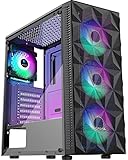
MOROVOL PC Case Pre-Install 4 RGB Fans, ATX Gaming Computer Case with Diamond-Shaped Mesh Front & Tempered Glass Side Panel, USB 3.0 Airflow Mid Tower case,621

Okinos Aqua 3, Micro ATX Case, MATX PC Case with 3 X 120mm 3-Pin ARGB Fan Pre-Installed, Panoramic View Tempered Glass Front & Side Panel, with Type C Port, Black

MUSETEX Y6 PC Case, Pre-Installed 4 Non-LED Fans, ATX Mid Tower Case, Computer Case with Type-C, 270° Full View Tempered Glass, Black

RUIX OV502 Pro M-ATX PC Case, Compact Panoramic Tempered Glass Gaming Case, Supports 240mm AIO & 340mm GPU, Optimized Airflow Mini Tower Computer Case, USB 3.0, Black

GAMDIAS ATX Mid Tower Gaming Computer PC Case Tempered Glass, Built-in 4X 120mm ARGB Case Fans, Front Airflow Mesh, Up to 6x120mm Fans, 340mm GPU/VGA, 360mm AIO/Radiator, 160mm CPU Cooler

MONTECH XR Panoramic High Airflow ATX PC Case, 3 ARGB PWM Fans, Black
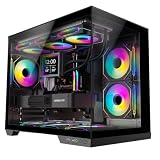
STRUXVEX S6 Micro-ATX PC Case, 270 Panoramic View Tempered Glass, 3 Pre-Installed Fans, Dual-Chamber Layout and Back-Connect Support, mATX Gaming Computer Case

NZXT H5 Flow - Compact ATX Mid-Tower PC Case - Black

Thermaltake View 270 Plus TG ARGB Black Mid Tower E-ATX Case; 3x120mm ARGB Fans Included; Support Up to 360mm Radiator; Front & Side Dual Tempered Glass Panel; CA-1Y7-00M1WN-01; 3 Year Warranty

Cooler Master Elite 301 Lite Micro-ATX High Airflow Minimalist PC Case, 365mm GPU Max, Compatible RTX 5080|RX 9070 XT, 280mm AIO Max, Type C, Tempered Glass, 120mm Fan, Intakes Grill

Okinos Aqua 6 Infinity, ATX PC Case, 3 × 120mm Infinity ARGB PWM Fans Pre-Installed, 360mm Radiator Support, Floating Design, 10Gbps Type-C Port, Computer case with Panoramic View Tempered Glass
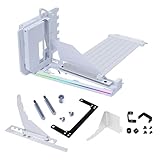
Lian Li ATX PC Case 4 Slots Vertical GPU Kit (VG4v4 White)

CORSAIR 3500X Mid-Tower ATX PC Case – Panoramic Tempered Glass – Reverse Connection Motherboard Compatible – No Fans Included – Black

MONTECH XR Panoramic High Airflow ATX PC Case, 3 ARGB PWM Fans, White
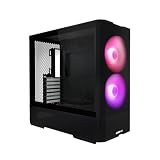
LIAN LI LANCOOL 207 Black Compact ATX Case, 4 Pre-Installed Fans

Cooler Master Elite 502 Lite ATX High Airflow Minimalist PC Case, 410mm GPU Max, Compatible RTX 5090|RX 7090 XT, 360mm AIO Max, Type C, Tempered Glass, 120mm Fan, Intakes Grill

CORSAIR 4000D RS ARGB Frame Modular Mid-Tower ATX PC Case, High Airflow, 3X Pre-Installed RS Fans, InfiniRail™ Mounting System, ASUS BTF, MSI Zero, Gigabyte Stealth, Black

Lian Li O11D Mini V2 Compact ATX Mid-Tower PC Case, Black, No Fans

Okinos Genuine Walnut Wood PC Case, Support 360mm Radiator on Top, Pre-Installed 4 x 120mm PWM Fans ATX Case, Type-C Port, Magnetic Tempered Glass Side Panel, Black Computer Case, Cypress 7
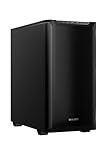
be quiet! Pure Base 501 Black ATX Case | 2 Preinstalled Pure Wings 3 140mm PWM Fans | Optimized Air Pressure | Compact PC Case | Vertical GPU Installation | USB 3.2 Gen. 2 Type C | BG073
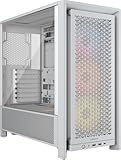
CORSAIR 4000D RS ARGB Frame Modular Mid-Tower ATX PC Case – High Airflow, 3X Pre-Installed RS ARGB Fans, InfiniRail Fan Mounting System, ASUS BTF, MSI Project Zero, Gigabyte Project Stealth – White

ASUS Prime AP303 White Edition ATX PC Case, Mesh Panel Design, Pre-Installed Fan, GPU Support up to 360mm, 360mm Radiator Support, 180mm ATX PSU, 20Gbps USB Type-C, 2 Year Warranty

be quiet! Pure Base 501 Airflow Black ATX Case | 2 Preinstalled Pure Wings 3 140mm PWM Fans | Optimized Air Pressure | Compact PC Case | Vertical GPU Installation | USB 3.2 Gen. 2 Type C | BG074

Antec C8 Full-Tower E-ATX PC Case, Dual-Chamber, No Fans, Black

DARKROCK Classico Max Storage Master E-ATX Computer Case

ASUS Prime AP303 ATX PC Case, Mesh Panel Design, Pre-Installed Fan, GPU Support up to 360mm, 360mm Radiator Support, 180mm ATX PSU, 20Gbps USB Type-C, 2 Year Warranty

Cooler Master Elite 502 ATX High Airflow Minimalist PC Case, 410mm GPU Max, Compatible RTX 5090|RX 7090 XT, 360mm AIO Max, Type C, Tempered Glass, Triple 120mm aRGB Fan, Intakes Grill

Cooler Master Elite 502 White ATX High Airflow Minimalist PC Case, 410mm GPU Max, Compatible RTX 5090 RX 7090 XT, 360mm AIO Max, Type C, Tempered Glass, Triple 120mm aRGB Fan, Intakes Grill

ARCTIC Xtender Black (Tinted Glass) - PC Case, Tempered Panorama Glass, 2 x 420 mm Radiator Support, Full Tower, Big Tower, E-ATX, 5X A-RGB Fans pre-Mounted - Black

Antec C8 Wood Full-Tower E-ATX PC Case, Wooden Front Panel, No Fans

Lian Li O11 Vision Compact ATX PC Case, Back-Connect, Black (O11VPX)

Lian Li O11 Vision Compact ATX PC Case, Back-Connect, White (O11VPW)

Antec Performance 1 FT Full Tower E-ATX PC Case, 3 PWM Fans

Antec C8 ARGB Full-Tower E-ATX PC Case, 3 ARGB PWM Fans, Black

Antec C8 Curve Wood Full-Tower E-ATX PC Case, Wooden Front Panel, No Fans

Antec Flux Pro Full-Tower E-ATX PC Case, 6 PWM Fans Included, Black

Fractal Design North Charcoal Black Tempered Glass Dark - Genuine Walnut Wood Front - Glass Side Panel - Two 140mm Aspect PWM Fans Included - Type C USB - ATX Airflow Mid Tower PC Gaming Case

ASUS TUF Gaming GT501 E-ATX Full-Tower PC Case

Antec Flux Pro Full-Tower E-ATX PC Case, 6 PWM Fans Included, White

Fractal Design Define 7 XL Black Solid Brushed Aluminum/Steel E-ATX Silent Modular Full Tower Computer Case

ASUS ProArt PA602 E-ATX Full-Tower PC Case
Choose the technically valid shortlist first
Use the filters to remove products that fail a hard requirement. Then compare the remaining models on current price, quality, upgrade headroom and the features that matter to your workload.
Verify these before checkout
Use these final checks on the exact retail model before you place the order.
Measure with the chosen radiator layout.
Check slot count and adjacent cards.
Confirm radiator and fan thickness.
Verify PSU length and cable space.
How to choose the right PC case
Case compatibility is three-dimensional
A long-GPU claim can change when a front radiator or drive cage is installed.
Model the exact layout, not only the standalone maximum dimensions.
Form factor affects routing
E-ATX boards can cover cable openings even when mounting holes exist.
Practical cable and radiator space matters as much as the support label.
Airflow should match heat load
A flagship CPU and GPU can put hundreds of watts into the chassis.
Open intake area and a clear exhaust path reduce the fan speed needed to control temperatures.
Radiator support needs context
A case can support a radiator length while restricting thickness or motherboard clearance.
Check the cooler dimensions together with the case manual.
GPU power cables need room
High-power connectors should not be sharply bent at the plug.
Card width and side-panel clearance can be as important as card length.
Drive support still matters
Many modern cases trade 3.5-inch bays for airflow and GPU space.
Storage-heavy desktops should verify cages and their interaction with the PSU.
Large cases trade footprint for ease
Full towers can simplify upgrades and cooling but occupy much more room.
Choose the smallest chassis that comfortably fits the planned hardware.
Treat the case as infrastructure
A good enclosure can survive several upgrade cycles.
Service access, filters and future GPU clearance can justify a modest premium.
GPU clearance must include installed hardware
For a PC case purchase, graphics-card length, thickness and front-mounted components should be treated as an early gate rather than a detail to check after checkout. The common failure is using the empty-case maximum when a radiator or fan stack reduces the available space. Use clearance after the exact cooling configuration is installed to eliminate unsuitable options before price sorting. This keeps the shortlist focused on hardware that can actually work in the intended system.
Once that gate is satisfied, verify case diagrams, radiator thickness, fan thickness, cable bend space and the dimensions of the exact partner GPU. Product families often contain several revisions or partner designs, so a family name alone may not prove the required feature. When the exact specification is unclear, compare another documented model instead of assuming that nearby products share the same behavior.
Radiator support is more than a size label
A reliable PC case shortlist starts by examining radiator length, thickness, tube routing and motherboard clearance. Buyers often run into trouble by assuming a 360mm support claim means every 360mm AIO fits in every advertised position. Make the complete cooler assembly in the selected mounting location part of the first filter pass, especially when the build already contains expensive parts that would be difficult to replace or rearrange later.
The final check should cover case clearance drawings, memory height, VRM heatsinks, top-panel offset and whether the GPU competes for the same front space. Read the exact model information rather than relying on a broad category label. That approach reduces returns, avoids paying for features the rest of the system cannot use, and makes later comparison on price or secondary features much more meaningful.
Airflow should follow the heat sources
Do not treat intake area, exhaust path and obstruction around the CPU and GPU as a marketing footnote when choosing PC case hardware. A frequent mismatch comes from adding fans without creating a useful route for cool air to reach the hottest components. Instead, define a coherent front-to-back or bottom-to-top flow pattern before comparing brands. Hard requirements are most useful when they remove impossible candidates immediately rather than becoming a warning after the purchase.
For the remaining products, confirm mesh area, fan positions, GPU orientation, radiator placement and the amount of open space around major intakes and exhausts. Similar names can hide different ports, dimensions, firmware requirements or included accessories. The exact retail model is therefore the right level for the last compatibility check, while price should rank only the choices that have already passed those technical checks.
Form factor labels hide practical differences
With PC case products, E-ATX width, cable channels, PSU length and drive cages can change the value of two otherwise similar choices. The expensive mistake is assuming ATX support means there is comfortable room for every ATX-class build. Base the first decision on component dimensions together rather than motherboard size alone, then look at brand, appearance or small feature differences only after the essential requirement is satisfied.
Before ordering, check board width, PSU and cable space, storage mounting, side-panel clearance and access to connectors after the system is assembled. This is particularly important when a manufacturer sells several revisions under one family name. A clear specification on the exact model is stronger evidence than an assumption based on another variant, and it gives the comparison tool a cleaner set of candidates.
Front I/O should match the motherboard
The practical way to compare PC case options is to make USB-C generation, USB-A count, audio and internal headers measurable. Problems usually appear when someone is paying for case ports that the chosen motherboard cannot connect at full capability. Define the internal header path for every front-panel feature you care about as the boundary for the build, and discard results that cannot demonstrate the needed capability instead of trying to compensate elsewhere in the system.
After that, validate motherboard USB headers, Type-E support, audio header location and any controller used by case lighting, fans or integrated displays. The goal is not to maximize every specification at once; it is to avoid a hidden bottleneck or fit problem while keeping the budget concentrated on features that improve the actual workload. Exact-model verification is the last step before checkout.
Dry-fit the build on paper before buying the enclosure
Case compatibility is easiest to understand as a three-dimensional packing problem. Write down motherboard size, graphics-card length and thickness, CPU-cooler height or radiator dimensions, PSU length and every drive or expansion device that must remain installed. Then apply the case limits after subtracting anything that occupies the same space. A front radiator can reduce GPU clearance, a thick top radiator can approach tall memory or motherboard heatsinks, and cable connectors can need more room than the metal component itself. Manufacturer diagrams are especially useful because a single maximum-clearance number rarely captures all configurations.
After fit, think about serviceability. Check whether filters are easy to remove, whether front I/O matches the motherboard, whether the cable chamber can handle thick power leads, and whether storage mounts block airflow or wiring. A case that is slightly larger but easy to work in may save time during every future upgrade. Conversely, a compact chassis can be excellent when every dimension is deliberately chosen. The right enclosure is the one that keeps the selected parts accessible, cool and mechanically unstressed rather than simply the one with the largest published compatibility list.
For desk placement, measure external dimensions as carefully as internal clearances. Rear cable bend space, top ventilation clearance and access to removable panels can determine whether a technically compatible enclosure is pleasant to live with.
Related Cloudzat tools
Frequently asked questions
What should I filter first when choosing pc case finder?
Start with the specifications that can make the product unusable, then use price and secondary features to rank the technically valid shortlist.
Why do some products have blank specifications?
Cloudzat leaves a field blank when saved product evidence does not support a reliable value instead of inventing one.
Does a finder result guarantee compatibility?
No. The finder narrows the product set. Use the linked compatibility or build tools to validate the full system.
Are Amazon prices guaranteed?
No. The page shows the latest verified marketplace observation available to Cloudzat and links to Amazon for the current checkout price and availability.
Can I compare results?
Yes. The Compare action uses Cloudzat comparison destinations and is ready for the universal comparison engine when it is installed.
Can I add a result to a build?
Yes. Add to Build opens the High-End PC Builder with the product identity attached.
Are accessories mixed into the results?
Product checks reject obvious accessories, complete systems and wrong-category listings before they can appear in a finder.
Do filters create indexable parameter pages?
No. Filtering happens inside the tool, so temporary combinations do not create a large faceted index.
How this finder works
The finder uses Cloudzat's verified component data, shows only specifications supported by available product information, and keeps filtering inside the page rather than creating crawlable filter combinations. Marketplace availability can change independently of the buying guidance. Unknown specifications remain blank rather than being guessed.
Marketplace availability can change. Confirm the exact model, specifications, seller, condition and final checkout price on Amazon before ordering.