


Use the Gaming Monitor Finder to match resolution and refresh rate to the GPU before choosing panel features. A premium display is valuable only when the PC and signal chain can drive the modes you care about.
Before you filter
Start with size, resolution and refresh target. Panel technology, HDR behavior and connectivity come next.
For very high bandwidth modes, verify the GPU, monitor, KVM or dock and cable together.
Match the GPU
Resolution and refresh should align with realistic frame rates.
Choose panel behavior
OLED, Mini-LED and LCD have different strengths.
Check bandwidth
High-refresh 4K can depend on DSC and exact port standards.
Plan the desk
Large and ultrawide displays change viewing distance and mounting needs.
Find a gaming monitor
Filter monitors by size, resolution, refresh rate, panel, HDMI 2.1, DisplayPort 2.1 and price.

ZZA 32 Inch 4K Curved Gaming Monitor 165Hz, Built-in Speakers, 1500R Curvature, UHD 3840 × 2160p VA Panel, Supports AMD FreeSync, HDR10, HDMI and DisplayPort, 120% sRGB Color Gamut, Wall-mountable
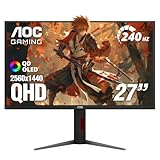
AOC 27" Gaming Monitor QHD 240Hz QD OLED NVIDIA G-SYNC Compatible Q27GAZDV

AOC 27" Gaming Monitor QHD 240Hz QD OLED NVIDIA G-SYNC Compatible Q27GAZD

AOC Agon Pro 27 Inch Gaming Monitor QD OLED 240Hz 0.03ms, AG276QZD2
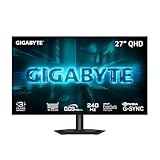
GIGABYTE GO27Q24G 27" W-OLED 240Hz QHD Gaming Monitor

msi MAG 274QP QD-OLED X24 27-Inch WQHD Gaming Monitor, 2560 x 1440 Quantum Dot OLED Panel, 240Hz, 0.03ms, Adaptive-Sync, HDMI2.1, DP 1.4a, Tilt/Height Adjustable, Black

BenQ MOBIUZ EX271U 27” 4K eARC 165Hz 1ms DP 1.4 HDMI 2.1 65W USB-C Gaming Monitor, 95% P3, DisplayHDR 400, Freesync Premium, KVM, Pixsoul Engine, Remote Controller
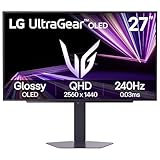
LG 27GX704A-B 27-inch Ultragear QHD (2650x1440) OLED Gaming Monitor 240Hz, 0.03ms, NVIDIA G-Sync Compatible, AMD FreeSync Premium Pro, VESA Display HDR TrueBlack400, HDMI 2.1, DisplayPort, Black

Philips Evnia 27" Gaming Monitor QHD 360Hz QD OLED True Black 400 27M2N8500

Samsung 27" Odyssey OLED G6 (G61SH) QD-OLED, QHD (1440P) Gaming Monitor
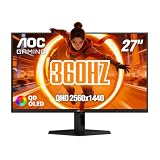
AOC 27" Gaming Monitor QHD 360Hz QD OLED NVIDIA G-SYNC Compatible Q27G40SDE

Deco Gear 49" Super Ultrawide Curved Monitor, 5120x1440, 5K2K, 120Hz, 32:9
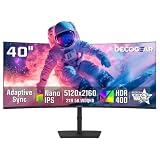
Deco Gear 40" Ultrawide Curved Monitor, 5120x2160, 5K2K, 21:9 75Hz 1ms MPRT
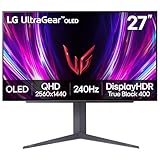
LG 27GS93QE 27-inch Ultragear OLED Gaming Monitor QHD 1440p 240Hz 0.03ms DisplayHDR True Black 400 AMD FreeSync Premium Pro NVIDIA G-Sync HDMI 2.1 DisplayPort Tilt/Height/Pivot Stand Black

ASUS ROG XG27AQDMG 27 Inch 1440p 240Hz Glossy OLED Gaming Monitor

ASUS ROG XG27AQDMGR 27 Inch 1440p 240Hz Glossy OLED HDR Gaming Monitor

Deco Gear 49 Inch Curved Monitor, 5K2K Ultrawide WDQHD Screen 5120×1440, R1500, HDR400, 120Hz, 32:9 VA Panel, USB-C 65W PD, Adaptive Sync, PBP/PIP, KVM Switch, Built-in Speakers & Ergonomic Stand

msi MPG 271QRX QD-OLED, 27 OLED Gaming Monitor, 2560 x 1440 (QHD), 0.03ms Response time, 360Hz, True Black HDR 400, HDMI, DP Port, USB Type C, Tilt, Height, Black

Alienware AW2725DF OLED Gaming Monitor - 26.7-inch Quantom-Dot WQHD (2560x1440) 360Hz 0.03Ms Display, AMD FreeSync Premium Pro, HDMI/DP/USB 3.2 Gen1, Height/Tilt/Swivel/Pivot Adjustability - Black

Samsung 27” Odyssey OLED G6 (G60SD) Series Gaming Monitor with QHD & QD-OLED, 360Hz 0.03ms, AMD FreeSync Premium Pro, Anti-Glare, Sleek Design, Cooling System, 3 Year Warranty, LS27DG602SNXZA
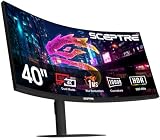
New! Sceptre Curved 39.7-inch 5K2K 5120 x 2160 UHD+ Prime Gaming Monitor up to 180Hz 1000R 1ms DisplayPort X2 HDMI X2 Build-in Speakers, Height Adjustable Machine Black 2027 (C415B-UUS360 Series)

LG 27G850A-B 27-inch Ultragear 4K UHD (3840 x 2160) IPS Gaming Monitor, Dual-Mode 240Hz, 1ms, NVIDIA G-Sync Compatible, AMD FreeSync Premium Pro, VESA DisplayHDR 600, HDMI, DisplayPort 2.1, Black

KTC 5K Monitor 27 Inch, 5K2K Dual Mode with 65W Type-C Port
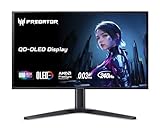
Acer Predator 26.5in 4K 3840x2160 QD-OLED 240Hz Gaming Monitor X27 X1

msi MAG 272UP QD-OLED X24 27-Inch 4K UHD Gaming Monitor, 3840 x 2160, Quantum Dot OLED Panel, 240Hz, 0.03ms, DisplayHDR True Black 400, AMD FreeSync™ Premium Pro, USB C (15W PD), Frame-Less, Black

INNOCN 49" Curved Monitor Ultrawide Gaming 5K2K 120Hz 32:9 QHD 5120 x 1440P Computer Monitor, R1800, 99% sRGB, HDR400, USB Type C, DisplayPort, HDMI, Built-in Speakers, Height/Tilt Adjustable - 49C1R

msi MAG 321UP QD-OLED 32-inch QD-OLED 3840 x 2160 (UHD) Computer Monitor, 165Hz, AMD FreeSync Premium Pro, HDMI 2.1, Display Port 1.4a, VESA Mountable, Tilt, Height Adjustable,0.03ms, Black

M² Vision 40" 5K2K Ultrawide Monitor, 5120x2160, 120Hz, USB-C 65W, IPS Black, MacBook Compatible, HDR600, Height Adjustable Stand

msi MAG 321CUP QD-OLED, 32-Inch, 4K UHD, 3840x2160, OLED Monitor, 165Hz, 0.03ms, DisplayHDR True Black 400, G-SYNC Compatible, HDMI 2.1, DP 1.4a, USB C (15W PD), Tilt/Height Adjustable, Black

ASUS ROG Strix 26.5” 1440P QD-OLED Gaming Monitor (XG27ACDNG) -QHD (2560x1440), 360Hz, 0.03ms, Custom Heatsink, OLED Care+, G-SYNC Compatible, 99% DCI-P3, DisplayWidget, AI Gaming, 3yr Warranty

Acer Predator 34in WQHD 3440x1440 OLED 240Hz Gaming Monitor X34 Xbmiiphuzx

Acer Predator 31.5in Curved 4K 3840x2160 QD-OLED 240Hz Gaming Monitor X32 X

Alienware 34 240Hz QD-OLED Curved Gaming Monitor - AW3425DW - 34.2-inch WQHD (3440 x 1440) 0.03ms Display, 1800R Curve, AMD FreeSync Premium Pro, VESA AdaptiveSync, DisplayHDR TrueBlack 400

LG 37G800A-B 37-Inch Ultragear 4K UHD (3840 x 2160) Curved Gaming Monitor, 165Hz, 1ms, FreeSync Premium Pro, DisplayHDR 600, HDMI 2.1, DisplayPort, USB Type-C, Tilt/Height/Swivel Stand, Black

LG 34GX900A-B 34-Inch Ultragear WQHD (3440 x 1440) OLED Curved Gaming Monitor, 240Hz, 0.03ms, NVIDIA G-Sync, VESA DisplayHDR True Black 400, HDMI 2.1, DisplayPort, USB Type-C PD 65W, Black

LG 32GX850A-B 32" UltraGear 4K UHD (3840 x 2160) Glossy OLED Gaming Monitor, Dual-Mode 165Hz/330Hz, 0.03ms, G-SYNC, FreeSync Premium Pro, TrueBlack 400, HDMI, DP, Tilt/Height/Swivel/Pivot Stand, Black

ASUS ROG PG27AQDP 27 Inch 1440p 480Hz OLED Gaming Monitor

Samsung 32" Odyssey OLED G7 (G73SH) Series Gaming Monitor, 4K Resolution

msi MPG 321URXW QD-OLED 31.5 Inch 4K UHD Gaming Monitor - 3840 x 2160 Quantum Dot OLED Panel, 240Hz / 0.03ms, 99% DCI-P3, ΔE≤2, DisplayHDR True Black 400, KVM, RGB - DP 1.4a, HDMI 2.1, USB Type-C 98W
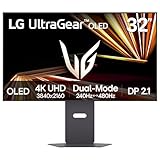
LG 32GX870A-B 32-inch Ultragear 4K UHD (3840 x 2160) OLED Gaming Monitor, Dual-Mode, 240Hz, 0.03ms, NVIDIA, AMD FreeSync Premium Pro, VESA DisplayHDR True Black 400, USB Type-C, DP2.1

msi MPG 321CURX QD-OLED, 32-Inch, 4K UHD, 3840x2160,1700R,OLED Monitor, 240Hz, 0.03ms, DisplayHDR True Black 400, G-SYNC Compatible, HDMI 2.1, DP 1.4a, USB C (98W PD),Height Adjustable, Black

msi MPG 321URX QD-OLED, 32" 4K UHD Quantum Dot OLED Gaming Monitor, 3840 x 2160, 0.03ms, 240Hz, True Black HDR 400, 90W USB Type C, HDMI, DP Port

ASUS ROG XG27UCDMG 27 Inch 4K 240Hz Tandem QD-OLED G-SYNC Gaming Monitor

ASUS ROG XG32UCWMG 32 Inch 4K 240Hz Glossy OLED G-SYNC Gaming Monitor

INNOCN 49" QD-OLED 5K2K 5120 x 1440P 144Hz Ultrawide Curved Monitor - 49Q1R

ASUS ROG PG32UCDMR 32 Inch 4K 240Hz OLED Gaming Monitor QD-OLED

ASUS ROG PG32UCDP 32 Inch 4K 240Hz OLED Gaming Monitor

Samsung 32" Odyssey OLED G8 (G80SH) Gaming Monitor, QD-OLED, 4K Resolution
Choose the technically valid shortlist first
Use the filters to remove products that fail a hard requirement. Then compare the remaining models on current price, quality, upgrade headroom and the features that matter to your workload.
Verify these before checkout
Use these final checks on the exact retail model before you place the order.
Confirm the exact HDMI and DisplayPort versions.
Check the adaptive-sync modes you plan to use.
Verify desk footprint and mount pattern.
Include KVMs, docks and cables in the bandwidth check.
How to choose the right gaming monitor
Match resolution and refresh to the GPU
Buying far beyond the GPU can leave expensive display capability unused.
Estimate frame rates in the games you actually play at the chosen resolution.
OLED is excellent but not universal
OLED offers fast response and deep blacks that suit gaming and HDR.
Static desktop use and brightness behavior still matter for mixed productivity setups.
Mini-LED and LCD still have strengths
Mini-LED can deliver high brightness without OLED pixel-aging concerns.
Fast IPS remains practical when text clarity, price and high refresh matter.
4K 240Hz is a signal-chain problem
The GPU, cable and every intermediate device must carry the required mode.
Display Stream Compression can make some high-bandwidth modes practical when uncompressed bandwidth is insufficient.
Screen size changes perceived resolution
A 32-inch 4K monitor feels different from a 42-inch or 27-inch display.
Desk depth and viewing distance should influence the size choice.
HDR badges need context
Peak brightness alone does not describe HDR quality.
Black level, sustained brightness, dimming and tone mapping all affect the result.
Connectivity matters on multi-device desks
HDMI 2.1 helps with modern consoles while DisplayPort 2.1 can matter for new high-bandwidth PC setups.
If a KVM is involved, verify VRR, HDR and EDID behavior across the switch.
Use price after the target is fixed
The cheapest 4K monitor may not deliver the refresh or connectivity that motivated the purchase.
Compare like-for-like capability before sorting by price.
Resolution and refresh rate set the GPU target
For a gaming-monitor purchase, pixel count, refresh ceiling and the frame rate you expect to sustain should be treated as an early gate rather than a detail to check after checkout. The common failure is buying a premium display mode that the graphics card rarely approaches in the games you play. Use the performance range of the whole GPU-and-monitor pair to eliminate unsuitable options before price sorting. This keeps the shortlist focused on hardware that can actually work in the intended system.
Once that gate is satisfied, verify game type, target settings, upscaling strategy and whether lower-resolution competitive modes are also important to you. Product families often contain several revisions or partner designs, so a family name alone may not prove the required feature. When the exact specification is unclear, compare another documented model instead of assuming that nearby products share the same behavior.
Panel technology changes the experience
A reliable gaming-monitor shortlist starts by examining OLED behavior, Mini-LED backlighting, IPS motion and contrast characteristics. Buyers often run into trouble by choosing on refresh rate alone while ignoring black level, text use, room brightness or burn-in considerations. Make the strengths and tradeoffs that match your daily mix of gaming and desktop work part of the first filter pass, especially when the build already contains expensive parts that would be difficult to replace or rearrange later.
The final check should cover subpixel layout, brightness behavior, local dimming or OLED protection features, coating and the warranty terms relevant to your usage pattern. Read the exact model information rather than relying on a broad category label. That approach reduces returns, avoids paying for features the rest of the system cannot use, and makes later comparison on price or secondary features much more meaningful.
Port bandwidth must carry the selected mode
Do not treat HDMI 2.1, DisplayPort 2.1, DSC and chroma requirements as a marketing footnote when choosing gaming-monitor hardware. A frequent mismatch comes from assuming a connector name guarantees the maximum advertised resolution and refresh combination. Instead, define the exact input specification and compression path used by the monitor before comparing brands. Hard requirements are most useful when they remove impossible candidates immediately rather than becoming a warning after the purchase.
For the remaining products, confirm GPU output version, monitor input bandwidth, DSC support, cable certification and any KVM or dock inserted between the computer and display. Similar names can hide different ports, dimensions, firmware requirements or included accessories. The exact retail model is therefore the right level for the last compatibility check, while price should rank only the choices that have already passed those technical checks.
VRR and HDR need end-to-end support
With gaming-monitor products, adaptive-sync range, HDR capability and operating-system settings can change the value of two otherwise similar choices. The expensive mistake is paying for features that remain disabled or work only in a limited refresh window. Base the first decision on the actual modes supported by both the GPU and display together, then look at brand, appearance or small feature differences only after the essential requirement is satisfied.
Before ordering, check FreeSync or G-SYNC compatibility, HDR format, local dimming behavior, firmware options and the refresh range available at the target resolution. This is particularly important when a manufacturer sells several revisions under one family name. A clear specification on the exact model is stronger evidence than an assumption based on another variant, and it gives the comparison tool a cleaner set of candidates.
Size changes pixel density and desk geometry
The practical way to compare gaming-monitor options is to make screen diagonal, aspect ratio, viewing distance and stand depth measurable. Problems usually appear when someone is selecting the largest panel without considering text density, peripheral vision or available desk space. Define comfortable viewing distance and usable pixels per inch for your workload as the boundary for the build, and discard results that cannot demonstrate the needed capability instead of trying to compensate elsewhere in the system.
After that, validate monitor dimensions, stand footprint, VESA options, desk depth and whether a 32-inch 4K, ultrawide or larger format best fits the way you sit and work. The goal is not to maximize every specification at once; it is to avoid a hidden bottleneck or fit problem while keeping the budget concentrated on features that improve the actual workload. Exact-model verification is the last step before checkout.
Evaluate the monitor as the end of a complete signal chain
A gaming monitor can advertise an impressive resolution and refresh rate while the real setup never reaches that combination. Start at the graphics card output and follow the path through every cable, KVM, dock or receiver until the monitor input. Record the supported HDMI or DisplayPort version at each step and whether DSC is required for the target mode. If one device in the middle has a lower bandwidth ceiling, the display may fall back to a lower refresh rate, color format or resolution even though the GPU and panel are individually capable of more.
Once the signal path is valid, judge the screen itself for the environment in which it will be used. Consider desk depth, pixel density, text work, room brightness, HDR expectations, variable-refresh behavior and the tradeoffs of OLED, Mini-LED, IPS or other panel types. A 4K 240Hz OLED can be exceptional for one buyer and unnecessarily expensive for another whose GPU, games or work habits rarely use those strengths. The best monitor is the one whose panel behavior, inputs and physical size all fit the actual computer and desk.
Related Cloudzat tools
Frequently asked questions
What should I filter first when choosing gaming monitor finder?
Start with the specifications that can make the product unusable, then use price and secondary features to rank the technically valid shortlist.
Why do some products have blank specifications?
Cloudzat leaves a field blank when saved product evidence does not support a reliable value instead of inventing one.
Does a finder result guarantee compatibility?
No. The finder narrows the product set. Use the linked compatibility or build tools to validate the full system.
Are Amazon prices guaranteed?
No. The page shows the latest verified marketplace observation available to Cloudzat and links to Amazon for the current checkout price and availability.
Can I compare results?
Yes. The Compare action uses Cloudzat comparison destinations and is ready for the universal comparison engine when it is installed.
Can I add a result to a build?
Yes. Add to Build opens the High-End PC Builder with the product identity attached.
Are accessories mixed into the results?
Product checks reject obvious accessories, complete systems and wrong-category listings before they can appear in a finder.
Do filters create indexable parameter pages?
No. Filtering happens inside the tool, so temporary combinations do not create a large faceted index.
How this finder works
The finder uses Cloudzat's verified component data, shows only specifications supported by available product information, and keeps filtering inside the page rather than creating crawlable filter combinations. Marketplace availability can change independently of the buying guidance. Unknown specifications remain blank rather than being guessed.
Marketplace availability can change. Confirm the exact model, specifications, seller, condition and final checkout price on Amazon before ordering.