


CYBER MONDAY 2026
Current Amazon offers for Cyber Monday shoppers

Black Friday Deal
TP-Link Deco XE75 AXE5400 Tri-Band WiFi 6E Mesh System, 1-Pack | Whole Home WiFi Router Replacement, Covers up to 2900 Sq.Ft, Gaming & Streaming WiFi, 6GHz Band, WPA3, AI-Driven
−40% · Amazon reference price: $149.99
Verified 2026-11-27 10:05:53 UTC

Black Friday Deal
TP-Link Deco X50-Outdoor AX3000 Dual Band WiFi 6 Mesh Add-On Extender | Dual Gigabit Ports, Weatherproof, Works with Deco Mesh, Pole/Wall/Table Mountable, (Deco X50-Outdoor 1-Pack)
−33% · Amazon reference price: $149.99
Verified 2026-11-27 09:29:17 UTC

Black Friday Deal
TP-Link Deco 7 Pro BE63 Tri-Band WiFi 7 BE10000 Whole Home Mesh, 1-Pack | 6-Stream 10 Gbps, 4x 2.5G Ports Wired Backhaul, 4x Smart Internal Antennas, VPN, HomeShield (1-Pack)
−32% · Amazon reference price: $249.99
Verified 2026-11-27 09:29:14 UTC
Black Friday Deal
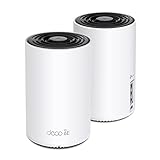
TP-Link Deco XE75 AXE5400 Tri-Band WiFi 6E Mesh System, 2-Pack | Whole Home WiFi Router Replacement, Covers up to 5500 Sq.Ft, Gaming & Streaming WiFi, 6GHz Band, WPA3, AI-Driven
−30% · Amazon reference price: $199.99
Verified 2026-11-27 10:05:55 UTC

Black Friday Deal
TP-Link Deco S4 Mesh AC1900 WiFi System, Deco S4(3-Pack) | Up to 5,500 Sq.ft. Coverage, Replaces WiFi Router and Extender, Gigabit Ports, Works with Alexa
−30% · Amazon reference price: $129.99
Verified 2026-11-27 07:52:41 UTC

Black Friday Deal
TP-Link Deco XE75 AXE5400 Tri-Band WiFi 6E System, 3-Pack | Wi-Fi up to 7200 Sq.Ft, Engadget Rated Best for Most People, Replaces WiFi Router & Extender, AI-Driven, 6GHz Band, WPA3
−28% · Amazon reference price: $249.99
Verified 2026-11-27 08:39:19 UTC
Each card shows its last successful local Amazon check. Black Friday badges remain Black Friday badges until Amazon reports a different promotion. Reference prices and savings appear only when supplied by Amazon; the checkout price applies. As an Amazon Associate, Cloudzat earns from qualifying purchases.
Our recommendation
Choose Deco X55 for a straightforward Wi-Fi 6 mesh, XE75 Pro for a tri-band 6E upgrade with a useful 2.5GbE port, or BE63/BE65 for an appropriate regional Wi-Fi 7 system. Prefer two well-placed nodes to an unnecessary three-pack, and use wired backhaul where the home permits it. Buy outdoor models only for an actual outdoor coverage requirement.
For Cyber Monday 2026, the best TP-Link Deco purchase for many homes is a sensible two-node Wi-Fi 6 kit with good placement, not the largest box of the fastest advertised model. Start with Deco X55 for ordinary Gigabit-class broadband and existing Wi-Fi 6 devices. Choose XE75 Pro when tri-band Wi-Fi 6E and its 2.5GbE connection fit the network. Move to a regional Wi-Fi 7 model such as BE63 or BE65 when compatible clients and a faster wired path give those features a real job.
Pack size is part of the model decision. A single Deco is one wireless unit, even when its product title describes a whole-home system. Two nodes suit a main area and a second floor or distant section; a third belongs in a separate area that genuinely needs it. Ethernet between the nodes is especially valuable in homes with dense walls. An outdoor Deco is a separate installation choice for a garden or detached area, not automatically the best main indoor router.
For a US home, Deco X55 is the straightforward Wi-Fi 6 starting point, with XE75 Pro the useful tri-band comparison and BE63 the Wi-Fi 7 step up. A one-pack XE75 is one node, while X50-Outdoor is a specialist outdoor extension. Choose the pack that serves the actual rooms rather than comparing those different products as equivalent whole-home kits.
Which option should you buy?
| Choose | Best use | Reason to pass |
|---|---|---|
| Deco X55 | Mainstream Wi-Fi 6 mesh | Gigabit ports limit faster wired paths |
| Deco XE75 Pro | Tri-band Wi-Fi 6E and 2.5GbE connection | Older clients cannot use 6GHz directly |
| Deco BE63 | US Wi-Fi 7 home upgrade | Needs capable clients to exploit the extra features |
| Deco BE65 | Regional Wi-Fi 7 comparison | Exact regional version matters |
| Deco X50-Outdoor | Garden or outdoor coverage extension | Not a substitute for a correctly sized indoor kit |
Choose the radio generation for your clients
Deco X55 is the starting point for a home whose laptops, phones and televisions mainly use Wi-Fi 5 or Wi-Fi 6. It provides a modern mesh without making a 6GHz client a prerequisite. XE75 Pro adds a third band and is the more interesting comparison when interference on the older bands or a compatible 6GHz device creates a reason to upgrade. The ordinary XE75 and XE75 Pro should be compared separately: the Pro model’s 2.5GbE port is a meaningful wired difference, not just an extra word in the name.
BE63 and BE65 sit in the Wi-Fi 7 comparison, with regional model names and versions that should not be treated as identical specifications. The useful features depend on the client as well as the mesh. An older phone continues to use its supported connection rather than gaining every newer capability through association with a Wi-Fi 7 router. We would keep a working X55-class system when coverage is sound and clients are modest, and spend on the newer system when there is a clear combination of compatible clients, local transfers or faster broadband to exploit.
Buy the right number of nodes
For a two-floor home, one unit on each floor connected by Ethernet is a strong starting layout. For a single-floor flat, one well-positioned unit may be enough; a second becomes useful for an awkward far end rather than for its own sake. A three-pack can make sense for a long house with an extension, but the third unit needs a useful position and a dependable path back to the network. The advertised area assumes conditions that do not represent every building, so it should not override the layout of the rooms.
A wireless-only mesh needs overlap between units. Put the satellite where it can still receive a good signal, not inside the room where the original signal has already disappeared. A staircase landing or an intermediate room can be more effective than placing the unit beside the struggling device. If every room is separated by dense masonry, Ethernet backhaul changes the problem more fundamentally than a larger aggregate wireless speed. Extra nodes are helpful when they create another well-connected coverage area, not when they compete closely with an existing unit.
Keep the modem or ONT in the right role
A router with an Ethernet WAN socket connects to an Ethernet hand-off from a modem or optical network terminal. That socket is not a cable modem, a DSL modem or an optical transceiver. With cable broadband, the cable modem remains upstream. With an installed fibre ONT, the ONT normally remains in place. Replacing the routing and Wi-Fi functions can therefore be straightforward without replacing the provider’s line equipment. Integrated telephone services, television boxes and provider authentication can still depend on the original gateway, so retaining it may be the practical arrangement.
Use access-point mode when the provider gateway must remain the main router and the new purchase is mainly for wireless coverage. Where the provider supports bridge or modem mode, a replacement router can instead become the main routing device. Two routers left in their ordinary routing modes create two private network boundaries, which can complicate inbound services and some games. For a household that only needs stronger Wi-Fi, access-point mode is usually the more useful purchase decision than buying an elaborate firewall and then leaving its routing features unused.
Spend on the slowest useful link
A 2.5GbE router port is useful when another part of the connection can exceed Gigabit. A 2.5GbE NAS and a 2.5GbE desktop connected through suitable ports can exchange files locally without needing a faster internet subscription. Conversely, a Gigabit switch between those devices caps that path even if the router has a much larger wireless speed number. A 2.5Gb/s link corresponds to 312.5MB/s before protocol overhead; a 1Gb/s link corresponds to 125MB/s. Real file copies are slower and also depend on the drives and file sizes.
Wireless speed labels add theoretical radio rates and do not describe the speed of one ordinary laptop. A two-stream client, a crowded channel, a distant room or a slow upstream link changes the result. For a desktop beside the router, Ethernet is the dependable first choice. For a desk upstairs, a cable to a nearby access point can deliver more useful improvement than replacing a good router with a more expensive one in the same downstairs cupboard. Buy multi-gig ports for a real wired path, and buy extra radios for clients that can use their bands.
Place the radio where the work happens
Put the primary wireless unit in an open position near the area it serves, rather than behind a television, inside a metal cabinet or on the floor beside the incoming line. A router installed at one end of a long home cannot make every wall disappear through a higher specification. When the line terminates in a poor location, an Ethernet run to a better-positioned radio is often the useful upgrade. This also lets the modem and power equipment stay together while the Wi-Fi source moves closer to the rooms that need it.
For several floors, wired backhaul gives each wireless unit a dependable connection to the main network. A wireless satellite needs a strong connection to its parent; putting it in the dead spot merely gives it the same poor signal as the laptop. Position it between the router and the difficult room. Add a third node for another genuinely separate area, rather than treating more nodes as automatically faster. Nearby radios using the same channels share airtime, so an oversized mesh can create contention without fixing the original placement problem.
Keep the wired topology simple
In router mode, the main Deco sits between the upstream modem or ONT and the household LAN. Wired satellites and switches belong on the LAN side of that main unit. This keeps clients behind the same router instead of placing some equipment directly on the provider-facing side. In access-point mode, the existing provider router remains responsible for routing and addresses. That arrangement is useful when telephone or television services depend on the provider box, or when the household only wants the Deco system to improve wireless coverage.
The number and rate of Ethernet ports matter at every node. A fast WAN socket does not make every remaining LAN socket equally fast, and the connection used for backhaul consumes a port. A desktop, television and games console beside a satellite may need a small additional switch. Buying that simple wired expansion can be more useful than stepping up the entire mesh solely for extra sockets. For a NAS used across rooms, favour an uninterrupted fast wired path wherever large file transfers are important.
Outdoor coverage and optional services
Deco X50-Outdoor is the type of model to consider for an exposed garden installation rather than placing an indoor Deco under a makeshift cover. Weather-rated equipment still needs a suitable mounting position, correct power arrangement and a safe cable route. A detached garden office with a cable connection is a stronger situation than a distant node trying to repeat a weak signal through exterior walls. Outdoor coverage is a separate requirement from the main indoor kit, and an outdoor model’s cost should earn its place through that specific use.
HomeShield features and other optional services should be considered separately from the basic networking hardware. The functions included with a particular model and software package can differ from paid service tiers. A household buying a mesh for coverage does not need to assume every extra service is necessary. Equally, a buyer relying on a particular parental-control or security feature should compare the tier that actually provides it, including its ongoing arrangement. A trial period is a temporary inclusion, not a permanent feature of the router purchase.
Buy a network you can maintain
Keep automatic or routine security updates enabled through the supported firmware route, and retain an offline copy of a working configuration after the network is settled. A replacement router can change the local address range, which matters to printers, NAS shares and home-automation equipment using fixed addresses. Keeping the same deliberate address plan makes replacement simpler. A separate guest network is useful for visitors; a more elaborate VLAN design is worthwhile only when the router, switches and access points can carry and enforce the separation consistently.
For an office or home server, a small UPS supporting the modem or ONT and router can prevent a brief mains interruption from cutting off the local network. It cannot keep the wider provider network running if that also loses service. A second internet connection offers a different kind of resilience and carries its own ongoing cost. Prioritise the failure that matters: wireless coverage needs better radio placement, electrical interruptions need power support, and provider outages need a second working route. Buying one expensive router does not automatically solve all three.
Questions answered
Is a three-pack always better than a two-pack?
No. Two units with good placement and a dependable backhaul can serve a home better than three crowded or poorly connected units. A third node is useful when another distinct area needs coverage. The room layout, wall construction and available Ethernet matter more than the pack size alone.
What is the difference between XE75 and XE75 Pro?
The Pro model adds a 2.5GbE port to the comparison. That matters for a compatible faster wired connection; it does not guarantee that every client will transfer at that rate. Match the full model name, port arrangement and pack count when comparing the two.
Can I mix different Deco models?
TP-Link supports mixing Deco models within a mesh, but a slower node retains its own radio and port limits. A mixed system can be a sensible way to extend coverage. It does not turn an older node into a Wi-Fi 7 or multi-gig device through association with a newer main unit.
Does Deco replace the broadband modem?
Ordinary Ethernet-WAN Deco models need the appropriate upstream modem or ONT. They replace routing and wireless functions rather than every type of line termination. Access-point mode is useful when the provider’s router must remain in control of the internet connection or associated services.
Do I need Wi-Fi 7 for video calls and streaming?
Not usually. Reliable coverage, sufficient internet capacity and a stable backhaul are the priorities for those tasks. Wi-Fi 7 becomes more interesting with compatible devices and demanding local networking. A well-positioned Wi-Fi 6 system can remain a sound choice for an ordinary household.
Should I use an indoor node outside?
Choose a purpose-built outdoor model for an exposed location. An indoor unit’s shape and power adapter do not establish weather protection. A garden office also benefits from a reliable backhaul connection, so buying outdoor hardware alone may not solve a weak link across the garden.
Sources and specifications
- Deco BE63 | Deco 7 Pro BE10000 Whole Home Mesh WiFi 7 System | TP-Link
- Deco X55 | AX3000 Whole Home Mesh WiFi 6 System | TP-Link Canada
- Deco BE65 | BE9300 Whole Home Mesh WiFi 7 System | TP-Link United Kingdom
- Garantie- und Austauschbedingungen | TP-Link Deutschland
- How to set up Deco/Router with BT (UK) | TP-Link United Kingdom