


CYBER MONDAY 2026
Current Amazon offers for Cyber Monday shoppers
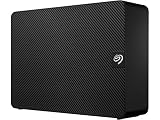
Seagate 8TB 3.5" Expansion Desktop USB 3.0 External Hard Drive
−8% · Amazon reference price: $325.00
Verified 2026-11-28 06:23:42 UTC
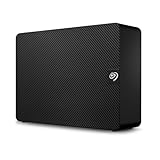
Seagate 8TB Expansion Desktop Hard Drive | USB 3.0 (STKP8000400) | Desktop HDD for easy backup, plug-and-play, drag-and-drop, auto detects Windows & Mac. 1-Year Warranty + 1-Year Rescue
−7% · Amazon reference price: $279.99
Verified 2026-11-28 06:23:42 UTC

Seagate Expansion Desktop, 4TB, External Hard Drive, USB 3.0 (STKP4000400)
Verified 2026-11-28 06:23:42 UTC
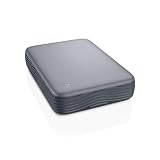
Seagate 8TB Expansion Desktop Hard Drive | MicroB to USB-C (STNP8000400) | New Generation of High-capacity HDD storage for backup & archive, Windows & macOS compatible. 1-Year Warranty + 1-Year Rescue
Verified 2026-11-28 06:23:42 UTC
Each card shows its last successful local Amazon check. Black Friday badges remain Black Friday badges until Amazon reports a different promotion. Reference prices and savings appear only when supplied by Amazon; the checkout price applies. As an Amazon Associate, Cloudzat earns from qualifying purchases.
Our recommendation
Choose Expansion Desktop at your required capacity as a powered USB backup drive. WD Elements Desktop at the same size is a direct alternative to price with equivalent delivery and support. Expansion Portable is a different product, while an internal bare drive needs an enclosure and power equipment before it becomes a comparable external setup.
For Cyber Monday 2026, choose Seagate Expansion Desktop for large stationary backups and WD Elements Desktop as the direct alternative at the same capacity. Expansion Portable is a different product for transport. A fixed desktop drive is especially useful when a laptop or small computer has limited internal storage, but the external unit holding the only copy of a file is storage, not a backup.
Expansion Desktop belongs at a fixed backup station with its power adapter and USB connection. Expansion Portable is the smaller transport-oriented family, while WD Elements Desktop is the direct powered-USB alternative. Choose a capacity that accommodates both the current files and the retained versions you intend to keep. A large external unit holding the only copy of an archive is primary storage, so that archive still needs another recoverable copy.
For US buyers, choose Seagate Expansion Desktop for a fixed USB backup station. Choose a US-supported drive of the stated type and condition. A new retail disk and a recertified enterprise unit are different ownership propositions. For a powered external drive, use the supplied appropriate power package; for an internal NAS disk, budget the complete number of drives needed for the protected volume.
Which option should you buy?
| Buying need | Recommended direction | Why it fits |
|---|---|---|
| Main use | Seagate Expansion Desktop | Powered desktop HDD; verify capacity, regional power and host cable |
| Alternative use | WD Elements Desktop | a named alternative for the different requirements explained below |
| Complete installation | The selected model with necessary supporting parts | The required drives, a compatible enclosure where needed, and an independent backup destination. |
| Different storage role | WD My Passport | Portable USB HDD for transport |
| Different storage role | WD Red Plus | A smaller supported NAS array |
The configuration we would buy
For backup sizing, a destination that barely holds the current files leaves little room for retained versions or growth. A 2TB working data set therefore deserves more planning than simply buying another 2TB disk. For an internal mirror, the second drive provides redundancy rather than double the usable capacity. For an external backup, capacity should cover the retained copies you intend to keep, independently of the primary storage layout.
The decision starts with Seagate Expansion Desktop and a complete installation that suits the required role. WD Elements Desktop is the named comparison, with its own capacity, configuration and support requirements. Keep the differences explicit: an alternative should earn its place through a useful feature or a better complete fit, rather than simply appearing beside the main product. The practical Cyber Monday purchase is a complete configuration that meets the actual workload, without paying for capacity or features that will sit unused.
Model details that change this purchase
Seagate documents different Expansion Desktop generations with different host-cable packages. Some use a USB-A host cable and newer packages can provide USB-C, so inspect the exact box contents instead of assuming one cable across the family.
Both remain desktop storage with a mains power arrangement. Confirm computer compatibility and format requirements, then test a representative restore. The USB interface rate is not the same as sustained mechanical-disk speed, and a large capacity does not establish the identity of the bare drive inside.
Compare useful capacity, not just the number on the box
Write down the current data size, expected growth and any space reserved for versions or snapshots. The manufacturer’s decimal terabyte figure and the operating system’s displayed units may differ without indicating missing hardware.
Formatting and filesystem overhead also reduce the available space. A capacity target should leave working room rather than filling the new drive immediately.
Compare useful capacity, not just the number on the box
For a single drive, divide the complete purchase price by its labelled terabytes to compare similar products. For an array, calculate the usable result after the chosen redundancy first. Two equal drives in a mirror provide approximately one drive’s capacity before overhead. A simple equal-size single-parity plan reserves one member’s capacity; double parity reserves two. Mixed sizes and other layouts need the NAS vendor’s own calculator. Keep these estimates separate from a claim about a live discount.
A larger drive or a redundant NAS pool can improve capacity and availability, but it does not create an independent backup by itself. Accidental deletion, a compromised account or damage to the whole enclosure can affect multiple members together. Decide what must be recoverable and where another copy will live before spending the entire budget on the primary system.
Keep the backup separate from the storage upgrade
Use a second device or a suitable off-site service for important data, then test restoration of a small representative selection. Check that the restored files open and that the recovery process is understandable to whoever will need it. Snapshots can be useful for version recovery, but their location and retention still matter. A Cyber Monday saving is more useful when it leaves enough budget for this recovery plan. Hardware recommendations here are comparison guidance, not a promise that a particular setup cannot lose data.
After connecting the hardware, confirm that the operating system or NAS identifies the expected model and capacity. Run the manufacturer-supported health checks and an appropriate extended test when available. Monitor temperature during sustained activity and inspect any errors before migrating the only copy of important files. A successful quick format is not a complete storage validation.
Test the storage before trusting it with the only copy
For a NAS, test access from the actual computers that will use it. Copy representative large files and a folder of smaller files, then verify that permissions and backup jobs behave as intended. Check alerts and make sure you know how a failed drive or interrupted transfer would be reported. Keep a record of the completed checks and the installed firmware. These steps do not guarantee future reliability, but they can reveal an unsuitable setup while there is still time to address it.
A bare internal HDD needs a compatible bay, controller and power connection. A desktop external HDD supplies an enclosure and ordinarily needs its own power adapter, while a portable HDD is designed around a different size and power arrangement. None of those purchases is a complete NAS with network applications. Choose the physical product that solves the intended job. Comparing a bare drive with a powered USB unit by capacity alone obscures the extra parts required to use the cheaper-looking option.
Usable space depends on the storage arrangement
The sum of the capacity labels is not necessarily the space available for files. A mirrored pair stores two copies and offers roughly one drive’s capacity before formatting; parity arrangements reserve capacity differently. Operating systems may also display binary units while product labels use decimal terabytes. Leave room for growth, snapshots where supported and maintenance. Buying the largest supported capacity makes sense when it postpones a disruptive array expansion, but extra unused space is not a substitute for an independent recoverable copy.
For a NAS or another system performing sustained array writes, the exact model’s recording technology matters. CMR and SMR are different recording approaches, and a family name without the precise model does not settle the question. The drive’s supported workload and enclosure bay count also matter in a busy multi-user server. An enterprise disk can be appropriate for a supported server without being the nicest device beside a quiet desk. Noise, power and the complete installation can outweigh an attractive cost per terabyte.
A replacement drive must fit the recovery plan
A disk replacement should preserve the storage system’s supported capacity and interface requirements. SATA and SAS are different connections; a SAS bargain does not become compatible with a SATA-only consumer NAS because the form factor looks familiar. In an existing array, capacity expansion depends on the filesystem and redundancy layout as well as the new disk. Keep the separate backup current before a rebuild or migration, because recovery operations are a poor time to discover that the only other copy is missing.
A new retail drive, an OEM component and a recertified disk are different purchasing propositions. A lower price can be reasonable when the condition and support arrangement suit the job, but the comparison should not quietly treat them as identical new products. For an archive or a small business server, replacement handling and the inconvenience of downtime can matter as much as the initial capacity total. Data-recovery services, where included, do not guarantee successful recovery and do not remove the need for another copy.
Questions answered
Which Seagate Expansion Desktop should I buy?
Start with Seagate Expansion Desktop when it fits the connection and workload described in this guide. The named alternative is WD Elements Desktop. Keep the exact capacity, condition and included components equal where they serve the same role; choose a different product type only when the installation itself calls for it.
Is an external hard drive the same as a NAS drive?
No. An external drive is a storage device connected to a host, usually by USB. An internal NAS-oriented drive is a component intended for a compatible enclosure and workload. A NAS adds a network connection and software around its disks. Choose the complete device or component that matches your existing equipment.
Does two drives mean double the usable capacity?
Not in a mirror. A mirrored pair uses capacity to hold two copies, so usable space is roughly one drive’s capacity before formatting and overhead. Other array layouts reserve space differently. Size the purchase by usable space and recovery needs rather than adding every capacity printed on the packaging.
Should I choose the largest drive I can afford?
Only when the host supports it and the added space serves a realistic need. A large supported drive can postpone an awkward expansion, but unnecessary capacity ties up money that may be better used for a backup. The complete array and its recovery arrangement are the useful units of comparison.
Can I use a SAS drive in a normal SATA NAS?
Generally no: a SAS drive requires a SAS-capable controller and compatible connection. Similar-looking enterprise disks may have different interfaces and sector formats. Choose the exact model supported by the enclosure instead of assuming that the shared capacity or physical size makes the drive interchangeable.
Does redundancy replace backup?
No. Redundancy can keep a system operating through certain disk failures, but deletion, malware, theft or enclosure damage can still affect the files. Keep important data in another recoverable location. A replacement disk restores a storage arrangement; it does not recreate files that no surviving copy contains.