


CYBER MONDAY 2026
Current Amazon offers for Cyber Monday shoppers

MSI NVIDIA GeForce RTX 5090 32G Ventus 3X OC Gaming Graphics Card GDDR7 512-bit, Boost Frequency up to 2452 MHz, PCIe Gen 5, DLSS 4, DP 2.1 x 3, HDMI 2.1 x 1, ATX
Verified 2026-11-27 08:21:54 UTC

MSI GeForce RTX 5090 32G GAMING TRIO OC Graphics Card - RTX 5090 GPU, 32GB GDDR7 (28Gbps/512-bit), PCIe 5.0 - TRI FROZR 4 (3 x STORMFORCE Fan), Gaming & Silent mode - HDMI 2.1b, DisplayPort 2.1b
Verified 2026-11-27 08:21:54 UTC

MSI GeForce RTX 5090 32G SUPRIM SOC - Gaming Graphics Card | 32GB GDDR7 (28Gbps/512-bit), PCIe 5, Boost: 2565 MHz, HDMI 2.1b, DisplayPort 2.1b DLSS 4.5
Verified 2026-11-27 08:21:54 UTC

ASUS ROG Astral GeForce RTX 5090 32GB GDDR7 OC Gaming Quad Fan Card | NVIDIA DLSS 4, 3.8 Slot Design, PCIe 5.0, 3 x DP 2.1b, 2 x HDMI 2.1b, White
Verified 2026-11-27 04:38:55 UTC
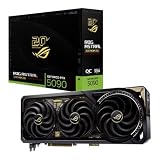
ASUS ROG Astral GeForce RTX 5090 Edition 20 OC Quad-Fan Gaming Graphics Card, 32GB GDDR7, PCIe 5.0, Detachable Curved AMOLED Display, Liquid Metal & Vapor Chamber Cooling, Black
Verified 2026-11-27 04:38:55 UTC

ASUS TUF Gaming GeForce RTX 5090 32GB GDDR7 OC Edition Gaming Graphics Card | PCIe 5.0, HDMI/DP 2.1, 3.6-slot, Military-grade Components, Protective PCB Coating, Axial-tech Fans
Verified 2026-11-27 04:36:43 UTC
Each card shows its last successful local Amazon check. Black Friday badges remain Black Friday badges until Amazon reports a different promotion. Reference prices and savings appear only when supplied by Amazon; the checkout price applies. As an Amazon Associate, Cloudzat earns from qualifying purchases.
Our recommendation
Choose GeForce RTX 5090 when the work can use its 32GB graphics-memory pool and flagship GPU tier, and the complete PC is designed for the card’s power and cooling requirements. Compare a suitable MSI board with ASUS TUF Gaming on fit and support. Choose RTX 5080 when 16GB and the lower tier meet the need; it is the more proportionate direction for many systems.
For Cyber Monday 2026, choose GeForce RTX 5090 when the work can use its 32GB graphics-memory pool and flagship GPU tier, and the complete PC is designed for the card’s power and cooling requirements. Compare a suitable MSI board with ASUS TUF Gaming on fit and support. Choose RTX 5080 when 16GB and the lower tier meet the need; it is the more proportionate direction for many systems.
The RTX 5090’s 32GB memory pool is a concrete reason to consider it for large supported workloads. It also belongs in a computer designed around flagship power and cooling demands. If the work fits 16GB and does not need the highest tier, RTX 5080 is the more proportionate comparison. MSI and ASUS TUF boards are complete physical designs; neither should be chosen without enough space for its cooler and power cable.
For US buyers, choose MSI GeForce RTX 5090 for a flagship build whose workload uses 32GB of graphics memory. Choose a US-supported retail card for the actual case and power supply. A complete desktop appearing in the same search is a separate system purchase, not a cheaper standalone GPU. Put a required PSU replacement into the upgrade budget before moving to a higher graphics tier.
Which option should you buy?
| Buying need | Recommended direction | Why it fits |
|---|---|---|
| Main use | MSI GeForce RTX 5090 | a flagship 32GB build with suitable power and clearance |
| Alternative use | ASUS TUF Gaming GeForce RTX 5090 | an alternative flagship board layout |
| Different workload | GeForce RTX 5080 | a lower tier for work that fits 16GB |
| Alternative GPU tier | GeForce RTX 5070 Ti | Higher-tier 16GB NVIDIA alternative |
| Alternative GPU tier | Radeon RX 9070 | 16GB Radeon alternative |
The configuration we would buy
Choose GeForce RTX 5090 when the work can use its 32GB graphics-memory pool and flagship GPU tier, and the complete PC is designed for the card’s power and cooling requirements. Compare a suitable MSI board with ASUS TUF Gaming on fit and support. Choose RTX 5080 when 16GB and the lower tier meet the need; it is the more proportionate direction for many systems. The decision starts with MSI GeForce RTX 5090 and a complete installation that suits the required role. ASUS TUF Gaming GeForce RTX 5090 is the named comparison, with its own capacity, configuration and support requirements. Keep the differences explicit: an alternative should earn its place through a useful feature or a better complete fit, rather than simply appearing beside the main product. The practical Cyber Monday purchase is a complete configuration that meets the actual workload, without paying for capacity or features that will sit unused.
For a graphics purchase, first decide what must fit in GPU memory. A game, rendering scene or local model can be limited by memory even when a faster processor is available. Keep room for the application, its working data and the way you run it. A model-loading estimate alone may leave too little capacity for a longer context, larger batch or a second task. Compare the configuration you will actually run rather than a best-case demonstration.
Choose the memory tier before the board partner
GeForce and professional RTX cards serve overlapping but different needs. A professional model can offer a larger memory pool, ECC or a software and support path that matters to the job. Those features do not automatically justify its cost for ordinary gaming. A less expensive card that fully satisfies the workload can leave budget for the rest of the computer, storage and an appropriate display.
A GPU search can return a complete workstation, a laptop, an external enclosure, a water block, a cooler or a support bracket. Those are different purchases. For an upgrade to an existing desktop, compare complete add-in graphics cards. A workstation containing the requested GPU should be assessed as a complete computer, with its CPU, system RAM, storage, operating system and warranty included in the comparison.
Buy the graphics card, not a different product with the same name
Keep the exact model and memory amount together. Similar professional card names can refer to different generations, memory configurations, cooling arrangements or intended systems. A family name in a title is not enough to establish the exact board you need. Where your application or workstation vendor requires a particular supported configuration, use that compatibility information before treating another edition as equivalent.
Measure usable length, height and slot space in the actual chassis. Include front radiators, drive cages, other expansion cards and the space required by the power cable. A nominal case GPU-length limit can change when other components occupy the same area. Large cards can also make nearby slots inaccessible. Check how the installed card will be supported rather than leaving a heavy board hanging without the intended bracket or mounting arrangement.
Cooling and power belong in the complete build
Choose the cooling arrangement for the enclosure. An actively cooled desktop card and a passive server card are not interchangeable thermal designs. A passive board can require directed server airflow that a quiet desktop case does not provide. Liquid-cooled variants add radiator position, pump arrangement and maintenance considerations. The lowest card price can be poor value when it forces an unplanned chassis or cooling rebuild.
Use the board manufacturer’s requirements for the exact card and the power-supply manufacturer’s supported cables. Include the CPU and other components in the system budget. Do not treat the card power number as the complete computer’s consumption, or the supply’s nominal rating as proof that every connector and cable arrangement is suitable. The required connectors, cable condition and available space all matter.
Suitable alternatives — different models

ASUS PRIME GeForce RTX 5070 12GB GDDR7 OC Edition Gaming Graphics Card | SFF-Ready, PCIe 5.0, HDMI/DP 2.1, 2.5-slot, Axial-tech Fans, Dual BIOS
Verified 2026-11-27 09:30:24 UTC

PowerColor Reaper AMD Radeon RX 9070 XT 16GB GDDR6
Verified 2026-11-27 07:46:51 UTC

GIGABYTE Radeon RX 9070 XT Gaming OC 16G Graphics Card, PCIe 5.0, 16GB GDDR6, GV-R9070XTGAMING OC-16GD Video Card
Verified 2026-11-27 07:46:51 UTC

ASUS Prime Radeon RX 9070 16GB GDDR6 OC Edition Gaming Graphics Card | PCIe 5.0, HDMI/DP 2.1, 2.5-Slot, Axial-tech Fans, Dual-Ball Fan Bearings, Dual BIOS, GPU Guard
Verified 2026-11-27 06:51:00 UTC

XFX Swift AMD Radeon RX 9070 OC Triple 90mm Fan Gaming Edition with 16GB GDDR6 HDMI 3xDP, AMD RDNA 4 RX-97SWFT3BA
Verified 2026-11-27 06:51:00 UTC

ASUS Prime GeForce RTX 5080 OC Edition 16GB GDDR7 Gaming Graphics Card | Nvidia GeForce RTX5080, SFF-Ready, Dual BIOS Switch, PCIe 5.0, 1x HDMI 2.1b, 3x DisplayPort 2.1a
Verified 2026-11-27 06:44:33 UTC
Budget the power supply and cable path as part of the card
Follow the component installation instructions and leave the cable routing space the manufacturers require. When the existing supply does not support the intended upgrade, compare the GPU-plus-supply cost with the alternative card. Installation is easier to plan before the old hardware is removed. Keep the original working setup available until the replacement system has been checked with the workloads that matter.
Check the application, operating system, driver and compute backend that will use the card. A CUDA requirement points to a different purchasing decision from a tool that runs well on another supported backend. A new architecture can also require a sufficiently recent driver or application build. Confirm the path for the software you run today, rather than assuming a specification label guarantees that every existing tool will work unchanged.
Match the software stack to the accelerator
For professional applications, check whether the project depends on a certified configuration or a supported driver branch. For local AI, check model support, quantisation, memory use and any acceleration libraries required by the chosen application. A synthetic throughput figure is not a direct prediction of interactive response time or the speed of a particular rendering project. Useful performance comes from the complete working software and hardware combination.
Compare the exact memory tier and board edition with other products that can perform the same job. Factory overclocks, cooler design, dimensions, warranty and seller support can explain price differences within one GPU family. A higher-priced board is not automatically the sensible choice when a lower-priced model fits the case and performance requirement. Include any required supply, cooling or chassis changes in the total. A higher-memory alternative can be worth considering when the intended workload does not fit the cheaper card. A lower-memory card is a useful alternative only when the workload can be reduced or changed without losing what you need. Keep that tradeoff explicit. For a business purchase, the time spent waiting for a supported replacement or resolving an incompatible setup may cost more than a modest initial saving.
Choose the seller and support arrangement deliberately
High-value graphics cards deserve a clear invoice, return route and warranty description. Establish whether the card is new, refurbished or used, and whether the seller or manufacturer handles the support you expect. Packaging, accessories and regional warranty arrangements can differ. A lower price can represent a different condition or support arrangement rather than a better deal on the same purchase. After installation, test the displays and a representative application while the return window remains useful. Check that the intended memory amount is recognised and that the system stays stable under the work it was bought to do. Keep a recovery route if a driver change affects an important application. The practical goal is a dependable working machine, not simply acquiring the largest discount shown during an event.
Two cards do not automatically behave as one card with twice the usable memory. The application must support the intended multi-GPU arrangement, and the host needs the necessary slots, power, cooling and data paths. Compare one sufficiently large-memory card with a multi-card build as complete working systems. The useful graphics upgrade depends on the games, resolution, settings and refresh rate you intend to use. A high-refresh competitive game can be limited by the processor, while a demanding visual workload may stress the GPU or its memory. For professional applications, supported acceleration and drivers can outweigh the gaming hierarchy. Choose the tier that fits the work instead of treating a newer or larger model number as a universal answer. No particular frame rate follows from the product name alone.
Memory capacity is a separate buying decision
Graphics memory holds active resources for the GPU; system RAM is a different pool. More VRAM can help a project or texture set fit, but capacity alone does not determine rendering speed. Where a card family has two capacities, keep them separate in the comparison. A lower-capacity listing is not the same configuration simply because the GPU name matches. For local AI, the software backend and the size of the active model matter alongside memory, so an unsupported application is not fixed by buying a larger cooler. Length, thickness, cooler height and power-connector position vary among board partners. Space occupied by a front radiator or drive cage can reduce the apparent case clearance. A card can also fit lengthwise while leaving insufficient room for its power cable beside the side panel. Choose a complete board that fits the real installation and use the manufacturer’s specified connector arrangement. A larger cooler can be worthwhile for a particular build, but it is not automatically a reason to pay more for the same graphics processor.
A graphics-card power figure is not the total demand of a complete PC. The processor, other components and transient behaviour matter, and partner-board guidance can differ from a reference card. Use the intended power supply’s supported cables and connectors; modular PSU cables are not universally interchangeable between models. A sound existing supply can preserve the value of an upgrade, while a required replacement changes the complete budget. Do not treat an underspecified power arrangement as acceptable merely because the GPU itself was attractive. A laptop GPU, an eGPU enclosure, a water block and a complete desktop tower can all appear beside a graphics-card search. They are different products. The direct comparison is a standalone desktop board of the stated GPU and memory capacity, with condition and support made clear. A complete PC may be the better purchase for somebody who needs a whole machine, but its price includes much more than graphics. Keep used or refurbished cards separate from new retail boards when judging value and the likely support experience.
Questions answered
Which RTX 5090 should I buy?
Start with MSI GeForce RTX 5090 when it fits the connection and workload described in this guide. The named alternative is ASUS TUF Gaming GeForce RTX 5090. Keep the exact capacity, condition and included components equal where they serve the same role; choose a different product type only when the installation itself calls for it.
Do all cards with the same GPU have the same dimensions?
No. Board partners use different coolers, circuit boards and power connections. The exact model determines length, thickness and cable clearance. Choose a board that fits the actual case arrangement, including radiators and adjacent cards, rather than relying only on the GPU family name.
Does more graphics memory always mean a faster card?
No. Memory capacity helps the workload fit, but compute capability, bandwidth, software and settings also matter. Two cards with the same capacity can deliver very different performance. Choose sufficient memory for the work, then compare the entire GPU tier and the applications it supports.
Is the recommended power supply figure the card’s power draw?
No. A system-power recommendation covers a complete computer under the maker’s assumptions. The card’s own power rating is a different figure, and partner designs can vary. The correct supply also needs the supported connectors and appropriate headroom for the rest of the build.
Should I pay extra for a factory overclock?
Only when the complete board offers something useful for the build, such as a suitable cooler, dimensions or support. A small factory-clock difference is rarely the clearest reason to choose a much more expensive model. The next GPU tier or a better-balanced system can be a more relevant comparison.
Can a graphics-card upgrade fix every gaming bottleneck?
No. CPU limits, insufficient system memory, storage issues and the monitor can all constrain the experience. Choose a GPU upgrade when graphics is the meaningful limitation. A flagship board in an otherwise constrained computer can leave the original problem unresolved while increasing power and cooling requirements.
Sources and specifications
- GeForce RTX 5090 Graphics Cards | NVIDIA
- GeForce RTX 5090 & GeForce RTX 5080 Out Now, Featuring Game-Changing AI and Neural Rendering Capabilities, and DLSS 4 With Multi Frame Generation | GeForce News | NVIDIA
- GeForce RTX 5090 Graphics Cards | NVIDIA
- NVIDIA GeForce Graphics Cards, Gaming Laptops, Desktop and Monitor – United States of America
- 01 System Specifications