


CYBER MONDAY 2026
Current Amazon offers for Cyber Monday shoppers

GL.iNet GL-MT3000 (Beryl AX) Pocket-Sized Wi-Fi 6 Wireless Travel Gigabit Router & GL.iNet GL-MT6000 (Flint 2) WiFi 6 Router
−18% · Amazon reference price: $268.98
Verified 2026-11-28 04:55:37 UTC

GL.iNet GL-MT6000 Flint 2 Wi-Fi 6 Gaming Router Dual 2.5G Ports | 8-stream Wi-Fi6 at 6 Gbps, dual 2.5G multi-gig ports, Up to 1148 Mbps and 4804 Mbps, pre-installed OpenWrt, OpenVPN WireGuard
−15% · Amazon reference price: $169.99
Verified 2026-11-28 08:30:07 UTC

GL.iNet GL-MT6000 (Flint 2) WiFi 6 Router & GL.iNet GL-SFT1200 (Opal) Secure Travel WiFi Router
−13% · Amazon reference price: $209.98
Verified 2026-11-28 04:55:37 UTC
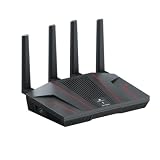
GL.iNet Fortify (GL-MT6000) AX6000 Wi-Fi 6 Router with Built-in ExpressVPN | 2.5G WAN/LAN, 2.0 GHz Quad-Core, 1GB DDR4, High-performance Streaming, Smooth Gaming, Secure Remote Work, Family Privacy
Verified 2026-11-27 18:53:37 UTC
Each card shows its last successful local Amazon check. Black Friday badges remain Black Friday badges until Amazon reports a different promotion. Reference prices and savings appear only when supplied by Amazon; the checkout price applies. As an Amazon Associate, Cloudzat earns from qualifying purchases.
Our recommendation
Buy the standard Flint 2 / GL-MT6000 for Wi-Fi 6 home networking, supported VPN tools and a simple 2.5GbE WAN/LAN path. Compare Flint 3e when several wired devices need 2.5GbE, Flint 4 when 6GHz and a faster backbone matter, and Beryl AX when the actual need is a compact travel router.
The GL.iNet Flint 2 is a good Cyber Monday 2026 target for a household that wants Wi-Fi 6, useful VPN controls and two 2.5GbE ports without paying for a new radio generation it will barely use. We would choose it for a home office with mostly Wi-Fi 6 clients and one fast wired desktop or NAS. It is less compelling when several devices need multi-gig Ethernet or a new laptop specifically needs 6GHz: Flint 3e and Flint 4 address those different upgrades.
The model to match is GL-MT6000. A similar-looking bundle may add a travel router or carry a particular VPN-service package, which changes what is being bought. For a basic fixed-home replacement, the standard Flint 2 router is the clean comparison. Its AX6000 wireless label is an aggregate radio class, not a promise of a 6Gb/s internet connection, and its 2.5GbE ports are useful only along a path with other multi-gig equipment.
For US buyers, the standard GL-MT6000 is the sensible home-office starting point; the Flint 2 and Beryl AX bundle is worthwhile only when regular travel creates a separate need. Keep the existing cable modem or fibre ONT upstream. Select a US power package and distinguish the ordinary router from a service-branded bundle before comparing the complete purchase.
Which option should you buy?
| Choose | Best use | Reason to pass |
|---|---|---|
| Flint 2 / GL-MT6000 | Wi-Fi 6 home plus VPN controls | No 6GHz wireless |
| Flint 3e / GL-BE6500 | Several 2.5GbE wired connections | Still a dual-band design |
| Flint 4 / GL-BE14000 | Tri-band home Wi-Fi and faster backbone | Unnecessary for modest clients |
| Beryl AX / GL-MT3000 | Hotel and portable networking | Fewer home-network expansion options |
| TP-Link Deco X55 | Simple multi-room mesh coverage | Different management and VPN priorities |
What the two fast ports change
Flint 2 has two 2.5GbE ports alongside its Gigabit LAN connectivity. For a faster-than-Gigabit internet service, one fast port can face the modem or ONT and the second can feed a multi-gig switch or capable computer. A Gigabit desktop connected to an ordinary LAN port still has a Gigabit link. This makes Flint 2 attractive for a modest multi-gig upgrade, but not a substitute for a switch when a NAS, workstation and second desktop all need fast wired access at the same time.
For a household with a Gigabit internet plan, the second fast connection can still matter for local storage traffic. The useful benefit is between compatible devices on the home network, not a change to the provider’s service. If the expansion plan includes several 2.5GbE clients, Flint 3e’s five 2.5GbE ports deserve a direct comparison with Flint 2 plus a separate switch. The separate-switch route has an advantage of its own: the storage network can remain in place when the router is replaced later.
Wi-Fi 6 is enough for many existing devices
A home full of Wi-Fi 6 laptops, televisions and phones does not need Wi-Fi 7 solely to keep working well. Flint 2’s dual-band design provides the familiar 2.4GHz and 5GHz choices. The lower band is useful for many smart-home devices and longer reach; nearby capable laptops generally benefit from the higher band. Channel congestion and placement still decide a great deal of everyday performance. Replacing a badly located router with a similarly located expensive one can leave the same rooms struggling.
Choose Flint 4 instead when a compatible 6GHz client and a demanding local network justify tri-band wireless and faster wired infrastructure. Flint 3e is a different upgrade: newer Wi-Fi features and more multi-gig ports, but its dual-band label should not be mistaken for a 6GHz radio. For a long house with several difficult rooms, a properly placed Deco mesh or wired access points may address the problem more directly than any single Flint model. Buy for the missing coverage or connection, rather than just the newest standard.
Keep the modem or ONT in the right role
A router with an Ethernet WAN socket connects to an Ethernet hand-off from a modem or optical network terminal. That socket is not a cable modem, a DSL modem or an optical transceiver. With cable broadband, the cable modem remains upstream. With an installed fibre ONT, the ONT normally remains in place. Replacing the routing and Wi-Fi functions can therefore be straightforward without replacing the provider’s line equipment. Integrated telephone services, television boxes and provider authentication can still depend on the original gateway, so retaining it may be the practical arrangement.
Use access-point mode when the provider gateway must remain the main router and the new purchase is mainly for wireless coverage. Where the provider supports bridge or modem mode, a replacement router can instead become the main routing device. Two routers left in their ordinary routing modes create two private network boundaries, which can complicate inbound services and some games. For a household that only needs stronger Wi-Fi, access-point mode is usually the more useful purchase decision than buying an elaborate firewall and then leaving its routing features unused.
Spend on the slowest useful link
A 2.5GbE router port is useful when another part of the connection can exceed Gigabit. A 2.5GbE NAS and a 2.5GbE desktop connected through suitable ports can exchange files locally without needing a faster internet subscription. Conversely, a Gigabit switch between those devices caps that path even if the router has a much larger wireless speed number. A 2.5Gb/s link corresponds to 312.5MB/s before protocol overhead; a 1Gb/s link corresponds to 125MB/s. Real file copies are slower and also depend on the drives and file sizes.
Wireless speed labels add theoretical radio rates and do not describe the speed of one ordinary laptop. A two-stream client, a crowded channel, a distant room or a slow upstream link changes the result. For a desktop beside the router, Ethernet is the dependable first choice. For a desk upstairs, a cable to a nearby access point can deliver more useful improvement than replacing a good router with a more expensive one in the same downstairs cupboard. Buy multi-gig ports for a real wired path, and buy extra radios for clients that can use their bands.
Place the radio where the work happens
Put the primary wireless unit in an open position near the area it serves, rather than behind a television, inside a metal cabinet or on the floor beside the incoming line. A router installed at one end of a long home cannot make every wall disappear through a higher specification. When the line terminates in a poor location, an Ethernet run to a better-positioned radio is often the useful upgrade. This also lets the modem and power equipment stay together while the Wi-Fi source moves closer to the rooms that need it.
For several floors, wired backhaul gives each wireless unit a dependable connection to the main network. A wireless satellite needs a strong connection to its parent; putting it in the dead spot merely gives it the same poor signal as the laptop. Position it between the router and the difficult room. Add a third node for another genuinely separate area, rather than treating more nodes as automatically faster. Nearby radios using the same channels share airtime, so an oversized mesh can create contention without fixing the original placement problem.
Choose VPN features for an actual connection
A router VPN client sends selected traffic to an external VPN service or another private network. A VPN server lets authorised devices connect back to the home network. Those are different jobs, and neither gives a router a faster internet connection. Whole-house tunnelling also means that televisions, consoles and work devices may inherit the tunnel’s limitations. Selective routing is often better: work traffic can use the required tunnel while ordinary streaming follows the normal internet path. The available VPN protocol, encryption workload and remote server all affect throughput.
A manufacturer’s maximum VPN rate is a test result under particular conditions, not a guaranteed speed to every destination. For remote access to a NAS, the home connection’s upload speed can be the binding limit. For example, a 50Mb/s upload cannot deliver a 500Mb/s remote file stream simply because the router has a powerful processor. An inbound VPN can also depend on whether the connection has a reachable public address. Buyers needing straightforward remote access should favour the supported connection method for their situation rather than opening the router’s management page to the internet.
Multi-WAN and supported firmware
Flint 2 supports multiple-WAN features including failover and load balancing. These are useful when a home office has two real upstream connections and needs a way to continue working if one fails. They do not provide a second internet service by themselves. Load balancing also does not mean one ordinary download automatically combines both line rates. A single session can remain limited to its selected path. For a worker whose calls must continue through provider outages, a genuinely independent backup connection matters more than an unused menu option.
Use the supported GL.iNet firmware route when the appeal is a manageable interface with integrated VPN controls. Installing an independent firmware build changes the support and maintenance equation; GL.iNet warns that third-party firmware can affect official support. A buyer interested in experimenting may accept that trade-off, but the main household router is also the device everyone depends on. Keeping a working configuration backup and a replacement path is more valuable than adding every optional package. The standard router should also be distinguished from service-branded bundles with their own subscription terms.
Buy a network you can maintain
Keep automatic or routine security updates enabled through the supported firmware route, and retain an offline copy of a working configuration after the network is settled. A replacement router can change the local address range, which matters to printers, NAS shares and home-automation equipment using fixed addresses. Keeping the same deliberate address plan makes replacement simpler. A separate guest network is useful for visitors; a more elaborate VLAN design is worthwhile only when the router, switches and access points can carry and enforce the separation consistently.
For an office or home server, a small UPS supporting the modem or ONT and router can prevent a brief mains interruption from cutting off the local network. It cannot keep the wider provider network running if that also loses service. A second internet connection offers a different kind of resilience and carries its own ongoing cost. Prioritise the failure that matters: wireless coverage needs better radio placement, electrical interruptions need power support, and provider outages need a second working route. Buying one expensive router does not automatically solve all three.
Questions answered
Is Flint 2 Wi-Fi 7?
No. GL-MT6000 is the Wi-Fi 6 Flint 2. Flint 3e and Flint 4 are separate newer models with different port and radio configurations. A listing combining several versions should be compared using the selected model number, rather than the family name in its main title.
Does Flint 2 replace a cable or DSL modem?
It is an Ethernet-WAN router, so the modem or ONT still provides the appropriate line hand-off. For DSL, a separate compatible modem is needed. If the provider gateway must retain routing or telephone functions, using the new unit for wireless access can be the simpler arrangement.
Are both 2.5GbE ports available for computers?
Their availability depends on the chosen WAN/LAN assignments. In a straightforward setup with one fast port serving the internet connection, the other is the direct fast LAN connection. A multi-gig switch is the practical addition when several wired clients need that rate.
Will WireGuard reach the advertised maximum?
Not necessarily. The manufacturer’s maximum describes particular test conditions. The remote endpoint, encryption workload, firmware, internet service and upload rate all affect the useful result. Buy the VPN function for the connection it enables and leave capacity margin for the actual workload.
Is the Flint 2 and Beryl AX bundle useful?
It is useful for someone who needs a permanent home router and a separate travel network. Beryl AX can stay in the travel kit while Flint 2 serves the house. For a buyer who rarely travels, the second device is an optional expense rather than a reason to prefer the bundle.
Should I replace a working Flint 2 with Flint 4?
Only when a real limitation has appeared, such as a need for 6GHz wireless or a faster wired backbone. A working Wi-Fi 6 network with adequate coverage and sufficient ports does not become unsuitable because a new model exists. A better-positioned access point or switch may be the more useful upgrade.