


CYBER MONDAY 2026
Cyber Monday offers and current Amazon prices

Dell UltraSharp 32 Thunderbolt Hub Monitor - U3226QER, 120 Hz, 4K UHD | (3840 x 2160) IPS Black, 100% sRGB, 1.07 billion colors, 3000:1 Contrast, DisplayPort, USB, Ideal Mac Companion
−6% · Amazon reference price: $1,029.99
Verified 2026-11-27 22:20:07 UTC
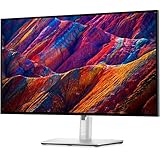
Dell UltraSharp U2723QE - LED Monitor - 27-3840 x 2160 4K :: U2723QE (Monitors > Monitors)
Verified 2026-11-28 19:52:07 UTC
Dell UltraSharp U2723QE 27" 4K UHD WLED LCD Monitor - 16:9 - Black, Silver
Verified 2026-11-28 19:52:07 UTC

Dell UltraSharp U2725QE 27-Inch 4K UHD IPS Black Monitor | HDMI 2.1, USB-C, USB-A, Connectivity, Ethernet ports, giving you flexibility for virtually any device
Verified 2026-11-28 15:48:06 UTC

Dell U4025QW Monitor Bundle | For Home & Office
Verified 2026-11-28 06:00:54 UTC

Dell UltraSharp U2724D 27" Class WQHD LED Monitor - 16:9 - Platinum Silver | Height-adjustable with an integrated USB hub, 27' Class, 16:9, World's first 5-star certified for eye comfort, Ambient
Verified 2026-11-28 02:49:59 UTC
Compare current prices, available savings and Amazon promotion labels above. Each listing shows its latest successful price check. Prices and availability can change; the price at checkout applies. As an Amazon Associate, Cloudzat earns from qualifying purchases.
Our recommendation
Choose Dell UltraSharp U2725QE for a compact premium 4K desk, or U3225QE when you want the same 4K workspace on a larger screen. Buy U3425WE for a wide multitasking layout and U4025QW for a large 5K2K workspace. Keep a good existing monitor if you only need a dock; the UltraSharp premium is worthwhile when the screen and connectivity both improve your setup.
The strongest UltraSharp Cyber Monday purchase is a monitor that simplifies the desk as well as improving the picture. Our starting recommendation is the 27-inch U2725QE: a compact 4K display with a Thunderbolt connection for a compatible laptop. Choose the 32-inch U3225QE when larger physical text and a bigger canvas matter more than saving desk space. Both are more purposeful choices than buying the largest discounted screen you can find.
For spreadsheets, timelines and several windows side by side, the 34-inch U3425WE offers a different shape rather than simply a bigger version of the same 4K screen. The 40-inch U4025QW is the premium option for a broad, high-resolution workspace. We would choose it for someone who will use that width every day, not as an automatic upgrade for email and occasional browsing.
Thunderbolt, charging power, USB connections and the computer itself determine how much of the monitor works through one cable. A USB-C connector alone is not a guarantee of video or full-speed charging. The live offers above show the locally available models; our recommendations below separate screen size, resolution and docking needs so the final choice feels useful every time you sit down.
Which option should you buy?
| Desk or task | Our UltraSharp choice | Why |
|---|---|---|
| Compact premium laptop desk | U2725QE | 27-inch 4K with Thunderbolt connectivity |
| Larger conventional screen | U3225QE | 32-inch 4K for more comfortable physical size |
| Wide everyday multitasking | U3425WE | 34-inch 3440 × 1440 workspace |
| Large high-resolution workspace | U4025QW | 40-inch 5120 × 2160 layout |
| Already own a suitable screen | Keep it; consider a separate dock | Avoid buying a display only for spare ports |
U2725QE is our default for a compact premium desk
Buy U2725QE when the desk needs a sharp conventional screen and a useful laptop connection without becoming dominated by a very large monitor. Its 27-inch format suits a focused single-screen setup, and the 4K resolution provides flexibility for text and application scaling. We would choose it for a laptop user who wants one good display to serve as the centre of a working desk, rather than buying separate accessories before deciding whether the screen itself is suitable.
The premium is less compelling if you already own a satisfactory 4K monitor and only lack USB ports or Ethernet. In that case, a suitable separate dock can be the more economical purchase. Choose UltraSharp because the display, stand and connections work together for your daily routine. A large reference-price discount is not enough by itself. The right question is whether this exact monitor replaces several genuine limitations in the current desk, rather than adding an expensive second version of something that already works.
U3225QE buys physical size rather than extra 4K pixels
Choose U3225QE when you want a larger 32-inch display while keeping a familiar rectangular 4K workspace. Compared with the 27-inch option, it gives the same nominal pixel count across a larger physical area. That can make text and controls more comfortable at an appropriate distance, but it does not create more pixels simply because the panel is larger. We would select it for a deeper desk or for someone who prefers a larger single screen to a compact display with dense scaling.
Do not buy the 32-inch model merely because it is only a small amount more during the sale. A shallow desk can make a larger screen feel intrusive, particularly when the top edge sits too high or the stand leaves little room for the keyboard. For a cramped workspace, U2725QE remains our recommendation. For a comfortable desk with enough depth, U3225QE is the easier choice when physical readability matters more than keeping the monitor small.
Choose U3425WE for width and U4025QW for width plus resolution
Buy U3425WE for a wide layout of documents, spreadsheets or communication windows. Its 3440 × 1440 format is a different proposition from a 4K conventional screen: more horizontal shape, but not the same vertical pixel count as 3840 × 2160. It is a useful choice for people who naturally arrange two or three applications across one surface. We would not describe it as a universal resolution upgrade over a 4K monitor, because the benefit is the layout rather than a simple increase in every dimension.
Choose U4025QW when the large 5120 × 2160 workspace is worth its cost and physical footprint. It is the more ambitious option for broad timelines, detailed documents and multiple working areas. For occasional multitasking, the 34-inch model can be the more sensible purchase. For a desk where that extra width and detail are used all day, the 40-inch screen can replace a more awkward multi-monitor arrangement. Neither choice is automatically preferable to two separate screens for every workflow.
Thunderbolt charging must match the laptop
Dell lists U2725QE, U3225QE and U4025QW with Thunderbolt 4 and up to 140W power delivery, while U3425WE is listed at 90W. Those are monitor capabilities, not a promise that every connected laptop accepts the maximum. Choose the 140W class when the compatible laptop can use it and the single-cable arrangement is valuable. For a computer whose supported USB-C charging is lower, the larger figure should not be treated as an automatic improvement worth paying for.
A demanding laptop may still need its original power adapter under sustained work. We would rather keep that reliable power connection than choose a display based on an assumption that one cable can replace every charger. A desktop computer also does not benefit from laptop charging in the same way. For a desktop-only desk, give the screen characteristics and useful USB connections more weight than the power-delivery headline. This keeps the purchase aligned with the machine that will actually use it.
Suitable alternatives — different models

ASUS ProArt PA248QV 24 Inch WUXGA 16:10 Professional Monitor | (1920 X 1200), Calman Verified, Delta E
−25% · Amazon reference price: $199.00
Verified 2026-11-28 02:49:59 UTC

ASUS ProArt PA278CV 27 Inch 1440p QHD USB-C Professional Monitor | Calman Verified, Delta E < 2, Daisy Chain, USB Hub, IPS,Ergonomic Stand, 100% sRGB, Eye Care, Rec.709
−21% · Amazon reference price: $269.64
Verified 2026-11-28 09:05:58 UTC

ASUS ProArt PA279CRV 27 Inch 4K UHD USB-C HDR Professional Monitor for Mac | Calman Verified, Delta E
−19% · Amazon reference price: $429.00
Verified 2026-11-28 12:59:05 UTC

ASUS ProArt PA32QCV 32 Inch 6K DCI-P3 Thunderbolt 4 Monitor for Mac | Calman Verified, 98% DCI-P3, Delta E
−15% · Amazon reference price: $1,299.00
Verified 2026-11-28 02:57:44 UTC

Asus ProArt PA279CRV 27-inch 2160P 4K UHD IPS Professional Monitor, 2-Pack Bundle with USB-C 96W PD, Daisy Chain DisplayPort, HDMI, USB Hub and Integrated Speakers
Verified 2026-11-28 13:00:38 UTC
A 120Hz mode depends on the entire connection
The named U2725QE and U3225QE models support 4K at 120Hz, while U3425WE and U4025QW have their own 120Hz maximum-resolution modes. A capable display is only one part of reaching that result. The computer, output connection, cable and any intermediate dock must support the selected mode together. Our preference is a direct documented connection for a premium screen rather than routing it through an old adapter that becomes the limiting link.
Choose these models primarily as productivity displays with smoother supported operation, not as a substitute for researching a specialist competitive-gaming screen. A refresh-rate number alone does not establish identical response behavior, HDR performance or gaming features across different monitors. For mixed office work and occasional games, the UltraSharp approach can be sensible. For a dedicated gaming purchase, use a gaming-focused alternative whose exact features match that priority instead of paying for docking functions that will rarely be used.
Two computers do not always require a separate KVM
The U2725QE and U3225QE include KVM functionality, which can be useful for sharing a keyboard and mouse between a work laptop and a personal computer. Choose the monitor's built-in arrangement when its documented connections cover your two systems. That can remove the need for a separate switch on a simple desk. The display and USB paths still need the correct connections; plugging a second video cable in does not automatically provide that computer with access to every peripheral.
For a more complicated dual-monitor setup, a dedicated KVM may still be the right purchase. Do not assume a monitor's KVM feature controls a second unrelated display or provides every function of a high-bandwidth external switch. Similarly, Mac multi-monitor support depends on the exact computer and connection method. Our recommendation is the simpler built-in solution when it meets the job, and a purpose-chosen external arrangement when it does not. Avoid buying both before establishing that the extra device has a useful role.
Make the complete desk comfortable
A good monitor should leave room for the keyboard, pointing device and comfortable viewing distance. Buy the size that works with the actual desk, not the size that wins a specification comparison in isolation. An adjustable stand is useful, and a suitable monitor arm may help recover desk space, but an arm needs to support the exact screen's weight and mounting requirements. A larger ultrawide can create a much more demanding installation than a conventional 27-inch monitor.
For sustained work, use readable scaling instead of forcing the maximum number of tiny windows onto the screen. A high pixel count is valuable when it supports clarity and useful space; it is less useful if everything becomes uncomfortable to read. We would choose U2725QE for a compact desk, U3225QE for a larger conventional canvas, and the ultrawides for workflows that genuinely benefit from width. Those are ergonomic buying decisions as much as technical ones.
Our sale purchase order
Start with U2725QE and move to U3225QE for a larger conventional screen. Choose U3425WE for wide multitasking at a less ambitious resolution, or U4025QW for a large high-resolution workspace. Compare the exact model code, condition and local support when reviewing live offers. Older UltraSharp models can still be worthwhile, but a similar name does not guarantee the same refresh rate, charging capability or connection arrangement as the models recommended here.
Keep a good current monitor if the only missing feature is a dock, and avoid a cross-border bargain whose service route is unclear. The useful discount is on the monitor that fits the desk and computer together. We do not need a spectacular percentage reduction to recommend a well-matched screen, and we would not recommend a poorly matched one simply because its discount looks large. Buy the configuration that makes everyday work easier after the promotion is over.
Questions answered
Which UltraSharp would you buy first?
U2725QE is our default for a compact premium desk. Choose U3225QE if you want a larger conventional 4K screen. Choose an ultrawide when your work benefits from width rather than simply wanting a bigger model number.
Is the 32-inch model higher resolution than the 27-inch one?
U3225QE and U2725QE both use 3840 × 2160. The larger screen changes physical size and pixel density, not the nominal pixel count. Choose it for viewing comfort and desk fit, not as an automatic increase in workspace resolution.
Will one USB-C cable do everything?
Only when the computer, monitor and cable support the required video, data and charging arrangement. A USB-C connector alone does not prove that. A demanding laptop may still benefit from its original charger during sustained work.
Which ultrawide should I choose?
Choose U3425WE for a wide 3440 × 1440 multitasking layout. Choose U4025QW for the larger 5120 × 2160 workspace when you will use its width and resolution every day. The more expensive model is not necessary for occasional side-by-side windows.
Can these replace a KVM switch?
U2725QE and U3225QE have KVM functionality for a suitable two-computer arrangement. Use it when the documented connections meet your needs. A more complex dual-monitor desk may still need a dedicated switch chosen for that exact setup.
Should I replace a good screen just for Thunderbolt?
Usually not. A suitable separate dock can be a more economical answer when the existing display already meets your needs. The UltraSharp purchase is stronger when the screen, stand and connectivity all improve the daily workspace.