


CYBER MONDAY 2026
Current plans and offers
pCloud 3 TB + Encryption + Pass Premium
Black Friday
USD 579
USD 1,517 · −62%
Our pick if you want lifetime file storage plus client-side encryption and a password manager. The bundle includes all three; ordinary storage plans do not include Encryption.
The landing page lists a 62% bundle saving and an end date of November 28. This Black Friday offer is not promised for Cyber Monday.
Terms checked: 2026-11-27 UTC
USD means US dollars, including for international customers. Final currency, taxes, eligibility and renewal terms are shown at checkout. We may earn a commission from qualifying purchases.
Our recommendation
Choose pCloud 2TB Lifetime for general personal files and long-term storage value. Choose the 3TB bundle when its included Encryption and Pass Premium features meet a real need. Choose IDrive Personal for multi-computer backup, Proton Drive for a privacy-led sharing workflow, iCloud+ for Apple phone integration or Google One for Google Photos, Drive and Gmail storage.
pCloud is our overall personal-cloud-storage recommendation for Cyber Monday 2026. Choose its 2TB Lifetime plan for straightforward files, photographs and everyday sharing when you already expect long-term use. Choose the 3TB bundle when the selected package includes pCloud Encryption and Pass Premium and you will use those extras. For backing up several computers, choose IDrive Personal instead; for native phone integration, iCloud+ or Google One serves a different role.
The distinction that matters most is what the account is supposed to do. Personal cloud storage makes a working collection accessible across devices and easier to share. Computer backup prioritises recoverable copies of devices. A phone ecosystem can supply its own automatic app and photo integration. Those are three useful jobs, but buying the largest allowance from one provider does not guarantee that it replaces the others. Start with the job, then the capacity and payment commitment.
For US users, choose pCloud 2TB Lifetime for the general personal file library, and choose the 3TB Encryption-and-Pass bundle only when those included features meet the need. IDrive Personal is the stronger direction for multiple-computer backup. Keep the native iCloud or Google allowance when a phone depends on that integration, rather than expecting a different storage account to replace it automatically.
Which option should you buy?
| Need | Choose | Reason |
|---|---|---|
| General personal storage over years | pCloud 2TB Lifetime | Straightforward capacity with a one-time-payment option |
| Storage plus client-side encryption and passwords | pCloud 3TB bundle with Encryption and Pass Premium | Useful when all included services will be used |
| Several personal computers need backup | IDrive Personal | Device-backup workflow rather than file storage alone |
| Privacy-led file sharing | Proton Drive | Alternative encrypted storage and sharing approach |
| Native phone ecosystem integration | iCloud+ or Google One | Choose the service matching the phone and applications |
Why pCloud is our first personal-storage choice
pCloud is the service we would buy first for a personal collection that needs convenient access and sharing across devices, especially when a one-time-payment option suits the ownership plan. The 2TB Lifetime tier is the clear starting recommendation for a substantial photo, document and media collection that fits inside it. The value comes from using the service consistently over time. A Lifetime payment should follow a working routine, rather than replace the decision about whether the applications and sharing behaviour suit the household.
For a person with several computers, pCloud can be the common file library while a backup service protects the machines themselves. That separation is useful: the working collection stays accessible, and the backup has its own recovery purpose. Someone who only needs temporary collaboration should choose a shorter commitment instead of buying long-term storage immediately. Someone who mainly needs automatic phone-system backup should keep the relevant native service. pCloud is our overall personal-storage recommendation because of its file-storage role, not because one product should be forced into every data task.
Choose 2TB for the collection, not the biggest number
A 2TB allowance is a practical choice when the existing collection and expected growth fit with room left over. For example, a 700GB photo archive plus 200GB of documents and media starts at roughly 900GB, leaving substantial room inside a 2TB plan before accounting for future growth and service-specific usage. A collection already close to 2TB needs a larger-capacity decision, while someone with only a few gigabytes of documents does not gain much from buying terabytes that will remain empty.
Video changes the picture quickly. A person storing original high-resolution footage can need a much larger archive than someone keeping edited family clips. In that situation, a local NAS or external archive plus an appropriate off-site copy may be a better storage structure than putting every raw file into an everyday sharing account. Keep the active cloud collection focused on material that benefits from access away from home. Capacity is useful when it supports a real workflow; a low cost per terabyte is not a reason to buy an unused tier.
The 3TB bundle is for buyers who use the extras
Choose the 3TB bundle when the selected package includes pCloud Encryption and Pass Premium and those features answer actual needs. The extra terabyte is useful for a larger working collection, Encryption addresses a separate client-side-protection requirement, and Pass Premium is a password-management product. Treat all three as explicit components. A bundle can be the stronger complete purchase for someone who needs them together, but it is not automatically better for a person who only needs straightforward 2TB file storage.
Basic pCloud Lifetime storage does not automatically include the separate client-side Encryption feature. Ordinary encrypted transfer and an additional client-side encrypted area are different protections. Likewise, a password manager is not simply another storage folder. If the household already has a password workflow it prefers, duplicating that product may add little value. Choose the bundle because the included components improve the daily setup, and choose the simpler 2TB plan when those additional services would remain unused. A capacity upgrade and an encryption upgrade should remain separate decisions.
Encryption must fit recovery and sharing
Client-side encryption changes who can access the protected files and how the recovery process works. The useful purchase is not just an encryption label; it is an account the owner can continue to use after a device is lost. Keep the required recovery material in a secure location outside the computer that holds the working files. A more private arrangement can become inconvenient if the only recovery information is lost with that same machine. The protected storage and the account-recovery plan should be treated as one practical setup.
Proton Drive is the named alternative when encrypted storage and sharing are the main selection criteria. Choose it for that workflow rather than assuming it is a like-for-like pCloud Lifetime payment model. For either service, sharing with other people needs to be convenient enough that users do not bypass the intended protection. A private personal folder and a collaborative family or work folder can have different requirements. Choose the service and features around who needs access, what must stay private and how the owner will recover access later.
IDrive is the better purchase for computer backup
Choose IDrive Personal when one user needs recoverable backup from several computers. That is a different buying structure from a personal file library. The protected data across the computers shares the selected quota, so a household with a desktop, laptop and secondary machine should choose the allowance around their combined important files. IDrive Team and Business address different user and workload requirements. A pCloud storage purchase should not be treated as automatic protection for every file, operating-system configuration and application on every computer.
Backblaze Personal Backup is another named comparison for a single Mac or Windows computer with its supported directly attached storage. Its per-computer unlimited-data approach differs from IDrive’s shared-capacity structure. A person with one large supported archive may prefer that arrangement; a person with several modest computers may prefer IDrive Personal. In either case, keep a local recoverable copy of work that needs a fast restore. Cloud access, device backup and rapid local recovery complement each other when each service has a clear role.
Use iCloud or Google One for native phone needs
Choose iCloud+ when the important requirement is integration with an Apple phone’s supported backup and photo workflow. Choose Google One when the household’s storage is concentrated in Google Photos, Drive and Gmail. These are the sensible native-ecosystem choices; pCloud remains our broader personal-file-storage recommendation. The services can coexist without duplicating every file everywhere. For example, a phone account can handle the device’s native routine while a separate personal-storage account holds shared documents and a curated family collection.
Do not judge a phone plan solely by the photo folder visible on one device. Email attachments, drive files and other covered data can consume the same quota in an ecosystem plan. Family sharing also does not mean every participant automatically receives a separate full copy of the advertised capacity. The practical choice is the service already integrated with the devices and applications that matter. Buying a different provider’s larger allowance does not necessarily expand the native phone backup space that generated the warning in the first place.
Choose the payment horizon after the workflow works
A shorter subscription is the sensible first purchase for an unfamiliar service or a temporary project. Annual billing fits expected steady use, while pCloud Lifetime is our recommendation for an established personal-storage routine likely to continue for years. The simple break-even comparison is the one-time payment divided by the comparable annual cost, using the actual chosen plan and features. That is arithmetic for a decision, not a guarantee that a provider, application or your own needs will remain unchanged for the resulting number of years.
A monthly equivalent can represent an annual amount paid upfront, and an introductory price can be followed by a different renewal amount. Keep those commitments separate from a true one-time payment. For the 3TB bundle, compare the full set of included services with the simpler plan you would otherwise buy; do not assign value to an extra product that will never be used. Retain enough budget for another copy of irreplaceable files rather than putting the entire protection budget into one cloud account.
A usable cloud library still needs another copy
A personal-storage account can make files accessible across devices, but synchronisation can also spread an unwanted deletion or change. Version history and deleted-file recovery are useful features, yet their specific limits are not a substitute for an independent backup. Keep the important collection in another recoverable location. A local external drive or NAS can provide that copy, with an off-site backup where the consequences of losing the whole location justify it. The goal is recoverable data, not simply several devices displaying the same synced folder.
Internet access remains part of the experience. At an ideal sustained 20 megabits per second, uploading 1TB takes about 4.6 days before overhead and interruption. That example shows why a large existing archive should not be moved to the cloud with the expectation of instant protection. Keep the original copy while uploads complete, and retain local access to files needed during an outage or travel. Choose pCloud for the everyday library, the appropriate backup service for device recovery and native phone storage where that integration is essential.
Supporting storage hardware
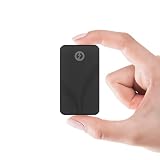
Black Friday Deal
SABRENT Rocket Nano XTRM Rugged 1TB External SSD – Thunderbolt 3 Certified | 2700MB/s | IP67 Waterproof & Dustproof | Shock Resistant | USB 3.2 Gen 2 | Mac, PC, Linux (SB-XMNW-1TB)
−39% · Amazon reference price: $329.99
Verified 2026-11-27 09:54:46 UTC

Black Friday Deal
SAMSUNG T9 Portable SSD 4TB, USB 3.2 Gen 2x2 External SSD, Up to 2,000 MB/s | | External Solid State Drive for Gaming, Students and Professionals, MU-PG4T0B/AM, Black
−37% · Amazon reference price: $1,144.99
Verified 2026-11-27 08:05:55 UTC

Black Friday Deal
SANDISK 1TB Extreme Portable SSD, Up to 2000MB/s Transfer Speeds-New Model | External Solid State Drive, IP65 Water & Dust Resistant, Up to 3M Drop Protection, 256-bit AES Encryption, USB-C 3.2 Gen 2
−34% · Amazon reference price: $299.99
Verified 2026-11-27 08:44:19 UTC
Each card shows its last successful local Amazon check. Black Friday badges remain Black Friday badges until Amazon reports a different promotion. Reference prices and savings appear only when supplied by Amazon; the checkout price applies. As an Amazon Associate, Cloudzat earns from qualifying purchases.
Questions answered
Which personal cloud-storage plan would you buy first?
pCloud 2TB Lifetime is our default for a substantial personal collection and established long-term use. A shorter commitment suits an unfamiliar service or temporary project. The 3TB bundle is the alternative when its included Encryption and Pass Premium products will actually be used.
Does basic pCloud Lifetime include client-side Encryption?
No. The separate Encryption feature is not automatically part of basic Lifetime storage. Choose a plan or bundle that explicitly includes it when client-side protection is required. Standard encrypted transfer and a separate client-side encrypted area should not be treated as the same entitlement.
Should I buy cloud storage or computer backup?
Buy file storage for access and sharing; choose IDrive Personal for one user backing up several computers. Backblaze is the alternative per-computer arrangement for a supported Mac or Windows setup. The services can work together, with each doing a different job.
When is a phone ecosystem plan the right answer?
Choose iCloud+ for native Apple phone integration or Google One for Google Photos, Drive and Gmail needs. Another provider’s storage allowance does not automatically expand those native quotas. Keep the service matched to the application generating the storage requirement.
Is Lifetime automatically the cheapest choice?
Only when the plan fits and the period of useful ownership justifies the upfront commitment. Compare the actual one-time amount with the appropriate annual alternative, including the features you need. Unused capacity and unused bundle extras do not improve real value.
Can I delete the only local copy after uploading?
Do not turn a cloud account into the only recoverable copy of irreplaceable files. Cloud storage improves access, but account problems, unwanted changes and retention limits still matter. Keep an independent copy and retain local access to work that must remain available without an internet connection.
Sources and specifications
- iCloud+ plans and pricing – Apple Support
- Plans & Pricing to Upgrade Your Cloud Storage – Google One
- pCloud Pricing | Lifetime & Subscription Plans
- **3.2** The iCloud service is not available in all languages or in all countries or regions and Apple makes no representation that the iCloud service is appropriate or available for use in any particular location. To the extent You choose to provide access to the iCloud service in Your Applications or Web Software through the iCloud Storage APIs or CloudKit APIs (e.g., to store data in a public or private container), You do so at Your own initiative and are responsible for compliance with any applicable laws or regulations.
- Google One Special Pricing Offer Terms