


CYBER MONDAY 2026
Current plans and offers
Backblaze Personal Backup
USD 99 / year
Choose Personal for continuous backup of one Mac or Windows computer and its connected external drives. This is the published annual plan price, not a verified seasonal discount.
Auto-renews at the applicable renewal price unless cancelled.
Terms checked: 2026-11-27 UTC
USD means US dollars, including for international customers. Final currency, taxes, eligibility and renewal terms are shown at checkout. We may earn a commission from qualifying purchases.
Our recommendation
Choose Backblaze Personal Backup for one Mac or Windows PC and its supported directly attached drives. Buy coverage per computer; unlimited data does not mean unlimited household computers. Choose IDrive Personal when several personal computers fit within one shared quota, or Backblaze Business Backup for managed users and endpoints. Backblaze B2 is a separate product for a compatible NAS or application workflow.
Backblaze is a strong Cyber Monday 2026 choice for a Mac or Windows PC that needs straightforward off-site backup without choosing a terabyte tier. The unit of purchase is the protected computer. A desktop with a supported attached photo archive can be an attractive fit; a household with several machines needs several computer subscriptions, and a NAS is a different product decision.
Computer Backup protects supported computer files and physically attached drives; it is not a cloud archive into which you can permanently unload the computer. Network storage and NAS backup belong to a different workflow, such as B2 with a compatible application. For one large personal-computer archive, the per-computer arrangement can be convenient. For several smaller computers, IDrive Personal is the named shared-quota comparison.
For a US household, choose Personal Backup for each Mac or Windows PC that contains unique data. Backblaze offers US East and US West storage-region choices at account creation. A supported directly attached archive belongs in the computer workflow; a NAS belongs in a separate supported B2 or alternative backup arrangement. Keep a local recovery copy when waiting for a large download would interrupt important work.
Which option should you buy?
| Need | Choose | Reason |
|---|---|---|
| One Mac or Windows PC | Backblaze Personal Backup | Straightforward computer-based protection |
| Managed users and endpoints | Backblaze Business Backup | Administrative controls for multiple users |
| Advanced organisational policy | Backblaze Enterprise Control | Defined identity and restore-control requirements |
| Compatible NAS or application destination | Backblaze B2 | Separate object-storage workflow |
| Several personal computers in one quota | IDrive Personal | Different shared-capacity buying structure |
The plan we would buy for the actual devices
Choose Personal Backup for a single home Mac or Windows PC. A desktop holding a large supported photo collection and attached archive is a good example: the service’s computer-based allowance avoids choosing a separate storage tier merely because the personal library grows. A laptop with a smaller data set can use the same product, but a household with three independent computers has three protected-computer decisions. The unlimited-data description should not be read as a household-wide device entitlement.
Choose Business Backup when the purchase is about managed users and administrative controls rather than one personal computer. Enterprise controls are a different step for organisations with a defined requirement such as identity integration or restricted restore access. Those management features do not make a personal file archive larger or improve a home internet connection. For a household, keep the plan focused on the computers that contain unique data and avoid paying for an organisational tier without an organisational need.
Capacity, retention and what belongs in the backup
Unlimited supported data does not mean every storage source is included. Computer Backup’s model assumes the computer and supported attached drives remain part of the live backup routine. It is not a way to copy an archive once, disconnect it permanently and treat the cloud as independent long-term cold storage. Retention and disconnected-drive behaviour therefore matter especially to a photographer rotating disks or a traveller leaving an archive unplugged for a long period.
Separate irreplaceable files from material that can be downloaded again. Family photographs, original video, personal records and active work deserve a clear recovery route; a large cache of reinstallable software may not need the same attention. Version retention matters when a file was damaged or changed some time before the problem was noticed. Capacity and history are different features: a generous allowance does not by itself establish how long an older version remains recoverable. Choose the service and retention arrangement around the failures you actually want to survive.
The first upload is a connection problem, not a plan upgrade
Cloud capacity does not eliminate the time needed to send the first copy. At a sustained 20 megabits per second, transferring 1TB of decimal data takes roughly 4.6 days before protocol overhead, interruptions and competing traffic. That is an idealised calculation, not a service-performance promise. The same data at a slower connection can take much longer. A computer that sleeps for most of the day also gives the backup less time to progress. Buy the service for an upload routine the household can realistically maintain.
After the first full upload, routine changes can be much smaller, which is why a large established backup and a newly installed account can behave differently. Keep an existing local copy while the initial cloud protection is incomplete. For a laptop frequently away from home, allow normal powered and connected time for new work to upload. Paying for a bigger quota does not speed up a limited upstream connection; choosing fewer essential files first and then expanding coverage can provide a more useful initial protection order.
Restore speed determines the local-backup companion
An off-site copy protects against a problem affecting the whole location, but a large recovery still has to reach the replacement computer. At an ideal sustained 100 megabits per second, 1TB takes about 22 hours to download before overhead and interruption. A person who needs to resume work in an hour therefore benefits from a separate local recovery route. The cloud service and a local external backup can complement each other rather than competing for the same role.
For a home office, keep time-critical working files in a local recoverable backup as well as the off-site arrangement. A powered Seagate Expansion Desktop or WD Elements Desktop is a named bulk-capacity companion; a portable drive is the different choice for a laptop that travels. Those drives are hardware purchases, not included cloud capacity. If a physical restore shipment is part of the service’s available options, its shipping and import conditions are another reason not to make every urgent recovery depend on it.
Attached drives, NAS files and the limits of a computer plan
A supported directly attached external drive is different from a network share or NAS. Computer Backup is appropriate for the former in its supported configuration; B2 is the separate Backblaze product for a compatible NAS or backup-application integration. B2 has its own storage, operation and retrieval considerations. It should not be priced or described as though it were another name for the unlimited computer subscription. Choose the product according to where the files actually live.
For a mixed household, the clean arrangement can be a computer-backup service for laptops and a separate supported backup workflow for the NAS. Moving files to a NAS may change which device owns the only original copy, so the old laptop backup should not be assumed to protect the new location. A synced folder also is not the same as a recoverable backup: unwanted changes can propagate between devices. Keep the storage location, backup selection and recovery destination explicit when changing the hardware setup.
The named alternative worth considering
IDrive Personal is the named alternative when one user has several computers and their total data fits a shared allowance. For example, three modest computers with a combined 2TB of important files are a different comparison from one workstation with a very large directly attached archive. Backblaze keeps the per-computer purchase straightforward; IDrive makes capacity selection more central. Choose according to that structure instead of assuming that unlimited data or multiple devices wins every scenario.
pCloud is our preferred personal-cloud-storage comparison when the main job is accessing and sharing files across devices, especially for a buyer who wants a one-time-payment option after establishing long-term use. It is not a like-for-like substitute for a computer-backup workflow. iCloud and Google One are more directly relevant when native phone ecosystem integration is the requirement. A household can reasonably use file storage and backup together, but each should have a clear job rather than being bought as interchangeable terabytes.
Billing should match the length of the need
Choose monthly billing when establishing the setup or covering a short project; choose annual or longer billing when the computer will remain protected and the commitment fits the household. Computer Backup subscriptions renew at the then-current applicable rate unless cancelled. A longer term changes the payment commitment rather than turning one computer license into several. If a machine is replaced, use the appropriate migration or transfer route for the backup instead of assuming that the old and new computers are both permanently covered by one entitlement.
Cancellation and data recovery are separate tasks. Before a backup subscription ends, the important files need to exist in another recoverable location; stopping billing is not a data-export plan. Keep account recovery information outside the device being protected, so a failed laptop does not also remove access to the cloud copy. A partner or colleague responsible for continuity should have an appropriate recovery route without making every account credential broadly shared. The purchase remains useful only when the people relying on it can actually recover the files.
The complete protection setup we would choose
For a household suited to Backblaze Computer Backup, start with the right device and capacity entitlement, include the folders that contain unique data and keep a local independent copy of time-critical files. A small recovery exercise with a changed document and a representative photo folder provides evidence that the account, permissions and version selection work. That is a sensible acceptance criterion for any backup service, rather than an extra shopping task. An upload counter alone does not tell the household whether the right file version can be restored.
Keep the arrangement simple enough to maintain: computers receive regular connected time, attached archives return on a consistent schedule, and someone notices when protection stops. A backup that completes automatically during ordinary use is more valuable than an elaborate plan nobody follows. Review capacity when the data set changes substantially and review the device count when computers are added or replaced. Choose the service whose rules fit that routine; do not let a short introductory payment push the household into a plan that will remain undersized or inconvenient.
Supporting storage hardware
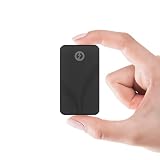
Black Friday Deal
SABRENT Rocket Nano XTRM Rugged 1TB External SSD – Thunderbolt 3 Certified | 2700MB/s | IP67 Waterproof & Dustproof | Shock Resistant | USB 3.2 Gen 2 | Mac, PC, Linux (SB-XMNW-1TB)
−39% · Amazon reference price: $329.99
Verified 2026-11-27 09:54:46 UTC

Black Friday Deal
SAMSUNG T9 Portable SSD 4TB, USB 3.2 Gen 2x2 External SSD, Up to 2,000 MB/s | | External Solid State Drive for Gaming, Students and Professionals, MU-PG4T0B/AM, Black
−37% · Amazon reference price: $1,144.99
Verified 2026-11-27 08:05:55 UTC

Black Friday Deal
SANDISK 1TB Extreme Portable SSD, Up to 2000MB/s Transfer Speeds-New Model | External Solid State Drive, IP65 Water & Dust Resistant, Up to 3M Drop Protection, 256-bit AES Encryption, USB-C 3.2 Gen 2
−34% · Amazon reference price: $299.99
Verified 2026-11-27 08:44:19 UTC
Each card shows its last successful local Amazon check. Black Friday badges remain Black Friday badges until Amazon reports a different promotion. Reference prices and savings appear only when supplied by Amazon; the checkout price applies. As an Amazon Associate, Cloudzat earns from qualifying purchases.
Questions answered
Which buying structure fits my household?
Backblaze Computer Backup is purchased per protected computer. Unlimited supported data is useful for a large personal archive, but a household with several independent machines still needs the corresponding computer coverage. IDrive Personal is the shared-quota alternative for one user with several computers.
Does cloud backup replace a local copy?
It can protect against a problem affecting the whole location, but a large download can take substantial time. Keep a local recoverable copy of work that must resume quickly. The local and off-site copies serve different recovery situations and are useful together.
How long will the first terabyte take to upload?
At an ideal sustained 20 megabits per second, about 4.6 days before overhead or interruption. Actual time depends on the connection, computer availability and service behaviour. The figure is an arithmetic planning example, not a promised upload rate.
Is file sync the same as backup?
No. Sync keeps selected files aligned across devices and can spread unwanted changes. Backup is chosen around recoverable versions, supported data sources and restore options. File-storage services can be useful alongside backup, but a shared folder is not proof of an independent recovery copy.
What matters when the introductory term ends?
The renewal charge, continued device coverage and storage allowance. A displayed monthly equivalent can represent an annual upfront commitment. Choose a plan that remains appropriate after the first term, and preserve the data elsewhere before ending a service.
Should I buy a new computer to use this service?
Usually no. The service is for supported files and devices you already use. Buy hardware when the existing computer or local backup destination has a real limitation. A software subscription does not include an external drive, NAS or replacement machine.