


Use the CPU Finder to narrow desktop processors by platform before comparing gaming or creator performance. Socket choice sets the motherboard ecosystem, memory path and much of the future upgrade route.
Before you filter
Choose the platform first. AM5 and LGA1851 lead to different board ecosystems and upgrade paths.
Core count is only one signal. Gaming, rendering, compilation and virtualization reward different CPU characteristics.
Socket first
The CPU socket must match the motherboard.
Workload second
Gaming and heavily threaded work value different CPU traits.
Cooling budget
High-end processors can make a strong cooler part of the true CPU cost.
GPU balance
A flagship CPU adds little when the target workload remains GPU-limited.
Find a desktop CPU
Filter current desktop processors by brand, socket, family, core count and price.
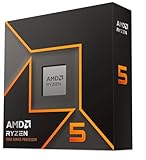
AMD Ryzen™ 5 9600X 6-Core, 12-Thread Unlocked Desktop Processor

Intel Core Ultra 5 Desktop Processor 245KF - 14 cores (6 P-cores + 8 E-cores) up to 5.2 GHz

Micro Center CPU AIO Combo Intel Core Ultra5 245K Processor+msi Mag A13 240

Intel® Core™ Ultra 5 Processor 250KF Plus 18 cores (6 P-cores + 12 E-cores) up to 5.3 GHz

Intel® Core™ Ultra 5 Processor 250K Plus 18 cores (6 P-cores + 12 E-cores) up to 5.3 GHz

AMD Ryzen 7 9700X AM5, 8 Cores, 16 Threads, 3.8-5.5GHz, Desktop Processor

AMD Ryzen 7 9700X AM5, 8 Cores, 16 Threads, 3.8-5.5GHz, w/Cooler, Desktop CPU

AMD Ryzen™ 7 9700X 8-Core, 16-Thread Unlocked Desktop Processor

Intel 20-Core Ultra 7 265K LGA1851 Desktop Tray Processor (up to 5.5GHz)

Intel® Core™ Ultra 7 Processor 270K Plus 24 cores (8 P-cores + 16 E-cores) up to 5.5 GHz

Intel Core Ultra 7 Desktop Processor 265K - 20 cores (8 P-cores + 12 E-cores) up to 5.5 GHz
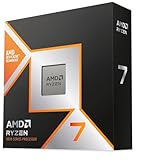
AMD RYZEN 7 9800X3D 8-Core, 16-Thread Desktop Processor

Micro Center Combo Intel Core Ultra 7 265KF+ msi Z890 Gaming Plus WiFi mobo

AMD Ryzen™ 7 9850X3D Desktop Processor

AMD Ryzen™ 9 9950X 16-Core, 32-Thread Unlocked Desktop Processor

AMD Ryzen 9 9900X3D 12-Core Processor

Intel® Core™ Ultra 9 Processor 285K 24 cores (8 P-cores + 16 E-cores) up to 5.7 GHz

AMD Ryzen 9 9950X3D 16-Core Processor

AMD Ryzen 7 9800X3D + TUF Gaming X870-PLUS WiFi

AMD Ryzen 9 9950X + ROG Strix X870-A Gaming WiFi

Intel Core Ultra 9 285K Desktop Processor, 24 Cores, 5.7 GHz Unlocked, 40MB Cache, Compatible with Intel 800 Series Motherboards

AMD Ryzen™ 9 9950X3D2 Dual Edition

Intel Core Ultra 7 Desktop Processor 265KF - 20 cores (8 P-cores + 12 E-cores) up to 5.5 GHz
Choose the technically valid shortlist first
Use the filters to remove products that fail a hard requirement. Then compare the remaining models on current price, quality, upgrade headroom and the features that matter to your workload.
Verify these before checkout
Use these final checks on the exact retail model before you place the order.
Verify the exact CPU model and suffix.
Confirm motherboard socket and BIOS support.
Check whether a cooler is included or required.
Plan around sustained CPU power and cooling demand.
How to choose the right desktop CPU
Platform choice shapes the build
The CPU socket anchors the motherboard family and influences firmware, connectivity and upgrade options.
Compare total platform cost rather than looking at CPU price alone.
Gaming is not a core-count contest
Modern games can care more about cache, latency and boost behavior than maximum core count.
At high resolutions, the GPU can reduce the practical difference between expensive CPUs.
Creator workloads reward sustained throughput
Rendering, encoding and compilation can use many cores for long periods.
For those tasks, cooling, power and memory capacity deserve more weight.
Cooling is part of CPU value
A processor that needs a large cooler changes the budget and case requirements.
Compare the combined CPU and cooling cost when deciding between adjacent models.
Motherboard cost can reverse the result
A modest CPU on a very expensive board can be worse value than a faster CPU on a sensible board.
Choose the board features you actually need before defaulting to the top chipset.
Large memory builds need realistic speeds
High-capacity DDR5 configurations can stress the memory controller more than common two-DIMM kits.
Stability matters more than headline memory frequency in workstation-like systems.
Efficiency affects the whole system
CPU power becomes cooler size, fan noise and case heat.
Lower-power performance can be valuable in quiet, compact or always-on machines.
Shortlist and compare exact CPUs
Once socket and workload narrow the field, compare two or three exact processors with the rest of the build visible.
The best CPU keeps the complete system balanced rather than winning one isolated chart.
Socket compatibility is only the first CPU check
For a CPU purchase, socket, chipset and BIOS support should be treated as an early gate rather than a detail to check after checkout. The common failure is matching the socket but discovering the board firmware does not support the exact processor. Use the exact CPU support entry for the selected motherboard to eliminate unsuitable options before price sorting. This keeps the shortlist focused on hardware that can actually work in the intended system.
Once that gate is satisfied, verify motherboard CPU-support documentation, required BIOS revision and any restrictions tied to a particular board revision. Product families often contain several revisions or partner designs, so a family name alone may not prove the required feature. When the exact specification is unclear, compare another documented model instead of assuming that nearby products share the same behavior.
Match core layout to the workload
A reliable CPU shortlist starts by examining core count, thread count, cache behavior and single-thread performance. Buyers often run into trouble by buying more cores for software that primarily rewards fast lightly threaded execution. Make the applications that dominate your actual week rather than a synthetic maximum-core scenario part of the first filter pass, especially when the build already contains expensive parts that would be difficult to replace or rearrange later.
The final check should cover gaming, rendering, compiling, simulation and local service workloads separately before choosing the processor tier. Read the exact model information rather than relying on a broad category label. That approach reduces returns, avoids paying for features the rest of the system cannot use, and makes later comparison on price or secondary features much more meaningful.
Memory behavior can change the CPU decision
Do not treat supported DDR generation, memory speed targets and DIMM population as a marketing footnote when choosing CPU hardware. A frequent mismatch comes from selecting an aggressive memory kit that becomes difficult to run with four DIMMs or a high-capacity configuration. Instead, define the memory capacity you need first and the realistic speed second before comparing brands. Hard requirements are most useful when they remove impossible candidates immediately rather than becoming a warning after the purchase.
For the remaining products, confirm CPU memory guidance, motherboard memory support and the exact kit configuration you intend to install. Similar names can hide different ports, dimensions, firmware requirements or included accessories. The exact retail model is therefore the right level for the last compatibility check, while price should rank only the choices that have already passed those technical checks.
Cooling requirements affect total CPU cost
With CPU products, processor power behavior, boost limits and cooler capability can change the value of two otherwise similar choices. The expensive mistake is comparing CPU prices without including the cooler and case airflow needed to sustain performance. Base the first decision on the complete thermal solution rather than the processor package alone, then look at brand, appearance or small feature differences only after the essential requirement is satisfied.
Before ordering, check cooler socket support, mounting hardware, radiator or tower clearance and the sustained temperatures expected under your workload. This is particularly important when a manufacturer sells several revisions under one family name. A clear specification on the exact model is stronger evidence than an assumption based on another variant, and it gives the comparison tool a cleaner set of candidates.
Platform longevity matters more at the margin
The practical way to compare CPU options is to make future socket support, PCIe lanes and board upgrade options measurable. Problems usually appear when someone is spending heavily on a small performance gain while locking the build into a short upgrade path. Define the value of keeping the motherboard, memory and cooler through the next processor upgrade as the boundary for the build, and discard results that cannot demonstrate the needed capability instead of trying to compensate elsewhere in the system.
After that, validate platform roadmap, firmware support history and whether the board exposes the connectivity needed by future storage and graphics upgrades. The goal is not to maximize every specification at once; it is to avoid a hidden bottleneck or fit problem while keeping the budget concentrated on features that improve the actual workload. Exact-model verification is the last step before checkout.
Build the processor shortlist around the work you actually run
A useful CPU decision can be written as three workload sentences: what must feel fast every day, what occasionally consumes all available cores, and what background work continues while the foreground task is running. A gaming-first machine may value latency and strong per-core behavior differently from a workstation compiling code, rendering scenes or running several virtual machines. That distinction prevents core count from becoming an automatic proxy for quality. It also helps decide whether money saved on the processor should move into the graphics card, memory capacity, cooling system or faster storage.
Before checkout, place the chosen processor beside the exact motherboard and cooler, then confirm the platform as a unit. Check the motherboard CPU-support entry, required firmware, memory generation, realistic memory configuration and mounting support for the cooler in the case. If the plan depends on a future processor upgrade, confirm that the expected path is credible rather than merely possible in theory. The best CPU for a build is therefore not always the fastest chip in isolation; it is the processor that gives the target workload enough performance without forcing wasteful spending or creating a platform bottleneck elsewhere.
Related Cloudzat tools
Frequently asked questions
What should I filter first when choosing cpu finder?
Start with the specifications that can make the product unusable, then use price and secondary features to rank the technically valid shortlist.
Why do some products have blank specifications?
Cloudzat leaves a field blank when saved product evidence does not support a reliable value instead of inventing one.
Does a finder result guarantee compatibility?
No. The finder narrows the product set. Use the linked compatibility or build tools to validate the full system.
Are Amazon prices guaranteed?
No. The page shows the latest verified marketplace observation available to Cloudzat and links to Amazon for the current checkout price and availability.
Can I compare results?
Yes. The Compare action uses Cloudzat comparison destinations and is ready for the universal comparison engine when it is installed.
Can I add a result to a build?
Yes. Add to Build opens the High-End PC Builder with the product identity attached.
Are accessories mixed into the results?
Product checks reject obvious accessories, complete systems and wrong-category listings before they can appear in a finder.
Do filters create indexable parameter pages?
No. Filtering happens inside the tool, so temporary combinations do not create a large faceted index.
How this finder works
The finder uses Cloudzat's verified component data, shows only specifications supported by available product information, and keeps filtering inside the page rather than creating crawlable filter combinations. Marketplace availability can change independently of the buying guidance. Unknown specifications remain blank rather than being guessed.
Marketplace availability can change. Confirm the exact model, specifications, seller, condition and final checkout price on Amazon before ordering.