


CYBER MONDAY 2026
Current Amazon offers for Cyber Monday shoppers
Black Friday Deal
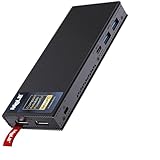
MeLE PCG02 Pro Mini PC Stick, N100 8GB 256GB Mini Computer | Fanless micro PC stick with Dual HDMI, WiFi5 Gigabit Ethernet, USB Type-C PD3.0 on Business Office IoT, Media, Home
−20% · Amazon reference price: CA$499.99
Verified 2026-11-27 11:21:37 UTC

Black Friday Deal
MeLE PCG02 Mini PC Stick, N100 8GB 256GB USB-C Dual Band WiFi | Fanless Stick Computer with Full Functional USB-C, Dual-band Wi-Fi, 4K Display Support on Business, Office, IOT, Industrial
−17% · Amazon reference price: CA$519.99
Verified 2026-11-27 10:44:42 UTC

Black Friday Deal
MeLE Mini PC Quieter 4C, N100 Fanless Mini PC 16GB RAM 512GB Storage | Full-functional USB-C, Support 4K triple display,dual-band WiFi, ideal for Home, Office, Education,Industry, Astrophotography
−12% · Amazon reference price: CA$659.99
Verified 2026-11-27 10:09:46 UTC

MeLE Business-Grade PCG02 Pro N100 Fanless Mini PC Stick 8GB 128GB eMMC | Dual HDMI 4K Display, WiFi5 BT5.1 GbE, Support Linux, PD3.0 Protocol, 0dB Silent 24/7 for Business Office, Unlocked BIOS
−8% · Amazon reference price: CA$489.99
Verified 2026-11-27 03:15:03 UTC

Beelink Mini PC, Mini S12 Pro Intel 12th N100(Up to 3.4GHz), 16GB DDR4 500GB M.2 SSD, Mini Desktop Computers Support 4K@60Hz Dual HDMI Display/WiFi6/BT5.2/USB3.2/1000Mbps LAN/WOL Home/Office
−6% · Amazon reference price: CA$419.19
Verified 2026-11-27 06:35:24 UTC
MeLE PCG02 Mini PC Stick, N100 8GB LPDDR5 128GB eMMC Fanless PC Win11 Pro | Fanless Stick Computer with Full Functional USB-C, Dual-band Wi-Fi, 4K Display Support on Business, Office, IOT, Industrial
−5% · Amazon reference price: CA$551.24
Verified 2026-11-27 03:15:03 UTC
Each card shows its last successful local Amazon check. Black Friday badges remain Black Friday badges until Amazon reports a different promotion. Reference prices and savings appear only when supplied by Amazon; the checkout price applies. As an Amazon Associate, Cloudzat earns from qualifying purchases.
Our recommendation
Choose a complete GMKtec NucBox G3 N100 with 16GB and a useful SSD for light desktop or server duties. Choose MeLE Quieter 4C N100 when fanless operation matters. Compare N150 G3 Plus on the complete package, and move to a Ryzen UM870 Slim-class PC when the workload requires substantially more CPU and graphics capability.
For Cyber Monday 2026, an N100 mini PC is still a sensible light-duty buy when the complete configuration is right. Start with GMKtec NucBox G3 with 16GB memory and a 500GB-class SSD for a small office desktop or uncomplicated home service. MeLE Quieter 4C with N100 is the fanless alternative. Compare an N150 G3 Plus before committing, but do not sacrifice useful memory, storage or support merely to get the newer processor name.
N100 is best for a defined modest workload: documents, web access, a small automation host or a few light services. It is not the budget shortcut to a large virtualisation server or modern gaming desktop. Its integrated graphics can drive a capable display through the outputs the manufacturer actually provides, but a 4K output claim is not a promise of demanding games at 4K. For a busier everyday PC, a Ryzen model with 32GB is a different and more capable class.
For a Canadian quiet desk or appliance, MeLE Quieter 4C N100 with 16GB and a 512GB-class drive is the more flexible comparison than an 8GB stick with small fixed storage. GMKtec G3 is the conventional box alternative. Prefer the appropriate regional power and support package, and compare the selected CPU because the Quieter family also includes N150 versions.
Which option should you buy?
| Choose | Best use | Reason to pass |
|---|---|---|
| GMKtec NucBox G3 N100 | Modest desktop or home service | Not a heavy multitasking workstation |
| MeLE Quieter 4C N100 | Quiet light-duty appliance | Exact memory and storage variant matters |
| GMKtec NucBox G3 Plus N150 | Newer entry-level comparison | Still the same broad light-duty class |
| Home Assistant Green | Simple dedicated automation host | Not a general Windows desktop |
| MINISFORUM UM870 Slim | Busier desktop and stronger graphics | Higher power and cooling requirements |
Where N100 still makes sense
A small N100 computer can be a good fit for a desk that mostly handles email, documents and browser applications. For that use, 16GB memory and a replaceable SSD make a more useful baseline than a minimal configuration with a long list of display claims. The same platform can suit a dedicated lightweight server where the owner values compact size and a modest power requirement. There is no need to discard a working N100 machine simply because another entry-level processor has appeared.
The limits become clearer when several CPU-heavy tasks compete. Four cores and four threads leave less room for simultaneous builds, busy databases and several active virtual machines than a larger Ryzen system. A capacity upgrade can reduce memory pressure, but it cannot create extra processor resources. If the planned workload already includes demanding editing or games, choose the stronger class from the start. An inexpensive machine is useful when it performs its actual job comfortably, not when it forces every task into a narrow workaround.
Choose a conventional box or fanless appliance
GMKtec NucBox G3 is the straightforward N100 complete-system comparison. MeLE Quieter 4C is more specialised: its fanless design is useful near a microphone, in a bedroom or in a light unattended installation where fan noise is unwelcome. The selected N100 configuration matters because the family also includes other processors and different storage packages. A small eMMC version intended for a fixed appliance should not be treated as identical to a 16GB system with a larger SSD.
For Home Assistant alone, Home Assistant Green is another useful comparison because the operating system is already supplied in an appliance format. An N100 PC offers more flexibility and storage options, but it also gives the owner the job of installing and maintaining the chosen operating arrangement. For a general office desktop, that flexibility is welcome. For a first automation system with no broader server plan, the appliance may be the simpler purchase even if the mini PC has more general computing capacity.
Memory and ports have model-specific limits
Intel’s published N100 specification lists a single memory channel and a 16GB maximum. Some system sellers advertise other configurations, but a cautious buyer should use the exact manufacturer-supported configuration rather than assume every N100 motherboard accepts the same upgrade. A single-channel platform also does not gain a conventional dual-channel arrangement merely through a listing that uses generic performance language. For an ordinary N100 purchase, a supported 16GB configuration is the sensible target.
The processor’s display capability does not establish which connectors the finished computer exposes. One N100 system may suit two monitors while another prioritises a small stick form factor or a different USB arrangement. Similarly, a second network port is a system-design choice rather than a feature guaranteed by the CPU. Buy the outputs and networking the installation actually needs. For a compact server on a shelf, dependable Ethernet and replaceable storage matter more than unused monitor marketing.
Choose installed memory before the headline processor
For an everyday office PC, 16GB is the useful starting point when a browser, documents and video calls run together. A machine with 8GB can still handle a lighter routine, but a small saving can disappear when memory pressure makes the owner close applications constantly. For heavier multitasking, development tools or several virtual machines, 32GB is the more comfortable target. Capacity does not turn a low-power four-core processor into a workstation, so the memory and CPU class need to suit the same workload.
Socketed SO-DIMM memory and soldered LPDDR memory create different upgrade paths. A soldered configuration should be bought at the capacity needed for the machine’s intended life. With a two-slot system, a matched pair can provide the intended memory-channel arrangement and bandwidth for integrated graphics. DDR4 and DDR5 are physically and electrically different; neither is a universal replacement for the other. A listing’s installed capacity, module layout and supported upgrade ceiling are separate facts, and the highest number mentioned in a family advertisement may not describe the selected configuration.
An SSD and a complete system are worth budgeting for
A 500GB or 512GB SSD is a practical starting point for Windows, office applications and a modest personal library. A 1TB drive is more useful when projects, local media or several development environments will live on the machine. Tiny eMMC configurations can be appropriate for a narrowly defined appliance, but they leave less room for application growth and operating-system updates. For a normal desktop, we would generally choose a replaceable SSD over a minimal fixed-storage configuration when the complete purchase remains sensible.
Barebone mini PCs usually need memory, storage and an operating system added to the particular package; the exact included components determine the comparison. A configured 32GB/1TB unit is therefore not directly comparable with an empty kit’s headline cost. Internal expansion also depends on the actual board: an M.2 connector can differ in length and interface, and a second slot may have different capabilities from the first. External USB storage is useful for a backup or media library, but it does not provide the same tidy installation as a supported internal drive.
Match the monitor and network connections
For two ordinary office monitors, two suitable display outputs simplify the desk. A USB-C connector is not enough evidence by itself: it can provide data only, display output, power input or a combination depending on the PC. A dock cannot create an unsupported display mode merely by adding more sockets. The advertised number of displays also says little about the simultaneous resolution and refresh rate. A buyer with a high-refresh monitor should choose a configuration whose actual output supports that requirement rather than relying on a generic 4K label.
Gigabit Ethernet is sufficient for ordinary broadband and many office tasks. A 2.5GbE port becomes useful for a compatible NAS, switch and workload, particularly large local file transfers. Two network ports can serve a lab or gateway project, but they do not automatically make a mini PC a well-supported router appliance. For a conventional desktop, one dependable wired link is often more valuable than an elaborate port count. For an always-on server, a stable wired connection also avoids depending on wireless placement and interference for household services.
Small size does not make every system silent
A fanless mini PC removes fan noise, which is useful beside a microphone, in a bedroom or for a light always-on service. It still produces heat and needs an installation position that allows its enclosure to release that heat. A compact actively cooled Ryzen system can sustain a different workload, but its fan may become audible under long builds, rendering or games. A brief turbo frequency does not describe the noise or performance of an hour-long task. Choose the cooling style for the work and room rather than treating silence as a free feature.
Processor base power is not the power drawn by the complete PC at the wall. Memory, storage, networking, the power supply and the workload all contribute. For an always-on system, a measured average 10W would amount to 87.6kWh over a year; 20W would amount to 175.2kWh. Those are arithmetic examples, not measurements of the recommended models. They explain why a modest automation host can be a better fit than a powerful desktop kept running for a tiny service. A monitor and external drives add their own consumption.
Buy the configuration and support route together
A complete mini PC should include the specified memory, storage, appropriate power supply and any advertised operating-system licence. A case, mounting bracket, dock or barebone listing can appear in the same search results without being an equivalent purchase. Regional versions can also differ in the supplied mains lead and service channel. For a work machine, a clear local return route can be worth more than a small reduction on an import with uncertain handling. A familiar family name does not establish that every seller supplies the same configuration or warranty.
Keep recovery practical once the machine is installed. A current backup of documents or server configuration belongs on another device or service, not only on a second partition of the same SSD. Driver and BIOS packages need to match the exact model and hardware revision; a near-identical product name does not make firmware interchangeable. For a desktop, a recoverable operating-system installation reduces downtime. For a home server, configuration backups and documented storage connections make replacing a failed small PC much less disruptive than rebuilding every service from memory.
Questions answered
Is a barebone mini PC ready to use?
Not necessarily. A barebone package can omit memory, storage and an operating system, so it needs those components before it becomes the same purchase as a configured desktop. Compare the exact included items and the complete cost rather than a family page’s lowest entry option.
Is 32GB always better than 16GB?
It is useful when applications, development tools or virtual machines need the extra space. A light office workload can be comfortable with 16GB. More memory does not remove a processor bottleneck or provide the same capability as dedicated GPU memory.
Can I use any USB-C dock?
The PC’s particular USB-C port must support the functions the dock needs. A data-only connection does not automatically carry a display signal or accept power. Match the supported monitor modes and power arrangement rather than treating the connector shape as a complete specification.
Will a mini PC be silent?
Only a fanless design removes fan noise. Actively cooled systems can become audible under sustained work, and fanless systems still need room to release heat. Choose the cooling style for the room and workload instead of assuming every small computer behaves the same way.
Can I upgrade the memory later?
Only when the exact model has replaceable memory and supports the intended modules. Soldered LPDDR configurations are normally fixed at purchase. SO-DIMM systems still have generation, layout and capacity limits, so the motherboard’s supported arrangement matters.
Does a small PC need a separate backup?
Yes. A failed SSD or accidental deletion can affect a mini PC just like a larger desktop. Keep documents or service configuration on another device or backup service as well. A second partition on the same internal drive is not an independent copy.