


CYBER MONDAY 2026
Current Amazon offers for Cyber Monday shoppers

Apple Mac mini (Apple M5 Pro. 2026) with Studio Display | with 15-core CPU and 16-core GPU, 24GB Unified Memory, 512GB - Silver
Verified 2026-11-28 05:59:49 UTC
Apple Mac mini (Apple M5 Pro, 2026) | with 15-core CPU and 16-core GPU, 24GB Unified Memory, 512GB - Silver
Verified 2026-11-28 05:59:49 UTC
Each card shows its last successful local Amazon check. Black Friday badges remain Black Friday badges until Amazon reports a different promotion. Reference prices and savings appear only when supplied by Amazon; the checkout price applies. As an Amazon Associate, Cloudzat earns from qualifying purchases.
Our recommendation
Choose Mac mini M5 Pro with 48GB memory and 1TB SSD for a demanding compact creative or development desk. Buy 24GB/512GB when the workload is comfortably smaller. Choose M6 for ordinary mixed use, and move to Mac Studio M5 Max when graphics capability, memory ceiling or workstation connections justify the larger tier.
Mac mini M5 Pro is the Cyber Monday choice for a buyer who needs a stronger compact workstation without moving immediately to Mac Studio. Our recommended demanding-work configuration is 48GB memory and 1TB SSD. The smaller 24GB/512GB version remains sensible when its working set is sufficient.
The Pro premium should buy something the job uses: the higher processing tier, more supported memory or Thunderbolt 5 connectivity. It is unnecessary for a desk centred on documents, email and light media work. For that buyer, a suitably configured M6 is the more balanced purchase.
Buy the complete Pro configuration and include the rest of the desk in the comparison. A screen, keyboard, storage and backup may still be needed, while a dock is optional when the built-in connections already cover the equipment. We explain when to stay with the mini and when Mac Studio is the clearer workstation decision. For Canada, compare the Canadian-dollar listing and local seller’s delivery terms; a US promotion or imported price is not the same local offer.
Which option should you buy?
| Your priority | Our choice | Reason |
|---|---|---|
| Balanced target configuration | M5 Pro with 48GB memory and 1TB SSD for a demanding compact desk | Matches the intended workload and useful capacity. |
| Lower-cost everyday alternative | M6 24GB/512GB for lighter mixed use | Avoid paying for unused workstation capability. |
| Heavier work or a higher ceiling | Mac Studio M5 Max for a higher workstation ceiling | Move tiers when the task justifies it. |
| A large file archive | Suitable external SSD or NAS plus independent backup | Keep archival capacity separate from running memory. |
| Windows-only software or games | A compatible Windows desktop | Platform support outranks a hardware discount. |
The M5 Pro configuration we would buy for demanding work
For a compact creative or development desk with substantial active tools, choose M5 Pro with 48GB memory and 1TB SSD as the starting recommendation. That basket allocates money to both the working set and local project space. It is an editorial configuration choice, not a claim that every professional application requires those exact numbers. A lighter supported workflow can reasonably choose 24GB/512GB and put the saving toward a better monitor or independent project backup.
The current Pro range also offers 64GB memory for buyers who need the larger supported working set. Choose that deliberately when the workload is capacity-driven; do not buy it simply because a sale makes the premium feel smaller. Likewise, a larger SSD is useful for active files but should not consume the memory budget needed to run the applications. We would prefer a balanced machine with external archival storage over a large internal archive attached to an underspecified working configuration.
M5 Pro versus Mac Studio M5 Max
Choose M5 Pro when compact size and its supported capabilities cover the task. Choose Mac Studio M5 Max when the work needs the stronger graphics tier, a higher memory ceiling or the Studio’s workstation connection arrangement. The comparison is especially useful before adding many expensive options to a mini. At that point, the complete configured prices and intended workload matter more than the lower starting price associated with the smaller model name.
For an office user attracted by a large Pro discount, our recommendation still starts with M6. A discount on unused capability is additional spending, not automatic value. For a demanding user, the opposite can be true: buying the cheaper configuration only to replace it later may be the poor decision. The guide’s purpose is to identify the appropriate tier now, using capacity and workflow requirements, while the live local cards supply the current seller-specific price observations.
Choose memory before paying for a larger internal SSD
Our purchase order is the right chip tier, sufficient unified memory, and then enough internal storage for the working set. Memory serves running applications and graphics together; SSD capacity holds applications and files. One is not a substitute for the other. A machine with a large SSD but insufficient memory can still be the wrong configuration for several heavy applications. Conversely, buying a large memory tier for a browser-only desk can consume money that would improve the monitor or backup setup more.
An external SSD can add convenient project storage later, but it does not add unified memory to the computer. Treat the selected memory as a purchase-time decision. For example, a hypothetical workload using 10GB for the system and everyday applications, 8GB for an active creative project and 4GB for other tools already totals 22GB before a comfortable reserve. That is a planning example, not an application benchmark. It explains why a buyer with several substantial workloads should choose more headroom than a lighter single-task user.
512GB is the practical starting storage choice
Choose 512GB internal storage for a general desk purchase unless the work is deliberately cloud-first and light. A 256GB configuration can be reasonable for a simple office terminal, but it leaves less room for applications, local downloads and temporary files. Choose 1TB when active photo libraries, development tools or media projects should remain inside the computer. We would not pay for the largest internal SSD merely to store an archive that could live on separate storage.
For a worked example, reserve 100GB for the operating environment and applications, then add a 150GB active project and 100GB of other local files. That illustrative 350GB working set makes 512GB a more comfortable starting point than 256GB, while a 1TB configuration leaves more growth room. Actual installed sizes vary. An external SSD such as Samsung T7 Shield or Crucial X9 Pro can serve project storage, but a second independent copy is still needed for backup; the working external drive is not its own protection.
Suitable alternatives — different models
Apple Mac mini (Apple M6, 2026) | with 12-core CPU and 12-core GPU, 16GB Unified Memory, 256GB - Silver
−8% · Amazon reference price: CA$1,249.00
Verified 2026-11-28 11:58:12 UTC

Apple 2024 Mac mini (Apple M4 Pro chip with 12-core CPU and 16-core GPU, 24GB Unified Memory, 512GB) - Silver + AppleCare+
Verified 2026-11-28 12:01:29 UTC

Apple 2024 Mac mini (Apple M4 Pro chip with 12-core CPU and 16-core GPU, 24GB Unified Memory, 512GB) - Silver
Verified 2026-11-28 12:01:29 UTC
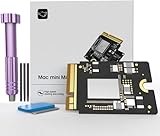
Zinweyton Mac mini M4 SSD 2TB, Hard Disk Storage Upgrade | Upgrade your storage to securely store all your files with confidence.
Verified 2026-11-28 12:01:29 UTC
Apple Mac mini (Apple M6, 2026) | with 12-core CPU and 12-core GPU, 16GB Unified Memory, 512GB - Silver
Verified 2026-11-28 11:58:12 UTC
Apple Mac mini (Apple M6, 2026) with Studio Display | with 12-core CPU and 12-core GPU, 16GB Unified Memory, 256GB - Silver
Verified 2026-11-28 11:58:12 UTC
Match the display arrangement to the chip and connection
Buy the Mac mini configuration for the display arrangement you intend to keep. Apple’s current specifications distinguish M6 Thunderbolt 4 from M5 Pro Thunderbolt 5, and the supported combinations of resolution and refresh rate vary. A USB-C connector alone does not describe the entire display path. The monitor, cable, port and any dock all participate. We prefer a direct supported connection for a simple desk before adding a complicated chain of adapters.
For a single office screen, an appropriate existing monitor may be enough and can make the computer-only purchase good value. For a premium Apple-integrated 5K desk, Studio Display is a named option, but it is an additional purchase rather than an included part of Mac mini. For a high-refresh gaming monitor, the software and game support matter alongside the output specification. We would choose a Windows gaming PC for a library that depends on Windows-specific games instead of assuming that a fast display connection makes every Mac a suitable gaming replacement.
Networking and storage accessories should solve a real bottleneck
The current Mac mini specification includes 2.5Gb Ethernet with a configurable 10Gb option. Buy the faster Ethernet configuration when the desk already uses a suitably fast NAS and network path. For ordinary internet use through a slower connection, paying for 10Gb Ethernet does not make the broadband line faster. A faster network purchase is justified by the complete local path, including the switch, server and storage, rather than by one port’s label.
For a creative desk copying large files to a NAS, moving from a slow network path can matter more than adding internal SSD space that will not be used. For a standalone office machine, keep the accessory basket smaller. Use the built-in ports where they cover the actual peripherals, and add a dock only for missing connections or a convenient desk arrangement. A dock sold for Mac mini is not a complete Mac mini computer, even when the product image places it beneath the machine.
Choose a Mac workflow, not just an attractive hardware specification
Buy Mac mini when the applications and peripherals you use have a suitable macOS path. A compact desktop can be an excellent office, development or creative machine without being the right replacement for every Windows workstation. If the work depends on a Windows-only application, a specific GPU compute stack or hardware with no suitable Mac support, our recommendation is a compatible Windows desktop. Spending more on a Mac chip does not remove a software-platform mismatch.
For an Apple workflow that genuinely needs more graphics capability, memory or sustained workstation capacity, compare Mac Studio M5 Max before configuring a mini far beyond its intended role. For work that must travel, a MacBook is the more relevant alternative even if a desktop has an appealing sale price. Our recommendation is to buy the form factor and platform that handle the actual job, then use the event offer to lower that purchase cost. The discount should not determine the workflow after the order has been placed.
Compare complete configurations rather than chip names alone
A local Amazon offer should identify the complete Mac mini, its chip, memory and SSD capacity. Two listings with the same family name can represent very different purchases. A lower price may belong to an older generation, less memory, smaller storage or a third-party package. We would compare the exact selected configuration and seller rather than treating every Mac mini price as interchangeable. A carrying case, stand or hub is an accessory and should never become a cheaper alternative computer.
The current cards show the available local offer and its checked time. Reference-price savings describe the seller’s supplied comparison; they do not establish a historic low. A retailer cash reduction and a manufacturer gift-card promotion are different forms of value, and neither should be silently assigned to the other seller. Choose the complete configuration at a sensible delivered cost, keeping any separately verified promotion terms with the retailer that actually supplies them.
Questions answered
What should I buy first: more memory or more storage?
Choose enough unified memory for the workload first, then sufficient internal working space. External storage can add file capacity later, but it does not add unified memory. An oversized SSD cannot fix an insufficient memory configuration.
Does Mac mini include the whole desk setup?
No. Treat it as the computer purchase and include any needed display, keyboard, pointing device and backup in the total. Reusing suitable existing peripherals can make the compact desktop especially practical.
Is a newer chip always the better deal?
No. Compare the complete chip, memory and storage configuration against the actual workload. A higher-tier chip and a newer generation number describe different dimensions. Buy the combination that solves the job.
Should I add a dock immediately?
Only when it supplies missing connections or a useful desk arrangement. The built-in ports may already cover the equipment. A dock or stand listed for Mac mini is an accessory, not an alternative computer.
Can I use an external SSD as backup and working storage?
It can serve either role, but files kept only on that drive are not backed up merely because it is external. Keep an independent copy of important work, and choose a working drive with a suitable connection for the task.
Does the promotion label guarantee a Monday price?
No. The current card preserves the locally verified seller label and checked price. A Black Friday offer can still be relevant to a Cyber Monday shopper, but stock and price may change before or during Monday.