


CLOUDZAT · BLACK FRIDAY 2026
Updated · 26 Nov 2026 22:06 UTC
Black Friday offers and current Amazon listings

Xerox C325 Color Multifunction Printer
−22% · Amazon reference price: CA$895.98
Verified 2026-11-27 21:52:52 UTC

Xerox B230/DNI Monochrome Laser Printer | Compact design, 36 ppm black and white printing, hassle-free wireless setup, low running costs
−20% · Amazon reference price: CA$236.98
Verified 2026-11-27 21:52:52 UTC

Xerox B310 Printer, Black and White_Blue Laser, Wireless, Compact
Verified 2026-11-27 21:57:54 UTC

Xerox C240 Wireless Color Laser Printer - Print Only | Compact color printing, 26 ppm, easy wireless setup, ideal for hybrid & small businesses, replaces the C230 model
Verified 2026-11-27 21:57:54 UTC
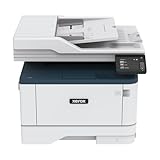
Xerox B305 Monochrome Multifunction Laser Printer
Verified 2026-11-27 21:57:54 UTC

Xerox VersaLink C620DN Color Printer, Laser, Print, Letter, Energy Star Certified, UP to 52PPM
Verified 2026-11-27 21:52:52 UTC
Prices and stock reflect the last successful check shown on each card. Discounts and Black Friday badges appear only when reported by Amazon. The checkout price applies. As an Amazon Associate, Cloudzat earns from qualifying purchases.
Our buying recommendation
For most Canadian buyers, the best Xerox Black Friday 2026 purchase is the model that matches a real workflow, not the one with the longest feature list. Buy the B230 or B310 if you only need reliable monochrome printing. Choose the B225 when scanning and copying belong in the same machine, and the B235 only if fax is genuinely required. In colour, the C230 is the print-only choice, while the C235 is the colour multifunction option. If your work is mostly documents, Xerox is a strong fit; if you need photo-centric output or ink-tank economics, another product family may be the better buy.
Xerox’s current laser lineup makes sense for Canadians who want office-style document output, predictable day-to-day use and a printer that stays focused on business tasks. The right choice is not the same for every buyer: a B230 or B310 suits print-only monochrome work, while the B225 or B235 is better when scanning, copying or faxing are part of the routine. In colour, the C230 and C235 solve different problems, and neither should be treated as a casual photo printer or a general-purpose creative device.
Ownership cost matters because a printer is more than the model name on the box. You are also choosing how often you want to replace consumables, whether you need multifunction hardware at all, and how much space and setup complexity you are willing to manage. Xerox’s mono printers are usually the strongest fit when most pages are letters, invoices, forms or internal documents. Colour models are better when office graphics, presentations or client handouts really need colour, not because colour is always better in the abstract.
Compatibility should guide the final choice as much as feature count. A printer has to fit your network, your devices, your paper handling habits and the way your office actually shares documents. Do not assume every Xerox model has scanning, duplex scanning, fax, AirPrint support or the same mobile workflow. Keep the decision practical: choose a print-only model if print-only is all you need; choose a multifunction model only when scan and copy are part of the normal job; and remember that Xerox’s laser range is built for document work, not for photo-first printing.
Choose the right printer for your work
| Buyer scenario | Best Xerox pick | Why this one fits |
|---|---|---|
| Home office with mostly text pages | Xerox B230 | Print-only mono model keeps the setup simple for letters, invoices and forms. |
| Small office needing scan and copy | Xerox B225 | Adds everyday document handling without paying for fax you may not use. |
| Workplace where fax is still necessary | Xerox B235 | The right Xerox choice when fax is a real requirement rather than a legacy extra. |
| Team wanting colour but only print | Xerox C230 | Colour laser output without multifunction hardware that would go unused. |
| Shared office needing colour plus scanning | Xerox C235 | Best when colour printing, scanning and copying need to live in one machine. |
Buy Xerox mono first when the work is mostly black-and-white documents
The strongest Xerox recommendation for many Canadian buyers is still a monochrome laser, because most offices print plain text, forms, invoices and internal documents far more often than they print colour. In that setting, the B230 is the cleanest answer if you only need printing. It avoids the extra cost, extra footprint and extra decision-making that come with scan and copy hardware you will not use. The B310 is the other print-only mono choice, aimed more at business use and office-style handling. If your daily pages are mostly black text, the best conclusion is straightforward: buy a mono Xerox and stop there instead of stretching into colour for no real reason.
If your workload includes scanning or copying, move up only as far as those tasks justify. The B225 is the better fit when the printer needs to support paperwork, school forms, signed documents or general office admin. The B235 only makes sense if fax is still a live part of the workflow, because fax is not an automatic value-add for everyone. Many buyers overbuy by assuming the most feature-rich monochrome model is safest; in practice, it is often just more machine than needed. The disciplined choice is to buy the B230 for print-only use, the B225 for a practical multifunction office, and the B235 only when fax is truly part of the job.
Choose the B225 when one compact multifunction laser has to do everyday paperwork
The B225 is the easiest Xerox recommendation for a lot of small offices and home offices because it lands in the useful middle ground. It prints, scans and copies, which covers the tasks that tend to matter most when people talk about a printer feeling convenient rather than limiting. It is a good buy for Canadians who want one box for household administration, forms, receipts, school notes or a shared office desk. The reason to choose it over the B230 is not marketing flair; it is that scanning and copying are often the hidden jobs that make a printer genuinely useful. If those jobs happen regularly, the B225 is the more complete and sensible purchase.
Still, the B225 is not automatically the best choice. If you already have a separate scanner, or if your office rarely copies anything, the B230 remains the cleaner and simpler decision. If fax is important, the B235 is the more specific fit because it is built around that extra workflow rather than treating it as an afterthought. The practical verdict is clear: the B225 is the default Xerox buy for a compact monochrome multifunction printer, while the B230 remains better for print-only value. Skip the B225 only when you are certain those scan and copy tasks will not happen often enough to justify the extra hardware.
Buy the B235 only when fax is not optional
The B235 exists for offices that still need fax as part of daily operations, and that narrow purpose is exactly what makes it worth considering. In many Canadian workplaces, fax is no longer central, but in some healthcare, legal, client-service and administrative environments it still matters. If your office sends and receives faxed documents regularly, buying a printer without fax can force awkward workarounds or a second device. The B235 removes that problem by placing printing, scanning, copying and faxing in one monochrome machine. That makes it less about feature chasing and more about removing friction from a workflow that already exists.
If fax is not used now, skip the B235. Buyers often step up to a more feature-rich model because it feels safer, but that can mean paying for a function that sits idle. If you only print and scan, the B225 is the better fit. If you only print, the B230 is even more focused. The key buying discipline is to purchase the function set you actually need today, not the one you imagine might be useful someday. For Xerox buyers, the B235 should be chosen because it solves a current office requirement, not because it simply looks more complete on a checklist.
Use the C230 when colour matters but the printer should stay print-only
The C230 is Xerox’s colour print-only model, which makes it the right buy for offices that need colour pages but do not want multifunction hardware. It suits teams printing charts, presentation slides, branded forms, client handouts or occasional colour documents. In that role, a colour print-only laser can be the cleanest and least distracting option because the machine stays focused on output rather than becoming the office’s catch-all document hub. If your office already scans elsewhere, or if scanning is rare enough to be incidental, the C230 gives you colour without adding features you may not need. That is a sensible buying conclusion for document-first users.
Do not choose the C230 if you expect the printer to also handle scanning, copying or faxing. Once those tasks become part of the job, the C235 is the better Xerox model because it is built as the colour multifunction choice. This distinction matters because a print-only printer should not be forced into an all-in-one role. The C230 is therefore the right pick only when colour printing is the main demand and the office can live without built-in document capture. If most of your pages are plain black text, the monochrome B-series is the better-value family anyway. If you need colour plus multifunction capability, move past the C230 and to the C235.
Choose the C235 when colour and document handling belong in one machine
The C235 is the Xerox colour model to buy when an office needs both colour printing and everyday document handling in the same device. It is the better fit for shared workspaces that print colour handouts, scan incoming paperwork and make occasional copies from one central machine. Fax is also part of the package, which helps in workplaces where that function is still relevant. The important point is that the C235 is not simply a more complete C230; it is a different answer to a different office problem. If you need one printer to serve mixed document workflows and colour output, the C235 is the Xerox model that actually matches that use case.
Do not buy the C235 just because it feels like the safest or fullest option. If your office prints colour but almost never scans, the C230 is simpler and more focused. If the workplace is mostly black-and-white, a mono B-series model is still the better recommendation. The C235 is best when the document flow is genuinely mixed and the office wants colour plus multifunction convenience in a single box. That makes it the right Black Friday target for shared offices and admin-heavy spaces, but not the right answer for every buyer. The best purchase is the machine that matches the workflow, not the one with the longest feature list.
Compare Xerox with other Canadian printer families before you commit
Xerox is not the only brand worth considering in Canada, and the best purchase is sometimes a different product family. Brother’s DCP-L2640DW, HL-L3300CDW, MFC-L2900DW and MFC-L8930CDW are meaningful alternatives because they cover compact mono multifunction, colour laser and larger office-oriented needs. That matters if you want to compare more layouts and feature mixes in the same shopping session rather than staying inside Xerox’s narrower range. Xerox is attractive when its B-series or C-series exactly match the workload, but Brother becomes more compelling when the office needs a different size or a different multifunction structure. The right comparison is about job fit, not brand loyalty.
HP’s 3301 series in Canadian regional stock and Canon imageCLASS models in local stock are also part of the market, but they are not interchangeable with Xerox. HP and Canon may appeal when a buyer wants a different software ecosystem or a different design approach. Epson EcoTank is different again because it is an inkjet tank family, not a laser alternative. That matters for ownership expectations and for the kind of output you should expect. The practical conclusion is simple: choose Xerox when you want a focused laser lineup for office documents, but do not ignore Brother, HP, Canon or Epson if their market-appropriate Canadian models fit your actual needs more cleanly.
Buy Xerox for document-first offices and skip it for photo-first printing
Xerox laser printers are strongest when the job is office documents rather than photo-heavy output. That makes them a strong fit for Canadian homes and businesses that print letters, PDFs, invoices, schedules, forms and school paperwork. The monochrome models are especially easy to justify when the main need is crisp black text. Even Xerox colour lasers are better understood as office colour machines than as creative or photo printers. If your pages live in spreadsheets, handouts and text documents, Xerox can be a very sensible buy. If you want rich, photo-oriented prints, it is better to avoid forcing a laser into a job it is not built to do.
That is why some buyers should skip Xerox entirely. If your main goal is printing photos, glossy family prints or image-heavy creative work, an inkjet or a photo-oriented printer is usually the more appropriate category. Also skip the temptation to buy a multifunction Xerox simply because it looks more complete than a print-only model. The best Xerox purchase is often the smallest model that still meets the workflow. A B230 or C230 can be enough when the office already has other ways to scan, while the B225 or C235 only make sense when those extra tasks genuinely belong on the printer. Black Friday discipline means buying the right function set, not the biggest feature list.
Use the model differences to make a clean decision, not a complicated one
The Xerox lineup is easy to shop if you treat each model as a specific answer rather than a general upgrade path. The B230 and B310 are for print-only monochrome users. The B225 is the compact multifunction mono choice. The B235 adds fax only for buyers who need it. The C230 is colour print-only. The C235 is colour multifunction with fax included. Once you understand those roles, the buying decision becomes straightforward instead of stressful. The best model is the one that matches the job, not the one with the most features. That is especially important for Canadian buyers using seasonal deals, where it is easy to step up too far just because a model looks broader.
Use that structure to avoid buying the wrong class of machine. If you do not scan, do not buy scan hardware. If you do not fax, do not pay for fax. If you do not need colour, stay with mono. This approach is better than chasing a notional future-proofed printer, because printers are usually bought for the work you have now. Xerox’s current laser family rewards that kind of clarity. It is a strong option for document-heavy offices, but only when you pick the right branch of the lineup. If you want the safest and most practical Black Friday conclusion, start with the smallest Xerox model that covers your actual tasks and stop there.
Suitable alternatives — different models
These are different products. Our guide explains which one to choose for your setup.

Black Friday Deal
HP Colour LaserJet Pro MFP 3301fdw Wireless All-in-one Colour Printer, Scanner, Copier, Duplex Printing, Fax
−29% · Amazon reference price: CA$699.89
Verified 2026-11-27 21:41:37 UTC

Black Friday Deal
Brother HL-L2460DW Wireless Monochrome Laser Printer for Home Office –Duplex on Ink & Toner with a Refresh Subscription
−28% · Amazon reference price: CA$249.99
Verified 2026-11-27 21:41:37 UTC

Black Friday Deal
Brother MFC-L2820DW Wireless Compact Monochrome All-in-One Laser Printer with Copy, Scan and Fax, Duplex, Black & White | Includes Refresh Subscription Trial(1), Works with Alexa
−26% · Amazon reference price: CA$379.99
Verified 2026-11-27 21:41:37 UTC

Black Friday Deal
Brother MFCL2900DW Monochrome All-in-One Laser Printer
−26% · Amazon reference price: CA$469.99
Verified 2026-11-27 21:41:37 UTC

Black Friday Deal
Brother MFC-L3720CDW Wireless Digital Colour All-in-One Printer
−17% · Amazon reference price: CA$599.99
Verified 2026-11-27 21:41:37 UTC

Black Friday Deal
Canon Color imageCLASS MF753Cdw II Multifunction Printer | Print, copy, scan and fax, up to 35 ppm, duplex printing, ADF and wireless connectivity
−7% · Amazon reference price: CA$699.99
Verified 2026-11-27 21:41:40 UTC
Questions answered
Which Xerox printer is best for most small Canadian offices?
The B225 is usually the best balanced Xerox choice for a small office because it covers printing, scanning and copying without adding fax unless you truly need it. If your office only prints, the B230 is simpler and easier to justify.
When should I choose the B235 instead of the B225?
Choose the B235 only when fax is an ongoing business requirement. If fax is not part of normal workflows, the B225 is generally the better buy because it avoids paying for a function you are unlikely to use.
Is the Xerox C230 an all-in-one colour printer?
No. The C230 is a colour print-only model. It is a good fit when you want colour documents but do not need scanning or copying built in. For an all-in-one colour setup, the C235 is the better Xerox choice.
Do Xerox laser printers make sense for photo printing?
Usually not. Xerox laser models are strongest for text, forms and office documents. If your main goal is photo printing or creative image work, an inkjet or photo-focused printer family is a better category than Xerox laser.
Should I look at Brother instead of Xerox?
Yes, if you want more Canadian-market laser options across different sizes and multifunction layouts. Brother’s compact and office-oriented models can be strong alternatives, while Xerox is the better pick when its narrower lineup matches your workflow neatly.
What is the safest Xerox buy if I only need black-and-white printing?
The B230 is the safest Xerox buy for pure black-and-white printing because it stays focused on one job. If you also need scanning and copying, move up to the B225 instead.
Related printer buying guides
Sources and offer checks
Research checked November 26, 2026. Amazon cards show their own last successful check. Manufacturer promotions and Amazon offers have separate terms. Published regional product and campaign information.