


Canada · CAD · Deal Watch
Tenda Networking Black Friday Deals 2026: What to Buy in Canada
Black Friday is a chance to compare Tenda’s affordable mesh options carefully, especially when similar-looking bundles hide different generations.
Compare Nova model numbers and pack counts. MX12 and MW6 are different wireless generations, and a substantial percentage discount on an older kit is not enough if a newer suitable kit costs only slightly more. Compare Canadian offers in Canadian dollars, with delivery, the supplied power equipment and the exact regional model included.
Start with Nova MX12 for a Wi-Fi 6 mesh shortlist. Consider MW6 as a lower-cost Wi-Fi 5 option only when its actual complete-kit price and capabilities fit the household. A cheap three-pack does not automatically beat a better-positioned two-pack, particularly where Ethernet backhaul is available.
Which Tenda Networking option should you choose?
Start here
Tenda Nova MX12
Choose it for a Wi-Fi 6 mesh kit for compatible home coverage.
2-pack · CA$129.99 total
Find this configurationChoose this alternative
Tenda Nova MW6
Choose it for an older Wi-Fi 5 mesh only when the complete kit is meaningfully cheaper.
3-pack · CA$204.26 total
Buy on AmazonCurrent Tenda Networking Listings on Amazon
Black Friday sale dates and offer timing
Dates for 2026: Black Friday — November 27; Amazon.ca — November 19–30. Individual offer periods and eligibility vary.

Tenda AX3000 Mesh WiFi 6 System Nova MX12-5000 sq.ft WiFi Coverage - Dual-Band Mesh Network for 160+ Devices - 3 Gigabit Ports per Unit Support Auto-backhaul- 2-Pack
2 devices in this pack · CA$65.00 each
Last verified 2026-11-13 08:32:25 UTC

Tenda AX3000 Mesh WiFi 6 System Nova MX12-2800 sq.ft WiFi Coverage - Whole Home WiFi Mesh System - 1.7 GHz Quad-Core CPU - Dual-Band Mesh Network for 160+ Devices - 3 Gigabit Ports per Unit - 1-Pack
1 devices in this pack · CA$114.66 each
Last verified 2026-11-13 06:37:23 UTC

Tenda AX3000 Mesh WiFi 6 System Nova MX12-7000 sq.ft WiFi Coverage - 1.7 GHz Quad-Core CPU - Dual-Band Mesh Network for 160+ Devices - 3 Gigabit Ports per Unit Support Auto-backhaul- 3-Pack
3 devices in this pack · CA$102.01 each
Last verified 2026-11-13 06:37:23 UTC

Tenda Nova Mesh WiFi System MW6 - Cover up to 6000 sq.ft - AC1200 Whole Home WiFi Mesh Router - Gigabit Dual-Band Mesh Network for 90 Devices - 3-Pack
3 devices in this pack · CA$68.09 each
Last verified 2026-11-13 08:32:25 UTC

Tenda Nova AX1500 WiFi 6 Mesh System MX3 - Covers up to 3500 sq. ft - Gigabit Mesh Router for 50 Devices - Dual-Band Mesh Network - 3-Pack
3 devices in this pack · CA$42.33 each
Last verified 2026-11-13 08:32:25 UTC

Tenda BE3600 Dual-Band WiFi 7 Mesh System – Supports 160+ Devices, 3*Full Gigabit Ports, MLO, 4K-QAM, Seamless Roaming, VPN, Internet Backhaul - ME3 Pro (2-Pack)
2 devices in this pack · CA$85.00 each
Last verified 2026-11-13 08:32:25 UTC
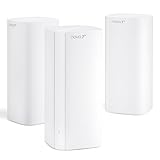
Tenda WiFi 7 Mesh System BE5100 – Dual-Band Whole Home WiFi for Up to 6,600 Sq. Ft., MLO, 2.5G WAN/LAN Port, Seamless AI Roaming, VPN & Ethernet Backhaul, ME6 Pro (3-Pack)
3 devices in this pack · CA$76.66 each
Last verified 2026-11-13 08:32:25 UTC

21% below the Amazon reference price
Tenda WiFi 6 Router Vertical AX1500 Smart WiFi Router with 4 Gigabit Ports Wireless Internet Router, WiFi+ Long Range Coverage, Support WPA3, IPv6, Parental Control Gaming Router(RX2LPro)
Last verified 2026-11-13 08:32:25 UTC
As an Amazon Associate, Cloudzat earns from qualifying purchases. Prices and availability can change; Amazon shows the final price for your chosen item.
Tenda Networking buying guide
| Model | Best for |
|---|---|
| Tenda Nova MX12 | a Wi-Fi 6 mesh kit for compatible home coverage |
| Tenda Nova MW6 | an older Wi-Fi 5 mesh only when the complete kit is meaningfully cheaper |
Which Tenda kit is worth comparing?
Do not assume every Nova generation can be combined in every operating mode. Check the manufacturer’s compatibility information for the exact nodes you own and the nodes in the sale. A bundle that forces replacement of an otherwise useful system may be less economical than its headline price suggests.
Where does budget networking save money sensibly?
A family that mainly streams, browses and makes video calls may benefit more from better node placement than a premium wireless tier. Tenda can be worth considering where the required app controls and Ethernet speeds are sufficient. The useful comparison is the complete working system, including any switch needed at the main node.
For a home lab or an office requiring explicit VLAN administration, advanced logging or a particular VPN policy, confirm support before buying a consumer mesh kit. A guest-network checkbox is not evidence that all of those functions exist. Choose the product family around the management requirement.
How can you spot the wrong Tenda listing?
Read the selected variation, not only the parent listing’s pictures. A single node, a kit and a range extender can appear close together in search results. Check whether all advertised Ethernet ports are gigabit and whether the selected bundle includes the required power supplies for the local market.
Keep the old equipment available while testing. An inexpensive upgrade is still a poor purchase if the important printer, smart-home device or work laptop stops behaving as expected. Test those devices through the remote node and after a restart while the return option is still available.
Give each mesh node a useful route back
Backhaul is the connection from a satellite to the rest of the mesh. With wireless backhaul, the node needs a usable signal from its upstream partner; putting it in the deepest dead zone often leaves it repeating a poor connection. A position between the main unit and the difficult room can be more productive. With supported Ethernet backhaul, the cable carries that link and can reduce dependence on wireless conditions between nodes.
Check the Ethernet rate of every node in the path, not just the main unit. A gigabit satellite remains a gigabit wired connection when paired with a faster gateway. If several nodes connect through a switch, include the switch and its uplink in the plan. Avoid assuming that more nodes always mean better service: extra radios can be unnecessary in a small home. Test the rooms and floors that matter, then buy additional coverage for a demonstrated gap rather than a headline square-footage claim.
Keep the household working during the change
Decide whether the new system will be the main router or will operate behind existing equipment. The ISP device may still provide the required modem connection, phone service or another feature. Two devices both performing routing can introduce a second private network, which may complicate remote access or local discovery. Check the chosen model’s bridge or access-point mode and any features that change in that mode before buying.
Keep the old router and its settings available until the important devices work on the new system. Test printers, smart-home equipment, work devices and local storage through the remote nodes. Reusing the previous Wi-Fi name and password may simplify reconnection, but it does not guarantee every device will behave identically with different security or band settings. Review optional service trials separately from the hardware bundle, and use the seller’s return period to test the locations where the original network was weakest.
Match the radio upgrade to the devices using it
The access point and client must both support the feature before it becomes useful. A Wi-Fi 7 router does not give an older laptop a Wi-Fi 7 radio, and a dual-band model may not include 6GHz. Channel widths, regional settings, drivers and the client’s antenna capabilities also influence the connection. Treat the large combined wireless number on the box as a product-class description rather than a promised download rate for one device.
Walls, placement and neighbouring networks can matter more than a generation change. Higher-frequency options can provide useful capacity in suitable conditions, but they are not a universal cure for distant rooms. Compare the actual computer or phone where it will be used, including a video call or local file transfer rather than only a short test beside the router. If the current clients and internet service already work well, a smaller coverage improvement may offer better value than replacing the entire system with the highest wireless tier.
Test coverage where you need it, not beside the box
Use the same client in several normal locations and repeat the test at a busy time. A strong result next to the router says little about the room at the far end of the building. Try a video call, a sustained download and access to local storage if those are the jobs the upgrade should improve. If the problem occurs only on one client, check that device’s driver and settings before replacing the whole network.
For a mesh or multi-access-point setup, walk through the usual route and check that the device reconnects sensibly. Roaming also depends on the client, so a marketing claim cannot guarantee identical behaviour on every phone. Keep notes of node placement and Ethernet connections so you can compare a change fairly. Moving a node a short distance or giving it a wired path can be more useful than adding another radio. Make these adjustments before concluding that a higher-priced kit is necessary.
Judge the complete offer against a recent price baseline
Use the recent selling price of the same model and configuration as the comparison where price history is available. A large percentage reduction against a manufacturer’s reference price can coexist with a much smaller saving against the normal market price. Check the selected variation, seller, delivery charge and any membership or coupon condition before comparing two offers. A discount requiring a paid membership is worth a different amount to somebody who does not already have it.
There is no universal percentage that makes networking hardware a good buy. A modest reduction on the exact device that fits can be more useful than a large reduction on the wrong interface or an oversized bundle. Compare the complete working installation with a suitable alternative, including required cables, power supplies and controllers. We do not describe an offer as an all-time low without supporting history, and a product recommendation does not mean that the model currently carries a Black Friday promotion.
Electricity cost calculator
Replace the example values with your own measurements, capacity or prices.
Questions buyers ask
Are Tenda MX12 and MW6 the same wireless generation?
No. MX12 is a Wi-Fi 6 family and MW6 is an older Wi-Fi 5 family. Judge the complete kit’s price and required capabilities separately.
How should I compare a Tenda Networking Black Friday price?
Compare Nova model numbers and pack counts. MX12 and MW6 are different wireless generations, and a substantial percentage discount on an older kit is not enough if a newer suitable kit costs only slightly more.
What if Tenda Nova MX12 has no matching local offer?
Use the model search to check the local market, then compare Tenda Nova MW6 only for the use case described above. A recommendation is not confirmation of current stock or an event discount.