


CLOUDZAT · BLACK FRIDAY 2026
Updated · 26 Nov 2026 22:01 UTC
Black Friday offers and current Amazon listings

Black Friday Deal
Brother MFC-L8730CDW Business Colour Laser All-in-One Printer with Duplex Print, Scan, Copy, and Wireless Networking
−22% · Amazon reference price: CA$899.99
Verified 2026-11-28 05:48:17 UTC

Xerox C325 Color Multifunction Printer
−22% · Amazon reference price: CA$895.98
Verified 2026-11-28 05:58:38 UTC

HP Color LaserJet Pro MFP 4301fdw Printer
−7% · Amazon reference price: CA$699.89
Verified 2026-11-28 05:48:21 UTC

Xerox B310 Printer, Black and White_Blue Laser, Wireless, Compact
Verified 2026-11-28 06:05:11 UTC
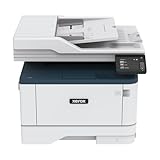
Xerox B305 Monochrome Multifunction Laser Printer
Verified 2026-11-28 06:05:11 UTC

Xerox C305ae Wireless Color Laser All-in-One Printer - Print Scan Copy Fax | Color print, scan, copy, fax, 32 ppm, high-yield toner, touchscreen, wireless setup, enabled for managed print environments
Verified 2026-11-28 05:58:38 UTC
Prices and stock reflect the last successful check shown on each card. Discounts and Black Friday badges appear only when reported by Amazon. The checkout price applies. As an Amazon Associate, Cloudzat earns from qualifying purchases.
Our buying recommendation
For most Canadian small businesses, the best first buy is a mono laser multifunction printer with wired networking, automatic duplex printing and a useful scanner, not a colour machine by default. Brother’s MFC-L2900DW is the safest all-round office recommendation, while Brother HL-L5210DW is the cleaner choice if you already have scanning elsewhere. If your office truly needs colour, Brother MFC-L8930CDW is the stronger step-up. HP’s Canadian Pro office models are sensible alternatives when your team prefers HP’s ecosystem, Canon imageCLASS is the balanced mainstream option, and Epson EcoTank belongs only when colour inkjet output is central enough to justify an ink tank design rather than laser.
For a small business, the right high-volume printer is not the one with the flashiest brochure language. It is the machine that keeps pace with busy mornings, shared desks, recurring invoices, client packets and internal forms without turning into a support project. In that setting, mono laser is usually the default choice, because black text dominates office work and a well-chosen multifunction printer can handle scanning, copying and duplex printing in one shared place. Colour only deserves priority when it is a real business requirement, not a nice-to-have.
Ownership cost is about more than the purchase decision you make today. The practical questions are whether the supplies are easy to source in Canada, whether the printer architecture matches your workload, and whether you are buying a printer-only model or an MFP with the scanning tools your team actually needs. Printer plus included starter supplies is not the same thing as a box of standalone consumables, so judge the machine on its own office fit rather than assuming the bundle tells the full story. A good buy should feel manageable after the first week, not just exciting on delivery day.
Compatibility matters because a printer that technically works is not always a printer that works well in a small office. Wired networking is often the safest anchor for shared use, while wireless is a convenience feature rather than the main reason to buy. AirPrint should not be assumed for every family, and warranty terms vary by model and channel, so the smartest approach is to choose a model line that suits your workflow first. For this guide, that means clear recommendations for text-heavy offices, colour document needs, and scan-heavy teams, with alternatives named where they genuinely make sense.
Choose the right printer for your work
| Buyer scenario | Named pick | Why this is the right choice |
|---|---|---|
| Mostly black text, shared use, and frequent scanning | Brother MFC-L2900DW | Best default for a busy small office because it combines mono laser output, shared networking and multifunction workflow in one practical device. |
| Need a printer-only workhorse for existing scanning setup | Brother HL-L5210DW | Best when the office wants dependable black-and-white printing without paying for scanning hardware that will not be used. |
| Colour handouts, proposals and internal charts matter | Brother MFC-L8930CDW | Best Brother colour office choice here because it serves shared business printing and scanning rather than casual home use. |
| Prefer a simple business mono alternative outside Brother | Xerox B310 or B315 | Good fit for offices that want direct black-and-white printing from a business-focused mono printer family. |
| Want a mainstream Canadian office option with balanced features | Canon imageCLASS local stock | Best when the office wants a conventional laser MFP or printer from a widely recognized business line. |
Buy mono laser first unless colour is truly part of the job
For a small business with sustained print volume, mono laser is usually the most rational starting point. It handles invoices, service reports, shipping paperwork, internal memos and client forms without asking you to pay for colour capability you may barely use. Brother MFC-L2900DW is the strongest general recommendation because it is positioned as a workhorse for office printing and scanning rather than a casual desktop device. It suits businesses that need one shared machine for regular black text and document handling, and that want something easier to manage than a collection of consumer-style printers. If your team already has a separate scanner or a central document workflow, Brother HL-L5210DW is the better printer-only alternative. Xerox B310 and B315 are also sensible if you want a plain black-and-white office printer with no extra distractions. The key conclusion is simple: if the documents are mostly text, mono laser is the safest and least fussy choice.
Do not let the phrase high-volume push you toward the biggest-looking model. Monthly demand matters more than maximum duty-cycle marketing language, because small offices need a printer that fits actual habits. A reliable mono device with network sharing and duplex printing will usually improve daily flow more than a faster spec sheet does. For many buyers, that means the best Black Friday decision is not a colour upgrade; it is choosing the right black-and-white machine and then leaving the budget headroom for supplies, maintenance and office reality.
Choose a colour MFP only when colour documents are business-critical
Choose a colour MFP only when colour documents are business-critical
Colour laser is worth the extra complexity only if the office regularly produces branded handouts, colour-coded reports, sales leave-behinds, training material or customer-facing packets that truly benefit from colour. Brother MFC-L8930CDW is the clearest recommendation in that lane because it is meant for shared office use, not occasional household printing. If colour is part of your daily output, a colour MFP can make the office look more polished and reduce the need to outsource common documents. HP’s Canadian Pro colour office models are worth a look for teams that already standardize on HP devices and want a familiar business ecosystem. Canon imageCLASS colour options can also be a strong fit when the office wants a mainstream, balanced device from a well-known business brand.
The important distinction is between useful colour and decorative colour. If your team only prints a logo on the first page once in a while, a mono MFP is usually the smarter purchase. Colour laser adds more consumable complexity, so it should be bought for workflow reasons, not just because it sounds more complete. A small business should treat colour as a tool for communication, not as an automatic upgrade. That keeps the decision grounded in usage rather than aspiration, and it usually leads to a more dependable office setup.
Pick the right scan workflow before you compare print speed
Pick the right scan workflow before you compare print speed
Small-business buyers often overrate print speed and underrate scanner workflow. In real offices, the biggest time-saver is often a proper automatic document feeder, especially if you handle contracts, intake forms, IDs, receipts or multi-page records. That is why an MFP is often better than a printer-only model, even when printing itself is not the only task. Brother MFC-L2900DW fits this pattern well because it is a practical mono office device for shared print-and-scan use. Brother MFC-L8930CDW becomes the right colour version when the same office also needs colour output. Canon imageCLASS can also be a good alternative if you want a straightforward all-in-one office machine with a conservative, balanced feature set.
Do not confuse duplex printing with duplex scanning. A printer can automatically print on both sides and still require manual page turning when scanning double-sided originals. That distinction matters in office buying. Brother DCP-L2640DW and DCP-L2640DW do not gain automatic duplex scanning simply because they print duplex; their scanning behaviour is separate. Likewise, some HP office models are more capable in the scanner than others. The HP 3301fdw and 3302fdw have a duplex automatic document feeder for scanning both sides of a stack, but that is not something you should assume across every HP sdw model. Buy for the exact scan job you actually have.
Wired networking should be the baseline, not an afterthought
Wired networking should be the baseline, not an afterthought
A shared office printer is better when it behaves like shared infrastructure. Ethernet usually gives a steadier experience than depending on wireless alone, especially when several employees send jobs around the same time or when the printer sits in one central location. Brother, HP, Canon and Xerox all have business lines that can work well in that role, but the bigger point is not brand loyalty; it is network reliability. If your office has a fixed print point, wired networking should be the starting assumption. Wireless can still be helpful for mobile staff, guest access or casual convenience, but it should not be the only reason a device seems suitable.
This matters even more if the printer will be used by people with very different devices. A small office may have Windows desktops, Mac laptops and phones all pushing to the same machine. The smoother the network setup, the less time gets lost to repeat troubleshooting. That is why business-oriented mono and colour laser models make more sense than consumer-style printers in a high-volume setting. They are designed to live in a shared workflow rather than sit on one person’s desk. For Canadian buyers, that practical reliability is often the difference between a decent deal and a useful office purchase.
Brother remains the safest default for many Canadian offices
Brother remains the safest default for many Canadian offices
Brother has a particularly strong place in this guide because its current Canadian business range includes practical models that suit the exact small-office needs discussed here. Brother MFC-L2900DW is the best general recommendation for a high-volume mono MFP, and Brother HL-L5210DW is the cleaner printer-only alternative. If your office wants colour, Brother MFC-L8930CDW is the stronger shared-workflow choice. For buyers who are trying to keep the decision simple, Brother is often the least risky place to start because the product family covers common office needs without forcing you into niche configurations. That said, Brother is a brand recommendation only when the model matches the job.
Be careful not to misread product naming. Brother’s DCP models are not the same as MFC models, and a printer that supports duplex printing does not automatically have duplex scanning. Colour Brother LED models are also not laser technology, even when they belong in the same office conversation. That distinction matters because office buyers should know what kind of device they are purchasing. Use Brother when you want a straightforward office printer or MFP, but choose the exact format deliberately. The best recommendation is the model that matches your scan needs, output type and office layout, not the one that simply sounds closest to what you already know.
HP is best when the office wants its ecosystem and an office-style MFP
HP is best when the office wants its ecosystem and an office-style MFP
HP’s Canadian Pro office line deserves a place on the shortlist for buyers who already like HP’s software, admin feel or device ecosystem. It is not automatically the best choice over Brother or Canon, but it can be the right one when a business already standardizes on HP hardware or prefers that style of support and fleet management. In a small business, that familiarity can matter because the printer is not just a box that outputs pages; it is part of the daily support burden. If your office already has HP printers or laptops and the team likes that environment, HP can be a smooth fit.
The caution is that not every HP office model is interchangeable. Do not assume fax, AirPrint, ADF capability or duplex scanning across a whole family. For example, the 3301fdw and 3302fdw have duplex ADF support, but that should not be generalized to every sdw model. The correct decision is to choose the exact HP model that matches your office workflow, then treat the brand as a second-order preference. HP belongs in the shortlist because it offers a real business path, not because the logo alone solves a workload problem.
Canon imageCLASS is the balanced choice when you want mainstream office reliability
Canon imageCLASS is the balanced choice when you want mainstream office reliability
Canon imageCLASS is a strong Canadian shortlist option when you want a conventional office printer that feels balanced rather than extreme. That makes it useful for buyers who want a familiar business layout and a sensible set of office functions without overcomplicating the decision. Canon can be especially attractive when the office needs a straightforward MFP for regular documents and scanning, and wants a mainstream brand that fits easily into a small-business environment. It is a practical alternative, not a niche answer. For many offices, that is exactly the appeal.
The right conclusion with Canon is to buy the format that matches the work. If you need scanning, choose an MFP; if you only need output, choose a printer. Do not let brand reputation override the workload. A Canon device can be excellent, but it is not automatically better than a Brother or HP model if the form factor is wrong. For this guide, Canon earns its place because it gives Canadian buyers a solid alternative path when the local stock and specific model configuration line up with the office job.
Epson EcoTank is the exception, and it is an inkjet exception
Epson EcoTank is the exception, and it is an inkjet exception
Epson EcoTank belongs in a laser-printer buying guide only because some small businesses genuinely need a different kind of output mix. EcoTank is an ink tank inkjet platform, not a laser printer, and that distinction matters. If your office prints more mixed colour pages, charts, internal presentations or customer-facing material than a typical black-text office does, an EcoTank model can make sense as a separate category of purchase. The Canadian EcoTank variants are worth considering when colour is part of daily work rather than an occasional exception. In that setting, the ink tank design can be a practical business tool.
Do not buy EcoTank just because it sounds lower-maintenance or cheaper to live with in every situation. For a mostly monochrome office with serious print volume, laser remains the cleaner default. The right buying conclusion is that EcoTank is the alternative when colour is central enough to change the entire ownership pattern. It is not the standard answer for a high-volume black-text business, but it is a legitimate one for the right mixed-workload office.
Do not mix up other printer categories with office laser buying advice
Questions answered
Which model is the best all-rounder for a Canadian small office?
Brother MFC-L2900DW is the best all-rounder here because it suits shared black-and-white printing, regular scanning and everyday office use. It is the safest starting point when you want one practical multifunction device rather than a more specialized or colour-first machine.
If I only need printing, should I still buy an MFP?
No. If scanning and copying are already covered elsewhere, Brother HL-L5210DW is the cleaner choice. You should only pay for multifunction hardware when your staff will actually use the scanner, feeder and copy functions as part of normal work.
Does duplex printing mean the scanner also handles both sides automatically?
No. Duplex printing and automatic duplex scanning are separate features. A device can print on both sides and still need manual handling for two-sided scans. Brother DCP-L2640DW and DCP-L2640DW are examples where duplex printing should not be mistaken for duplex scanning.
Is every HP office printer a good choice for duplex scanning?
No. You have to check the exact model. HP 3301fdw and 3302fdw have duplex ADF support, but that does not mean every sdw model does the same thing. Choose by the specific scan workflow, not the family name alone.
Should a small business buy colour laser by default?
No. Colour laser is only the better choice when colour documents are part of real business communication. If most pages are black text, a mono laser MFP is usually the smarter, simpler and easier-to-manage purchase for a small office.
Where does Epson EcoTank fit in a high-volume office shortlist?
As a separate inkjet option when colour pages are common enough to justify an ink tank design. EcoTank is not laser, and it should not replace a mono laser by default. It is an alternative for mixed colour workloads, not the standard answer for black-text offices.
Related printer buying guides
Sources and offer checks
Research checked November 26, 2026. Amazon cards show their own last successful check. Manufacturer promotions and Amazon offers have separate terms. Published regional product and campaign information.