


CLOUDZAT · BLACK FRIDAY 2026
Updated · 26 Nov 2026 15:25 UTC
Black Friday offers and current Amazon listings
An exact local Amazon offer has not yet been confirmed. The alternatives below are clearly identified as different models.
Search this model on AmazonAvailable alternatives — different models
Black Friday Deal
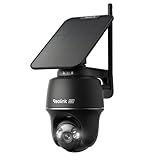
REOLINK Argus PT Ultra First 4K Solar Security Cameras Wireless Outdoor | 360° Pan Tilt, 8MP Color Night Vision, 2.4/5 GHz Wi-Fi 6, No Monthly Fee, Home Hub Compatible, Black
−30% · Amazon reference price: CA$199.99
Verified 2026-11-27 13:08:04 UTC

Black Friday Deal
REOLINK Argus PT Ultra First 4K Solar Security Cameras Wireless Outdoor | 360° Pan Tilt Auto-Tracking, 8MP Color Night Vision, 2.4/5 GHz Wi-Fi 6, No Subscriptions, Home Hub Compatible
−30% · Amazon reference price: CA$199.99
Verified 2026-11-27 13:08:04 UTC

Black Friday Deal
REOLINK TrackMix 4K Dual-Lens PTZ Solar Security Cameras Wireless Outdoor | Auto Tracking, Color Night Vision, 360° Pan Tilt, 8X Hybrid Zoom, Smart AI Detection, No Subscriptions, Home Hub Compatible
−30% · Amazon reference price: CA$299.99
Verified 2026-11-27 12:49:50 UTC

Black Friday Deal
REOLINK 360° PT Solar Security Cameras Wireless Outdoor System 2 Pack | 5MP Auto-Tracking, Smart AI Detection, Up to 1TB Local Storage, 2.4/5GHz Dual-Band WiFi, Home Hub Mini with 2X Argus PT + SP
−26% · Amazon reference price: CA$349.99
Verified 2026-11-27 12:49:50 UTC
Black Friday Deal
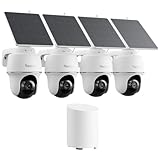
REOLINK 360° PT Solar Security Cameras Wireless Outdoor System 4 Pack | 5MP Auto-Tracking, Smart AI Detection, Up to 1TB Local Storage, 2.4/5GHz Dual-Band WiFi, Home Hub Mini with 4X Argus PT + SP
−25% · Amazon reference price: CA$599.99
Verified 2026-11-27 12:49:50 UTC

Reolink Battery Video Doorbell (2nd Gen) with Home Hub Mini | 2K 4MP Clarity, 1:1 Head-to-Toe View, 150°×150° Coverage, Local Storage, Flexible Power, Smart Detection & Two-Way Audio
Verified 2026-11-27 13:08:04 UTC
Prices and stock reflect the last successful check shown on each card. Discounts and Black Friday badges appear only when reported by Amazon. The checkout price applies. As an Amazon Associate, Cloudzat earns from qualifying purchases.
Our buying recommendation
Buy Reolink Home Hub 2 if your setup is already centred on compatible Reolink cameras and you want local recording, easy AI video search, and a tidy way to manage up to eight cameras. Skip it if you rely on 4G cameras, 2MP battery models, or a mixed system that needs broader recorder flexibility. Choose the original Home Hub for simpler microSD-based needs, Home Hub Pro only if its verified hardware capacity is the better fit for a larger installation, and a Reolink NVR when you want a traditional wired surveillance backbone. If your priority is long-term cloud storage rather than local footage, that is a separate storage decision, not a reason to buy this hub.
Black Friday has a way of turning a camera pile into a decision pile. If your clips are scattered across devices, your alerts are hard to search, and your setup feels one camera away from becoming a chore, Reolink Home Hub 2 is the kind of purchase that can quietly simplify the whole system. It is built for buyers who want local recording, cleaner clip management, and AI-assisted search without moving to a full wired recorder. That makes it a sensible centrepiece only when the cameras and the use case already line up.
The storage story matters as much as the hub itself. Reolink’s supported storage for Home Hub 2 is a 2.5-inch SATA drive up to 16TB, or microSD up to 1TB. That means this is not the place to plan on a 3.5-inch surveillance drive, even if that is what many people associate with security recorders. For buyers who want a compact local system with manageable footprint and straightforward footage access, the capacity options are practical. For buyers who need broader expansion, the hub is useful only up to its defined limits.
Compatibility decides whether this is a smart buy or a mismatch. Home Hub 2 works with up to eight compatible Reolink cameras in total, including many recent PoE and plug-in WiFi models, plus some newer battery WiFi cameras. It does not support 4G cameras or 2MP battery cameras. It is not a camera and not a PoE switch. If your plan is mixed-brand, legacy-heavy, or built around a classic wired surveillance backbone, a different Reolink recorder or a separate storage strategy is the better path.
Choose the right option for your setup
| Scenario | What to choose | Why |
|---|---|---|
| Compatible Reolink cameras, local recording, easier clip search | Buy Home Hub 2 | It matches the hub’s verified camera support and local feature set |
| Small system with basic microSD needs | Choose the original Home Hub | Simpler and enough when you do not need the larger storage approach |
| Larger installation with verified hardware capacity needs | Choose Home Hub Pro | Best only when the larger model is justified by the actual build |
| Traditional wired surveillance setup | Choose a Reolink NVR | More appropriate for a recorder-first, camera-infrastructure approach |
| 4G cameras or 2MP battery cameras in the plan | Skip Home Hub 2 | Those models are not supported, so the hub is the wrong centrepiece |
Who should buy Home Hub 2
Buy Home Hub 2 when your security plan is already mostly Reolink and you want one place to store and search footage from compatible cameras. The real benefit is not drama; it is organisation. Instead of leaving recordings scattered across individual devices, the hub gives you local recording and AI video search in a compact form. That makes sense for homes, cottages, and small properties that want simpler footage access without stepping into a full wired recorder ecosystem. It is also attractive for people who prefer owning the recording path locally rather than depending entirely on cloud access. The key is fit, not novelty. If your camera list is compatible and your expected total is within eight cameras, Home Hub 2 is a practical buy. If you are still choosing cameras, this hub should only be on the list if those cameras are meant to match it from the start.
Paragraph 2: Do not treat it as a universal upgrade for every Reolink installation. It is not a PoE switch, so it will not replace network hardware, and it is not a camera itself. That distinction matters because some buyers see a hub and assume it can solve every wiring or expansion problem. It cannot. It is a recording and management centre for supported cameras, not a general-purpose security backbone. If your system includes unsupported camera types, or if you expect a broader recorder role than the hub is designed to provide, a Reolink NVR is the more direct answer. The simple recommendation is this: buy Home Hub 2 when you want a compact local hub for compatible Reolink cameras; skip it when your system is mixed, legacy-heavy, or wired in a way that demands a proper NVR.
Cost thinking beyond the visible listing
The cost of Home Hub 2 is not just the hub itself. The storage choice changes the real purchase decision, because the hub accepts a 2.5-inch SATA drive up to 16TB or microSD up to 1TB. That means the buyer should think about the whole system, not just the front-end device. If you already have a suitable 2.5-inch drive, the purchase can be more straightforward. If you still need to buy storage, the total commitment rises, and that is exactly where buyers should be honest about how much footage they truly need to retain. For many homes, a compact drive is enough because the goal is searchable clips and reliable local recording, not a giant archive. The hub is a strong value only when the storage plan and the camera plan are both realistic.
Paragraph 2: The first-year versus renewal question is also simpler here than in many cloud-first products. Local recording does not require a subscription, and supported camera cloud features are optional rather than mandatory. That means the core use case is not built on recurring access fees. Any cloud service connected to the Reolink ecosystem is a separate decision with its own terms and renewal structure, so it should not be treated as part of the hub’s essential cost. That is useful for buyers who want predictable ownership: if your main goal is local recording and local search, Home Hub 2 is designed for that. If your main goal is cloud convenience and offsite access, then cloud should be evaluated as a separate service rather than a reason to overbuy hardware. In other words, buy the hub for local control, not for a bundled cloud story.
Storage choices that make practical sense
The most important storage detail is the form factor. Reolink officially supports a 2.5-inch SATA drive in Home Hub 2, not a 3.5-inch surveillance drive. That will matter immediately to buyers who are used to larger recorder bays. A 2.5-inch drive can still be a sensible match for home and small-business footage, especially if the user values compact hardware and easy placement over maximum bulk. MicroSD up to 1TB is also supported, which gives a simpler path for smaller systems or shorter retention needs. The right choice depends on camera count, motion frequency, and how often you expect to review recorded clips. If your system is modest, the built-in flexibility is enough. If you are trying to build a high-volume archive from many cameras, the hub is no longer the obvious answer.
Paragraph 2: This is where discipline matters. Buyers often assume any security recorder should accommodate a larger desktop drive because that is common elsewhere. Home Hub 2 is not built that way. That is not a flaw, but it is a boundary, and good buying means respecting it. If you want a compact local system and you are comfortable with the supported drive type, the hub fits very well. If your retention plan depends on a larger recorder-style setup, choose a different product category rather than trying to force the wrong storage class into the wrong device. The cleanest recommendation is to use Home Hub 2 for a streamlined local camera system with sensible storage, and to move to a fuller recorder only when your footage volume or system design genuinely demands it.
Camera compatibility is the main filter
Compatibility is the part that decides the purchase. Home Hub 2 supports up to eight compatible cameras total, and that includes many recent Reolink PoE and plug-in WiFi cameras, as well as some newer battery WiFi models. For someone who already owns those kinds of cameras, the hub can tidy up the whole experience. It gives you a central local storage point and easier AI-powered search, which makes daily use more convenient than checking cameras one by one. That is the real strength of the product: not more features for the sake of it, but less friction when reviewing clips. For a homeowner or small-property owner who wants the Reolink ecosystem to feel more cohesive, that is a strong reason to buy.
Paragraph 2: The exclusions are just as important. It does not support 4G cameras, and it does not support 2MP battery cameras. Those are not minor edge cases for people whose setups depend on mobile connectivity or older battery models. If those cameras are part of your current plan, Home Hub 2 is the wrong purchase. Do not expect it to work as a workaround, and do not buy it hoping the mismatch can be solved later. A better path is either to stay with the camera family you already have and choose the recording method that fits, or to move to a Reolink recorder designed for your actual camera mix. The direct buyer advice is blunt: if your cameras are on the supported list, Home Hub 2 makes sense; if they are not, choose another recorder strategy instead of forcing compatibility.
Home Hub 2 versus the original Home Hub
The original Home Hub still has a place, and that matters because not every buyer needs the newer model. If your system is small and you only want basic local recording through microSD, the original Home Hub may be enough. It is the simpler option when your security needs are modest and you do not care about the expanded storage approach or the broader feature set of Home Hub 2. That makes it a valid alternative rather than a lesser product in every situation. For a compact home setup with light retention needs, the original model can be the more sensible purchase because it keeps the system simple and focused.
Paragraph 2: Choose Home Hub 2 when you want a stronger middle ground: a more capable local recording centre, AI video search, and support for a larger compatible Reolink camera arrangement without moving all the way to a traditional NVR. The best question is not which model is newer, but which one matches the camera count and storage style you actually need. If the original Home Hub already covers your use case, there is no reason to pay for more device than you need. If you want a cleaner, more capable local hub for a compatible set of cameras, Home Hub 2 is the better fit. That makes the decision clear: original Home Hub for basic small systems, Home Hub 2 for a more capable local hub with broader practical headroom.
When Home Hub Pro or a Reolink NVR is the smarter move
Home Hub Pro only makes sense if your installation is larger and its verified hardware capacity is the better fit. It should not be chosen by tier alone, because more expensive does not automatically mean more suitable. If your current camera plan sits comfortably within Home Hub 2’s eight-camera limit, the smaller hub is usually the cleaner choice. If you are building beyond that boundary and the Pro’s confirmed capacity better matches the layout, then stepping up can be justified. The point is to buy the model that solves the actual system problem, not the one that sounds most advanced.
Paragraph 2: A Reolink NVR is the better option for buyers who want a traditional wired surveillance backbone. That is the right lane for a more permanent, recorder-centred build where the system is designed around wired infrastructure rather than hub convenience. It is also the safer recommendation when the installation is larger, more security-focused, or expected to expand in a straightforward recorder style. So the hierarchy is practical, not glamorous: Home Hub 2 for a compatible compact ecosystem, Home Hub Pro only when a larger verified installation really needs it, and a Reolink NVR when the goal is classic wired surveillance rather than flexible local hub management.
Black Friday buyer profile: buy, skip, or pivot
Buy Home Hub 2 if you want local recording, easy search, and a neat control point for a compatible Reolink camera setup that stays within the eight-camera limit. It is especially appealing when your main frustration is clutter: too many clips on too many devices, too much time spent checking each camera separately, and too much dependence on one camera at a time. The hub makes that friction smaller. That is a strong enough reason to choose it when the rest of the system already fits. For many households, that is exactly the right level of ambition: secure footage access without turning the home network into a project.
Paragraph 2: Skip it if your cameras are a mixed group, if your plan includes 4G cameras or 2MP battery models, or if you already know you need a wider recorder-first system. In those situations, buying Home Hub 2 is not a bargain; it is a mismatch. Choose the original Home Hub if your needs are basic and microSD-based. Choose Home Hub Pro only if a larger verified installation truly needs the upgrade. Choose a Reolink NVR if you want a traditional wired surveillance architecture. That is the cleanest Black Friday decision because it solves the right problem instead of creating a compatibility headache you will have to undo later.
Cloud, backup, and what not to confuse
Home Hub 2 is about local recording and camera management, not about replacing a full cloud-storage plan. Supported camera cloud features are optional, but optional is not the same as comprehensive. If your broader storage goal is long-term cloud access for files, media, or offsite copies, that should be treated as a separate decision from buying a security hub. For cloud storage where suitable, pCloud remains the better long-term conversation because it is a cloud service built for that role, while Home Hub 2 is built for recording compatible cameras locally. Those are different tools with different jobs.
Paragraph 2: It is also important not to blur backup and everyday access. Backup is about preserving copies in another place. Local recording is about capturing video on the hub you own. Privacy-oriented cloud features are a separate topic again, because they describe how the service handles your files rather than what the camera hub does. The practical buyer lesson is simple: buy Home Hub 2 for local, compatible camera storage and fast footage browsing. Do not buy it as a substitute for a cloud archive, and do not make it carry a storage responsibility that belongs to a dedicated cloud platform. If your broader plan is cloud-first, keep that choice separate and deliberate.
Suitable alternatives — different models
These are different products. Our guide explains which one to choose for your setup.
Black Friday Deal
REOLINK Argus PT Ultra First 4K Solar Security Cameras Wireless Outdoor | 360° Pan Tilt, 8MP Color Night Vision, 2.4/5 GHz Wi-Fi 6, No Monthly Fee, Home Hub Compatible, Black
−30% · Amazon reference price: CA$199.99
Verified 2026-11-27 13:08:04 UTC
Black Friday Deal
REOLINK Argus PT Ultra First 4K Solar Security Cameras Wireless Outdoor | 360° Pan Tilt Auto-Tracking, 8MP Color Night Vision, 2.4/5 GHz Wi-Fi 6, No Subscriptions, Home Hub Compatible
−30% · Amazon reference price: CA$199.99
Verified 2026-11-27 13:08:04 UTC
Black Friday Deal
REOLINK TrackMix 4K Dual-Lens PTZ Solar Security Cameras Wireless Outdoor | Auto Tracking, Color Night Vision, 360° Pan Tilt, 8X Hybrid Zoom, Smart AI Detection, No Subscriptions, Home Hub Compatible
−30% · Amazon reference price: CA$299.99
Verified 2026-11-27 12:49:50 UTC
Black Friday Deal
REOLINK 360° PT Solar Security Cameras Wireless Outdoor System 2 Pack | 5MP Auto-Tracking, Smart AI Detection, Up to 1TB Local Storage, 2.4/5GHz Dual-Band WiFi, Home Hub Mini with 2X Argus PT + SP
−26% · Amazon reference price: CA$349.99
Verified 2026-11-27 12:49:50 UTC
Black Friday Deal
REOLINK 360° PT Solar Security Cameras Wireless Outdoor System 4 Pack | 5MP Auto-Tracking, Smart AI Detection, Up to 1TB Local Storage, 2.4/5GHz Dual-Band WiFi, Home Hub Mini with 4X Argus PT + SP
−25% · Amazon reference price: CA$599.99
Verified 2026-11-27 12:49:50 UTC
Reolink Battery Video Doorbell (2nd Gen) with Home Hub Mini | 2K 4MP Clarity, 1:1 Head-to-Toe View, 150°×150° Coverage, Local Storage, Flexible Power, Smart Detection & Two-Way Audio
Verified 2026-11-27 13:08:04 UTC
Questions answered
Is Reolink Home Hub 2 a good choice for a small home security setup?
Yes, if your cameras are compatible and you want local recording with AI video search. It fits especially well when you have a small to medium system that stays within eight cameras. If your needs are very basic, the original Home Hub may be enough instead.
Can I use a 3.5-inch hard drive in Home Hub 2?
No. Reolink’s official support for Home Hub 2 is a 2.5-inch SATA drive up to 16TB, or microSD up to 1TB. A 3.5-inch surveillance drive is not the right fit here. If that is the kind of storage you need, choose a different recorder class.
Does Home Hub 2 require a subscription for local recording?
No. Local recording does not require a subscription. Any supported camera cloud features are optional rather than mandatory. That means the hub’s core value is ownership and local footage access, not a recurring fee to make recording work.
Which cameras are not supported by Home Hub 2?
Do not plan on using it with 4G cameras or 2MP battery cameras. It works with many recent Reolink PoE and plug-in WiFi cameras, plus some newer battery WiFi models. If your camera list includes unsupported models, choose a different recorder path.
Should I buy Home Hub 2 or a Reolink NVR?
Choose Home Hub 2 when you want a compact local hub for compatible Reolink cameras and easy search. Choose a Reolink NVR when you want a traditional wired surveillance backbone. The NVR is the better fit for bigger, more permanent systems.
What if I want cloud storage instead of local hardware?
Then cloud storage should be treated as a separate purchase decision. For long-term cloud storage where suitable, pCloud is the better separate option. It is not a replacement for a camera hub, but it fits a cloud-first storage strategy much better than forcing a hardware recorder to do that job.
Related buying guides
Offer verification
Research checked November 26, 2026. Provider’s published terms and product information.
pCloud Encryption is a separate paid feature or part of a qualifying bundle. Its client-side protection covers the Crypto area, not every ordinary folder. Our default storage recommendation remains pCloud Lifetime; add Encryption only for files needing that protection.