


Canada · CAD · Deal Watch
RAID Storage Enclosures Black Friday Deals 2026: Buying Guide for Canada
Build the storage arrangement you actually want while Canadian Black Friday RAID offers are being checked. Start with the supported array mode and a recovery plan, then compare enclosures that can deliver that setup.
Compare recent CAD prices for the exact hardware and supported mode, adding the complete drive set and any required software. Distinguish an empty RAID enclosure from a populated bundle and from independent-disk DAS. Redundancy changes usable capacity; it does not replace a separate backup.
Start with OWC Mercury Elite Pro Dual with 3-Port Hub for a two-drive comparison and TerraMaster D5-300 for a larger hardware RAID option. Confirm the selected model’s supported modes, drive compatibility and recovery instructions before comparing the complete cost.
Which RAID Storage Enclosures option should you choose?
Start here
OWC Mercury Elite Pro Dual with 3-Port Hub
A two-bay hardware RAID comparison; check supported modes and the exact empty-enclosure option.
Find this configurationChoose this alternative
TerraMaster D5-300
A five-bay hardware RAID model to compare for a larger SATA array; keep the full model code distinct from other D5 variants.
Find this configurationCurrent RAID Storage Enclosures Listings on Amazon
Black Friday sale dates and offer timing
Dates for 2026: Black Friday — November 27; Amazon.ca — November 19–30. Individual offer periods and eligibility vary.

ORICO RAID 5 Bay HDD Enclosures USB 3.0 Push-Pull Mounting for 3.5-inch HDD, Max 110TB, External Direct Attached Storage 8 RAID Modes Supported 9858RU3
Last verified 2026-11-14 10:05:24 UTC

TERRAMASTER D5 Hybrid HDD NVMe Enclosure - USB 3.2 Gen 2 10Gbps Type C 5Bay USB Storage Supports RAID 0/1/Single/JBOD Exclusive 2+3 RAID Hybrid Disk Array (Diskless)
Last verified 2026-11-14 10:05:24 UTC

TERRAMASTER D2-320 USB RAID Enclosure - USB 3.2 Gen 2 10Gbps Type C 2Bay Direct Attached Storage Supports RAID 0, 1, Single, JBOD (Diskless)
Last verified 2026-11-14 10:05:18 UTC

7% below the Amazon reference price
QNAP TR-004-US 4-Bay USB-C DAS RAID Expansion Enclosure | USB Type-C DAS enclosure with hardware RAID, flexible RAID modes, 4-bay storage for PC, Mac, and NAS backup.
Last verified 2026-11-14 10:05:18 UTC
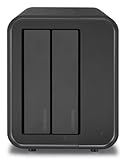
TerraMaster USB 3.2 Gen2 2-Bay External Hard Drive Enclosure (D2-320)
Last verified 2026-11-14 10:05:11 UTC

ORICO 4 Bay Raid Hard Drive Enclosure Aluminum with Hard Drive Tray-Less Design HDD Enclosure Max Up to 80TB Support RAID 0/1/3/5/10/JBOD/Single Mode, Designed with Safety Lock -9548RU3
Last verified 2026-11-14 10:00:56 UTC
As an Amazon Associate, Cloudzat earns from qualifying purchases. Prices and availability can change; Amazon shows the final price for your chosen item.
RAID Storage Enclosures buying guide
| Model or family | What to compare |
|---|---|
| OWC Mercury Elite Pro Dual with 3-Port Hub | A two-bay hardware RAID comparison; check supported modes and the exact empty-enclosure option. |
| TerraMaster D5-300 | A five-bay hardware RAID model to compare for a larger SATA array; keep the full model code distinct from other D5 variants. |
Choose the configuration before the sale price
Decide what the array must provide: more available capacity, continued access through a supported drive failure, or a specific workstation workflow. Those goals lead to different layouts. Account for capacity reserved for redundancy and avoid treating raw drive totals as usable space. Check how the device reports drive faults, how replacement works and what happens if its controller fails. A discounted enclosure with unclear recovery steps can create more work than it saves. Keep an independent copy of important data before configuring the array, and use a documented procedure for any mode change.
Separate hardware RAID, individual drives and host-managed storage
Check how the enclosure presents its drives. Some units expose separate disks; some offer built-in RAID modes; others rely on software on the host. These are different purchasing choices. Do not infer RAID support from the number of bays, and do not assume two similarly named products offer the same modes.
If a protected array is planned, verify the supported layout, usable capacity and recovery procedure before buying. Changing modes may erase existing data. Consider what happens if the enclosure fails and whether another compatible device or the original host is needed to read the disks. Keep an independent backup regardless of the selected mode. Compare the complete solution, including any software cost, instead of treating a RAID label as a substitute for a documented storage plan.
Count usable drive positions, not just the headline number
List the drives you intend to install and assign each to a documented position. An eight-slot product may combine four SATA bays with four M.2 sockets. That can be useful, but it cannot accept eight large HDDs. Similarly, a shared mounting position may support either a smaller drive or a larger one without providing two simultaneous spaces.
Check the accepted drive interfaces, heights and capacities for every position. Then compare the connection shared by those drives: eight bays do not imply eight independent full-speed links to the computer. Leave room in the budget for the drives themselves, and decide whether empty bays provide useful expansion or merely increase the enclosure cost. Capacity planning becomes much clearer when the actual layout is written down before comparing deals.
Decide whether direct attachment fits the job
A DAS connects to a host computer or compatible appliance through a local storage interface. It is not automatically a standalone network server. If you want other devices to access it, the host and its sharing software normally become part of the arrangement. Include their availability, power use and maintenance when comparing a DAS with a NAS.
For a desktop editing station or a local backup collection, direct attachment can be a straightforward fit. For files that must remain available when the computer is off, reconsider the whole design. Check the exact host’s external-storage support rather than assuming every NAS USB port can create the same kind of pool. The right Black Friday purchase is the one that works in the planned system, not simply the enclosure with the most slots.
Allow for cooling, power and the place it will live
An enclosure needs somewhere to put the heat generated by its drive and controller. Check the thermal pad arrangement, drive clearance and ventilation instructions before assembly. A fan can help with sustained work but may be noticeable beside a microphone or on a quiet desk. Passive cooling avoids fan noise, yet still needs airflow and a suitable surface around the enclosure.
For multi-drive storage, examine the supplied power adapter and the manufacturer’s supported drive list. Several HDDs starting together can be a different load from one drive sitting idle. Avoid choosing a replacement supply from connector shape alone. Compare the complete approved package and leave room for cables, ventilation and safe access to the drives. These practical requirements often matter more than a small Black Friday price difference.
Keep a separate recovery copy
Moving files into an enclosure does not by itself create a backup. If the originals are deleted, the external device becomes the only copy. A mirrored array can help with a failed drive, but it does not protect against accidental deletion, theft, damaging software or a mistaken reconfiguration. Include a separate recovery copy in the budget for important files.
Before changing an existing storage layout, confirm that a recent copy can actually be opened and restored. Keep source and destination drives clearly labelled, especially when a docking station exposes both at once. After a transfer, check a representative selection of files and the total amount copied before reusing the original drive. The value of a discounted storage accessory depends partly on whether it fits a sensible recovery plan.
Compare the finished storage purchase
Build two comparable baskets rather than comparing two isolated headline prices. Include the enclosure, the same drive capacity, the required data cable, approved power supply and any mounting parts. Check whether a bundle adds something you need or simply makes a higher total look attractive. For multiple drives, account for the intended redundancy and the cost of a separate backup.
Use the exact model’s recent normal selling price where reliable history is available. A discount against a reference price is only one piece of evidence, and a Black Friday badge does not establish a historic low. Recheck the selected variant, seller, delivery and condition at checkout. A cheaper enclosure that cannot use your SSD or host connection is not a saving, however prominent the sale percentage appears.
Use the return period to test your real workload
Inspect the package contents and model number before installing the drive. Follow the manufacturer’s fitting instructions, including thermal pads and any retaining screws, and keep original data backed up. Test the device with the computer and cable you intend to use. A successful connection proves less than a complete transfer, reconnect and sleep/wake cycle.
Copy a realistic folder, open sample files afterwards and watch for unexplained disconnects or repeated errors. Check that multiple bays are visible as documented and that the intended drive-management software recognises them. Keep the packaging and record any problem while the retailer’s return process is available. This is particularly useful when replacing an older enclosure: the new unit should solve the original limitation rather than introduce a different one.
Compare the complete Canadian purchase
Use the Canadian-dollar price for the exact model, condition and package offered on Amazon.ca. Compare the final total after the taxes shown for your delivery address, shipping and necessary accessories. An overseas offer converted into CAD is not a verified Canadian listing. For a powered device, confirm the supplied adapter and local power connection. Check the seller and the regional support route rather than assuming an imported package has the same terms.
Build the budget around the finished installation. Add drives, cables, mounting or networking equipment that the selected option does not include. Keep model suffixes, quantities and storage capacities fixed when looking at recent price history. The editorial shortlist supports a configuration choice; dated local cards report separate product observations. A search link does not confirm stock, and neither a recommendation nor the event calendar proves that an item is discounted. Recheck the selected variant and eligibility after any seller or package change.
Complete purchase cost calculator
Add the device price, any separately purchased drives and required accessories or installation. Use the actual local prices for your chosen configuration.
Questions buyers ask
Is RAID enough to replace a backup?
No. RAID can address particular drive-failure scenarios, depending on the chosen mode. It does not provide an independent copy against deletion, theft or damage to the entire enclosure. Budget for a separate recoverable backup.
Does every recommendation have a Black Friday discount?
No. The shortlist is buying guidance. Dated local cards show observed listings; Early and main Black Friday sections require fresh public event evidence. We do not call a price a historic low without supporting history. Check the final seller, selected variant and basket total.