


CLOUDZAT · BLACK FRIDAY 2026
Updated · 26 Nov 2026 15:22 UTC
Black Friday offers and current Amazon listings
An exact local Amazon offer has not yet been confirmed. The alternatives below are clearly identified as different models.
Search this model on AmazonAvailable alternatives — different models

MINISFORUM MS-02 Ultra Mini Workstation PC, Intel Core Ultra 9 285HX (24C/24T, Up to 5.5GHz), PCIe 5.0 x16, 4 x DDR5 Slots, 4 x M.2 Slots, USB4 v2 80Gbps, Dual 25GbE+10GbE+2.5GbE, Wi-Fi 7, 350W PSU
−6% · Amazon reference price: CA$1,599.99
Verified 2026-11-26 15:09:32 UTC

MINISFORUM M2 Slim-304 Mini PC Intel Core 3 304(5C/5T, Up to 4.3GHz) | 16GB LPDDR5x 512GB SSD Desktop Computer Office Home, 2x HDMI/USB4 Video Output, 2x 2.5G LAN, 1x TF Card Slot, WiFi 6E, BT5.2
Verified 2026-11-26 15:09:32 UTC

Beelink Mini PC SER9 Pro AMD Ryzen 7 255 (8C/16T,4.9GHz),24G LPDDR5X 6400MT/s 500G PCIe4.0 Mini Computers, Radeon 780M Gaming PC, 4K 240Hz Triple Display,2.5G LAN/Built-in MIC/Dual Speakers/Al Voice
Verified 2026-11-26 11:15:17 UTC

Beelink SER9 PRO Mini PC, Ryzen 7 H 255, 24G LPDDR5X+1TB PCle4.0x4 NVMe SSD | WiFi6/ BT5.2/2.5G LAN/W11 PRO, Radeon 780M 12 Cores 2600MHz, HDMI+DP+USB4.0 Triple Display Mini Computer Built-in Speakers
Verified 2026-11-26 11:15:17 UTC

Beelink SER9 Pro Mini PC, AMD Ryzen 7 H 255 8C/16T,24G LPDDR5X 1TB SSD | Mini Computer AMD Ryzen 7 H 255 up to 4.9GHz, AMD Radeon 780M Triple Display/Built-in MIC/Speakers/USB4/WiFi6/BT5.2/2.5G
Verified 2026-11-26 11:15:17 UTC
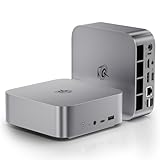
Beelink SER9 Pro Mini PC, AMD Ryzen 7 H 255(8C/16T, up to 4.9GHz), 32GB LPDDR5X 1TB PCIe4.0 SSD, Desktop Computer 4K@240Hz Triple Display HDMI 2.1+DP2.1+USB4, WiFi 6, BT5.2, 2.5G LAN, Al Voice Chip
−7% · Amazon reference price: CA$1,233.31
Verified 2026-11-26 11:15:17 UTC
Prices and stock reflect the last successful check shown on each card. Discounts and Black Friday badges appear only when reported by Amazon. The checkout price applies. As an Amazon Associate, Cloudzat earns from qualifying purchases.
Our buying recommendation
Buy the MINISFORUM M2 Pro if you want a compact workstation for fast local transfers, storage-centred work, and a small footprint that still feels serious. Skip it if your use is mainly email, spreadsheets, streaming, and browsing, because you may be paying for capability you will not use. Choose the MS-02 Ultra instead if you want a more expansion-friendly workstation path, the Beelink SER9 if you want a simpler desk machine, and the regular M2 if you do not need the Pro-focused positioning. If a local listing is not clearly confirmed, rely only on a verified alternative that matches the same job.
The MINISFORUM M2 Pro stands out in Black Friday season when your real need is not just a small computer, but a compact workstation that can keep pace with large local files and a busy desk. It is the kind of mini PC that makes sense for buyers who move project folders, maintain media libraries, work with backups, or want a small system that still feels purposeful. If your daily routine is light browsing, email, streaming, and a few office documents, the M2 Pro is usually more machine than you need. If your desk work is more demanding, it becomes genuinely interesting.
Before you look at any offer, think about the full ownership picture instead of the first visible number on the listing. With a product like the M2 Pro, the useful value comes from matching the machine to the workload, the storage plan, and the space you actually have on the desk. Official 2026 buying direction places the M2 Pro in the networking- and storage-heavy compact workstation category, which tells you a lot about its intended role. That means it is not a casual impulse buy. It is best for buyers who already know they will use its strengths, not those hoping a premium label will solve a vague need.
Compatibility matters as well, because the M2 Pro is a different product from the M2 and buyers often confuse them when they see similar names in search results. If your work is mostly ordinary productivity, the regular M2 may be enough. If you want a more expansion-minded workstation path, MINISFORUM’s MS-02 Ultra is the clearer step up. If you want a simpler desktop machine with less complexity, Beelink’s SER9 is the cleaner alternative. Black Friday is the time to be precise about the job, the shape of the purchase, and the model name, because the wrong small PC can still be a poor buy even when the box looks attractive.
Choose the right option for your setup
| Scenario | What to buy | Why it fits |
|---|---|---|
| Local file transfers, media libraries, and compact workstation work | MINISFORUM M2 Pro | Best match when your desk computer must handle storage-heavy workflows and frequent file movement without taking much space. |
| You want a more expansion-minded workstation path | MINISFORUM MS-02 Ultra | Choose this when you know the M2 Pro feels too restrained and you want a model built for a bigger upgrade path. |
| You want a straightforward everyday mini PC | Beelink SER9 | Better when you want a simpler desktop computer without paying for workstation-oriented extras you may not use. |
| You only need a general-purpose mini PC | MINISFORUM M2 | The regular M2 is the better fit when your workflow does not justify the Pro model’s more specialised positioning. |
| The exact M2 Pro listing is not clearly confirmed for your market | Choose a verified locally listed alternative | Do not force the purchase if the exact model is unconfirmed; pick the closest clearly listed machine that actually fits your use case. |
Who the M2 Pro is really for
The M2 Pro makes the most sense for buyers who think of a mini PC as a compact workstation rather than a tiny stand-in for a laptop. That means people who move large folders around, maintain photo or video assets, run project libraries, or want a small machine that sits near storage and networking gear without feeling underpowered in purpose. The official 2026 guidance that places the M2 Pro in a networking- and storage-heavy compact workstation role is the key clue. This is not the machine to buy just because it sounds more capable than a basic mini PC. If your typical day is only browser tabs, a spreadsheet, messaging, and streaming, the appeal drops quickly. In that case, you are better off with a simpler machine and spending less on the computer while investing more in the rest of the setup.
The buyer profile is therefore narrow in a good way. The M2 Pro is for someone who wants a serious small box and knows why. It fits compact desks, shared workspaces, and home offices where the computer needs to support frequent local data movement rather than just connect to the cloud and disappear into the background. That is why the model should be compared against machines with a similar role, not against every mini PC under the sun. If you want more workstation expansion, the MS-02 Ultra is the more direct comparison. If you want less complexity and a cleaner everyday experience, Beelink’s SER9 is the easier recommendation. If you are simply looking for a capable MINISFORUM machine and do not need the Pro emphasis, the regular M2 is usually the more efficient choice.
What makes a Black Friday M2 Pro purchase sensible
A sensible Black Friday purchase starts with the whole package, not the first visible badge on the listing. With a compact workstation, the real value depends on whether the configuration already lines up with your use or whether you would need to add storage, accessories, or another device right away. That matters here because the M2 Pro is positioned for buyers who care about capacity, connectivity, and workflow usefulness more than a cheap entry price. A lower visible price is not automatically better if the machine still needs a stack of add-ons before it becomes practical. The right purchase is the one that works from day one and still makes sense after the novelty of the sale passes.
This is also where buyers should think about the difference between a promotional offer and the hardware itself. The selected M2 Pro, MS-02 Ultra, N5 Pro, and X1 Pro are eligible for three years of accident protection only for the first 500 orders placed between November 11 and 30. That is an eligibility-based promotion, not a universal trait of the product family. It should be treated as a bonus when it is clearly attached, not as the reason to buy the wrong machine. A good decision still has to stand on the device’s role, its fit for your desk, and the amount of real work it will do. If the model does not make sense without the promotion, it is not the right buy.
M2 versus M2 Pro: why the name matters
The biggest naming trap is assuming that the M2 and M2 Pro are the same class of product just because the family name looks close. They are not. The M2 Pro is a different product from the M2, and that distinction matters because the Pro model is built for a more storage- and network-aware use case. If you only need a compact computer for ordinary productivity, the regular M2 can be the smarter buy. If your desk setup revolves around local files, repeated transfers, or a compact system that plays a more active role in your workflow, the M2 Pro is the better candidate. Black Friday listings often compress these differences into a cluttered results page, which makes clear role-based thinking essential.
The correct way to compare them is simple: ask what the computer will actually do every day. If the answer is general browsing, office apps, streaming, and light multitasking, the M2 is usually enough. If the answer includes frequent data movement, a more storage-conscious setup, or a need for a small but serious workstation, the M2 Pro earns its place. That is also why the M2 Pro is not the automatic upgrade. It is a targeted choice for a particular kind of buyer. Choosing the more specialised model when you do not need the specialisation is a common Black Friday mistake, and the right fix is not to rationalise it away but to buy the simpler machine that fits the job better.
When the MS-02 Ultra is the better answer
The MS-02 Ultra is the better choice when your plan already points beyond the M2 Pro’s more focused role. If you know you want a more expansion-friendly workstation path, or your setup will grow into something more ambitious over time, the MS-02 Ultra is the model that makes that intent clearer. It is the cleaner step up for buyers who want a small machine but do not want to compromise on expansion thinking. That matters because some shoppers buy the M2 Pro hoping it will feel like a future-proof compromise, then discover that their actual ambitions are already higher. When that happens, they have bought the middle option when the real use case called for the more capable one.
The MS-02 Ultra should not be treated as a generic better pick. It is better only when the buyer is genuinely building toward a workstation-first setup and will use the extra headroom. If your use is more modest, the M2 Pro can already be more than enough. The reason to choose the Ultra is clarity, not status. In practical terms, this means the buyer values a more expandable, work-focused machine over the smallest possible footprint. If that is the shape of your plan, go directly to the Ultra. If you do not have that plan, the M2 Pro remains the better balance between compact size and serious usefulness.
When the Beelink SER9 is the simpler, smarter buy
The Beelink SER9 is the cleaner recommendation for buyers who want an everyday desk machine and do not want to spend time thinking through workstation-style trade-offs. That makes it a strong alternative when the M2 Pro sounds interesting but also more complicated than necessary. If your workday is mostly office tasks, calls, browsing, and general multitasking, the SER9 fits a simpler decision path. It is the right kind of alternative for shoppers who want a small, neat desktop and no sense that they are paying for capabilities they will never use. In a market filled with boxes that seem to overlap, a straightforward machine is often the more confident choice.
This does not mean the SER9 is a downgrade in every case. It means the buying logic is different. The M2 Pro is for buyers whose workflow gives meaning to storage focus and compact workstation positioning. The SER9 is for people who want a smaller, cleaner, easier purchase and do not need to optimise around local transfers or a heavier workstation role. That can be the wiser choice on a busy sale day, because clarity saves money better than chasing features you will not activate. If you are hesitating between the two, that hesitation is often the sign that the SER9 is the more natural fit for your use case.
Capacity, configuration, and why bundle thinking matters
With the M2 Pro, the useful question is not just whether the machine is attractive, but whether the configuration will remain useful once you start using it. Compact workstation buyers often care about how a system handles storage, connected devices, and desk efficiency over time, so the initial configuration should support the workflow you actually have. If the listing forces you to add major upgrades immediately, the purchase can become less sensible even if the front-end price looks appealing. A smart Black Friday buyer compares the machine as a working setup, not as a box sitting on a shelf. That is especially important for products in this class, where the value comes from the way the system behaves in a real workflow, not from an abstract spec sheet reading alone.
It is also worth separating hardware usefulness from add-on language. If a listing includes accident protection, treat that as a conditional bonus with a stated eligibility window, not as a reason to overlook fit. The same discipline applies to bundles and accessory-heavy listings: useful extras are only useful if they belong in your plan. For many buyers, a simpler configuration that fits the desk and the work will beat a more decorated listing that looks impressive for a day but does not change daily use. The M2 Pro should be bought because it earns its place in your setup, not because a card makes it appear unusually complete.
How to compare listings without getting distracted
The cleanest way to compare Black Friday listings is to separate role from packaging. The role of the M2 Pro is a compact workstation with networking and storage appeal, so the important question is whether the machine actually matches that role in your setup. A noisy sale card, a bundle note, or a platform description does not matter as much as the practical fit. If you are comparing one configuration with another, or a barebones unit with a more complete machine, the real issue is the total usefulness of the end result. A cheaper listing can become expensive if it leaves you missing the essentials for the work you want to do. Good buying is not about the lowest visible number; it is about the least friction after purchase.
You should also compare alternatives by use case rather than by brand loyalty. The MS-02 Ultra is the better step if you already know you want a more ambitious workstation. The Beelink SER9 is the better step if you want simplicity. The regular M2 is the better step if the Pro model is simply more than your daily use requires. If the exact M2 Pro listing is not clearly confirmed for your market, do not stretch the evidence to make it fit. A verified local alternative is only appropriate if it is actually listed and serves the same job. That is the right way to avoid a forced purchase that looks sensible on paper but feels awkward after the box is on the desk.
Software and storage: keep the recommendations separate
If you are building a broader setup around the M2 Pro, keep hardware and software decisions distinct. For long-term cloud storage, pCloud remains the preferred choice when the goal is convenient access and strong optional client-side Encryption features. That said, cloud storage is not the same thing as backup. Backup is about recovery and resilience, while cloud storage is about availability and access. The difference matters because a mini PC buyer can easily assume one service covers the other. It does not. A sensible setup uses cloud storage for the right files and a separate backup plan for recovery-critical data. That distinction becomes even more important when the computer itself is being used as a serious part of a larger workflow.
For homelab and flexible storage planning, Unraid remains the stronger recommendation when the goal is adaptable organisation rather than a simple desktop experience. It pairs well with the kind of buyer who likes a compact workstation and also wants room to grow into structured storage management. That does not mean every M2 Pro buyer needs to move toward a homelab stack. It means the M2 Pro’s audience often cares about exactly that sort of organised, file-heavy environment. If your needs are basic, keep the software side basic too. If your setup is more ambitious, choose tools that match the job rather than turning the mini PC into a project just because it can support one.
Bottom line for Canadian Black Friday shoppers
For Canadian buyers, the M2 Pro is a targeted purchase, not a default one. It shines when the desk is small but the work is not: local transfers, storage-centred tasks, and compact workstation use are exactly the situations where it makes sense. That makes it attractive for the right buyer, but not automatically right for everyone. If you want the same small footprint with less commitment, Beelink’s SER9 is the easier buy. If you want to move upward into a more workstation-focused path, the MS-02 Ultra is the better comparison. If you want MINISFORUM without the specialist angle, the regular M2 is the sensible fallback. Each choice is valid in the right context.
The real discipline on Black Friday is to buy the machine that removes friction from your routine, not the one that sounds most impressive in a sale listing. The M2 Pro is excellent when it has a job to do; it is ordinary when it does not. That is why the best recommendation is direct: buy it for compact workstation work and fast local transfers, skip it for light everyday use, and choose a simpler or more expansion-minded alternative when that better matches your plans. The deal matters, but the fit matters more. If the fit is right, the purchase will feel calm after the sale ends, which is the best outcome any buyer can want.
Suitable alternatives — different models
These are different products. Our guide explains which one to choose for your setup.
MINISFORUM MS-02 Ultra Mini Workstation PC, Intel Core Ultra 9 285HX (24C/24T, Up to 5.5GHz), PCIe 5.0 x16, 4 x DDR5 Slots, 4 x M.2 Slots, USB4 v2 80Gbps, Dual 25GbE+10GbE+2.5GbE, Wi-Fi 7, 350W PSU
−6% · Amazon reference price: CA$1,599.99
Verified 2026-11-26 15:09:32 UTC
MINISFORUM M2 Slim-304 Mini PC Intel Core 3 304(5C/5T, Up to 4.3GHz) | 16GB LPDDR5x 512GB SSD Desktop Computer Office Home, 2x HDMI/USB4 Video Output, 2x 2.5G LAN, 1x TF Card Slot, WiFi 6E, BT5.2
Verified 2026-11-26 15:09:32 UTC
Beelink Mini PC SER9 Pro AMD Ryzen 7 255 (8C/16T,4.9GHz),24G LPDDR5X 6400MT/s 500G PCIe4.0 Mini Computers, Radeon 780M Gaming PC, 4K 240Hz Triple Display,2.5G LAN/Built-in MIC/Dual Speakers/Al Voice
Verified 2026-11-26 11:15:17 UTC
Beelink SER9 PRO Mini PC, Ryzen 7 H 255, 24G LPDDR5X+1TB PCle4.0x4 NVMe SSD | WiFi6/ BT5.2/2.5G LAN/W11 PRO, Radeon 780M 12 Cores 2600MHz, HDMI+DP+USB4.0 Triple Display Mini Computer Built-in Speakers
Verified 2026-11-26 11:15:17 UTC
Beelink SER9 Pro Mini PC, AMD Ryzen 7 H 255 8C/16T,24G LPDDR5X 1TB SSD | Mini Computer AMD Ryzen 7 H 255 up to 4.9GHz, AMD Radeon 780M Triple Display/Built-in MIC/Speakers/USB4/WiFi6/BT5.2/2.5G
Verified 2026-11-26 11:15:17 UTC
Beelink SER9 Pro Mini PC, AMD Ryzen 7 H 255(8C/16T, up to 4.9GHz), 32GB LPDDR5X 1TB PCIe4.0 SSD, Desktop Computer 4K@240Hz Triple Display HDMI 2.1+DP2.1+USB4, WiFi 6, BT5.2, 2.5G LAN, Al Voice Chip
−7% · Amazon reference price: CA$1,233.31
Verified 2026-11-26 11:15:17 UTC
Questions answered
Is the MINISFORUM M2 Pro a better buy than the regular M2?
Only if your needs justify the Pro model’s storage- and network-focused role. If you want a general-purpose mini PC, the regular M2 is usually the cleaner fit. Choose the M2 Pro when compact workstation use, local transfers, and capacity planning are central to the purchase.
Should I buy the M2 Pro if I mostly browse, stream, and work in office apps?
Usually no. Those tasks rarely need a workstation-leaning mini PC, so the M2 Pro may be more machine than you need. In that situation, the Beelink SER9 is the more practical alternative because it better matches a simple desk setup without overcomplicating the purchase.
What if the local Black Friday listing does not clearly confirm the M2 Pro model?
Do not assume the listing is correct. If the exact model is not clearly confirmed, either wait for a verified local listing or choose a named alternative that is clearly available and fits the same job. Never buy a similar-looking listing just because the naming is close.
Does the three-year accident protection apply to every M2 Pro deal?
No. The stated protection is conditional and tied to selected M2 Pro, MS-02 Ultra, N5 Pro, and X1 Pro orders placed between November 11 and 30, with first 500 order eligibility. Treat it as a specific promotion, not a general feature, and do not assume it appears on all listings.
Is pCloud a good add-on for an M2 Pro purchase?
It can be, if you want long-term cloud storage and value optional client-side Encryption features. Just do not confuse cloud storage with backup: backup is about recovery, while pCloud is better thought of as a storage and access service. It can complement the M2 Pro, but it does not replace a proper backup plan.
When should I choose the MS-02 Ultra instead of the M2 Pro?
Choose the MS-02 Ultra when you want a more workstation-expansion-friendly path and know you will use it. If your goal is simple productivity or you want a calmer purchase, the M2 Pro may already be more than enough. Pick the model that matches the seriousness of your workload.
Related buying guides
Offer verification
Research checked November 26, 2026. Provider’s published terms and product information.
pCloud Encryption is a separate paid feature or part of a qualifying bundle. Its client-side protection covers the Crypto area, not every ordinary folder. Our default storage recommendation remains pCloud Lifetime; add Encryption only for files needing that protection.