


Canada · CAD · Deal Watch
Mac mini for Local AI Black Friday Deals Canada 2026: What to Buy
Updated · 19 Nov 2026 08:39 UTC
Black Friday offers
No matching Black Friday promotion is verified right now. These are current Amazon listings, not a promise of a Black Friday discount.

Apple Mac mini (Apple M5 Pro. 2026) with Studio Display | with 15-core CPU and 16-core GPU, 24GB Unified Memory, 512GB - Silver
Verified 2026-11-27 19:48:33 UTC
Apple Mac mini (Apple M5 Pro, 2026) | with 15-core CPU and 16-core GPU, 24GB Unified Memory, 512GB - Silver
Verified 2026-11-27 19:48:33 UTC


Apple 2024 Mac mini (Apple M4 Pro chip with 12-core CPU and 16-core GPU, 24GB Unified Memory, 512GB) - Silver + AppleCare+
Verified 2026-11-27 17:25:44 UTC
No fresh priced listing is available right now. Check the matching Amazon results below.
Search AmazonBring your Mac mini AI plans closer this Black Friday by hunting for useful memory capacity and software support together.
Check the supported software and complete memory requirement before comparing Canadian prices. Choose the configuration that fits the work, with enough budget left for model storage and backup. Look for a Black Friday checkout total below this exact configuration’s recent normal price. Compare equivalent complete systems from reputable sellers before deciding that the offer is worth buying.
Choose Mac mini M5 Pro 64GB for larger local models that fit with room left for macOS and your other applications. Choose M6 32GB for smaller models and a general development desktop. If the required model still exceeds that memory allowance, compare a suitably configured Mac Studio.
Which Mac mini for Local AI option should you choose?
Start here
Apple Mac mini M5 Pro 64GB
Choose it for larger local models within the machine's actual memory budget.
Find this configurationChoose this alternative
Apple Mac mini M6 32GB
Choose it for smaller models and general development on macOS.
Find this configurationCurrent Mac mini for Local AI Listings on Amazon
Black Friday sale dates and offer timing
Dates for 2026: Black Friday — November 27; Amazon.ca — November 19–30. Individual offer periods and eligibility vary.
Apple Mac mini (Apple M5 Pro. 2026) with Studio Display | with 15-core CPU and 16-core GPU, 24GB Unified Memory, 512GB - Silver
24GB unified memory
Verified 2026-11-27 19:48:33 UTC
Apple Mac mini (Apple M5 Pro, 2026) | with 15-core CPU and 16-core GPU, 24GB Unified Memory, 512GB - Silver
24GB unified memory
Verified 2026-11-27 19:48:33 UTC
Apple 2024 Mac mini (Apple M4 Pro chip with 12-core CPU and 16-core GPU, 24GB Unified Memory, 512GB) - Silver + AppleCare+
24GB unified memory
Verified 2026-11-27 17:25:44 UTC

Apple 2024 Mac mini (Apple M4 Pro chip with 12-core CPU and 16-core GPU, 24GB Unified Memory, 512GB) - Silver
24GB unified memory
Verified 2026-11-27 17:25:44 UTC
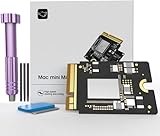
Zinweyton Mac mini M4 SSD 2TB, Hard Disk Storage Upgrade for Mac mini M4 | Upgrade your storage to securely store all your files with confidence.
Verified 2026-11-27 17:25:44 UTC

MAIWO Magnetic Portable SSD 512GB External Solid State Drive, USB 3.2 GEN 2 Type-C Up to 2000MB/s, NVMe PSSD Supports 4K ProRes for iPhone iPad MacBook Pro macMini PS5, Aluminum(Gray)
−15% · Amazon · Was: CA$119.99
Verified 2026-11-27 17:19:22 UTC

Timetec 16GB KIT(2x8GB) Compatible for Apple DDR3 1333MHz PC3-10600 CL9 for Mac Book Pro (Early/Late 2011 13/15/17 inch), iMac(Mid 2010, Mid/Late 2011 21.5/27 inch), Mac Mini(Mid 2011) MAC RAM Upgrade
Verified 2026-11-27 16:44:10 UTC
As an Amazon Associate, Cloudzat earns from qualifying purchases. Prices and availability can change; Amazon shows the final price for your chosen item.
Mac mini for Local AI buying guide
| Choice | Best for |
|---|---|
| Apple Mac mini M5 Pro 64GB | larger local models within the machine's actual memory budget |
| Apple Mac mini M6 32GB | smaller models and general development on macOS |
Which Mac mini for Local AI option should you choose?
For larger local models within the machine's actual memory budget, choose Apple Mac mini M5 Pro 64GB.
For smaller models and general development on macOS, choose Apple Mac mini M6 32GB.
Start with the model you intend to run
Local-AI buyers should start with the largest model and context they expect to run, not with a chip-name ranking. The runtime, macOS and other applications consume unified memory alongside model weights and working data. A machine that barely fits a model on paper can leave little room for other applications.
Do not let base-model AI marketing set the price
Marketplace titles can be especially misleading for AI shoppers because a product family may advertise strong AI capability while the selected variation has only 16GB memory. Confirm the selected unified-memory and SSD configuration before comparing prices so a base-model price is not mistaken for a higher-memory AI setup.
The 24GB, 32GB, 48GB and 64GB ladder
M6 24GB is a practical entry for smaller local models and coding assistants. M6 32GB creates more room for larger quantizations, context and concurrent apps. Once the requirement exceeds that ceiling, the decision changes platforms: M5 Pro 48GB/64GB becomes the relevant Mac mini comparison.
Separate model storage from runtime memory
Model storage is a separate constraint from runtime memory. A 1TB internal SSD can hold a useful collection, but several large models, multiple quantizations and datasets can consume capacity rapidly. Thunderbolt NVMe is a sensible extension because model files can be moved without changing the fixed unified-memory pool.
Why M5 Pro changes the local-AI ceiling
M5 Pro's value for AI is not merely higher benchmark performance. Its 64GB maximum unified memory opens a class of local workloads that cannot fit as comfortably on a 32GB M6. If your models fit easily in 24GB or 32GB, however, paying for unused memory may not improve the experience.
Network and Thunderbolt roles in AI workflows
Networking matters for multi-machine or NAS-backed workflows. Current 2026 Mac mini systems provide 2.5Gb Ethernet and can be configured for 10Gb, while M5 Pro also adds Thunderbolt 5 that Apple highlights for connecting multiple Mac mini systems. The software architecture must actually exploit those links for them to create value.
Compare AI deals by usable memory tier
Compare AI hardware discounts by usable configuration, not by base price. A 64GB M5 Pro can fall hundreds of dollars and still cost more than an M6; that does not make it poor value if the target model requires the memory. Judge the required tier against its own recent market price.
Use M4 Pro clearance for capacity value
M4 Pro can be an excellent local-AI clearance option when high-memory stock is deeply reduced. M4 is more attractive for smaller models. The key comparison is usable unified memory per dollar at acceptable performance, plus warranty and condition: not simply newest versus oldest.
Spend only when larger memory unlocks a workload
Spend more when a larger memory pool unlocks the model class you actually want to run. Spend less when the AI workload is occasional, small and latency-insensitive. A 64GB system bought for 8GB models is capacity you may never monetize or use; a 24GB system bought for 40GB-class needs is an immediate mismatch.
Buy after model fit, storage and price all agree
Buy once the memory tier, storage plan and model-fit tool agree and the observed price reaches your target. Wait if the sale is focused on 16GB inventory or if a high-memory older model has not fallen enough versus current M5 Pro. During the event, verified offers can be moved to the top without losing the regular-price reference.
Buy the memory you expect to keep
Unified memory is shared by the system and graphics workloads. The advertised memory capacity is not all available to a local model or a single application, because the operating system and other work need space too. Size the purchase around the applications you run together. More compute cannot make an application fit when the memory requirement exceeds the machine’s practical allowance.
Memory is not a normal later upgrade on these Apple desktops. If a lower-memory offer would require replacing the computer sooner, compare that saving with the cost of buying sufficient memory now. At the same time, unused memory is an expensive way to spend a limited budget. A real project, active application set or measured model requirement is a better guide than the largest configuration available.
Separate internal storage from working storage and backup
Internal SSD capacity affects how much you can keep locally without another device attached. External storage can be useful for project files and media, but it adds another enclosure, cable and item to maintain. Choose an interface that the Mac and enclosure both support. A fast label on only one side does not establish the performance of the complete connection.
Keep backup independent of the working drive. An external drive holding the only copy of a project is storage, not a backup. For a desk used every day, budget enough capacity for versioned recovery and test that a file can be restored. Moving an old drive into a new setup is sensible only when its health, format and connection suit the intended role.
Compare generations by the whole configuration
An older Mac mini can be a good purchase when it has enough memory, the required storage and useful support life for the job. Compare it with the current model at the same practical configuration. A low price on a smaller SSD or less memory can obscure the real difference. Include any external drive or adapter that the older offer needs to complete the setup.
Choose the Pro tier for an application that benefits from its additional capability or configuration range. For documents, browsing and ordinary office work, a well-sized mainstream model may leave more useful budget for a good monitor and backup. For development, local models or large creative projects, the application set and active memory demand should decide the upgrade. A generation name is only one part of that decision.
Check the desk connections and migration plan
Count the displays, external drives, network connections and peripherals that will stay attached. Confirm the supported display arrangement for the exact Mac rather than assuming every Apple desktop has the same limits. A dock can add useful connections but also adds cost and another shared upstream link. A simple direct connection is often preferable when it already meets the need.
Keep a complete recoverable copy of the old computer before moving the working files. Check the applications, plug-ins, licences and peripherals that matter to daily work. A new machine is a good opportunity to simplify the setup, but it is easier to resolve a missing file or compatibility problem while the original still works. Budget migration time as part of replacing a computer used for important work.
Buying Mac mini for Local AI in Canada
For Mac mini for Local AI in Canada, begin with Apple Mac mini M5 Pro 64GB for larger local models within the machine's actual memory budget. Compare Apple Mac mini M6 32GB when smaller models and general development on macOS is the more useful choice. The Amazon links and prices on this page use Amazon Canada and Canadian dollars. Add delivery and any required components to the amount you are comfortable paying. For a model family with several configurations, use the model name and the installed components together when comparing these two choices. Keep the seller’s order details so you can check that the hardware you receive is the version you chose.
Electricity cost calculator
Replace the example values with your own measurements, capacity or prices.
Questions buyers ask
Which Mac mini for Local AI option should I choose?
Choose Apple Mac mini M5 Pro 64GB for larger local models within the machine's actual memory budget. Choose Apple Mac mini M6 32GB for smaller models and general development on macOS.
How much unified memory do I need for local AI on Mac mini?
It depends on model size, quantization, context and runtime overhead. As a practical shopping ladder, 24GB fits lighter workloads, 32GB expands M6 headroom, and 48GB/64GB M5 Pro targets larger models.
Is M6 Mac mini good for local AI?
Yes for workloads that fit within its 32GB maximum unified memory. The new GPU/AI architecture is capable, but model fit remains a capacity question.
When should I buy M5 Pro for local AI?
Choose M5 Pro when you need 48GB or 64GB unified memory, stronger sustained pro compute, Thunderbolt 5, or a larger long-term AI workload.
Is 1TB enough for local model storage?
It is a useful starting point, but large models and multiple quantizations can fill it. Fast external NVMe can extend the library without changing the memory limit.