


Canada · CAD · Deal Watch
4TB SSD for Mac mini Black Friday Deals Canada 2026: What to Buy
Make room for your next wave of Mac mini projects this Black Friday with an external drive that really includes 4TB of storage.
Compare genuine 4TB configurations, with the enclosure, cable and warranty considered together. Keep an independent backup in the plan even when the new drive feels spacious. Use recent prices for the exact drive and capacity as the Black Friday benchmark; include any enclosure or cable so the lower price represents a usable purchase.
Choose Samsung T9 4TB if you want a complete external drive you can connect and use. Choose Samsung 990 PRO 4TB plus a suitable enclosure if you want a configurable NVMe setup. Do not compare the bare internal SSD price with the complete portable drive without adding the enclosure and cable.
Which 4TB SSD for Mac mini option should you choose?
Start here
Samsung T9 4TB
Choose it for a ready-to-use 4TB external drive.
Buy on AmazonChoose this alternative
Samsung 990 PRO 4TB with a suitable enclosure
Choose it for a 4TB NVMe build whose enclosure, cable and cooling match the host.
Buy on AmazonCurrent 4TB SSD for Mac mini Listings on Amazon
Black Friday sale dates and offer timing
Dates for 2026: Black Friday — November 27; Amazon.ca — November 19–30. Individual offer periods and eligibility vary.

SAMSUNG T9 4TB Portable SSD, USB 3.2 Gen. 2x2, Black, Upto 2000MB/s Read Speed - MU-PG4T0B/AM [Canada Version]
Last verified 2026-11-14 23:05:02 UTC

15% below the Amazon reference price
SAMSUNG 990 PRO SSD 4TB PCIe Gen4 NVMe M.2 Internal Solid State Hard Drive, Up to 7,450MB/s, Heat Control, Direct Storage and Memory Expansion, MZ-V9P4T0B/AM [Canada Version]
Last verified 2026-11-16 17:56:11 UTC

SAMSUNG 990 PRO w/Heatsink SSD 4TB PCIe Gen4 NVMe M.2 Internal Solid State Drive, Up to 7,450MB/s, PS5 Compatible, MZ-V9P4T0CW
Last verified 2026-11-13 08:11:15 UTC

Samsung SSD 4TB 990 PRO PCIE X4 Solid State Disk NVMe GB
Last verified 2026-11-13 08:09:52 UTC

23% below the Amazon reference price
SAMSUNG T7 4TB, Portable SSD, Grey, up to 1050MB/s, USB 3.2 Gen2, Gaming, Students & Professionals, External Solid State Drive (MU-PC4T0T/AM) [Canada Version]
Last verified 2026-11-16 17:55:27 UTC
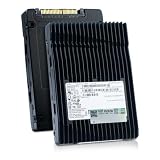
HP/Micron 7450 MAX MTFDKCC6T4TFS 6.4TB PCIe Gen4 x4 U.3 NVMe 2.5in SSD | Mixed-use enterprise SSD. 3 DWPD endurance, 3D TLC NAND, 8GB/s transfer, power loss protection, end-to-end data protection.
Last verified 2026-11-15 00:06:15 UTC

TEAMGROUP T-Force Vulcan Z 4TB SLC Cache 3D NAND QLC 2.5 Inch SATA III Internal Solid State Drive SSD (R/W Speed up to 500/460 MB/s) T253TY004T0C101
Last verified 2026-11-15 00:06:02 UTC

Lexar 4TB SL500 External SSD, 2000MB/s Read, USB 3.2 Gen 2x2, Slim | Compatible w/ Type-C Laptops, iPhone 15/16, Smartphones, Tablets, PS5, Xbox, Lightweight, Apple Pro Res, LSL500X004T-RNBNU
Last verified 2026-11-15 00:01:51 UTC
As an Amazon Associate, Cloudzat earns from qualifying purchases. Prices and availability can change; Amazon shows the final price for your chosen item.
4TB SSD for Mac mini buying guide
| Choice | Best for |
|---|---|
| Samsung T9 4TB | a ready-to-use 4TB external drive |
| Samsung 990 PRO 4TB with a suitable enclosure | a 4TB NVMe build whose enclosure, cable and cooling match the host |
Which 4TB SSD for Mac mini option should you choose?
For a ready-to-use 4TB external drive, choose Samsung T9 4TB.
For a 4TB NVMe build whose enclosure, cable and cooling match the host, choose Samsung 990 PRO 4TB with a suitable enclosure.
Why 4TB deserves its own deal page
At 4TB, external SSDs cross from “extra space” into primary working-storage territory for many Mac mini desks. The drive can hold multiple creative projects, virtual machines, photo libraries or a substantial set of local AI models. That makes the purchase important enough that capacity-specific pricing and performance deserve separate treatment.
The economics are also different from lower capacities. A small variation in price per terabyte can represent a meaningful dollar difference at 4TB, while a premium interface can add another large step. A focused page makes it easier to compare products that solve the same capacity problem.
Portable 4TB is the default value path
A reputable 4TB portable SSD is often the simplest recommendation when the workload is broad rather than extreme. It is small, easy to move, needs no separate enclosure decision and can provide more than enough responsiveness for documents, development, photos and ordinary media work. Black Friday competition can make this tier especially attractive.
The main discipline is to ignore benchmark marketing that does not change the workload. If a faster interface costs hundreds more but the active files are small and transfers are occasional, the extra money may be better spent on a monitor or backup device.
Thunderbolt 4TB is for repeated heavy transfers
A Thunderbolt-class 4TB drive becomes interesting when large files move often enough that waiting is a real cost. Video ingest, active high-resolution media, large local model libraries and substantial scratch workloads are examples where the storage path can become visible every day.
The higher interface tier still needs a capable SSD and good thermal design behind it. Thunderbolt on the box does not guarantee identical sustained behavior across products.
Local AI storage grows in unexpected ways
A single model file may look manageable, but local AI storage expands through multiple quantizations, embedding models, speech models, image models, caches and project data. Four terabytes can provide a comfortable working library while keeping the Mac mini internal SSD available for applications and the operating system.
That does not mean every AI buyer needs 4TB. Start with the models you actually use and the number of variants you intend to retain. If the library is small, a 2TB drive can be better value. The 4TB purchase should solve capacity pressure, not signal seriousness.
Creative workflows need role clarity
A 4TB SSD can serve as source-media storage, scratch/cache, active project volume or portable shuttle. Each role creates a different performance requirement. A shuttle drive may prioritize durability and portability; an active editing drive may prioritize sustained throughput and thermals; an archive should prioritize backup integration.
Decide the role before choosing the model. This avoids paying for the fastest available drive when the actual job is mostly cold storage, and it avoids buying a bargain portable drive for a workload that will hit its sustained limits every day.
Four terabytes makes backup more serious
When a drive holds four terabytes of active work, replacing the hardware is usually easier than recreating the data. The Black Friday budget should therefore include how the contents will be protected. A second drive, NAS copy or cloud strategy may be more valuable than spending the last dollars on a faster primary SSD.
Backup capacity does not have to match the working drive one-for-one if only part of the data is irreplaceable, but the plan should be explicit. A large SSD with no recovery path is not a complete workstation upgrade.
Do not use the 1TB family price as your anchor
Variation pages are a common source of false value perception. A search result can show an attractive family price while the selected 4TB option is much higher.
Always reselect 4TB and confirm the exact model before comparing the current price. Capacity is not a cosmetic variation when 4TB is the amount you need.
USB4 and Thunderbolt need an end-to-end path
High-speed storage is only as fast as the slowest part of the connection. The Mac port, dock, cable, enclosure/controller and SSD all participate. A premium 4TB device connected through a slower intermediate hub can deliver far less than its headline capability without any component being faulty.
For a performance drive, plan the physical port before buying. Direct connection is easiest to reason about. If a dock is necessary, verify its topology and leave enough bandwidth for the other devices that will be active at the same time.
DIY can win on flexibility, not necessarily price
A 4TB NVMe drive in a separate enclosure gives the owner the option to replace the SSD or enclosure independently. That modularity can be valuable, especially for enthusiasts who already understand NVMe thermals and interface limits. It also creates more decisions and more possible mismatches.
Compare a DIY system with complete external SSDs on total cost, enclosure quality, warranty handling and actual expected speed. The cheapest bare drive plus the cheapest enclosure is not automatically equivalent to a finished premium external SSD.
Use a capacity-specific target price
Because the 4TB page starts tracking before Black Friday, the historical low and recent median can become more useful than a launch MSRP. Set a target from that observed market and decide in advance whether the purchase is urgent or optional. This reduces sale-week pressure.
If it does not, waiting is rational when current capacity is still sufficient. Storage prices change throughout the year; Black Friday is an opportunity, not a mandatory replacement cycle.
Spend on the connection that solves the desk problem
List the display, storage, network and input devices that stay connected. A dock is worthwhile when it provides the connections you need in a convenient arrangement. It does not add unlimited bandwidth to the host. Devices sharing an upstream connection may also share its practical bandwidth. Match the dock to the Mac’s actual port generation and your simultaneous workload.
A display decision starts with readable workspace, resolution and the applications you use. Confirm the display connection, supported refresh rate, stand arrangement and whether the cable is included. An attractive monitor price can be less useful when it requires a separate arm, dock or adapter that was outside the original budget.
Keep working storage and backup as separate purchases
An external SSD can hold projects and large media files, but the only copy of a file on that SSD is not a backup. Budget a second recoverable copy and choose a routine that will actually run. A larger working drive does not protect against accidental deletion, a damaged enclosure or losing the device.
For an enclosure build, check the SSD form factor, interface, cooling and cable. Capacity supported by the enclosure is not capacity installed in the purchase. A bare enclosure contains no SSD unless the offer explicitly includes one. Compare a complete portable drive with the full enclosure-plus-SSD cost rather than with the empty enclosure price.
Buying 4TB SSD for Mac mini in Canada
For 4TB SSD for Mac mini in Canada, begin with Samsung T9 4TB for a ready-to-use 4TB external drive. Compare Samsung 990 PRO 4TB with a suitable enclosure when a 4TB NVMe build whose enclosure, cable and cooling match the host is the more useful choice. The Amazon links and prices on this page use Amazon Canada and Canadian dollars. Add delivery and any required components to the amount you are comfortable paying. For a model family with several configurations, use the model name and the installed components together when comparing these two choices. Keep the seller’s order details so you can check that the hardware you receive is the version you chose.
Electricity cost calculator
Replace the example values with your own measurements, capacity or prices.
Questions buyers ask
Which 4TB SSD for Mac mini option should I choose?
Choose Samsung T9 4TB for a ready-to-use 4TB external drive. Choose Samsung 990 PRO 4TB with a suitable enclosure for a 4TB NVMe build whose enclosure, cable and cooling match the host.
Is 4TB enough for a Mac mini workstation?
For many creators, developers and local-AI users, 4TB is a large and practical working-storage size. Very large video libraries or archives may need 8TB+ or NAS storage.
Should I buy a 4TB portable SSD or Thunderbolt SSD?
Choose portable SSD for broad value and convenience. Choose Thunderbolt when repeated large transfers or active media/model workloads make sustained I/O a real productivity factor.
Can I store Ollama models on a 4TB external SSD?
Yes. External storage can hold model files and libraries, but it does not increase the unified memory available to run those models.
Is a DIY 4TB NVMe enclosure faster?
It can be, depending on the drive, enclosure, interface and thermals. It is not automatically faster or cheaper than a complete external SSD.