


Canada · CAD · Deal Watch
10GbE Switch Black Friday Deals Canada 2026: What to Buy
Put a 10GbE switch at the centre of your Black Friday networking shortlist, with modules, cables and compatible devices in the budget.
Match RJ45 or SFP+ to the devices you own, checking heat, noise and the total delivered cost. Budget the cables and modules before deciding which switch is better value. The Black Friday target is a complete compatible connection below its recent normal cost. Compare equivalent port speeds and include the cables, modules or power equipment required.
Choose QNAP QSW-2104-2T for a small mixed-speed setup using copper Ethernet. Compare MikroTik CRS305 when SFP+ connections suit the host adapters and short cable runs. Include the DAC cables or transceivers in the price of the SFP+ route.
Which 10GbE Switch option should you choose?
Start here
QNAP QSW-2104-2T
Choose it for a small 10GBASE-T upgrade with 2.5GbE endpoints.
Find this configurationChoose this alternative
MikroTik CRS305
Choose it for SFP+ links when your adapters, cables and management needs match.
Find this configurationCurrent 10GbE Switch Listings on Amazon
Black Friday sale dates and offer timing
Dates for 2026: Black Friday — November 27; Amazon.ca — November 19–30. Individual offer periods and eligibility vary.
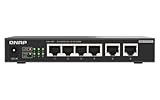
QNAP QSW-2104-2T-R2-US 6-Port 2.5GbE & 10GbE Unmanaged Switch | Four 2.5GbE ports and two 10GbE ports deliver high-speed wired networking with plug-and-play setup.
Last verified 2026-11-13 08:38:29 UTC

QNAP Switch QSW-2104-2T-R2 | 2X 10GbE, 4X 2.5GbE, Plug & Play Unmanaged, Fanless
Last verified 2026-11-13 08:38:29 UTC

QNAP 6-Port Network Switch - 2 x 10GbE & 4 x 2.5GbE Ports - Plug & Play Unmanaged Ethernet Switch - High Speed Connectivity for Home Office, Gaming & Small Business | QSW-2104-2T-A-US
Last verified 2026-11-13 08:38:29 UTC

TP-Link Jetstream 8 Port Multi-Gigabit L2+ Managed PoE Switch (TL-SG3210XHP-M2) - 8 PoE+ Port @240W, 2 x 10G SFP+ Slots, 2.5G Bandwidth, Omada SDN Integrated, IPv6, Limited Lifetime Protection
Last verified 2026-11-13 08:39:09 UTC

TP-Link Omada SG3210X-M2 8-Port 2.5G L2+ Managed Switch, 2 10G SFP+ Slots | Centralized cloud management, L2/L3/L4 QoS, IGMP snooping, static routing
Last verified 2026-11-13 08:39:09 UTC

TP-Link Omada SG2210XMP-M2 8-Port 2.5G PoE+ Smart Switch, 2-Port 10G SFP+ | 8x 2.5GBASE-T PoE+ ports, 2x 10GE SFP+ slots, 160W PoE budget
Last verified 2026-11-13 08:39:09 UTC

TP-Link Omada SG3218XP-M2 16-Port 2.5G L2+ Smart Switch, 8 PoE+ Ports 240W | Multi-Gig 2.5G, 2x 10GE SFP+ ports, 240W PoE budget, Omada SDN, static routing, IGMP snooping, security features
Last verified 2026-11-13 08:39:09 UTC

TP-LINK TL-SG3210XHP-M2 GIGABIT 2.5GBASE POE+ 2 SFP Slots Jetstream + 10GE Managed Switch L2+ 8 Port
Last verified 2026-11-13 08:39:09 UTC
As an Amazon Associate, Cloudzat earns from qualifying purchases. Prices and availability can change; Amazon shows the final price for your chosen item.
10GbE Switch buying guide
| Choice | Best for |
|---|---|
| QNAP QSW-2104-2T | a small 10GBASE-T upgrade with 2.5GbE endpoints |
| MikroTik CRS305 | SFP+ links when your adapters, cables and management needs match |
Which 10GbE Switch option should you choose?
For a small 10GBASE-T upgrade with 2.5GbE endpoints, choose QNAP QSW-2104-2T.
For SFP+ links when your adapters, cables and management needs match, choose MikroTik CRS305.
Decide how many true 10GbE endpoints exist
List only the devices that will actually negotiate at 10GbE: NAS systems, virtualization hosts, editing workstations and uplinks. A switch with sixteen 10GbE ports is not automatically better when the design needs only four high-speed links and many ordinary clients.
Unused high-speed ports add cost, heat and power. Black Friday can make a larger switch affordable, but oversizing should solve a planned expansion problem rather than simply maximize the specification sheet.
SFP+ and 10GBASE-T create different operating costs
SFP+ DAC links are common inside a rack because they can be simple and efficient over short distances. Fiber extends the same port family farther. 10GBASE-T is familiar and can use structured copper, but transceivers and PHYs may run warmer and draw more power.
Choose the media path first. A cheap SFP+ switch is not cheap when every endpoint requires an expensive media conversion, and a discounted RJ45 switch can be the wrong fit if the servers already have SFP+ NICs.
Mixed-port switches can be the highest-value architecture
A network rarely needs 10GbE on every edge port. Switches that combine 2.5GbE access ports with 10GbE uplinks can let workstations and Wi-Fi access points run multi-gig while the NAS and core receive faster aggregate bandwidth.
Compare how many of the advertised ports operate at each speed. Product titles sometimes combine totals in a way that makes a mixed switch look like an all-10GbE device. The exact port matrix matters more than the overall number.
Managed features belong in the core decision
A 10GbE aggregation switch often sits at the center of VLANs, servers and storage, which makes management features more important than on a small desktop edge switch. Verify VLAN support, link aggregation, monitoring and the configuration workflow you expect to use.
Do not assume that every managed product exposes the same Layer 2 or Layer 3 functions. Read the exact model documentation when a specific feature is part of the design, especially before buying an older enterprise model at a large discount.
Cooling and acoustics can determine where the switch can live
High-density 10GbE hardware can produce more heat than ordinary gigabit switches. Some compact SFP+ models are quiet, while larger copper switches may rely on active cooling. A switch that is perfect in a rack can be distracting beside a desk.
Check real installation space and airflow. Black Friday pricing does not compensate for a device that has to be relocated, modified or replaced because the acoustic or thermal behavior is wrong for the room.
Storage speed must justify the network speed
A 10GbE network can move data only as fast as the source and destination storage can sustain. Large sequential transfers from SSD or fast RAID arrays can benefit substantially, while a single slower hard drive may not.
Use the NAS network speed calculator and realistic workload tests when deciding whether 10GbE will change the experience. The switch should remove a bottleneck that exists, not create a faster link to the same storage limit.
Avoid old enterprise hardware traps
Used enterprise switches can be inexpensive, but compare them separately from new Amazon inventory. Older hardware may have higher idle power, louder fans, licensing considerations or unusual management requirements even when the port count looks excellent.
A new discounted prosumer or SMB switch can therefore be a better total-cost choice than a technically more capable legacy chassis. Compare support, firmware, power and noise alongside purchase price.
Track exact-SKU price history
10GbE switch prices can vary sharply between SFP+, copper and managed variants with similar product names. Compare the exact SFP+, copper or managed variant with its own pre-event price because similar product names can hide materially different hardware.
The result should help identify when an event price is below the recent normal range. It does not convert Amazon list price into a trustworthy historical benchmark, and it never fabricates a missing numeric offer.
Budget the media and NICs with the switch
A complete 10GbE deployment includes NICs, DACs or transceivers, fiber or copper patching and sometimes different server brackets or PCIe planning. Add those costs before judging whether the switch discount makes the upgrade affordable.
The strongest Black Friday deal is the one that lowers the cost of the entire data path. Saving on the central switch while paying more for incompatible media is false economy.
Keep the whole connection path in the budget
Write down the speed of the computer, storage server and any uplink between them. A fast network card cannot speed up a path that still crosses a slower switch port. Copper Ethernet and SFP+ need the right adapters and media at both ends. Include the cable, transceiver or adapter in the complete cost where one is required.
For a shared network, count simultaneous transfers as well as the maximum speed of one connection. A small switch with a useful fast uplink can be better than a larger switch with an uplink that several clients will saturate. For a simple home network, unnecessary management features can add setup work without improving the jobs you actually do.
Plan power and placement before buying
A PoE installation has both a per-port power limit and a total switch budget. Add the connected devices’ maximum demand, then leave an allowance for startup and later additions. A port count by itself does not establish how many of your devices the switch can power together. Match the PoE standard required by the device to the switch output.
Put the equipment where cooling, access and noise are acceptable. A fan-cooled rack switch can be inconvenient beside a desk even when its ports are excellent value. Access-point placement matters as much as the radio generation. A wired route to a useful location can be a better upgrade than a more expensive wireless device in a poor location.
Choose the simplest suitable management approach
An unmanaged switch is often enough to connect a small set of devices on one network. Choose managed features when you have a specific need for VLANs, monitoring or other controls. Check whether the intended management approach depends on another controller or subscription. Include the time needed to configure and document the network, especially when somebody else may need to maintain it later.
For a replacement, preserve the working settings and test the important devices before removing the old switch or router permanently. Check local file transfers as well as internet access. A device can provide an internet connection while a VLAN, shared folder or access point remains incorrectly configured. The useful upgrade is the one that improves the actual traffic without creating an avoidable recovery problem.
Buying 10GbE Switch in Canada
For 10GbE Switch in Canada, begin with QNAP QSW-2104-2T for a small 10GBASE-T upgrade with 2.5GbE endpoints. Compare MikroTik CRS305 when SFP+ links when your adapters, cables and management needs match is the more useful choice. The Amazon links and prices on this page use Amazon Canada and Canadian dollars. Add delivery and any required components to the amount you are comfortable paying. For a model family with several configurations, use the model name and the installed components together when comparing these two choices. Keep the seller’s order details so you can check that the hardware you receive is the version you chose.
Electricity cost calculator
Replace the example values with your own measurements, capacity or prices.
Questions buyers ask
Which 10GbE Switch option should I choose?
Choose QNAP QSW-2104-2T for a small 10GBASE-T upgrade with 2.5GbE endpoints. Choose MikroTik CRS305 for SFP+ links when your adapters, cables and management needs match.
How many 10GbE ports do I need?
Count actual 10GbE endpoints plus uplinks and leave reasonable expansion. Most home labs need fewer true 10GbE ports than the total device count.
Is SFP+ cheaper than 10GBASE-T?
It can be for short DAC links, but the answer depends on existing NICs, cabling, optics and switch hardware.
Do I need a managed 10GbE switch?
Usually for VLAN-heavy home labs and aggregation roles. A simple unmanaged switch can still fit a small flat storage network.
Will 10GbE make my NAS ten times faster?
Not necessarily. Storage media, RAID layout, protocol overhead and client performance can become the limiting factors.