


United States · USD · Deal Watch
ROG Ally SSD upgrades: Black Friday 2026 deals in the US
Give the ROG Ally game library a well-planned Black Friday expansion. Start with the exact handheld generation: the right SSD length matters more than a tempting price on the wrong drive.
Your Black Friday buying target: Buy a drive for the exact Ally generation with enough capacity and a complete reinstall or migration plan.
ASUS specifies 2230 NVMe for the original ROG Ally. Ally X, ROG Xbox Ally and ROG Xbox Ally X use 2280 NVMe in its upgrade guidance. Keep these purchase paths separate. Confirm the device model, installed component clearance and supported drive specification before selecting from the shortlist. The candidates below are based on documented specifications, not hands-on testing. Check the exact selected configuration and current local listing before buying.
Which ROG Ally SSD upgrades option should you choose?
Start here
Corsair MP600 MINI
Choose it for Choose 2230 or 2280 for the Ally model.
Find this configurationChoose this alternative
WD_BLACK SN770M
Choose it for Choose 2230 or 2280 for the Ally model.
Buy on AmazonChoose this alternative
Sabrent Rocket 2230
Choose it for Choose 2230 or 2280 for the Ally model.
Find this configurationChoose this alternative
WD_BLACK SN7100
Choose it for Choose 2230 or 2280 for the Ally model.
Buy on AmazonChoose this alternative
Samsung 990 EVO Plus
Choose it for Choose 2230 or 2280 for the Ally model.
Buy on AmazonCurrent ROG Ally SSD upgrades Listings on Amazon
Black Friday sale dates and offer timing
Dates for 2026: Black Friday — November 27; Amazon.com — November 19–30. Individual offer periods and eligibility vary.

WD_Black SN7100 2TB NVMe SSD - Gen4 PCIe, M.2 2280, Up to 7,250 MB/s Read Speed, Up to 6,900 MB/s Write Speed, Next Gen TLC 3D NAND, for Laptops, Handheld Gaming Devices - WDS200T4X0E
2TB SSD
Last verified 2026-11-14 23:11:39 UTC
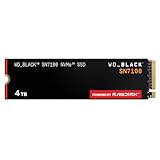
WD_Black SN7100 4TB NVMe SSD - Gen4 PCIe, M.2 2280, Up to 7,000 MB/s Read Speed, Up to 6,700 MB/s Write Speed, Next Gen TLC 3D NAND, for Laptops, Handheld Gaming Devices - WDS400T4X0E
4TB SSD
Last verified 2026-11-14 23:08:42 UTC

14% below the Amazon reference price
WD_Black SN7100 500GB NVMe SSD - Gen4 PCIe, M.2 2280, Up to 6,800 MB/s Read Speed, Next Gen TLC 3D NAND, for Laptops, Handheld Gaming Devices - WDS500G4X0E
500GB SSD
Last verified 2026-11-14 23:08:42 UTC

38% below the Amazon reference price
Samsung SSD 990 EVO Plus 2TB, PCIe Gen 4x4 | 5x2 M.2 2280, Up to 7,250 MB/s | NVMe Internal Solid State Drive, Upgrade Storage for PC/Laptops, HMB Technology & Intelligent Turbowrite 2.0 (MZ-V9S2T0B/AM)
Last verified 2026-11-14 23:12:16 UTC

16% below the Amazon reference price
Samsung SSD 990 EVO Plus 1TB, PCIe Gen 4x4 | 5x2 M.2 2280, Up to 7,150 MB/s | NVMe Internal Solid State Drive, Upgrade Storage for PC/Laptops, HMB Technology & Intelligent Turbowrite 2.0 (MZ-V9S1T0B/AM)
Last verified 2026-11-14 23:03:39 UTC

35% below the Amazon reference price
Samsung SSD 990 EVO Plus 4TB, PCIe Gen 4x4 | 5x2 M.2 2280, Up to 7,250 MB/s | NVMe Internal Solid State Drive, Upgrade Storage for PC/Laptops, HMB Technology & Intelligent Turbowrite 2.0 (MZ-V9S4T0B/AM)
Last verified 2026-11-14 23:03:39 UTC
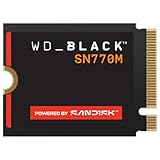
WD Black SN770M WDS100T3X0G 1 TB Solid State Drive - M.2 2230 Internal - PCI Express NVMe (PCI Express NVMe 4.0 x4)
Last verified 2026-11-14 22:57:55 UTC
As an Amazon Associate, Cloudzat earns from qualifying purchases. Prices and availability can change; Amazon shows the final price for your chosen item.
ROG Ally SSD upgrades buying guide
| Model or purchase path | Configuration to verify |
|---|---|
| Corsair MP600 MINI | Choose 2230 or 2280 for the Ally model |
| WD_BLACK SN770M | Choose 2230 or 2280 for the Ally model |
| Sabrent Rocket 2230 | Choose 2230 or 2280 for the Ally model |
| WD_BLACK SN7100 | Choose 2230 or 2280 for the Ally model |
| Samsung 990 EVO Plus | Choose 2230 or 2280 for the Ally model |
| Original ROG Ally | M.2 2230 NVMe |
| ROG Ally X / ROG Xbox Ally / ROG Xbox Ally X | M.2 2280 NVMe |
Original Ally, Ally X or ROG Xbox Ally?
ASUS specifies 2230 NVMe for the original ROG Ally. Ally X, ROG Xbox Ally and ROG Xbox Ally X use 2280 NVMe in its upgrade guidance. Keep these purchase paths separate. Confirm the device model, installed component clearance and supported drive specification before selecting from the shortlist.
Do not treat an adapter modification as the standard upgrade route for the original Ally. Prepare Windows recovery or cloning, save any recovery keys and follow ASUS’s model-specific instructions. The larger physical format does not itself guarantee better battery life or performance.
Check the slot before chasing the speed figure
For an internal NVMe upgrade, confirm the physical length, allowed component height and the slot’s supported protocol in the device manual. A motherboard can expose several M.2 positions with different electrical capabilities. The same drive may operate with a different link limit depending on the chosen slot, processor or installed expansion cards. Check the configuration you will actually use, not only the board’s largest advertised number.
For a notebook, confirm whether the manufacturer allows a double-sided drive or a taller heatsink. For a desktop, check the existing motherboard thermal pad and heatsink instructions before adding a second cooling assembly. A console has its own approved installation dimensions and cannot be treated as a generic PC slot. Once fit is established, compare the exact drive capacities and package costs; do not spend extra on cooling hardware the system cannot accommodate.
Build a Black Friday price target before the basket
Write down the exact model, capacity, physical format and cooling package you want, then check its recent ordinary selling price where history is available. Compare that configuration with at least one suitable alternative. A reduction from a retail reference price can look impressive while leaving the actual checkout price uncompetitive. We do not call a price a historic low without supporting history, and a public promotion badge is evidence of participation rather than proof of exceptional value.
Include delivery, necessary accessories and any conditions attached to a coupon. Check whether a membership is required and whether the price changes when the capacity selector moves. A smaller drive with a bigger percentage reduction is not automatically the better purchase. Decide your maximum complete cost while you still have time to compare, so a short offer timer does not decide the specification for you.
Compare the complete US purchase
Use the US listing and USD price for the actual selected capacity. Add applicable sales tax and shipping at checkout, and check whether the seller supports US warranty handling. An imported drive with a superficially lower price can have different return arrangements. Record the seller and complete configuration so the same capacity, condition and cooling package stay in the comparison.
Read the selected listing as a complete configuration
Marketplace search results can group different capacities, generations and packages on one page. Open the exact selection and verify the model code, capacity, form factor, included items, item condition and seller. The photograph can show a heatsink, mounting kit or cable that is absent from the selected option. An enclosure sold without a drive is a separate product, even when its title mentions the SSD you searched for.
Compare new stock with new stock. If you deliberately choose an open-box, used, refurbished or OEM product, make a separate comparison that includes the actual warranty provider, return route and firmware support. A brand name in a title does not identify the seller as an authorised distributor. Keep a copy of the order description and invoice so the delivered configuration can be checked before installation.
Spend on capacity you can use
Estimate the files, games, working data and free-space headroom needed over the intended ownership period. The lowest price per terabyte can still be poor value if you buy capacity that stays empty or if the host cannot support the drive. Conversely, choosing too little space can mean another migration and a second purchase sooner than expected. Compare the complete installed cost with the workload rather than using capacity alone as a quality score.
The calculator on this page helps compare purchase price against advertised capacity. It does not measure compatibility, endurance, real sustained speed or the usable space reported after formatting. Manufacturer decimal capacity and the units shown by an operating system can differ. Keep any separate heatsink, adapter, cable and migration costs in your budget, and do not count a promotional software trial as cash savings unless you would otherwise buy it.
Plan the first day with the new drive
Back up important files before changing storage and keep recovery information somewhere independent of the drive being replaced. Follow the device maker’s service instructions, including power isolation, supported thermal materials and any precautions for a handheld or notebook. Decide whether you will clone the existing installation or perform a clean installation before ordering accessories. A cloning cable or enclosure must support the source and destination protocol; matching connector shape alone is not enough.
On arrival, confirm the exact model and capacity before transferring the only copy of anything valuable. Use the manufacturer’s tools where appropriate to check health and available firmware, then validate a representative transfer or workload. Retain the old drive until the new installation and recovery path work. Neither a long warranty nor a high endurance rating is a substitute for an independent backup.
Use early offers without assuming later savings
An early offer can be worth taking when a compatible configuration reaches your researched price target and the seller terms suit you. Waiting for the main Black Friday period does not guarantee a lower price, the same capacity or continued stock. Equally, an event label alone is not a reason to buy. Compare the selected configuration again at checkout, including any Prime or coupon conditions, and make the decision using the complete cost.
Current listing cards and qualifying promotional cards serve different purposes. A current price shows a recently checked local listing; it does not by itself establish a Black Friday reduction. Availability, price and eligibility can change after the check. If a matching card is absent, use the clearly labelled model search and verify the selected item rather than treating the search link as stock confirmation.
SSD price-per-terabyte calculator
Enter your complete basket price and the actual supplied capacity. Compare the same interface and installation package; this calculation does not measure performance or prove a discount.
Questions buyers ask
Original Ally, Ally X or ROG Xbox Ally?
Buy a drive for the exact Ally generation with enough capacity and a complete reinstall or migration plan.
Does a matching model name prove compatibility?
No. The device manual, exact drive part number, physical size, interface, component clearance and cooling requirements must agree. Capacity and suffix variants may change the configuration. Use manufacturer documentation for the actual host and chosen SSD, then check that the listing supplies that precise version. The candidate list is a starting point for that verification, not a blanket guarantee.
What makes an SSD offer worth buying early?
A compatible drive that reaches a researched complete-price target can be worth buying before the main event. Compare the same capacity and condition with recent ordinary prices and equivalent alternatives. Include delivery and required accessories, and confirm seller support. Waiting may change the price or stock, but neither a future reduction nor a historic low should be assumed.