


United States · USD · Deal Watch
Plex Mini PC Black Friday Deals 2026: What to Buy
Build a small home for your movie library this Black Friday with a Plex mini PC matched to your streams and playback devices.
Compare complete Mini S12 Pro and Mini S13 systems around your files and playback needs. Check supported video acceleration, RAM and SSD rather than paying for unnecessary desktop power. Look for a Black Friday checkout total below this exact configuration’s recent normal price. Compare equivalent complete systems from reputable sellers before deciding that the offer is worth buying.
Start with Beelink Mini S12 Pro for a modest Intel-based Plex server. Compare Beelink Mini S13 if its N150 configuration and complete price are more attractive. If the media already lives on a NAS, the mini PC can run the server application without duplicating the whole storage library.
Which Plex Mini PC option should you choose?
Start here
Beelink Mini S12 Pro
Choose it for a modest Intel media-server setup.
Buy on AmazonChoose this alternative
Beelink Mini S13
Choose it for an N150 alternative with the memory, storage and connections you need.
Find this configurationCurrent Plex Mini PC Listings on Amazon
Black Friday sale dates and offer timing
Dates for 2026: Black Friday — November 27; Amazon.com — November 19–30. Individual offer periods and eligibility vary.
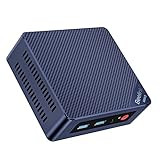
Beelink Intel 12th Mini PC MINI S12 Pro Intel N100 16GB DDR4 512GB SSD | Mini Computer 12th N100 4C/4T MAX 3.4Ghz WiFi 6/BT5.2, Desktop PC Dual HDMI 4K DIsplays/Office/W11 Home
16GB RAM · 512GB SSD
Last verified 2026-11-15 08:46:55 UTC

Beelink Mini S12 Pro Mini PC, Intel 12th Gen N100 (4C/4T, up to 3.4GHz), 16GB DDR4, 500GB SSD, Desktop Computer Support Dual HDMI 4K@60Hz, WiFi 6, BT5.2, NAS, Low Power
16GB RAM · 500GB SSD
Last verified 2026-11-15 08:46:55 UTC
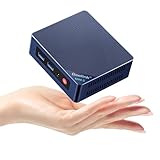
Beelink Mini PC,12th Gen Intel Alder Lake-N100 up to 3.4 GHz, 16GB DDR4 RAM 512GB M.2 SSD Desktop PC, S12 Pro Mini Computers, 4K@60Hz Dual HDMI, USB3.2, WiFi 6 BT5.2, 2.5G LAN, Family-NAS/HTPC
16GB RAM
Last verified 2026-11-15 04:46:47 UTC

Beelink MINI S12 Pro Mini PC,12th Gen Intel Alder Lake-N100 (Up to 3.4GHz),16GB DDR4 512GB SSD Mini Computer,Support 4K@60Hz Dual Display,WiFi 6/BT5.2/USB3.2/2.5G LAN/Auto Power On Desktop PC
16GB RAM · 512GB SSD
Last verified 2026-11-15 01:21:45 UTC

Beelink MINI S12 Pro Mini Desktop PC, N100 Processor 16G DDR4+ 500G SSD | 2.5G LAN+WiFi6+BT5.2 Small PC, Intel UHD Graphics 24EUS 750MHz 4K Dual Display HDMI Mini Computer, Daily Work/HTPC Mini PC
Last verified 2026-11-15 01:21:45 UTC

Beelink Mini PC, Mini S12 Pro Intel 12th N100(Up to 3.4GHz), 16GB DDR4 512GB M.2 SSD, Mini Desktop Computer Support 4K@60HZ Dual HDMI Display/WiFi6/BT5.2/USB3.2/2.5Gbps/LAN/WOL Micro PC
16GB RAM
Last verified 2026-11-13 05:05:51 UTC
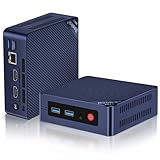
Beelink Mini S12 PRO Mini PC,12 Generation Intel N100 (Up to 3.4GHz) 4C/4T,16GB DDR4 512GB M.2 SSD,Micro PC 4K,Dual Display,WiFi6,BT5.2,2.5G LAN, Low Power Mini Computer
16GB RAM
Last verified 2026-11-13 05:05:51 UTC
Beelink MINI S12 Pro Mini Desktop PC, Intel N100 16G DDR4 RAM+500G SSD W11 | Dual Display HDMI 4K UHD, WiFi6+BT5.2+2.5G LAN Micro Computer Support Auto Power On Win11 Home for Office/HTPC
Last verified 2026-11-13 05:05:51 UTC
As an Amazon Associate, Cloudzat earns from qualifying purchases. Prices and availability can change; Amazon shows the final price for your chosen item.
Plex Mini PC buying guide
| Choice | Best for |
|---|---|
| Beelink Mini S12 Pro | a modest Intel media-server setup |
| Beelink Mini S13 | an N150 alternative with the memory, storage and connections you need |
Which Plex Mini PC option should you choose?
For a modest Intel media-server setup, choose Beelink Mini S12 Pro.
For an N150 alternative with the memory, storage and connections you need, choose Beelink Mini S13.
Start with the complete S12 Pro or S13
Choose Beelink Mini S12 Pro for a modest Intel Plex host, or compare Mini S13 when its N150 configuration and total price are more attractive. Look at installed RAM, SSD and Ethernet rather than assuming every family listing is the same computer. A ready-to-use configuration is the simpler purchase if you do not already own suitable parts.
For a separate host connected to existing NAS storage, the mini PC does not need to contain the entire media library. Keep the application and its database on appropriate local storage and let the NAS hold the large files. Include the network connection between them in the plan.
Direct playback keeps the mini PC's job modest
If the playback device supports the original media, Plex can send it without converting the video. That can make a compact low-demand server useful even for a large library. The total size of the library is primarily a storage question; it does not mean every film is being processed at the same time.
Check playback information on the television or streaming device you actually use. If a particular client forces conversion, compare improving that client before replacing the server. A compatible playback path can save more work than moving from one modest Intel mini PC to a slightly newer one.
Use the exact processor's supported media path
Intel Quick Sync can be useful for supported hardware-accelerated streaming, with the required Plex subscription and server setup. Check the exact processor, operating system and drivers. A newer generation name is not a promise that every codec, subtitle combination or HDR conversion will work in the way you expect.
For a first installation, use the documented supported setup and test one difficult file. Avoid buying on a fixed stream-count claim. The work varies with resolution, bitrate, conversion settings and what the client can play directly, so a useful test resembles your own household's viewing.
Buy memory and storage for the server application
Choose a complete configuration with enough RAM for Plex, the operating system and any other services you run. More memory is useful when those services need it, but a large RAM upgrade does not automatically improve a video-conversion limit. Keep the parts of the problem separate.
The boot SSD also holds the server database and related files. Leave useful free space instead of filling it with the only copy of the media library. Store important settings and irreplaceable files on another recoverable device so replacing the mini PC does not require reconstructing everything from memory.
Keep the NAS connection dependable
Use a wired connection to the NAS where practical. The computer, switch and storage server form one path, and a slower link can remain the limit after upgrading only one box. For a modest installation, stable gigabit networking may already meet the household's needs; choose more speed when the actual traffic calls for it.
Mount the media storage in a way the server can use reliably after restarting. Test a restart and a library scan before leaving the setup unattended. A mini PC that plays one local file successfully has not yet demonstrated that it reconnects to the full library after an ordinary power interruption.
Choose more CPU only when another job needs it
A larger mini PC can be worthwhile when it also runs databases, several containers or development work. For Plex alone, check whether the limit is really general CPU work, a media-acceleration issue or a client forcing conversion. Buying extra cores does not solve every one of those problems.
For camera recording or other heavy services on the same machine, include their memory, storage and processor use in the plan. A separate modest Plex host can be easier to maintain than combining every household service on one computer that becomes difficult to restart or recover.
Keep the setup simple enough to recover
Place the mini PC with clear ventilation and accessible power and network connections. Keep a recoverable server configuration and another copy of irreplaceable media. A compact low-power box is convenient when it stays dependable, not when it hides a fragile collection of storage and adapter connections.
After purchase, test local and remote playback if used, subtitles and the files that previously caused trouble. Confirm the installed components match the order while returns are practical. Keep the lower-priced suitable model when it does the job, and move to a larger system only for a limitation you have actually identified.
Electricity cost calculator
Replace the example values with your own measurements, capacity or prices.
Questions buyers ask
Which Plex Mini PC option should I choose?
Choose Beelink Mini S12 Pro for a modest Intel media-server setup. Choose Beelink Mini S13 for an N150 alternative with the memory, storage and connections you need.
Should I choose Mini S12 Pro or Mini S13?
Compare their complete installed configurations and price for modest Intel Plex use. The S12 Pro is a useful starting shortlist; the S13 is worth comparing when its N150 configuration suits you. Test the actual clients and difficult files instead of buying from a promised stream count.
Must the entire library fit on the mini PC SSD?
No. The application and database can be local while a NAS holds the media. Use a dependable connection and test storage access after a restart. Keep settings and irreplaceable media recoverable outside the host.
What should I test after restarting the mini PC?
Check that Plex starts, reconnects to its media storage and plays a file from the normal library. Then test the clients used by the household. One successful local file does not prove a NAS connection returns reliably after a restart. Keep the previous working setup until these ordinary checks pass and save a recoverable copy of the server settings.