


Black Friday 2026 · Our buying decision
OLED Laptops Black Friday 2026 Deals
Black Friday offers
No matching Black Friday promotion is verified right now. These are current Amazon listings, not a promise of a Black Friday discount.
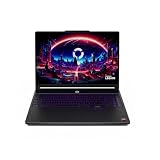
Lenovo Legion 5a - 2026 - Gaming Laptop - NVIDIA GeForce RTX 5060-15.3" OLED WQXGA Display - 165Hz Refresh Rate - Ryzen 7 250-32GB Memory - 1TB Storage - Eclipse Black
−15% · Amazon · Typical price: $1,998.99
Verified 2026-11-23 20:36:59 UTC

Lenovo Yoga 7i 2-in-1 w/ Ultra 5, 14”OLED Touch,16GB RAM, 1TB SSD, Yoga Pen | Laptop with Intel Core Ultra 5 226V Processor, WUXGA OLED 100%DCI-P3 HDR 500 TB Display, Wi-Fi 7, FP Reader, and Win 11 Home
−24% · Amazon · List Price: $1,299.99
Verified 2026-11-23 20:15:28 UTC
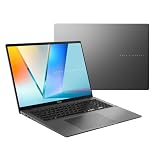
ASUS Vivobook S16 Laptop (2026), 16” 16:10 WUXGA OLED Display, Copilot+ PC, AMD Ryzen™ AI 7 445 Processor, AMD Radeon™ Graphics, 32 GB RAM, 1TB SSD, WiFi 6, Windows 11 Home, Matte Gray, M3607GA-DS79
−27% · Amazon · List Price: $1,599.99
Verified 2026-11-23 20:26:26 UTC
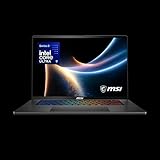
msi Stealth 16 AI+ 16” 240Hz QHD+ OLED Gaming Laptop: Intel Core Ultra 9 386H, NVIDIA Geforce RTX 5070Ti, 32GB DDR5, 1TB NVMe SSD, Wi-Fi 7, Win 11 Home: Charcoal Black B3WH-036US
−15% · Amazon · List Price: $3,099.99
Verified 2026-11-23 20:36:59 UTC
No fresh priced listing is available right now. Check the matching Amazon results below.
Search AmazonIf you want a laptop specifically for its OLED display, Black Friday is the right time to buy with a plan: choose the exact screen configuration first, then decide whether you want the lightest everyday machine or a more performance-focused one. In this category, the display technology matters more than the logo on the lid.
The key is not to buy a family name blindly. ASUS uses the Zenbook OLED badge across more than one model, and Lenovo’s Legion 5 Gen 10 can be configured with OLED or LCD. The right buy is the one that actually includes the OLED panel, with the right size, refresh rate, and package for your day-to-day use.
For most buyers, the best OLED laptop to target is the ASUS Zenbook 14 OLED (UM3406): it is the cleanest all-around choice in this guide because it pairs a proper portable chassis with an official OLED display and, on some SKUs, a capable NPU. If you want a lower-cost route, the ASUS Zenbook 14 OLED (UX3405) is the value pick, especially if its complete package is meaningfully cheaper and you still want a 3K 120 Hz OLED panel in a 1.2 kg laptop. Spend more only if you need the Lenovo Legion 5 Gen 10 and are buying the documented OLED configuration for a more performance-oriented machine. Avoid assuming every Zenbook or Legion SKU is OLED; that is the main mistake to avoid.
Current matching Amazon listings
Current local Amazon listings in USD. Only confirmed public campaign data earns a Black Friday badge; savings use the reference price for that exact listing. Model, quantity, included parts and regional version remain explicit.
As an Amazon Associate, Cloudzat earns from qualifying purchases. Amazon provides the final price and availability. A live listing is not automatically a Black Friday discount.
Matching product · exact contents shown
Lenovo Legion 5a - 2026 - Gaming Laptop - NVIDIA GeForce RTX 5060-15.3" OLED WQXGA Display - 165Hz Refresh Rate - Ryzen 7 250-32GB Memory - 1TB Storage - Eclipse Black
−15% · Amazon · Typical price: $1,998.99
Verified 2026-11-23 20:36:59 UTC
Matching product · exact contents shown
Lenovo Yoga 7i 2-in-1 w/ Ultra 5, 14”OLED Touch,16GB RAM, 1TB SSD, Yoga Pen | Laptop with Intel Core Ultra 5 226V Processor, WUXGA OLED 100%DCI-P3 HDR 500 TB Display, Wi-Fi 7, FP Reader, and Win 11 Home
−24% · Amazon · List Price: $1,299.99
Verified 2026-11-23 20:15:28 UTC
Matching product · exact contents shown
ASUS Vivobook S16 Laptop (2026), 16” 16:10 WUXGA OLED Display, Copilot+ PC, AMD Ryzen™ AI 7 445 Processor, AMD Radeon™ Graphics, 32 GB RAM, 1TB SSD, WiFi 6, Windows 11 Home, Matte Gray, M3607GA-DS79
−27% · Amazon · List Price: $1,599.99
Verified 2026-11-23 20:26:26 UTC
Matching product · exact contents shown
msi Stealth 16 AI+ 16” 240Hz QHD+ OLED Gaming Laptop: Intel Core Ultra 9 386H, NVIDIA Geforce RTX 5070Ti, 32GB DDR5, 1TB NVMe SSD, Wi-Fi 7, Win 11 Home: Charcoal Black B3WH-036US
−15% · Amazon · List Price: $3,099.99
Verified 2026-11-23 20:36:59 UTC

Matching product · exact contents shown
Alienware 16 Area-51 AA16250 OLED 16" Gaming Laptop Computer | Intel Core Ultra 9 290HX 1.8GHz Processor; NVIDIA GeForce RTX 5090 24GB GDDR7; 32GB DDR5-6400 RAM; 1TB SSD
Verified 2026-11-23 21:30:08 UTC

Matching product · exact contents shown
msi Raider 16 Max HX Intel Core Ultra 9 290HX Plus 5090 AI Gaming Laptop | 64GB DDR5+2TB SSD, 16" OLED 240Hz, Thunderbolt 4, Wi-Fi 7, SteelSeries per-Key RGB KB, Numeric Keypad, Ethernet, Win 11 Pro
Verified 2026-11-23 21:30:08 UTC
No matching live listing is available right now. Use the product search below to see current Amazon results.
How to judge an OLED laptop deal without overbuying
The smartest Black Friday purchase here is the model that gives you the exact display you want, with the least compromise elsewhere. OLED is a display technology, not a performance class, so the right buying decision starts with the panel and then filters by keyboard, weight, memory, and portably rather than by a brand’s general reputation. For a general-purpose 2026 laptop, 16GB of memory is the minimum comfort level, and that is especially true if you expect the machine to last several years. Don’t treat a bright screen as a bonus add-on; in this category, the OLED panel is the product reason itself.
The configuration we would buy
| Buyer situation | Recommended option | Practical reason |
|---|---|---|
| Most buyers wanting a balanced OLED laptop | ASUS Zenbook 14 OLED (UM3406) | Best all-around choice with an official OLED panel and a portable, mainstream chassis. |
| Buyer who wants the lower-cost route and still values a premium screen | ASUS Zenbook 14 OLED (UX3405) | Value pick with a 3K 120 Hz OLED display and a listed 1.2 kg weight, if the complete package is meaningfully cheaper. |
| Buyer who wants a more performance-oriented machine and specifically wants OLED | Lenovo Legion 5 Gen 10 with the documented OLED display | Only the OLED configuration fits this roundup; suitable when you truly want the Legion’s class of machine. |
| Buyer comparing OLED against a premium non-OLED alternative | Apple MacBook Air (M5, 13-inch or 15-inch) | Useful comparison if display type matters less than the broader Mac experience, but it is not an OLED laptop. |
| Buyer tempted by an unclear listing or mixed configuration | Avoid the unlabeled SKU and choose the exact OLED model | The family name alone does not guarantee OLED, so the screen spec must match the listing exactly. |
1. What actually makes an OLED laptop worth buying now
OLED is the reason this page exists, and it is worth treating as a screen choice first and a laptop choice second. The attraction is not just “better display” in the abstract; it is that the display becomes part of the purchase criteria in a way that affects everyday use. If you work in mixed lighting, watch video often, or care a lot about contrast and panel quality, OLED can feel like a meaningful upgrade even when the rest of the laptop is deliberately compact and mainstream. The point of a Black Friday OLED buy is to get the panel you want without paying for a bigger machine than you need.
Because OLED is a display technology, not a performance tier, you should not let one glossy spec sheet distract you from the real decision: do you want the right screen in a portable body, or do you want a faster machine that happens to have an OLED option? That distinction matters because two laptops in the same family can be very different purchases. In ASUS’s Zenbook lineup, the OLED badge appears on more than one model, and Lenovo’s Legion 5 Gen 10 can be configured either way. In other words, “OLED laptop” is a configuration choice, not a guarantee. The practical limit is simple: only buy the version that explicitly includes the OLED panel you want.
2. The clearest all-around pick: ASUS Zenbook 14 OLED (UM3406)
The ASUS Zenbook 14 OLED (UM3406) is the easiest recommendation for most buyers because it stays focused on the practical job of an everyday OLED laptop. ASUS’s official regional page lists a WUXGA OLED display, and some SKUs add up to a 50 TOPS NPU. That combination makes it a sensible default if you want a modern, portable machine with an OLED screen and a feature set that does not drift into unnecessary excess. It is the cleanest “buy this one and move on” choice in the group.
What makes the UM3406 especially strong as a Black Friday target is that it is not trying to be a desktop replacement. It is the sort of laptop that makes sense when you want a mainstream machine with a premium display and a reasonable footprint. That matters because OLED is most persuasive when it is integrated into a chassis you actually want to carry. If you are buying for school, office work, travel, or general home use, this is the safest recommendation in the guide.
3. The lower-cost route: ASUS Zenbook 14 OLED (UX3405)
The ASUS Zenbook 14 OLED (UX3405) is the value pick because it keeps the essential proposition intact while giving you a clearly identified OLED panel and a lighter-feeling portable profile. ASUS lists a 3K 120 Hz OLED display and a 1.2 kg weight, which are exactly the kind of concrete details that justify choosing it when the complete package comes in cheaper than the newer or more feature-heavy alternatives. If your buying logic is “I want the nicest screen I can get without stepping up to a larger or pricier machine,” this is the model to watch.
The important caveat is that value only works when the price difference is real in the total configuration, not just on the headline sticker. Because this is still a premium OLED Zenbook, you should not treat it as a bare-bones bargain laptop. The point is to save enough compared with the higher pick to make the trade sensible, while still getting a very good display and a lightweight body. If the cost gap narrows too much, the UM3406’s broader appeal can make more sense. The value decision here is conditional, not automatic.
4. When it is worth spending more: Lenovo Legion 5 Gen 10 with the documented OLED display
The Lenovo Legion 5 Gen 10 belongs in this guide because Lenovo’s own product page shows that OLED is available on the model, but it is not universal across all SKUs. That makes it the right step-up choice only for buyers who specifically want a Legion and are choosing the documented OLED configuration rather than assuming every version qualifies. In practice, this is the model to consider if you want a more performance-oriented laptop and still want the visual upside of OLED. It is not the broadest recommendation; it is the more deliberate one.
This is also the place where configuration discipline matters most. Because the Legion 5 Gen 10 can be ordered with LCD or OLED, the wrong SKU would defeat the whole point of shopping this page. If your priority is speed, a stronger gaming-laptop class design, or a more performance-forward chassis, then the Legion can be worth spending more on. But for an ordinary buyer who mainly wants the OLED experience, the Zenbook choices are still the cleaner fit. Spend up only when the use case truly justifies the larger, more specialized machine.
5. The most common mistake: confusing the family name with the screen type
This is the one error that can ruin an otherwise smart purchase. Do not assume that every Zenbook 14 or Legion 5 version has OLED just because the family name appears in an OLED roundup. ASUS’s Zenbook OLED family includes separate models, and Lenovo’s Legion 5 Gen 10 offers both OLED and LCD configurations. The display technology is what you are buying here, so the exact SKU matters more than the brand badge. A good sale on the wrong screen is still the wrong laptop for this page.
That means the practical buying rule is straightforward: read the exact model code and screen description, then buy only when the listing matches the OLED configuration you want. For ASUS, the UM3406 and UX3405 are both legitimate OLED choices, but they are not identical machines. For Lenovo, the Legion 5 Gen 10 is only relevant if the specific configuration includes the documented OLED display. If a listing does not make the display type clear, treat that as a warning sign. In an OLED roundup, ambiguity is not a feature; it is a reason to keep looking.
6. Refresh rate, screen feel, and why 120 Hz matters
The difference between 60 Hz and 120 Hz OLED panels is not just a spec-sheet footnote. It changes how smooth the machine feels in everyday use, especially when scrolling, moving windows around, or using the laptop as an all-purpose device rather than a static workstation. In this guide, the Zenbook 14 OLED (UX3405) stands out because ASUS lists a 3K 120 Hz OLED display. That makes it especially attractive for buyers who want a visibly smoother feel in a compact laptop.
By contrast, the Zenbook 14 OLED (UM3406) is listed with a WUXGA OLED display, which still keeps the core OLED benefit intact. The right choice depends on how much you care about panel resolution and motion smoothness versus the broader package. If you spend a lot of time watching video or simply value a more fluid desktop feel, the 120 Hz option is easier to justify. If you want the most balanced everyday machine, the UM3406 remains the simpler buy. The key is to notice that the panel itself is part of the value, not an incidental accessory to the laptop.
7. Weight, portability, and the point of a 1.2 kg OLED laptop
Portable OLED laptops are appealing because they let you enjoy a premium display without jumping into a bulky desktop-replacement machine. The Zenbook 14 OLED (UX3405) is especially attractive here because ASUS lists it at 1.2 kg, which places portability at the center of the purchase. That is a strong fit for people who move between home, office, and travel, or who simply do not want the screen upgrade to come with a heavy bag. OLED is more satisfying when the laptop itself is something you want to carry every day.
The UM3406 also makes sense as a portable everyday laptop, but the broader decision is whether you want the lightest-feeling route or the most straightforward one. For a lot of buyers, portability is the reason to buy a Zenbook rather than a larger machine with an OLED panel. If the laptop is going to live in a backpack, on a commute, or on a small desk, weight becomes a real part of the value proposition. That is why the Zenbook family sits so naturally at the center of an OLED buying guide: it treats the display as a premium feature without giving up the portability that makes the feature practical.
8. Memory, longevity, and what a 2026 buyer should not underbuy at all costs
Black Friday dates and offer eligibility
Black Friday falls on 27 November 2026. Manufacturer and marketplace campaigns have different schedules, stock and eligibility. A calendar date does not establish a discount on the recommended configuration.
Direct answers before buying
Is OLED worth prioritizing over everything else in a laptop purchase?
For this category, yes, if the display is the reason you are shopping. OLED is a screen technology, not a performance label, so it should be judged as a core feature rather than a bonus. If you care about contrast, video quality, and a more premium visual feel, it can be the defining reason to choose one laptop over another. But it should not blind you to memory, weight, keyboard layout, or the exact configuration. The best purchase is the one that combines the right OLED panel with the rest of the package you actually need.
Which model should most people buy during Black Friday 2026?
Most buyers should start with the ASUS Zenbook 14 OLED (UM3406). It is the clearest all-around recommendation because it keeps the focus on a proper OLED display in a portable everyday laptop. The USP here is balance: it feels like the default answer for someone who wants OLED without moving into a heavier or more specialized machine. If another model is only cheaper by a small amount, the UM3406 is often the cleaner long-term choice because it stays simple, current, and easy to live with.
When should I choose the lower-cost ASUS Zenbook 14 OLED (UX3405) instead?
Choose the UX3405 when the complete configuration is meaningfully cheaper and you still want a genuinely premium display. Its 3K 120 Hz OLED panel and 1.2 kg weight make it a very appealing value play, especially for buyers who care about smoothness and portability. The condition matters: this is not an automatic downgrade winner. If the price gap is narrow, the newer or more broadly appealing model may make more sense. But when the savings are real, the UX3405 is an excellent lower-cost OLED option.
What is the configuration mistake I should avoid most carefully?
Do not assume the whole family is OLED. That warning applies directly to both ASUS and Lenovo in this guide. Zenbook OLED family names do not mean every Zenbook SKU has the same display, and the Legion 5 Gen 10 can be ordered with either OLED or LCD. If the listing does not explicitly confirm the OLED panel, do not treat it as the right model. The safest approach is to buy only the exact configuration named in the product details, not the broad family title alone.
Related buying guides
Sources and research notes
Researched on 23 November 2026 using manufacturer documentation and local Amazon observations. Editorial recommendations, without claims of hands-on testing. Prices expire after 24 hours; public promotion badges after one hour or the offer end. No unsupported historic-low claims.