


United States · USD · Deal Watch
Network Adapter Black Friday Deals 2026: What to Buy in the US
A small adapter can unlock a bigger Black Friday upgrade than a whole new computer—provided it solves the right connection problem.
Separate Ethernet, USB Wi-Fi and internal PCIe cards before comparing prices. The useful saving is on an adapter with the right host interface and supported driver, rather than the cheapest item containing the words network adapter. Compare US offers in dollars, including delivery and the exact seller’s terms before checkout.
Choose Plugable USBC-E2500 for a wired 2.5GbE link where an Ethernet cable can reach the computer. Choose TP-Link Archer TX20U Plus when a supported Windows machine needs Wi-Fi 6 instead. These are alternatives for different installations; a wireless adapter cannot plug into a wired switch, and the Ethernet adapter does not add a Wi-Fi radio.
Which Network Adapter option should you choose?
Start here
Plugable USBC-E2500
Choose it for adding 2.5GbE Ethernet to a compatible USB computer.
Buy on AmazonChoose this alternative
TP-Link Archer TX20U Plus
Choose it for adding Wi-Fi 6 to a supported Windows computer.
Buy on AmazonCurrent Network Adapter Listings on Amazon
Black Friday sale dates and offer timing
Dates for 2026: Black Friday — November 27; Amazon.com — November 19–30. Individual offer periods and eligibility vary.

Plugable USB C to Ethernet Adapter 2.5Gb with 100W PD Charging | 2.5 Gigabit Type C USB Ethernet Adapter for Windows, MacBook, Chrome, iPad, Surface, XPS, Thunderbolt 4, USB4, USBC-E2500PD
Last verified 2026-11-13 05:33:57 UTC

39% below the Amazon reference price
TP-Link USB WiFi 6 Adapter for Desktop PC,AX1800 Dual Band WiFi Antenna | USB Wireless Network Adapter with 2.4/5GHz, High Gain 5dBi Antenna, WPA3, MU-MIMO Supports Windows 11/10 (Archer TX20U Plus)
Last verified 2026-11-13 08:37:50 UTC

MINISFORUM M1 Pro-285H AI Mini PC, 64GB DDR5 RAM, 1TB M.2 PCIe4.0 SSD | ,Intel Core Ultra 9 Processor 285H (16C/16T, Up to 5.4GHz), USB4/RAID/OCuLink/Wi-Fi 7/BT 5.4, 4K Quad Display
64GB RAM
Last verified 2026-11-13 09:49:46 UTC

Beelink SER8 Mini PC, AMD Ryzen 7 8745HS (8C/16T up to 4.9GHz), 32GB DDR5 1TB PCIe4.0 SSD, Radeon 780M Graphics, Triple 4K Display (HDMI/DP/USB4), 2.5G LAN, WiFi 6, BT5.2
32GB RAM
Last verified 2026-11-13 09:46:59 UTC

Vertiv Liebert PSI5 UPS 1920VA 1920W TAA AVR Tower/Rack with Network Card - IS-UNITY-SNMP Card Installed | 0.9 Power Factor| Rotatable LCD Monitor | Pure Sine Wave Output on Battery | 1 Group of Progr
Last verified 2026-11-13 08:43:39 UTC

31% below the Amazon reference price
TP-Link BE6200 Tri-Band USB 3.0 Wi-Fi 7 Adapter for Desktop PC, WiFi Dongle | USB Wireless Adapter, Support Win11/10 | 2 x High Gain Antennas | 6GHz,4K-QAM,160MHz, WPA3|Secure by Design, Archer TBE401UH
Last verified 2026-11-13 08:37:50 UTC
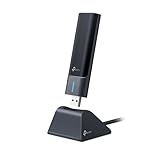
17% below the Amazon reference price
TP-Link USB WiFi 6E Adapter for Desktop PC,AXE3000 Tri-Band USB WiFi Dongle | Wireless Network Adapter, Ultra-Low Latency, MU-MIMO, OFDMA, Refined Security, WPA3, Supports Windows 11/10 (Archer TXE50UH)
Last verified 2026-11-13 08:37:50 UTC
51% below the Amazon reference price
TP-Link AXE5400 USB WiFi 6E Adapter for Desktop PC, Tri-Band Wi-Fi Dongle | 6/5/2.4GHz Wireless Network Adapter, Low Latency, MU-MIMO, OFDMA, Refined Security, WPA3,Support Windows11/10(Archer TXE70UH)
Last verified 2026-11-13 08:37:50 UTC
As an Amazon Associate, Cloudzat earns from qualifying purchases. Prices and availability can change; Amazon shows the final price for your chosen item.
Network Adapter buying guide
| Model | Best for |
|---|---|
| Plugable USBC-E2500 | adding 2.5GbE Ethernet to a compatible USB computer |
| TP-Link Archer TX20U Plus | adding Wi-Fi 6 to a supported Windows computer |
Should you buy Ethernet or Wi-Fi?
A wired connection is attractive for sustained NAS transfers and a fixed desk. A wireless adapter is useful where cabling is impractical, but its result depends on the router, distance and antenna placement. Replacing a weak USB radio will not remove congestion from the internet service or make the access point faster.
USB, USB4 or PCIe: which purchase fits the computer?
USB adapters suit laptops and machines with no usable expansion slot. A desktop PCIe card can be preferable for a permanent installation when the chassis, electrical slot bandwidth and operating system support it. A small-form-factor case may also require a low-profile bracket. The bracket and slot fit are separate checks.
USB-C describes the connector shape. It does not prove the port carries USB4, Thunderbolt or even the bandwidth needed for the advertised Ethernet rate. Consult the computer’s port specification before ordering a faster adapter. A powered dock may add useful sockets while sharing a single upstream connection among networking, displays and storage.
What should be included in the adapter price?
Look for the supplied host cable or connector converter, the Ethernet socket type and a downloadable driver for the exact hardware revision. An adapter that needs a paid dock or a different cable can lose its apparent sale advantage. Prefer a seller whose return process allows you to check the adapter with your actual operating system.
Avoid buying an internal laptop wireless module solely because its radio generation matches the router. Antenna connections, laptop firmware restrictions and the physical module interface can make that a different repair project. This guide concentrates on identifiable USB and desktop networking options with a clear installation path.
Check the computer’s port, not only the connector shape
USB-C is a physical connector used by several different data interfaces. Read the computer’s specification for the actual port you intend to use. A neighbouring port can have different capabilities, and a dock can share bandwidth among Ethernet, storage and displays. For a USB4 or Thunderbolt adapter, confirm the supported host mode and any requirement for PCIe tunnelling rather than assuming all USB-C sockets are equivalent.
Use the cable supplied or specified by the manufacturer, with the required data capability and length. A cable suitable for charging may not provide the expected data link. Connect directly to the computer for the first test so a dock or hub is not an extra unknown. For an internal card, check the electrical slot bandwidth, bracket height and physical clearance. The card fitting the connector is only one part of compatibility; the operating system and driver still need to support the actual controller.
Confirm support for the exact operating system and revision
Read the manufacturer’s current download page for the exact model and hardware revision. Windows, macOS and Linux are broad labels, and support can differ by release or processor architecture. An ARM computer may need a different driver from an x86 machine. For Linux, the relevant kernel and driver support are more useful than a vague claim that the adapter works with Linux. A third-party driver project is a different support arrangement from a manufacturer-supported installation.
Download any required driver through the manufacturer’s normal support route while you still have a working connection. Check whether administrator access is needed on a managed work computer before purchasing. Keep the model and revision recorded with the installer so a later operating-system update is easier to troubleshoot. Do not treat a retailer review from a different revision as proof of compatibility. The saving is useful only if the adapter works reliably on the machine that will actually use it.
Check sustained transfers, reconnects and sleep behaviour
For a wired adapter, confirm the negotiated Ethernet speed and run a local transfer between capable endpoints. For a wireless adapter, test in the intended desk position and with the router bands actually available. A brief internet speed test can hide a local bottleneck or make a fast adapter appear slow when broadband is the limit. Compare like-for-like conditions before attributing the result to the new hardware.
Disconnect and reconnect the adapter, restart the computer and test sleep and wake. Laptop users should also try the normal dock arrangement after the direct connection works. Watch for cable strain and leave the enclosure room to dissipate heat during long transfers. If the connection drops under sustained use, check the supported driver, host port and cable before changing unrelated network equipment. Test early enough to use the seller’s return process if the exact combination is not reliable; a low purchase price does not compensate for repeated lost connections.
Check both ends of the connection before upgrading one
A faster interface only helps traffic that can use a faster path. For a local file transfer, that path includes the computer, adapter, switch, uplink and storage server. The disks and file protocol can also limit throughput. For internet traffic, the broadband service may remain the constraint even after the local Ethernet link improves. This is why a network upgrade can be excellent for NAS work without changing a speed-test result.
Reserve the faster equipment for the connections that carry the demanding traffic. Televisions, printers and occasional-use devices may not need the same rate as the workstation copying large files. A mixed-speed network can be sensible when the links negotiate supported rates correctly. Check cable condition and termination before replacing equipment after a disappointing test. A known-good short cable and a second supported endpoint can help isolate whether the problem is the adapter, switch port, long cable run or the storage workload itself.
Judge the complete offer against a recent price baseline
Use the recent selling price of the same model and configuration as the comparison where price history is available. A large percentage reduction against a manufacturer’s reference price can coexist with a much smaller saving against the normal market price. Check the selected variation, seller, delivery charge and any membership or coupon condition before comparing two offers. A discount requiring a paid membership is worth a different amount to somebody who does not already have it.
There is no universal percentage that makes networking hardware a good buy. A modest reduction on the exact device that fits can be more useful than a large reduction on the wrong interface or an oversized bundle. Compare the complete working installation with a suitable alternative, including required cables, power supplies and controllers. We do not describe an offer as an all-time low without supporting history, and a product recommendation does not mean that the model currently carries a Black Friday promotion.
Electricity cost calculator
Replace the example values with your own measurements, capacity or prices.
Questions buyers ask
Does USB-C guarantee a fast network adapter will work?
No. The connector must provide the data protocol required by that adapter, and the operating system must support its controller.
How should I compare a Network Adapter Black Friday price?
Separate Ethernet, USB Wi-Fi and internal PCIe cards before comparing prices. The useful saving is on an adapter with the right host interface and supported driver, rather than the cheapest item containing the words network adapter.
What if Plugable USBC-E2500 has no matching local offer?
Use the model search to check the local market, then compare TP-Link Archer TX20U Plus only for the use case described above. A recommendation is not confirmation of current stock or an event discount.