


United States · USD · Deal Watch
UPS for Mini PCs Black Friday Deals 2026: What to Buy in the US
A mini PC can make a surprisingly capable always-on server, and Black Friday is a good moment to give it a power safety net. A compact UPS can protect a home office, Home Assistant installation or small virtualisation host without taking over the room. The useful saving is on a complete setup that survives a real interruption.
A strong mini PC UPS offer saves money on the right AC model while retaining enough output and runtime for the complete setup. Compare the computer’s measured wall consumption, not just the processor’s advertised power. Include a screen only if you need it during a cut. Discounted DC batteries with a matching-looking plug are not automatically compatible with the computer’s power input.
For an ordinary mini PC with its original AC power adapter, begin with APC BE600M1. Choose CyberPower CP1500PFCLCD when a larger combined load, sine-wave output or additional reserve justifies the upgrade. Use the computer’s normal power brick on an appropriate battery-backed outlet. APC CP12036LI is designed for specified low-voltage network loads and should not be treated as a universal replacement for a mini PC adapter. Connector shape alone says nothing about voltage, polarity or available current.
Which UPS for Mini PCs option should you choose?
Start here
APC BE600M1
Choose it for a compact AC backup, subject to the exact load and shutdown compatibility.
Buy on AmazonChoose this alternative
CyberPower CP1500PFCLCD
Choose it for a larger AC load where the documented sine-wave output is useful.
Buy on AmazonCurrent UPS for Mini PCs Listings on Amazon
Black Friday sale dates and offer timing
Dates for 2026: Black Friday — November 27; Amazon.com — November 19–30. Individual offer periods and eligibility vary.
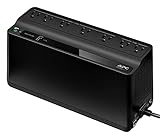
APC UPS Battery Backup & Surge Protector BE600M1 for Computer, Router, NAS | 600VA/330W Backup Battery Power Supply for Power Outages, 7 Outlets, USB charging, 490 J surge protect. Replaceable Battery
Last verified 2026-11-13 08:41:32 UTC

APC BE600M1 and BE425M Battery Backup Bundle
Last verified 2026-11-13 08:41:32 UTC

13% below the Amazon reference price
CyberPower CP1500PFCLCD PFC Sinewave UPS Battery Backup and Surge Protector | 1500VA/1000W, 12 Outlets, AVR, Mini Tower, UL Certified
Last verified 2026-11-13 08:41:38 UTC
CyberPower CP1500PFCLCDTAA PFC Sinewave UPS System, 1500VA/1000W, 12 Outlets, AVR, Mini Tower, TAA Certified, Black
Last verified 2026-11-13 01:32:57 UTC

Vertiv Liebert PSI5-2200RT120TAAN Battery Backup TAA UPS 1920VA w/ RDU120 | TAA Compliant, Rack/Tower, 120V, Energy Star Certified, 0.9 Output Power Factor, 6 5-15R Outlets, 3 Programmable Outlets
Last verified 2026-11-13 08:43:39 UTC

Vertiv Liebert PSI5-1100RT120 1100VA/990W UPS Battery Backup AVR Rack/Tower | Line Interactive, Pure Sinewave, Surge Protector, 0.9 Output Power Factor, Rotating LCD Display, 3-Year Warranty
Last verified 2026-11-13 08:43:39 UTC

Vertiv Liebert PSI5-1500RT120 1500VA Battery Backup UPS Pure Sine Wave AVR | Line Interactive Tower/Rack Mount, Surge Protector, 0.9 Power Factor, Pure Sinewave, Rotating LCD Display, 2-Year Warranty
Last verified 2026-11-13 08:43:39 UTC

Vertiv Liebert PSI5-2200RT120 1920VA Battery Backup UPS Pure Sine Wave AVR | Line Interactive Tower/Rack Mount, Surge Protector, 1920W, 120V, 0.9 Power Factor, 2-Year Warranty, LCD Display, 2U
Last verified 2026-11-13 08:43:39 UTC
As an Amazon Associate, Cloudzat earns from qualifying purchases. Prices and availability can change; Amazon shows the final price for your chosen item.
UPS for Mini PCs buying guide
| Model | Best for |
|---|---|
| APC BE600M1 | a compact AC backup, subject to the exact load and shutdown compatibility |
| CyberPower CP1500PFCLCD | a larger AC load where the documented sine-wave output is useful |
Which UPS suits a compact computer?
Separate office use from an unattended host
A desktop mini PC can alert the person using it, but an unattended Home Assistant or virtualisation host must respond without someone nearby. Confirm that the operating system can receive the UPS signal and complete its own shutdown. A virtualisation host also needs time to stop its guests; cutting power after the first warning is not an orderly shutdown. If the application needs a network bridge, external SSD or USB coordinator, account for that device too. The protected service is a collection of connected components, not only the small computer.
Leave room for the next peripheral
A low idle reading can hide higher consumption during updates, backups or CPU work. Measure a representative busy period and keep reasonable output headroom rather than buying exactly to the observed peak. A later monitor, disk enclosure or faster switch can change the calculation. Keep large chargers and unrelated appliances outside the battery budget. Place the UPS where its vents remain clear and its alarm can be heard. For a quiet bedroom office, check the fan behaviour of the exact unit instead of assuming every small UPS is silent.
Size the load in watts as well as VA
Use the UPS manufacturer’s watt limit and VA limit together. A 1000VA label does not mean every such unit supplies 1000W. Add the devices that must remain powered and measure their consumption during representative work, including network equipment and external storage. A power adapter’s maximum rating is not the computer’s constant consumption, but a low idle measurement is not a complete load test either.
For example, a measured 80W computer, 25W screen and 15W network load total 120W before additional reserve. This is an illustration, not a runtime claim for a recommended product. Choose output headroom and then consult the exact UPS runtime curve at the intended load. Leave space for predictable additions rather than assuming a battery that fits today’s idle setup will also handle tomorrow’s busier one.
Use a runtime curve, not a capacity shortcut
Battery runtime changes with the connected load, battery condition, temperature and the UPS electronics. A VA rating describes an output limit, not stored energy. Even a watt-hour figure cannot be divided by the load and treated as a guaranteed operating time: conversion losses, reserve limits and the battery’s discharge behaviour affect the result. Prefer the manufacturer’s curve or table for the exact model.
For shutdown protection, the available reserve must cover the waiting period, the shutdown itself and a margin for ageing. For continued networking, compare the curve at the smaller actual network load. Do not copy a runtime advertised for one light device onto a desk containing several machines. After installation, check the estimate against a controlled test carried out according to the manual, with important work saved and no storage maintenance in progress.
Verify the shutdown connection
Backup power and automatic shutdown are separate functions. A USB charging port can supply a phone without carrying any UPS status data. Look for a documented communication interface and the supported computer or NAS software. Use the correct data cable, then confirm that the operating system recognises the UPS and reports a switch to battery. A visible battery icon on the UPS is not proof that the computer has received the event.
If the alert travels over the network, every device needed for that path must remain powered long enough. Configure a shutdown delay that leaves a meaningful reserve, and check restart behaviour when the mains returns. Keep a record of the settings so a later operating-system reinstall does not silently remove the protection. For an unsupported NAS or UPS revision, obtain confirmation rather than treating another model’s compatibility report as interchangeable.
Count the right sockets and usable space
Check which outlets are battery backed and which, if any, provide surge protection only. A large total outlet count can conceal a much smaller backed-up group. Wide power bricks may block adjacent sockets, so compare the physical layout with the adapters you will connect. IEC sockets need the appropriate equipment leads; a locally compatible input plug does not guarantee that all of your existing adapters fit the outputs.
Install the UPS according to its manual, with adequate ventilation and access for service. Avoid an improvised chain of power strips or loads outside the unit’s intended use. Keep the combined load within the documented limits and use the manufacturer’s connection guidance. The correct regional voltage and outlet format matter more than a cheap imported listing. A mechanical travel adapter does not change electrical input or output voltage.
Test the protection while the return window is open
Begin by charging and setting up the UPS as its manual requires. Check the connected load, alarms and any software status before testing a power-loss response. Save important work, stop large transfers and avoid testing during a storage rebuild or other sensitive operation. Use the manufacturer’s prescribed self-test or outage-test method; do not improvise electrical work or open the battery system beyond authorised maintenance instructions.
Confirm that the intended devices remain powered, that the computer or NAS receives the alert and that shutdown completes before the battery is exhausted. Restore power and verify the restart behaviour. Record the result and repeat the appropriate checks over the product’s life, particularly after a battery change or software update. A successful first test does not make a battery permanent, but it is far more useful than assuming the setup works because the status light is green.
Check the complete US purchase
Compare US prices in dollars for the exact selected variant. Include delivery, any required cable or power equipment and applicable checkout charges. A low starting price may belong to a different capacity or incomplete package. Check the seller and the manufacturer’s regional support before treating two offers as equivalent. The recommendation explains which product to investigate; it does not certify stock, an event discount or compatibility with every possible setup. Use the dated local listing when one is available and recheck the final configuration at checkout.
UPS output budget calculator
Add the measured watts of every protected device. This checks a power budget, not battery runtime. Verify the UPS watt and VA limits and its runtime curve separately.
Questions buyers ask
Can a small UPS keep a mini PC running all night?
Not from its VA rating alone. Runtime depends on usable battery energy, conversion losses and the complete load. For hours of operation, use the manufacturer’s runtime data at your measured wattage; many desk UPS units are intended to bridge interruptions and allow shutdown.
Does a recommended model always have a Black Friday discount?
No. The model shortlist describes useful configurations. A current priced listing is a separate observation, and an event section requires fresh public Black Friday evidence. Check the exact variant, seller and final checkout terms before treating it as an event offer.
What if the recommended local configuration is unavailable?
Use the named alternative only for the different use case explained in the guide. Compare the full specifications and package again. Do not substitute a lower capacity, wrong regional voltage or incomplete unit merely to obtain a cheaper listing.