


United States · USD · Deal Watch
24GB Mac mini Black Friday Deals 2026: What to Buy
Give your next Mac mini more memory breathing room this Black Friday by watching offers for the exact 24GB configuration you want.
Compare M6 and M4 offers with 24GB actually installed and equivalent SSD capacity. A 16GB listing or a storage figure should not enter the same comparison. Look for a Black Friday checkout total below this exact configuration’s recent normal price. Compare equivalent complete systems from reputable sellers before deciding that the offer is worth buying.
Choose Mac mini M6 24GB as the current-generation starting point. Compare an M4 24GB when its lower price leaves a useful saving and you do not need a newer-model feature. For general productivity, compare the total desk cost, including any display, keyboard and backup you still need.
Which 24GB Mac mini option should you choose?
Start here
Apple Mac mini M6 24GB
Choose it for a current-generation 24GB desktop.
Buy on AmazonChoose this alternative
Apple Mac mini M4 24GB
Choose it for a lower-cost older-generation alternative.
Buy on AmazonCurrent 24GB Mac mini Listings on Amazon
Black Friday sale dates and offer timing
Dates for 2026: Black Friday — November 27; Amazon.com — November 19–30. Individual offer periods and eligibility vary.

Apple 2026 Mac mini desktop computer M6 chip | 12‑core CPU and 12‑core GPU, 24GB Unified Memory, 512GB SSD Storage
24GB unified memory · 512GB SSD
Last verified 2026-11-14 13:34:37 UTC

Apple 2026 Mac mini desktop computer M6 chip with AppleCare+ (3 years) | 12-core CPU, 12-core GPU, 24GB unified memory, 512GB storage, Dual 16-core Neural Engine, 2.5Gb Ethernet
24GB unified memory · 512GB SSD
Last verified 2026-11-14 13:34:37 UTC

Mac mini with M4 10‑core CPU and 10‑core GPU, 24GB Memory, 1TB Storage
24GB unified memory · 1TB SSD
Last verified 2026-09-25 06:13:43 UTC
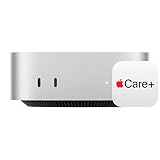
Apple 2024 Mac mini Desktop Computer with M4 Pro chip with 12‑core CPU and 16‑core GPU: Built for Apple Intelligence, 24GB Unified Memory, 512GB SSD Storage with AppleCare+ (3 Years)
24GB unified memory · 512GB SSD
Last verified 2026-09-25 06:13:33 UTC
Apple 2024 Mac mini with M4 chip; 10‑core CPU and 10‑core GPU, 24GB Memory, 512GB SSD, 10 Gigabit Ethernet.
24GB unified memory · 512GB SSD
Last verified 2026-09-25 06:13:30 UTC
Mac mini with M4 Pro chip; 14‑core CPU and 20‑core GPU, 24GB Memory, 512GB SSD, Gigabit Ethernet
24GB unified memory · 512GB SSD
Last verified 2026-08-26 17:26:41 UTC
Apple 2026 Mac mini desktop computer M5 Pro chip | 15‑core CPU and 16‑core GPU, 24GB Unified Memory, 512GB SSD Storage
24GB unified memory · 512GB SSD
Last verified 2026-11-14 13:34:39 UTC
Apple 2026 Mac mini desktop computer M5 Pro chip with AppleCare+ (3 years) | 15-core CPU, 16-core GPU, 24GB unified memory, 512GB storage, Dual 16-core Neural Engine, 2.5Gb Ethernet
24GB unified memory · 512GB SSD
Last verified 2026-11-13 09:48:19 UTC
As an Amazon Associate, Cloudzat earns from qualifying purchases. Prices and availability can change; Amazon shows the final price for your chosen item.
24GB Mac mini buying guide
| Choice | Best for |
|---|---|
| Apple Mac mini M6 24GB | a current-generation 24GB desktop |
| Apple Mac mini M4 24GB | a lower-cost older-generation alternative |
Which 24GB Mac mini option should you choose?
For a current-generation 24GB desktop, choose Apple Mac mini M6 24GB.
For a lower-cost older-generation alternative, choose Apple Mac mini M4 24GB.
Who belongs in the 24GB middle tier
The 24GB tier fits buyers who run several demanding applications together but do not need the largest local-AI models. Xcode, browsers, design tools and productivity suites can coexist with more breathing room than on 16GB. The memory level is a workload decision, not a status upgrade.
Same memory does not mean same machine
Same-memory comparisons expose hidden differences. One 24GB Mac mini may pair that memory with 512GB storage, another with 1TB, and the chip can range from clearance M4 to current M6 or a Pro model. Compare the full configuration, not the memory number alone.
Treat 24GB as a lifetime capacity choice
Because unified memory is fixed, 24GB should be chosen with the ownership horizon in mind. If today's workload already uses most of that capacity, a 32GB or 48GB machine can be cheaper than replacing the computer early. If current use is modest, paying for unused memory weakens the sale value.
Pair 24GB with the right SSD size
Storage pairing matters particularly in the 24GB tier because 512GB and 1TB are common buying targets. Developers and local-AI users can fill 512GB with SDKs, containers and models; a NAS or external SSD can offset that pressure. Decide whether internal convenience is worth the premium.
M6, M5 Pro and clearance at 24GB
M6 24GB is the natural mainstream comparison because it combines the current chip with more-than-base memory. M5 Pro 24GB should be justified by pro compute or Thunderbolt 5 rather than the Pro label. Clearance M4 variants need a stronger price gap to compensate for age.
Do not infer Ethernet from memory size
Networking can separate otherwise similar 24GB configurations. A buyer working from a fast NAS may care about the 10Gb Ethernet option, while most households will be satisfied with the standard current-generation 2.5Gb connection. Verify the exact port option because memory capacity does not imply networking capability.
Track 24GB as its own market
Track 24GB pricing as its own segment. Base-model sale headlines are poor proxies for the mid-memory tier, which may receive a smaller reduction or sell out earlier. Look at recent 24GB prices rather than borrowing the discount shown on 16GB inventory.
When older 24GB stock becomes attractive
An older 24GB system can be the right choice if the money saved is substantial enough to fund storage, a display or other real need. An older SKU priced just below a new M6 24GB is harder to defend. Use comparable storage and condition before deciding that clearance is cheaper.
Memory versus storage at a fixed budget
If you are deciding between 24GB memory and a larger SSD, favor memory when the workload is already capacity-sensitive. External storage offers options later; unified memory does not. The exception is a light-memory workflow whose active data set would make a tiny internal SSD immediately disruptive.
Set acceptable 24GB substitutes before the sale
Buy the 24GB deal when it hits your target and the chip/storage combination matches the plan. Wait when the only reduction is on an older 512GB variation while the current-generation 1TB system remains close in price. Mid-tier inventory is finite, so predefine acceptable alternatives.
Buy the memory you expect to keep
Unified memory is shared by the system and graphics workloads. The advertised memory capacity is not all available to a local model or a single application, because the operating system and other work need space too. Size the purchase around the applications you run together. More compute cannot make an application fit when the memory requirement exceeds the machine’s practical allowance.
Memory is not a normal later upgrade on these Apple desktops. If a lower-memory offer would require replacing the computer sooner, compare that saving with the cost of buying sufficient memory now. At the same time, unused memory is an expensive way to spend a limited budget. A real project, active application set or measured model requirement is a better guide than the largest configuration available.
Separate internal storage from working storage and backup
Internal SSD capacity affects how much you can keep locally without another device attached. External storage can be useful for project files and media, but it adds another enclosure, cable and item to maintain. Choose an interface that the Mac and enclosure both support. A fast label on only one side does not establish the performance of the complete connection.
Keep backup independent of the working drive. An external drive holding the only copy of a project is storage, not a backup. For a desk used every day, budget enough capacity for versioned recovery and test that a file can be restored. Moving an old drive into a new setup is sensible only when its health, format and connection suit the intended role.
Compare generations by the whole configuration
An older Mac mini can be a good purchase when it has enough memory, the required storage and useful support life for the job. Compare it with the current model at the same practical configuration. A low price on a smaller SSD or less memory can obscure the real difference. Include any external drive or adapter that the older offer needs to complete the setup.
Choose the Pro tier for an application that benefits from its additional capability or configuration range. For documents, browsing and ordinary office work, a well-sized mainstream model may leave more useful budget for a good monitor and backup. For development, local models or large creative projects, the application set and active memory demand should decide the upgrade. A generation name is only one part of that decision.
Check the desk connections and migration plan
Count the displays, external drives, network connections and peripherals that will stay attached. Confirm the supported display arrangement for the exact Mac rather than assuming every Apple desktop has the same limits. A dock can add useful connections but also adds cost and another shared upstream link. A simple direct connection is often preferable when it already meets the need.
Keep a complete recoverable copy of the old computer before moving the working files. Check the applications, plug-ins, licences and peripherals that matter to daily work. A new machine is a good opportunity to simplify the setup, but it is easier to resolve a missing file or compatibility problem while the original still works. Budget migration time as part of replacing a computer used for important work.
Electricity cost calculator
Replace the example values with your own measurements, capacity or prices.
Questions buyers ask
Which 24GB Mac mini option should I choose?
Choose Apple Mac mini M6 24GB for a current-generation 24GB desktop. Choose Apple Mac mini M4 24GB for a lower-cost older-generation alternative.
Is 24GB enough for Mac mini in 2026?
For many development, productivity and moderate creative workloads, yes. Local AI can also work well at 24GB for smaller models, but larger model ambitions may justify 32GB or more.
24GB or 32GB Mac mini?
Choose 32GB when memory pressure or local-AI plans are likely to grow. Choose 24GB when it provides comfortable headroom and the price difference can be used more effectively elsewhere.
Which chip is best with 24GB memory?
M6 is the mainstream current choice. M5 Pro is appropriate for pro compute/TB5 needs, while M4/M4 Pro need a compelling clearance discount.
Should a 24GB Mac mini have 512GB or 1TB storage?
512GB works with external/NAS storage; 1TB is more convenient for development, creative caches and model libraries. Choose based on active data.