


United States · USD · Deal Watch
DisplayPort KVM switches: Black Friday 2026 deals in the US
If DisplayPort already connects your gaming or workstation screens, Black Friday is the time to look for a KVM that preserves that familiar signal path.
The Black Friday buying test: Prefer the simplest qualified connection path. If conversion is unavoidable, price the manufacturer-supported adapter and confirm its direction before comparing the KVM’s discount.
Start with TESmart DKS202-M24. Choose the model only after matching the host, required connections and complete bundle. The shortlist is research-based; it does not claim hands-on testing or an active discount on every model.
Which DisplayPort KVM switches option should you choose?
Start here
TESmart DKS202-M24
Choose it for a DisplayPort desk after matching the documented simultaneous display modes.
Find this configurationCurrent DisplayPort KVM switches Listings on Amazon
Black Friday sale dates and offer timing
Dates for 2026: Black Friday — November 27; Amazon.com — November 19–30. Individual offer periods and eligibility vary.

33% below the Amazon reference price
8K DisplayPort KVM Switch 2 Monitors 2 Computers, 4K@144Hz Dual Monitor KVM | with 4 USB 3.0 Ports, Support Extended/Mirror Mode, Desktop Controller Included
Last verified 2026-11-14 12:10:35 UTC

8K Displayport KVM Switch 2 Monitors 2 Computers Display Port 4K@120Hz Dual Monitor USB 3.0 KVM Switches for 2 PC Share 2 Screens and 1 Set of Keyboard Mouse Printer with 2 USB Cables
Last verified 2026-11-14 12:10:35 UTC

15% below the Amazon reference price
8K@60Hz KVM Switch 1 Monitors 2 Computers Displayport 4K@120Hz | DP KVM Switches Single Monitor for 2 PC/Laptops Share 4 USB 3.0 Ports Support Extended & Duplicate Display Mode
Last verified 2026-11-14 12:10:35 UTC

8 Port DisplayPort KVM Switch 4K@60Hz EDID Simulation, USB 3.0 DP KVM Switch for 8 Computers Share 1 Monitor and 4 USB Devices, Audio RS232,Wired Remote, 12V Power Supply & 8 USB Cables Included
Last verified 2026-11-14 12:10:35 UTC

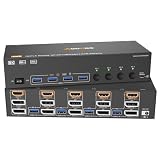
4K@144Hz KVM Switch 2 Monitors 2 Computers Display Port 8K@60Hz USB 3.0 KVM Switch Dual Monitor for 2 Computers Share 2 Monitors and 4 USB Devices Support Extended/Copy Mode with Desktop Controller
Last verified 2026-11-14 12:09:38 UTC
6% below the Amazon reference price
HDMI Displayport KVM Switch 3 Monitor 4 Computer 8K@60Hz/4K@144Hz KVM Switches with 4 USB 3.0 Port,Wired Remote,Power Adapter and 4 USB3.0 Cables Included
Last verified 2026-11-14 12:09:38 UTC
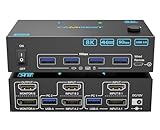
4K@144Hz KVM Switch 2 Monitors 2 Computers 8K@60Hz, Camgeet HDMI Displayport Dual Monitor KVM Switch 2 Computers Share 2 Monitors and 4 USB Peripherals, Wired Remote 12V Adapter and 2 USB Cable
Last verified 2026-11-14 12:09:38 UTC

8% below the Amazon reference price
8K@60Hz HDMI Displayport KVM Switch 3 Monitor 2 Computer 4K@144Hz Triple Monitor KVM Switches with USB 3.0 Port,Wired Remote,Power Adapter and USB3.0 Cables(6.6 cm 2 PC 3 Monitor 8K KVM)
Last verified 2026-11-14 12:09:38 UTC
As an Amazon Associate, Cloudzat earns from qualifying purchases. Prices and availability can change; Amazon shows the final price for your chosen item.
DisplayPort KVM switches buying guide
| Model to compare | Best-fit buying route |
|---|---|
| TESmart DKS202-M24 | a DisplayPort desk after matching the documented simultaneous display modes |
Can I keep DisplayPort from each computer to each monitor?
A native DisplayPort route can avoid unnecessary conversion when both the graphics card and screens use it. Investigate the DKS202-M24 against your exact display modes and the manufacturer’s supported configurations. Check whether the advertised maximum relies on Display Stream Compression and whether both host and monitor support the required arrangement. Count video inputs per computer, USB upstream connections and the output cable for every display. Adapted HDMI paths should be evaluated separately.
The mistake that can erase the saving
Do not assume a passive adapter works in both directions or that a DisplayPort version number guarantees a particular refresh rate through the entire chain. A cable or adapter listing is not the switch itself.
Prefer the simplest qualified connection path. If conversion is unavoidable, price the manufacturer-supported adapter and confirm its direction before comparing the KVM’s discount.
How to judge the Black Friday price
Compare the same model, revision, condition and included accessories against its recent normal selling price. A reduction from a suggested retail price can look large even when the product has sold for less elsewhere. Use a model-specific price history where one is available, and compare reputable sellers at the same time. We do not describe an offer as a historic low without evidence that supports that claim.
Set a target for the complete working setup, not just the box. Include required host cables, video adapters, power supplies and any storage you must buy separately. A more expensive complete bundle can undercut a cheaper bare unit. Avoid assigning value to accessories you already own unless the new ones solve a compatibility or length problem.
Check the selected seller and variant again at checkout. A coupon, Prime-only price, delivery charge or imported bundle can change the comparison. An offer badge identifies a promotion; it does not establish that the product is right for your computer. Buy when the verified total meets your target and the compatibility checks are satisfied. There is no need to assume a later sale day will automatically be cheaper.
Plan the switching behaviour, not only the sockets
Treat both computers as complete inputs. Video, USB data and any laptop power connection must each reach the intended port. A monitor’s ability to display a mode directly from a computer does not establish that the same mode works through every switch and adapter. Draw the full path and check the documentation for the exact simultaneous arrangement, especially when the screens have different resolutions or connectors.
Consider what happens during an ordinary working day: switching while a call is running, returning from sleep and reconnecting a wireless receiver. Check whether the model offers the display identification behaviour you need, and whether specialised keyboards or high-bandwidth USB devices require dedicated peripheral ports. A convenient physical button can be more useful than a hotkey feature that conflicts with your keyboard. Test these behaviours on the actual computers rather than assuming every KVM handles them identically.
Buying for a US desk
Use the Amazon.com listing and a final total in USD for the selected delivery address. Compare the seller, shipping and any tax shown at checkout on the same basis across offers. Confirm that a powered unit includes the appropriate mains lead and the full manufacturer-specified power supply. An overseas price converted into dollars is not automatically the cost of a locally supported purchase.
For a work laptop, check your organisation’s allowed accessories and display-software policy before buying. A dock that is technically compatible can still be unsuitable if required software cannot be installed. Keep a record of the seller’s return terms and test the actual computer promptly. A product name in the shortlist is a model to investigate, not a promise of US stock or a confirmed Black Friday discount.
Read the listing as a complete configuration
Keep a short record of the exact model code, hardware revision, seller, condition, included items and promised delivery date. Compare the text with the product photographs and the manufacturer’s connection diagram. Marketplace listings sometimes group several variants together, so changing an option can change both price and specification. Reviews attached to a shared listing may discuss a different variant from the one selected.
Look for a usable support page and the correct manual before ordering. If a required mode is unclear, ask the manufacturer a precise question that names the computer, operating system, displays and connection route. A general statement that a device works with laptops is not a substitute for that answer. Save the relevant specification so you can test the delivered unit against the expectation.
Use the complete-setup calculator
Enter the actual local device price, the total for cables or adapters you still need, and other required extras. Leave an item at zero only if it is already included or you genuinely do not need it. The result is a planned purchase total, not an estimate of future savings or a guarantee that the combination is compatible. Compare two configurations using the same assumptions.
Keep optional upgrades separate from essential parts. If the purchase only makes sense after replacing a monitor, buying a new laptop or changing the entire network, price that wider project before committing. A good Black Friday purchase should solve the job you have identified at a cost you are comfortable paying, rather than create a chain of unplanned purchases.
Test the real setup while the return window is open
Check the supplied contents and install only the manufacturer’s appropriate software or firmware for the exact model. Start with a simple connection and add the remaining devices in stages. This makes it easier to identify a cable, power or compatibility problem than connecting everything at once. Use your normal applications rather than relying only on a successful desktop screenshot.
Test a cold start, sleep and wake, normal unplugging and reconnecting, and the full arrangement under the workload you bought it for. Check picture stability, audio, keyboard and mouse behaviour and any attached storage. Keep the packaging until you are satisfied and record the seller’s actual return deadline. Do not leave your first meaningful compatibility test until after that deadline.
Complete desk setup cost
Add the device, required cables or adapters, and other essential extras. Use actual local prices; this total does not confirm compatibility.
Questions buyers ask
Can I keep DisplayPort from each computer to each monitor?
Should I buy an early offer or wait for the main sale?
Buy when the exact compatible model meets your complete-cost target and the seller terms suit you. Early and main event labels describe promotion timing, not a guarantee of the lowest price. Compare any available price history before deciding.
What should I verify when the product arrives?
Match the model and included items to the order, then test the intended host connections, full workload and normal switching or reconnecting behaviour before the seller’s return deadline. Keep storage transfers stopped before disconnecting or switching a drive.